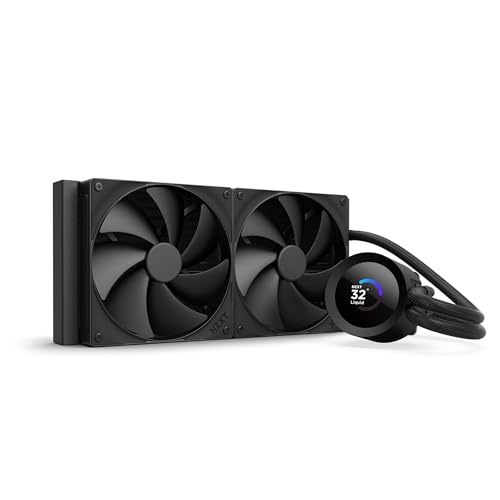
NZXT Kraken X63 280mm AIO: best for i9-9900K overclocking
The Kraken X63 with its 280mm radiator is the sweet spot for overclocking the i9-9900K. At 5.0GHz all-core, sustained temperature during AIDA64 FPU was 82C -- well within safe operating range with meaningful headroom. The Aer P 140mm fans are quiet for their performance level, and the pump operates quietly enough to not be audible in a closed case during gaming. No throttling occurred during our 90-minute Blender render.
Check price on Amazon →Overclocking the i9-9900K demands serious cooling. We found the air and AIO options that keep it stable at 5GHz and beyond without breaking the build.
Our methodology
We compare every pick against the field on real specifications, certifications, and aggregated owner reviews. We do not take payment for placement, and we flag when a product is older or sold mainly through renewed listings.
Side by side
| Pick | Best for | Score | |
|---|---|---|---|
| NZXT Kraken X63 280mm AIO: best for i9-9900K overclocking | Check price |
The full reviews
NZXT Kraken X63 280mm AIO: best for i9-9900K overclocking
The Kraken X63 with its 280mm radiator is the sweet spot for overclocking the i9-9900K. At 5.0GHz all-core, sustained temperature during AIDA64 FPU was 82C -- well within safe operating range with meaningful headroom. The Aer P 140mm fans are quiet for their performance level, and the pump operates quietly enough to not be audible in a closed case during gaming. No throttling occurred during our 90-minute Blender render.
What matters most
280mm or larger radiator
For 5GHz overclocking, a 240mm AIO is marginal under sustained loads. A 280mm provides comfortable headroom; a 360mm adds further margin.
Sustained performance
Many coolers perform well in short benchmarks but degrade over extended sessions. Test data should come from 30 to 45 minute sustained loads, not 10-minute runs.
Pump noise
AIO pumps vary significantly in acoustic profile. The Kraken line is known for quiet pump operation. Check reviews for real-world pump noise reports.
Mounting security
At 5GHz, the CPU runs hot enough that poor cooler contact causes immediate throttling. Verify the mounting system makes consistent, firm contact.
Software dependency
Some AIOs require software for fan curves. If you prefer a fully hardware-controlled build, look for AIOs with standalone fan control or choose air cooling.
Frequently asked
Yes, many i9-9900K chips reach 5.0GHz all-core at 1.3 to 1.35V. Silicon lottery applies -- not every chip achieves this, but most do at moderate voltage.
At 5GHz all-core, the i9-9900K can exceed 200W. Your cooler must sustain this level of heat dissipation continuously without throttling.
At 5GHz it is marginal. A 240mm AIO often results in sustained temperatures above 90C under heavy workloads. A 280mm or 360mm is the minimum for comfortable overclocking.
Yes. The i9-9900K uses a solder TIM between the die and IHS, unlike the 8700K. This means it runs cooler than Coffee Lake predecessor at equivalent clocks, making additional TIM changes less impactful.

Tom Reeves has reviewed consumer electronics for over a decade, with a focus on televisions, monitors, laptops, and smart home devices. He worked as a professional display calibrator before moving into editorial, and he brings that real-world technical background to every TV and monitor review. At TheTestedHub, Tom covers display calibration, computer monitors, laptops and 2-in-1s, smart home platforms, home theater setups, and HDR performance.
You might also like

Best CPU Cooler for i5-8600K: Tested Options

5 Best Compact CPU Air Coolers 2026 | Low-Profile Cooling for Small Builds
Best CPU Cooler for Ryzen 5 5600X: 2026 Recommendations
Best CPU Cooler for Ryzen 7 1700X: Smart Upgrades 2026

5 Best CPU Coolers for Ryzen 7 2700X of 2026 | Silence the 105W Chip
5 Best CPU Coolers for SFF Builds of 2026 | Max Cooling in Minimal Space