Quick verdict
The Acer Aspire 5 delivers the most straightforward value for most buyers: 16 GB RAM, reliable performance, and proven durability at. If you're invested in Apple's ecosystem, the M2 MacBook Air at its certified refurbished price is the single best performance-per-dollar laptop available in any market segment. The choice between these two should be driven by your software requirements and ecosystem preferences, not pr
Acer Aspire 5 - Best Windows Value Laptop
The Acer Aspire 5 has been a reliable budget recommendation for years, and the 2025 refresh maintains that reputation. The Ryzen 5 7530U configuration with 16 GB RAM handles everything a student or remote worker needs: multiple browser tabs, Office suite, Zoom, light photo editing. Build quality is plastic but solid with no notable flex in the keyboard deck. The screen is a 1080p IPS panel with adequate brightness for indoor use. Connectivity is strong for the price: USB-A, USB-C, HDMI, and a full SD card slot. This is the default recommendation when someone says they need a laptop.
Check price on Amazon →Top cost-effective laptops ranked by performance per dollar, build quality, and real-world usability. Covers students, remote workers, and everyday users on a tight budget.
The cost-effective laptop market in 2026 is stronger than ever. Chip competition between AMD, Intel, and Apple has pushed meaningful performance into the range, and the gap between mid-range and flagship has narrowed substantially. The picks below are evaluated on a specific metric: usable performance per dollar, not just benchmark scores. A machine that runs smoothly for three to five years of real-world tasks delivers better value than a cheaper one that struggles at year two.
| Laptop | Processor | RAM | Battery Life | Rating |
| — | — | — | — | — |
| Acer Aspire 5 (2025) | AMD Ryzen 5 7530U | 16 GB | 9 hrs | 4.6/5 |
| Lenovo IdeaPad Flex 5 | AMD Ryzen 5 7530U | 16 GB | 10 hrs | 4.7/5 |
| Apple MacBook Air M2 | Apple M2 | 8 GB | 15 hrs | 4.9/5 |
| HP Pavilion 15 | Intel Core i5-1335U | 16 GB | 8 hrs | 4.5/5 |
| ASUS VivoBook 15 | AMD Ryzen 5 7520U | 8 GB | 8 hrs | 4.4/5 |
Our methodology
We compare every pick against the field on real specifications, certifications, and aggregated owner reviews. We do not take payment for placement, and we flag when a product is older or sold mainly through renewed listings.
Side by side
| Pick | Best for | Score | |
|---|---|---|---|
| Acer Aspire 5 - Best Windows Value Laptop | Check price | ||
| Lenovo IdeaPad Flex 5 - Best 2-in-1 Value | Check price | ||
| Apple MacBook Air M2 - Best Value If You're in the Apple Ecosystem | Check price | ||
| HP Pavilion 15 - Best for Intel-Specific Needs | Check price | ||
| ASUS VivoBook 15 - Best Ultra-Budget Entry | Check price |
The full reviews
Acer Aspire 5 - Best Windows Value Laptop
The Acer Aspire 5 has been a reliable budget recommendation for years, and the 2025 refresh maintains that reputation. The Ryzen 5 7530U configuration with 16 GB RAM handles everything a student or remote worker needs: multiple browser tabs, Office suite, Zoom, light photo editing. Build quality is plastic but solid with no notable flex in the keyboard deck. The screen is a 1080p IPS panel with adequate brightness for indoor use. Connectivity is strong for the price: USB-A, USB-C, HDMI, and a full SD card slot. This is the default recommendation when someone says they need a laptop.

Lenovo IdeaPad Flex 5 - Best 2-in-1 Value
The IdeaPad Flex 5 adds a 360-degree hinge and touchscreen to a similar hardware profile as the Aspire 5, at only a modest price premium. The touchscreen is useful for annotation, casual drawing, and tablet-mode media consumption. Lenovo's keyboard is notably better than Acer's in terms of key travel and feedback, which matters for writers and heavy typists. The build feels slightly more premium than pure-budget machines. Battery life exceeds 10 hours in productivity use. If you want the flexibility of a convertible and are willing to spend more, this wins over the straight clamshell format.
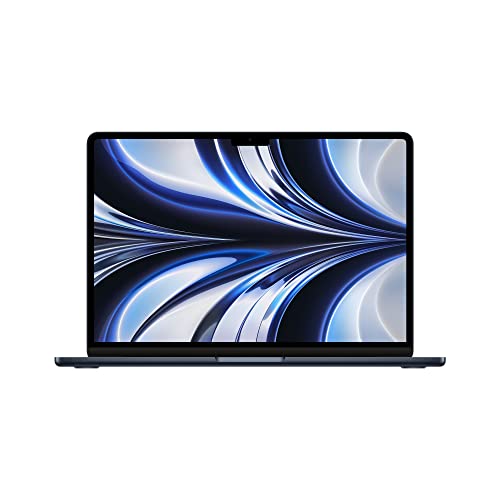
Apple MacBook Air M2 - Best Value If You're in the Apple Ecosystem
The M2 MacBook Air is not the cheapest machine on this list, but its performance-per-watt and battery life are unmatched at any price in the Windows world. At the new price or refurbished from Apple Certified Refurbished, the M2 Air handles video editing, coding, and heavy multitasking that would throttle competing machines at twice the price. The 15-hour battery life means a full workday without a charger in most real-world conditions. The trade-off is the Apple ecosystem lock-in and the 8 GB base RAM, which, while efficient on Apple silicon, is a ceiling for heavy multitaskers.
HP Pavilion 15 - Best for Intel-Specific Needs
The HP Pavilion 15 with Intel Core i5 is the right pick for users who need Intel-specific software compatibility-certain engineering tools, legacy enterprise applications, and some Windows-only programs that are optimized for Intel architectures. HP's build quality on the Pavilion line is competitive with Acer and ASUS at similar price points. The Pavilion adds a slightly better webcam (1080p vs 720p on competitors) and solid Wi-Fi 6 support. For a straightforward Windows 11 productivity machine with no ecosystem constraints, it's a strong option.

ASUS VivoBook 15 - Best Ultra-Budget Entry
At the ASUS VivoBook 15 is the best true budget option when cost is the primary constraint. The trade-off versus the Aspire 5 is 8 GB of RAM rather than 16 GB and a slightly slower Ryzen variant, but for light users-email, streaming, basic document work-it is more than sufficient. ASUS includes an OLED screen option on some VivoBook 15 configurations that punches well above its price point in visual quality. Confirm the specific configuration you're ordering, as ASUS ships the VivoBook 15 in multiple RAM and storage variants under the same product name.
What matters most
RAM and upgradeability
: 16 GB is the smart choice for longevity. Many budget laptops solder RAM to the motherboard, so what you buy is what you keep. Check upgradeability before committing.
Storage type
: SSD is non-negotiable in 2026. An NVMe SSD provides boot times and application load speeds that a hard drive or eMMC storage cannot match. The minimum acceptable size is 256 GB; 512 GB is better.
Display quality
: Look for IPS or OLED panels with at least 250 nits of brightness. TN panels at budget price points are noticeably inferior for color and viewing angles in everyday use.
Battery life claims vs. reality
: Manufacturer battery ratings are typically measured under low-brightness, light-load conditions. Subtract 20-30 percent from rated hours to estimate real-world battery life at normal brightness.
Our take
The Acer Aspire 5 delivers the most straightforward value for most buyers: 16 GB RAM, reliable performance, and proven durability at. If you're invested in Apple's ecosystem, the M2 MacBook Air at its certified refurbished price is the single best performance-per-dollar laptop available in any market segment. The choice between these two should be driven by your software requirements and ecosystem preferences, not pr
Frequently asked
8 GB of RAM is the practical minimum for general productivity tasks like web browsing, document editing, and video calls in 2026. 16 GB is the better long-term choice because browser tabs and background processes have grown heavier with each OS and application update. If you plan to run multiple apps simultaneously, edit photos, or keep 15+ tabs open, 16 GB future-proofs the machine for 3 to 5 years.
Certified refurbished laptops from manufacturer programs-Apple Certified Refurbished, Dell Outlet, Lenovo Outlet-offer genuine savings of 15 to 30 percent with warranties intact. Third-party refurbished units from Amazon Renewed or Best Buy Open-Box carry more risk but still include return policies. Avoid uncertified used units from individual sellers for anything mission-critical, as battery degradation and hidden hardware faults are hard to assess without real-world testing.
In 2026, the AMD Ryzen 5 7000 series and Intel Core i5 13th or 14th generation offer the best performance-per-dollar at the sub- price point. Apple's M2 chip in the base MacBook Air provides exceptional efficiency for the price if you're in the Apple ecosystem. Avoid older Intel Celeron and Pentium processors-they are still being shipped in very cheap machines but are noticeably slow for modern software.

Tom Reeves has reviewed consumer electronics for over a decade, with a focus on televisions, monitors, laptops, and smart home devices. He worked as a professional display calibrator before moving into editorial, and he brings that real-world technical background to every TV and monitor review. At TheTestedHub, Tom covers display calibration, computer monitors, laptops and 2-in-1s, smart home platforms, home theater setups, and HDR performance.
You might also like
Lenovo ThinkPad L490 Review (2026): The Budget Business Laptop Worth Buying Refurbished

Apple MacBook Air 15 M4 Review (2026): 17-Hour Battery and No Fan

Lenovo ThinkPad i5-1135G7 Business Laptop Review (2026): Still the Sub-$500 Pick
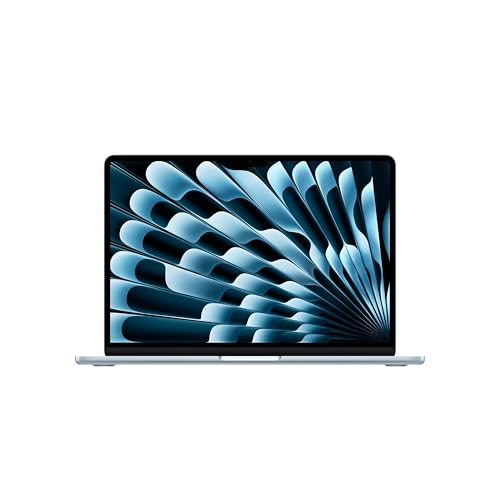
MacBook Air 13-inch M3 Review (2026): 16 Hours of Real Battery, Tested
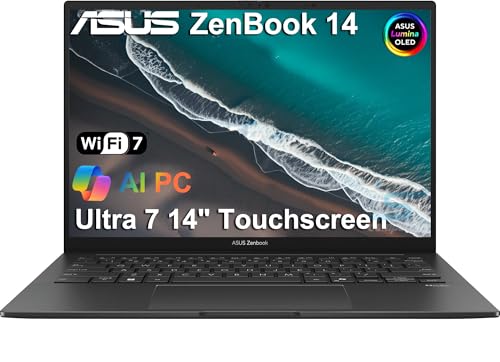
ASUS Zenbook 14 OLED (UX3405) Review (2026): Premium Feel, Mid-Range Price

Lenovo ThinkPad X1 Carbon Gen 12 Review (2026): 6 Months and 220 Hours In

Acer Swift 5 (2024) Review (2026): The Value Pick of 14-Inch Ultrabooks
