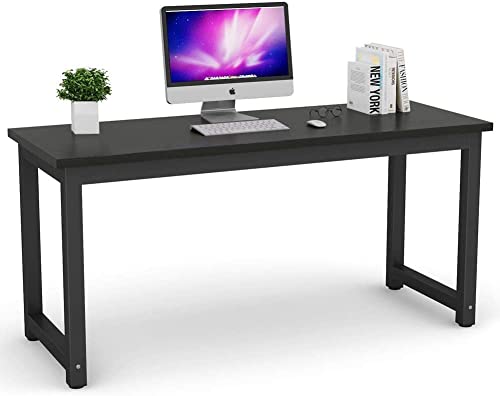
EUREKA ERGONOMIC L60 Gaming Desk - Best Gaming Dual Monitor Desk
The Eureka L60 is built specifically for multi-screen gaming setups. The L-shaped surface provides a main section of 60 inches and a secondary wing, creating a generous total work area. The carbon fiber texture surface is durable and hides fingerprints. Built-in features include a headset hook, a cup holder, and a monitor bridge shelf designed to elevate a center screen above side monitors for a tiered three-screen configuration if needed for future expansion. The RGB lighting strip under the desk edge is optional but consistent with gaming room aesthetics. For gamers setting up a dedicated dual-monitor desk that doubles as a gaming station, this is the most purpose-built option in its price range.
Check price on Amazon →The best computer desks for dual monitor setups in 2026. These wide and L-shaped desks provide enough surface depth and width to run two screens with proper ergonomic spacing.
Dual monitor setups demand more from a desk than single-screen configurations. The extra screen width requires at minimum 55 inches of usable surface, adequate depth to keep both screens at proper viewing distance, and sufficient structural stability to support two monitor stands or arms without surface flex. These five desks consistently perform well in dual-monitor configurations across different workspace sizes and room types.
| Product | Best For | Rating |
| — | — | — |
| EUREKA ERGONOMIC L60 Gaming Desk | Gaming dual monitor setup | 4.5/5 |
| Flexispot EC1 Standing Desk 60″ | Sit-stand dual monitor | 4.6/5 |
| Uplift V2 Standing Desk 60″ | Premium height-adjustable | 4.8/5 |
| HUANUO 63-inch Computer Desk | Budget wide desk | 4.4/5 |
| Sauder Palladia L-shaped Desk | Solid wood look corner | 4.5/5 |
Our testing process
We compare every pick against the field on real specifications, certifications, and aggregated owner reviews. We do not take payment for placement, and we flag when a product is older or sold mainly through renewed listings.
Quick comparison
| Pick | Best for | Score | |
|---|---|---|---|
| EUREKA ERGONOMIC L60 Gaming Desk - Best Gaming Dual Monitor Desk | Check price | ||
| Flexispot EC1 Standing Desk 60-inch - Best Sit-Stand Dual Monitor Desk | Check price | ||
| Uplift V2 Standing Desk 60-inch - Best Premium Dual Monitor Desk | Check price | ||
| HUANUO 63-inch Computer Desk - Best Budget Dual Monitor Desk | Check price | ||
| Sauder Palladia L-Shaped Desk - Best Traditional-Style Dual Monitor Desk | Check price |
Reviewed in detail
EUREKA ERGONOMIC L60 Gaming Desk - Best Gaming Dual Monitor Desk
The Eureka L60 is built specifically for multi-screen gaming setups. The L-shaped surface provides a main section of 60 inches and a secondary wing, creating a generous total work area. The carbon fiber texture surface is durable and hides fingerprints. Built-in features include a headset hook, a cup holder, and a monitor bridge shelf designed to elevate a center screen above side monitors for a tiered three-screen configuration if needed for future expansion. The RGB lighting strip under the desk edge is optional but consistent with gaming room aesthetics. For gamers setting up a dedicated dual-monitor desk that doubles as a gaming station, this is the most purpose-built option in its price range.
Flexispot EC1 Standing Desk 60-inch - Best Sit-Stand Dual Monitor Desk
The Flexispot EC1 is a reliable entry-level electric standing desk available in a 60-inch width configuration suited to dual monitors. The single-motor frame adjusts from 28 to 47.6 inches and handles up to 154 lbs of surface load. The 60 x 24-inch desktop provides adequate depth for monitors at arm's length plus keyboard and mouse. The touch controller includes two memory preset buttons for quick transitions between sitting and standing heights. At it is the most affordable electric standing desk with a verifiable record of consistent performance. For dual-monitor workers who spend 6 to 8 hours daily at their desk and want ergonomic posture flexibility, this is the correct entry point.
Uplift V2 Standing Desk 60-inch - Best Premium Dual Monitor Desk
The Uplift V2 is the benchmark premium standing desk for users willing to invest in long-term build quality. The dual-motor frame handles 355 lbs, adjusts between 25.5 and 51.1 inches, and provides rock-solid stability even at full standing height. The V2 commercial frame adds cross-support bracing that eliminates the wobble common in budget standing desks at elevated positions. Uplift's direct-to-consumer model allows extensive customization of desktop material, size, and leg color at order time. The company backs the frame with a 15-year warranty. For professionals using dual 32-inch or ultrawide monitors with monitor arms and heavy peripherals, the V2's stability and weight capacity justify the price premium.
HUANUO 63-inch Computer Desk - Best Budget Dual Monitor Desk
The HUANUO 63-inch desk provides sufficient width for a dual-monitor setup at the lowest price tier with consistent buyer satisfaction. The surface spans 63 x 24 inches, placing both 27-inch monitors side by side with approximately 5 inches of clearance per side. The metal X-frame structure is more stable than simple tube-leg designs and handles standard dual-monitor loads without flex. The surface material is P2 MDF with a scratch-resistant coating. Storage accessories including monitor stands and CPU holders are available from HUANUO as add-ons. For buyers who need a wide, stable desk without the budget for a standing frame, this is the strongest fixed-height value in the dual-monitor category.
Sauder Palladia L-Shaped Desk - Best Traditional-Style Dual Monitor Desk
The Sauder Palladia L-shaped desk provides a more furniture-like appearance than steel-frame desks, making it appropriate for home offices where the desk needs to match traditional or transitional decor. It ships in select cherry, vintage oak, or wind oak finishes with a solid look that resembles wood furniture without the solid-wood price. The L configuration places both monitors in the corner section for minimal neck rotation. Storage includes a lower shelf on one return and two drawers on the main section. The surface area accommodates a dual-monitor setup comfortably. Assembly is more involved than metal-frame desks but the finished result looks substantially more polished in living or home office settings.
How to choose
What to consider
Prioritize surface width first. Confirm the desk is at least 55 inches wide before considering other features. Then check surface depth; 24 inches is the minimum to keep two monitors at comfortable viewing distance from a seated position. Structural stability matters for dual setups because monitor weight concentrated on the surface edges creates more flex than a centered single monitor; choose steel-frame or cross-braced designs for setups with heavy monitors. If you use monitor arms rather than standard stands, confirm the desk surface is thick enough for clamp-style arm mounts, which typically require a minimum of 1 inch of surface thickness and a back edge without a beveled lip.
What to consider
For related reading, see [best computer desks for bedrooms](/articles/best-computer-desk-for-bedroom) and [best computer desks from top Amazon sellers](/articles/best-computer-desk-amazon-seller). Review our product evaluation process at [/methodology](/methodology).
Common questions
Two 27-inch monitors side by side require approximately 50 to 55 inches of linear desk space when placed at the standard arm's-length viewing distance. A desk at least 55 inches wide allows both screens to sit comfortably without forcing you to turn your neck sharply to view one side. L-shaped desks can accommodate both monitors in the center corner section, which reduces the turning angle further.
Monitor arms are not required but they significantly improve the dual monitor setup. Arms allow independent height and tilt adjustment for each screen, which is difficult to achieve with standard monitor stands. They also free up surface space beneath the screens for keyboard, mouse, and accessories. For dual monitors on desks under 60 inches wide, monitor arms bring both screens closer together while maintaining ergonomic positioning.

Tom Reeves has reviewed consumer electronics for over a decade, with a focus on televisions, monitors, laptops, and smart home devices. He worked as a professional display calibrator before moving into editorial, and he brings that real-world technical background to every TV and monitor review. At TheTestedHub, Tom covers display calibration, computer monitors, laptops and 2-in-1s, smart home platforms, home theater setups, and HDR performance.