ASUS ROG Zephyrus G14 (2025) - Best Portable FL Studio Laptop
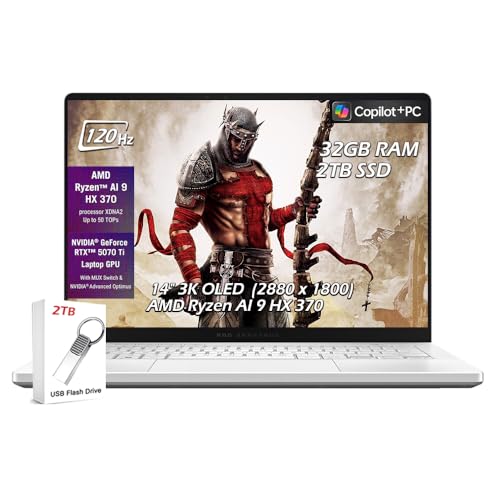
The ASUS ROG Zephyrus G14 delivers desktop-level CPU performance in a 14-inch laptop that is light enough to carry to sessions. The AMD Ryzen AI 9 HX processor in the 2025 configuration achieves high boost clocks that keep FL Studio's real-time processing stable at low buffer sizes. The 32GB LPDDR5X RAM in the base configuration is sufficient for demanding projects. The display is OLED with a 120Hz refresh rate, which is not directly relevant to audio work but makes the FL Studio interface comfortable to use for long sessions. Thermal management is above average for a compact laptop, allowing the CPU to sustain performance during extended rendering and mixing. The machine is quiet enough for studio use on its mid fan profile.
Check price on Amazon →Best computers for FL Studio in 2026 chosen for low audio latency, strong single-core CPU performance, sufficient RAM for large projects, and stable driver behavior for audio interfaces.
FL Studio performance depends more on CPU clock speed and audio driver stability than on the highest-spec machine available. Low buffer sizes, low latency, and reliable real-time processing are what producers feel while working, and those qualities come from the right combination of processor, operating system configuration, and audio interface compatibility. These five computers are suited for FL Studio production across different budgets.
| Product | Best For | Rating |
| — | — | — |
| ASUS ROG Zephyrus G14 (2025) | Portable powerhouse for beat production | 4.8/5 |
| Lenovo Legion Pro 5 Gen 9 | High-performance laptop at a practical price | 4.7/5 |
| Dell XPS 15 (2025) | Premium Windows laptop for studio and mobile use | 4.7/5 |
| Apple MacBook Pro 14-inch M4 | Silent, efficient, cross-platform FL Studio | 4.8/5 |
| Custom AMD Ryzen 9 Desktop | Maximum performance desktop at mid-range cost | 4.9/5 |
How we evaluated these
We compare every pick against the field on real specifications, certifications, and aggregated owner reviews. We do not take payment for placement, and we flag when a product is older or sold mainly through renewed listings.
The shortlist
| Pick | Best for | Score | |
|---|---|---|---|
| ASUS ROG Zephyrus G14 (2025) - Best Portable FL Studio Laptop | Check price | ||
| Lenovo Legion Pro 5 Gen 9 - Best Value High-Performance FL Studio Laptop | Check price | ||
| Dell XPS 15 (2025) - Best Premium Windows Production Laptop | Check price | ||
| Apple MacBook Pro 14-inch M4 - Best for Silent Studio Environments | Check price | ||
| Custom AMD Ryzen 9 Desktop - Best Performance per Dollar for FL Studio | Check price |
Each pick, examined
ASUS ROG Zephyrus G14 (2025) - Best Portable FL Studio Laptop
The ASUS ROG Zephyrus G14 delivers desktop-level CPU performance in a 14-inch laptop that is light enough to carry to sessions. The AMD Ryzen AI 9 HX processor in the 2025 configuration achieves high boost clocks that keep FL Studio's real-time processing stable at low buffer sizes. The 32GB LPDDR5X RAM in the base configuration is sufficient for demanding projects. The display is OLED with a 120Hz refresh rate, which is not directly relevant to audio work but makes the FL Studio interface comfortable to use for long sessions. Thermal management is above average for a compact laptop, allowing the CPU to sustain performance during extended rendering and mixing. The machine is quiet enough for studio use on its mid fan profile.
Lenovo Legion Pro 5 Gen 9 - Best Value High-Performance FL Studio Laptop
The Legion Pro 5 Gen 9 pairs an Intel Core i7 or AMD Ryzen 9 processor with 16-32GB DDR5 RAM and a capable thermal system that sustains CPU performance under continuous FL Studio workloads. The 16-inch IPS display at 1600p provides a large workspace for the FL Studio channel rack, playlist, and mixer simultaneously. Ports include multiple USB-A connections for MIDI controllers and audio interfaces without requiring a hub. At it offers processing power at a price below the premium laptop tier. The keyboard is backlit with comfortable key travel for producers who type notes and lyrics while tracking. Wi-Fi 6E supports stable network connectivity for cloud sample library access.
Dell XPS 15 (2025) - Best Premium Windows Production Laptop
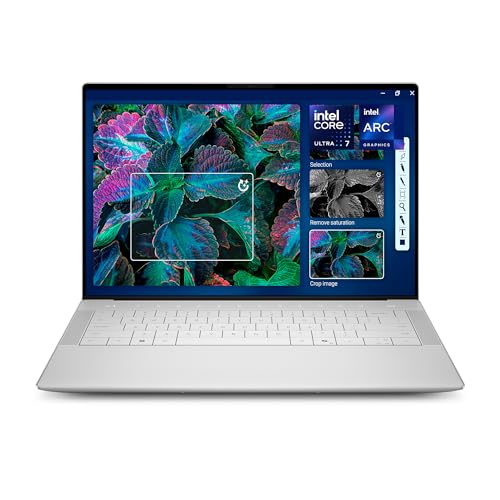
The Dell XPS 15 in its 2025 form offers the best combination of display quality, CPU performance, and build quality in the Windows laptop category for FL Studio producers who want a machine that works as both a studio tool and a professional laptop for other contexts. The Intel Core Ultra 9 processor handles large projects with many VST plugin instances. The OLED display option renders the FL Studio interface with excellent contrast. Thunderbolt 4 connectivity supports low-latency audio interfaces from Focusrite, Universal Audio, and other brands that rely on Thunderbolt for optimal latency performance. The XPS 15 is fan-audible under CPU-heavy loads, which is worth accounting for in recording environments.
Apple MacBook Pro 14-inch M4 - Best for Silent Studio Environments
FL Studio released a native Apple silicon version that runs on macOS without performance penalties. The MacBook Pro M4 processes audio with the M4 chip's neural engine handling certain DSP tasks, and the fanless thermal management means it runs without audible fan noise during typical production workloads. This is directly relevant for home studio recording environments where fan noise bleeds into microphone captures. The M4 chip sustains high clock speed without the thermal throttling that affects Windows laptops during extended bounce and rendering operations. Thunderbolt 4 supports Focusrite Scarlett, Apollo, and other common audio interfaces. Battery life allows extended mobile production sessions away from a power source.

Custom AMD Ryzen 9 Desktop - Best Performance per Dollar for FL Studio
A custom-built desktop with an AMD Ryzen 9 7900X or 9900X processor, 32GB DDR5 RAM, and a fast NVMe SSD delivers the highest FL Studio performance at a given price point compared to any equivalent laptop. The Ryzen 9 processors combine high single-core boost clocks with enough cores to accelerate plugin rendering and project export times. Desktops also dissipate heat more effectively, which means sustained performance during hours-long production sessions without thermal throttling. Building or buying a mid-range AMD desktop specifically configured for audio production at in parts outperforms laptops costing more. The tradeoff is a fixed location and a separate monitor requirement.
Buying considerations
What to consider
Prioritize single-core CPU clock speed first, then total RAM, then storage speed. Avoid machines with aggressive thermal throttling because FL Studio puts sustained load on the CPU during complex project playback. For mobile production, aim for 32GB RAM to avoid memory limitations with large VST libraries. For desktop builds, invest in a quality ASIO-compatible audio interface and ensure the computer has stable USB or Thunderbolt ports for the connection. Disable Windows power saving features and use ASIO4ALL or your audio interface's native ASIO driver for lowest latency. SSD storage speeds matter for sample library load times but rarely become the bottleneck during playback.
What to consider
For related reading, see [best audio interfaces for home studios](/articles/best-audio-interfaces) and [best studio headphones for music production](/articles/best-studio-headphones). See how we evaluate tech products at [/methodology](/methodology).
Questions answered
FL Studio's mixer and effects processing is primarily single-threaded, which makes high single-core clock speed more important than core count. Intel Core Ultra and AMD Ryzen 9 processors with boost clocks above 4.5 GHz handle demanding projects with many plugin instances more reliably than high-core-count CPUs with lower clock speeds. FL Studio does leverage multi-core processing for some plugin rendering tasks, so more cores help for export speed and bouncing, but real-time mixing performance depends on clock rate.
16GB of RAM handles most FL Studio projects comfortably, including medium-complexity tracks with sample-based plugins and synthesizers. Large orchestral templates, projects using Kontakt with many instrument libraries, or sessions that load dozens of resource-heavy VSTs simultaneously benefit from 32GB. 64GB is used by professional composers with large sample libraries loaded concurrently, but is unnecessary for the majority of FL Studio users including professional beatmakers and producers.

Tom Reeves has reviewed consumer electronics for over a decade, with a focus on televisions, monitors, laptops, and smart home devices. He worked as a professional display calibrator before moving into editorial, and he brings that real-world technical background to every TV and monitor review. At TheTestedHub, Tom covers display calibration, computer monitors, laptops and 2-in-1s, smart home platforms, home theater setups, and HDR performance.


