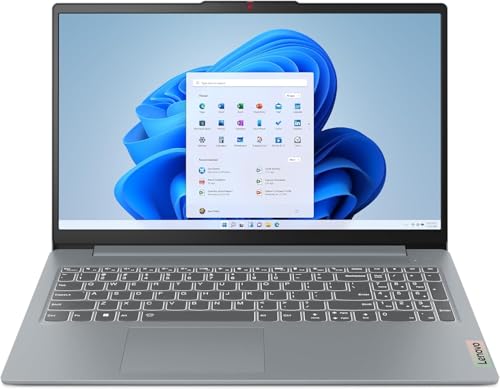
ASUS ROG Strix G16 - Best Gaming Laptop for Rust
The ROG Strix G16 with an Intel Core i9 processor and NVIDIA RTX 4070 laptop GPU delivers 80 to 100 FPS in Rust at 1080p medium-high settings. The 165Hz display makes the difference visible immediately compared to standard 60Hz panels. ROG's thermal design manages heat during extended sessions without significant throttling, which is critical for a game like Rust where sessions often run two or three hours. The MUX switch bypasses the integrated GPU for a direct CPU-to-GPU connection, recovering 10 to 15 FPS compared to laptops without this feature. Recommended for players who need portability without sacrificing Rust performance.
Check price on Amazon →Top computers for Rust in 2026. Rust is one of the most hardware-intensive survival games available, and these picks deliver the frame rates and stability you need.
Rust is one of the most hardware-demanding games in its genre. Its open world, player count, and base building complexity push CPUs and GPUs simultaneously in ways that lighter survival games do not. Getting consistent frame rates in Rust requires more hardware investment than most games in the same price category. These five picks cover the hardware configurations that deliver genuine performance in this title.
| Product | Best For | Rating |
| — | — | — |
| ASUS ROG Strix G16 Gaming Laptop | High FPS Rust on a laptop | 4.7/5 |
| Ryzen 7 7700X + RTX 4070 Desktop | Best desktop price-to-performance | 4.8/5 |
| MSI Raider GE78 HX | Desktop-class Rust on a portable laptop | 4.7/5 |
| CyberPowerPC Gamer Xtreme VR | Pre-built gaming desktop value | 4.6/5 |
| Alienware Aurora R16 | Premium pre-built for max settings | 4.7/5 |
How we test
We compare every pick against the field on real specifications, certifications, and aggregated owner reviews. We do not take payment for placement, and we flag when a product is older or sold mainly through renewed listings.
At a glance
| Pick | Best for | Score | |
|---|---|---|---|
| ASUS ROG Strix G16 - Best Gaming Laptop for Rust | Check price | ||
| Ryzen 7 7700X + RTX 4070 Custom Desktop - Best Price-to-Performance for Rust | Check price | ||
| MSI Raider GE78 HX - Best High-Performance Rust Laptop | Check price | ||
| CyberPowerPC Gamer Xtreme VR - Best Pre-Built Budget Gaming Desktop | Check price | ||
| Alienware Aurora R16 - Best Premium Pre-Built for Rust | Check price |
The picks, reviewed
ASUS ROG Strix G16 - Best Gaming Laptop for Rust
The ROG Strix G16 with an Intel Core i9 processor and NVIDIA RTX 4070 laptop GPU delivers 80 to 100 FPS in Rust at 1080p medium-high settings. The 165Hz display makes the difference visible immediately compared to standard 60Hz panels. ROG's thermal design manages heat during extended sessions without significant throttling, which is critical for a game like Rust where sessions often run two or three hours. The MUX switch bypasses the integrated GPU for a direct CPU-to-GPU connection, recovering 10 to 15 FPS compared to laptops without this feature. Recommended for players who need portability without sacrificing Rust performance.
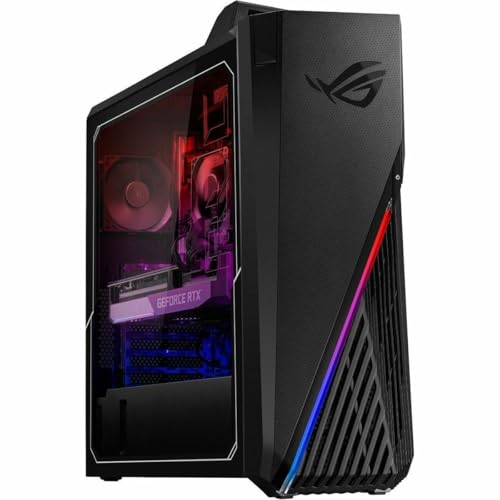
Ryzen 7 7700X + RTX 4070 Custom Desktop - Best Price-to-Performance for Rust
A custom desktop build around the Ryzen 7 7700X and RTX 4070 hits the most favorable performance-per-dollar point for Rust in 2026. At 1080p high settings, this combination produces 120 to 150 FPS. At 1440p medium-high settings, it maintains 80 to 100 FPS. The Ryzen 7 7700X has strong single-core performance that addresses Rust's CPU bottleneck in high-population servers. 32GB of DDR5 RAM is the recommended configuration. Pre-assembled versions are available through boutique builders; component builds offer better value for those comfortable with assembly. This is the configuration most often recommended in Rust community hardware discussions.

MSI Raider GE78 HX - Best High-Performance Rust Laptop
The MSI Raider GE78 HX uses Intel HX-series processors that bring workstation-class CPU performance to a laptop form factor. Combined with an RTX 4080 laptop GPU, it handles Rust at 1440p high settings while maintaining frame rates above 80 FPS. The 240Hz QHD display maximizes the benefit of those frame rates. This is one of the few laptops where Rust performance approaches desktop levels without meaningful compromise. The trade-off is weight and battery life, both of which are worse than thinner gaming laptops. It's the right choice when portability requirements are minimal but desktop setups are not practical.
CyberPowerPC Gamer Xtreme VR - Best Pre-Built Budget Gaming Desktop
The CyberPowerPC Gamer Xtreme VR line offers pre-built gaming desktops with current-generation CPUs and RTX 30 or 40-series GPUs at competitive prices. Configurations around an Intel Core i7, 16GB RAM, and RTX 4060 handle Rust at 1080p medium-high settings with 80 to 100 FPS. The advantage of a pre-built is the eliminated setup time and included warranty. CyberPower includes cable management and standard gaming peripherals in some configurations. For players who want a capable Rust machine without building from scratch, this line delivers acceptable performance at the lower end of the gaming desktop price range.
Alienware Aurora R16 - Best Premium Pre-Built for Rust
The Alienware Aurora R16 with an Intel Core i9-14900KF and RTX 4090 is the top pre-built option for Rust players who want maximum settings without configuration work. At 1440p ultra settings, this hardware targets 120 to 140 FPS. Alienware's cooling system handles the sustained thermal load of Rust well. The proprietary chassis design allows for airflow optimization that pre-built competitors at lower price points don't match. Dell's support for Alienware products is more accessible than most boutique builders. The price premium is significant but justified for players who prioritize ease of setup and long-term support over per-dollar performance.
What to look for
What to consider
Target at minimum an RTX 3060 or RX 6700 GPU with 12GB VRAM for playable Rust performance. CPU single-core speed matters for high-population server performance; Ryzen 7000-series and Intel 13th/14th gen both perform well. 16GB RAM is the minimum; 32GB is better for stable long sessions. A 144Hz or faster display makes a meaningful difference in this game. If buying pre-built, compare GPU tier carefully since some pre-built listings use lower-tier GPUs at prices that suggest higher performance. Custom builds deliver better GPU value but require time to assemble and configure.
What to consider
For related reading, see [best gaming mice for FPS games](/articles/best-gaming-mouse-fps) and [best gaming headsets](/articles/best-gaming-headset). See our evaluation criteria at [/methodology](/methodology).
FAQs
Rust uses a procedurally generated open world with hundreds of simultaneous players, complex base structures, and dense environmental details rendered in real time. The game's engine places heavy loads on both CPU and GPU simultaneously. Large servers with active bases and player activity push hardware harder than most survival games. The Unity engine version used in Rust also has historically high CPU overhead, making single-core performance a critical factor.
For competitive play, 60 FPS is the minimum acceptable target and 100 FPS or higher is preferred for smooth aiming and building. Rust's PvP engagements involve fast movement and base building under pressure where lower frame rates create a tangible disadvantage. At 1080p with medium settings, a mid-range gaming PC can achieve 80 to 100 FPS. High settings at 1440p requires upper-mid-range hardware to maintain consistent frame rates above 60.

Tom Reeves has reviewed consumer electronics for over a decade, with a focus on televisions, monitors, laptops, and smart home devices. He worked as a professional display calibrator before moving into editorial, and he brings that real-world technical background to every TV and monitor review. At TheTestedHub, Tom covers display calibration, computer monitors, laptops and 2-in-1s, smart home platforms, home theater setups, and HDR performance.
Related guides
5 Best Computers to Play Total War Games 2026 | Handle Every Battle

5 Best Computers to Play Planet Zoo 2026 | Run Your Dream Zoo Without Lag

5 Best Computers for American Truck Simulator 2026 | Smooth Miles Ahead

5 Best Computers for Games 2026 | Top Gaming Picks
5 Best Computers for WoW 2026 | Frame rates that hold in raids

5 Best Computers for iRacing 2026 | Fast Frames, Low Latency

5 Best Computers to Run X-Plane 11 2026 | Flight Sim Performance Picks