
AMD Ryzen 5 7600X -- Best Mid-Range CPU
The Ryzen 5 7600X is a six-core, twelve-thread processor built on the AM5 platform, giving it a long upgrade path as AMD continues supporting the socket. Clock speeds reach 5.3 GHz boost, which keeps single-threaded workloads fast for web browsers, coding tools, and productivity apps. It runs warm under sustained load and benefits from a quality cooler, but overall power efficiency is strong for the performance level. Pairing it with a B650 motherboard keeps total build cost reasonable while still supporting PCIe 5.0 storage.
Check price on Amazon →Upgrading a PC starts with picking the right components. These five computer parts offer the best balance of performance, compatibility, and value for 2026 builds.
Whether you are building a PC from scratch or refreshing an aging machine, choosing the right components makes the biggest difference in day-to-day speed and longevity. The picks below focus on the parts that deliver meaningful, noticeable upgrades without requiring a full system replacement.
| Product | Best For | Rating |
| — | — | — |
| AMD Ryzen 5 7600X | Mid-range CPU upgrade | 4.8/5 |
| Samsung 990 Pro 1TB NVMe | Fast storage upgrade | 4.9/5 |
| Corsair Vengeance 32GB DDR5 | RAM upgrade to 32 GB | 4.7/5 |
| Nvidia GeForce RTX 4060 | 1080p GPU upgrade | 4.7/5 |
| Noctua NH-D15 CPU Cooler | Cooling upgrade | 4.9/5 |
Our methodology
We compare every pick against the field on real specifications, certifications, and aggregated owner reviews. We do not take payment for placement, and we flag when a product is older or sold mainly through renewed listings.
Side by side
| Pick | Best for | Score | |
|---|---|---|---|
| AMD Ryzen 5 7600X -- Best Mid-Range CPU | Check price | ||
| Samsung 990 Pro 1TB NVMe -- Best Storage Upgrade | Check price | ||
| Corsair Vengeance 32GB DDR5 -- Best RAM Kit | Check price | ||
| Nvidia GeForce RTX 4060 -- Best 1080p GPU | Check price | ||
| Noctua NH-D15 CPU Cooler -- Best Cooling Upgrade | Check price |
The full reviews
AMD Ryzen 5 7600X -- Best Mid-Range CPU
The Ryzen 5 7600X is a six-core, twelve-thread processor built on the AM5 platform, giving it a long upgrade path as AMD continues supporting the socket. Clock speeds reach 5.3 GHz boost, which keeps single-threaded workloads fast for web browsers, coding tools, and productivity apps. It runs warm under sustained load and benefits from a quality cooler, but overall power efficiency is strong for the performance level. Pairing it with a B650 motherboard keeps total build cost reasonable while still supporting PCIe 5.0 storage.
Samsung 990 Pro 1TB NVMe -- Best Storage Upgrade
Samsung's 990 Pro delivers sequential read speeds around 7450 MB/s, making OS boots, game loads, and large file transfers noticeably faster than any SATA SSD. The 1 TB version offers a practical balance of capacity and cost for most users. Samsung's Magician software monitors drive health and can optimize performance over time. Heat management is improved over the 980 Pro, so thermal throttling under sustained writes is less frequent. It fits any M.2 slot supporting PCIe 4.0 and works in PCIe 3.0 slots at reduced speed.
Corsair Vengeance 32GB DDR5 -- Best RAM Kit
Moving from 8 or 16 GB to 32 GB of DDR5 opens multitasking headroom that older DDR4 kits simply cannot match at current prices. The Corsair Vengeance DDR5 kit runs at 5600 MHz with XMP 3.0 support, enabling easy one-click overclocking in the BIOS. The low-profile heatspreader fits under most tower coolers without clearance issues. It is compatible with Intel 12th/13th/14th gen and AMD Ryzen 7000 platforms. Stability at rated speeds is consistent across user reports, making it a reliable pick for new builds.

Nvidia GeForce RTX 4060 -- Best 1080p GPU
The RTX 4060 handles 1080p gaming at high settings in most titles released through 2025, with frame generation support adding extra headroom in supported games. DLSS 3 upscaling boosts frame rates in demanding scenes without significant visual quality loss. The 8 GB VRAM is adequate for 1080p but shows limits in a handful of newer titles at ultra settings. Power draw is 115W, fitting comfortably in most mid-range PSU configurations. For general use, video editing, and light 3D rendering, it outperforms the previous generation noticeably.

Noctua NH-D15 CPU Cooler -- Best Cooling Upgrade
The NH-D15 remains one of the most effective air coolers available, holding its own against many 240 mm liquid coolers. Dual towers with two 140 mm fans keep even high-TDP processors below thermal throttle thresholds during extended workloads. Installation uses Noctua's SecuFirm2 mounting system, which is straightforward on both Intel and AMD platforms. The cooler is large and requires RAM clearance checks on dual-tower configurations. Noise levels stay low even at medium fan curves, making it well-suited for quiet home office environments.
What matters most
What to consider
Identify the bottleneck in your current system first. Slow boot and app load times point to storage. Frequent freezing during multitasking points to RAM. Low frame rates in games or slow video exports point to the GPU or CPU. Once you know the bottleneck, prioritize that part before spending on everything else. Always verify compatibility using your motherboard's QVL lists and a tool like PCPartPicker. Set a budget ceiling and stick to the tier below the top; the performance difference at the high end rarely justifies double the price for general use.
What to consider
For related upgrade guides, see [best computer power supply](/articles/best-computer-power-supply) and [best computer power strip](/articles/best-computer-power-strip). Learn about our evaluation process at [methodology](/methodology).
Frequently asked
Upgrading from a hard drive to an NVMe SSD delivers the most noticeable real-world speed improvement for most users. Boot times drop from over a minute to under fifteen seconds, and application loading feels nearly instant. After that, adding RAM to reach 16 GB is the next most impactful upgrade for everyday computing, multitasking, and light creative work.
Check your motherboard model first -- it determines which CPU sockets, RAM types, and PCIe slot versions are supported. Tools like PCPartPicker let you enter your existing components and flag incompatibilities automatically. Always verify power supply wattage before adding a new GPU, and confirm M.2 slot availability before buying an NVMe drive.

Tom Reeves has reviewed consumer electronics for over a decade, with a focus on televisions, monitors, laptops, and smart home devices. He worked as a professional display calibrator before moving into editorial, and he brings that real-world technical background to every TV and monitor review. At TheTestedHub, Tom covers display calibration, computer monitors, laptops and 2-in-1s, smart home platforms, home theater setups, and HDR performance.
You might also like

5 Best Computer RAM 2026 | Top Memory Kits for Every Build

5 Best CPUs for Guild Wars 2 of 2026 | Single-Thread Matters Most

5 Best Consumer Graphics Cards 2026 | Top GPUs for Gaming and Work

5 Best CPUs for Gaming and Work of 2026 | Peak Performance in Both Worlds

5 Best Custom Power Supply Cables of 2026 | Sleeved, Styled, and Voltage-Tested

5 Best CPUs for Home Office PC of 2026 | Fast, Quiet, Reliable
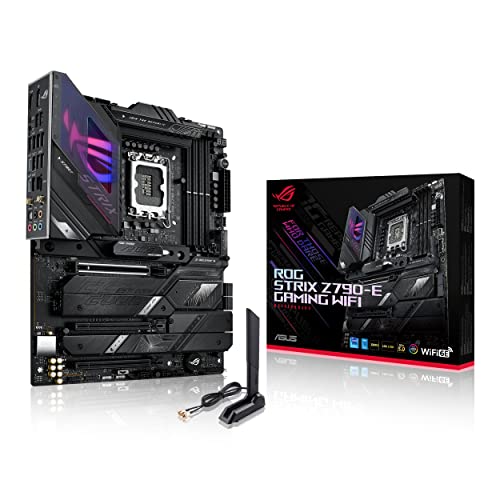
5 Best Computer Motherboards 2026 | Stable foundation, room to grow
