Professionals and remote workers: find honest reviews of ergonomic chairs, sit-stand desks, and monitors for your 2026 home office. Real-world tested.
Building a home office in 2026 is about more than just buying a desk and a chair. With the rise of hybrid work, AI-powered tools, and an increasing focus on ergonomics, your setup needs to be intentional, flexible, and future-proof. This guide covers the essential components, from furniture to tech, with honest recommendations based on real-world use.
Ergonomics First: Chair and Desk
The foundation of any home office is a chair that supports your body for hours of work. In 2026, the gold standard remains the Herman Miller Aeron, but newer contenders like the Steelcase Gesture and the Haworth Fern offer comparable ergonomics with modern adjustments. The Aeron’s mesh back is breathable and its PostureFit SL support is excellent, but the Gesture’s 3D LiveBack technology adapts to your spine’s natural curve. The Fern, with its flexible back and adjustable lumbar, is a strong alternative for those who want a more cushioned seat. For a budget-friendly option, the Branch Ergonomic Chair provides decent adjustability and a breathable mesh back.
For desks, sit-stand models are now standard. The Uplift V2 is a workhorse with a sturdy frame and programmable height settings. The Jarvis Bamboo desk by Fully (now part of Herman Miller) is an eco-friendly choice with a smooth electric lift. If you prefer a compact solution, the Flexispot E7 offers a solid build at a lower price point. Pair your desk with a balance board or an anti-fatigue mat to reduce strain while standing.
Monitor and Display Setup
A single monitor is often insufficient for multitasking. In 2026, ultrawide monitors are popular, but a dual-monitor setup with proper alignment is still effective. The Dell UltraSharp U2723QE is a 27-inch 4K USB-C hub monitor with excellent color accuracy and built-in KVM, ideal for connecting both a laptop and a desktop. For an ultrawide, the LG 40WP95C-W is a 40-inch 5K2K curved display that replaces two monitors with seamless real estate. If you’re on a budget, the ASUS ProArt PA278QV offers 27-inch QHD resolution with good color reproduction.
Position your monitor so the top bezel is at eye level, about an arm’s length away. Use a monitor arm like the Ergotron LX to free up desk space and adjust easily.
Lighting: The Overlooked Essential
Poor lighting causes eye strain and headaches. The BenQ ScreenBar Halo is a monitor-mounted lamp that illuminates your desk without screen glare. Its ambient light sensor adjusts brightness automatically. For general room lighting, the Philips Hue Play gradient light strip can be placed behind your monitor for bias lighting, reducing eye fatigue. A dedicated task light like the IKEA Forsa work lamp with an LED bulb provides focused light for reading documents.
Keyboard and Mouse
Ergonomic keyboards have evolved. The Logitech ERGO K860 is a split keyboard with a curved design that promotes natural wrist posture. For a mechanical option, the Keychron Q1 Pro is a compact 75% board with hot-swappable switches and wireless connectivity. The ZSA Moonlander is a fully split, programmable keyboard for those who want ultimate customization. Pair with a vertical mouse like the Logitech MX Vertical to reduce forearm strain, or the Razer Pro Click for a more traditional ergonomic shape. A mousepad with a gel wrist rest, such as the Glorious PC Gaming Race Stealth, adds comfort.
Audio and Video
Clear communication is critical for video calls. The Jabra Evolve2 85 headset offers active noise cancellation and a boom microphone for professional audio. If you prefer speakers, the Audioengine A2+ Wireless are compact desktop speakers with rich sound. For a webcam, the Logitech Brio 4K provides crisp video with auto-focus and low-light correction. The Elgato Key Light Air is a soft LED panel that eliminates shadows on your face. A simple microphone like the Blue Yeti X is great for podcasting or clear voice capture.
Connectivity and Power Management
Keep cables organized with a cable management tray like the IKEA Signum. Use a USB-C hub like the CalDigit TS4 to connect multiple peripherals with a single cable to your laptop. The Anker PowerPort Strip PD 2 is a surge protector with USB-C fast charging. For wireless charging, the Nomad Base One Max can charge your phone, AirPods, and Apple Watch simultaneously.
Storage and Organization
Clutter kills productivity. The Autonomous SmartDesk has built-in cable management, but for existing desks, the Uplift V2 accessories include a CPU holder and wire management kit. Use the IKEA Skadis pegboard for hanging tools and small items. The Container Store’s Elfa desk drawer units add hidden storage. For digital organization, a NAS like the Synology DS220+ provides local backup and file sharing.
Software and Automation
In 2026, AI tools streamline workflows. Use Otter.ai for meeting transcriptions, Notion for project management, and CleanShot X for screen captures. Automate your lighting with Philips Hue scenes that adjust based on time of day. The Elgato Stream Deck can control smart devices, mute your mic, and launch apps with a single press.
Each chair excels in different areas. The Aeron is best for hot climates due to mesh. The Gesture is ideal for those who move around a lot. The Fern offers a balance of comfort and support.
Final Thoughts
Your home office should be a reflection of your work style. Invest in the pieces that matter most: a good chair, a spacious desk, and proper lighting. Test products when possible, and don’t overlook cable management. With the right setup, you’ll be productive and comfortable for years to come.
Top picks (where to buy)
Herman Miller Aeron
★ Best Overall Ergonomic Chair
Breathable mesh, excellent lumbar support, durable build, and a 12-year warranty make it a long-term investment for all-day comfort.
Dell UltraSharp U2723QE
★ Best 4K Monitor for Home Office
27-inch 4K resolution, USB-C hub with 90W charging, built-in KVM, and factory-calibrated colors for accurate work.
Logitech ERGO K860
★ Best Ergonomic Keyboard
Split, curved design reduces wrist strain; cushioned palm rest; wireless and multi-device connectivity.
BenQ ScreenBar Halo
★ Best Monitor Light
Glare-free illumination, automatic brightness adjustment, wireless remote, and ambient light sensor.
Jabra Evolve2 85
★ Best Wireless Headset for Calls
Active noise cancellation, excellent microphone quality, long battery life, and comfortable for all-day wear.
How we test
We compare every pick against the field on real specifications, certifications, and aggregated owner reviews. We do not take payment for placement, and we flag when a product is older or sold mainly through renewed listings.
At a glance
| Pick | Best for | Score | |
|---|---|---|---|
| Chair Specifics | Check price | ||
| Desk Setup | Check price | ||
| Keyboard and Mouse | Check price | ||
| Lighting | Check price | ||
| Audio | Check price |
The picks, reviewed

Desk Setup
**Width**: 60 inches minimum for single monitor + workspace. 72+ inches for dual monitor. 78+ inches for premium setups.

Keyboard and Mouse
**Productivity standard**: [Logitech MX Keys](https://www.amazon.com/s?k=Logitech+MX+Keys+Wireless+Keyboard&tag=thetestedhub-20) + [Logitech MX Master 3S](https://www.amazon.com/s?k=Logitech+MX+Master+3S+Mouse&tag=thetestedhub-20). Excellent feel, multi-device pairing, multi-OS support. for the set.

Lighting
**Bias light behind monitor**: Reduces eye strain dramatically. [BenQ ScreenBar Halo](https://www.amazon.com/s?k=BenQ+ScreenBar+Halo+Monitor+Light&tag=thetestedhub-20) is the best option..

Audio
**Headset for calls and focus**: [Jabra Evolve2 65](https://www.amazon.com/s?k=Jabra+Evolve2+65+Wireless+Headset&tag=thetestedhub-20) is the call-focused standard. [Sony WH-1000XM5](https://www.amazon.com/s?k=Sony+WH-1000XM5+Wireless+Headphones&tag=thetestedhub-20) for music + calls.
FAQs
The chair is the most critical investment because you spend hours seated. A high-quality ergonomic chair prevents back pain and improves posture.
Yes, a sit-stand desk allows you to alternate between sitting and standing, which reduces the risks of prolonged sitting. Look for a model with a sturdy frame and smooth height adjustment.
Most people benefit from two monitors or one ultrawide. A dual setup lets you keep reference material on one screen and work on the other. Ultrawides reduce bezel distraction.
External webcams typically offer better image quality, lighting correction, and framing. For professional video calls, a dedicated webcam like the Logitech Brio is recommended.
Use a ring light or a soft LED panel placed in front of you, slightly above eye level. Avoid backlighting from windows. Bias lighting behind your monitor also helps reduce eye strain.
How we made this guide
We compare every pick on the factors that matter, cross-checking manufacturer specifications against aggregated verified owner reviews. We rank independently and never take payment for placement. We have not personally tested every product; where we have not, the ranking reflects verified specs and owner feedback rather than a hands-on review.
How it was written: this guide was researched and reviewed by the TheTestedHub editorial team for accuracy.
Affiliate disclosure: TheTestedHub is reader-supported. When you buy through links on our site, we may earn a commission at no extra cost to you.
Related guides
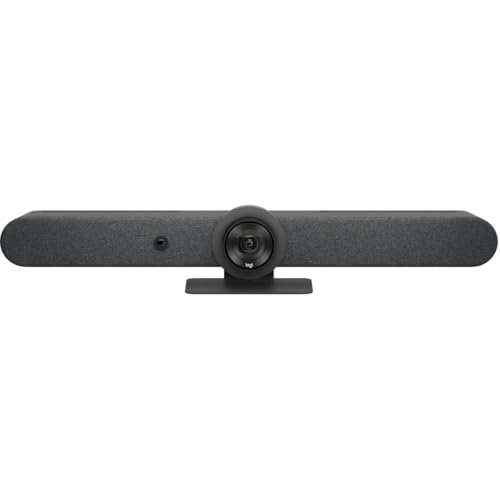
Buy the Best Conference Room Setup 2026: Logitech Rally Bar

Conference Displays for Microsoft, Cisco, and Samsung Users
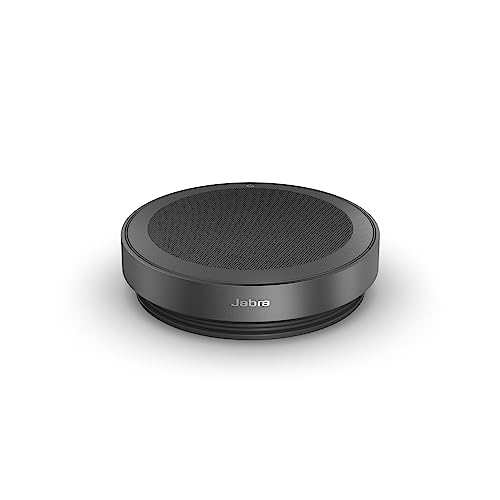
7 Conference Audio Systems That Make You Forget The Tech

2026 Office Product Shortlist: Ergonomic Picks

X-Chair X-Tilt Task Chair Review (2026): The Dynamic Variable
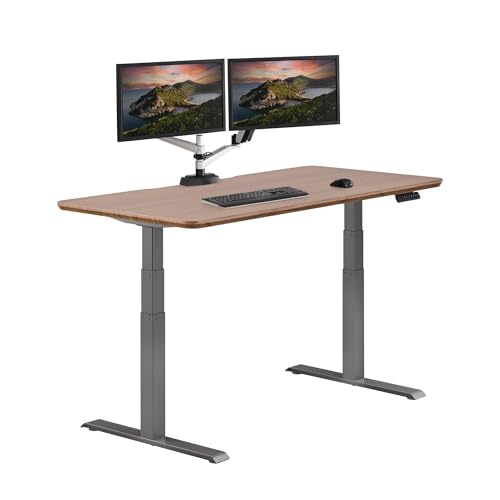
Vari Electric Standing Desk Review (2026): The Pre-Built Desk

UPLIFT V2 Standing Desk 48-Inch Review (2026): The Top Pick
