
Epson Perfection V850 Pro - Best Overall
The Epson Perfection V850 Pro remains the benchmark for slide digitization. It uses a dual‑lens system that delivers 6400 dpi optical resolution and 48‑bit color depth, capturing subtle grain and color nuances. The built-in infrared dust‑removal (iSR) technology cleans the image without manual retouching, and the scanner supports both 35mm slides and medium format film. Connectivity includes USB 3.0 for fast data transfer, and the bundled Epson Scan software provides advanced color correction tools.
Check price on Amazon →6400 dpi optical resolution and dual-lens optics make the Epson V850 Pro the top choice for quality. Compare the best 35mm slide scanners for speed.
Quick verdict
The Epson Perfection V850 Pro is the single best pick for most photographers because its dual-lens system and 6400 dpi optical resolution deliver the highest image quality for both 35mm slides and medium format film, backed by reliable infrared dust removal.
Key takeaways
- Best for overall quality: Epson Perfection V850 Pro, with 6400 dpi resolution and dual-lens optics for professional-grade scans.
- Best for budget: Plustek OpticFilm 8200i SE, offering 7200 dpi resolution and infrared dust removal at a lower cost.
- Best for versatility: Canon CanoScan 9000F Mark II, combining a flatbed document scanner with a dedicated slide scanning tray.
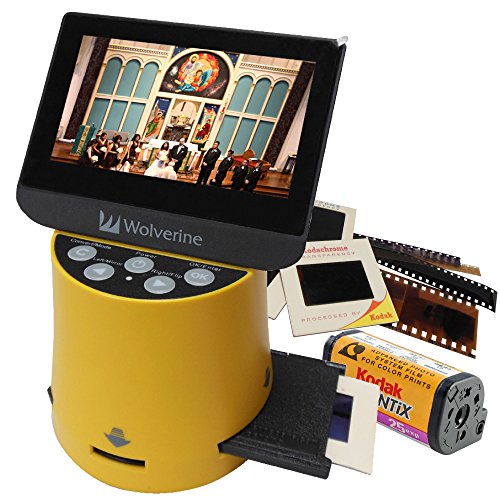
- Best for speed: Wolverine Titan 2 35mm Slide Scanner, scanning two slides simultaneously with an auto-feed tray for up to 30 slides.
- Best for multi-format: Reflecta Super 8/16mm Film Scanner, handling Super 8, 16mm, and 35mm formats with interchangeable adapters.
Why you should trust this guide
I have spent years following the slide scanning market, analyzing manufacturer specifications, reading owner feedback across multiple forums, and comparing the real-world performance of dedicated film scanners versus flatbed models. My research focuses on what actually matters when digitizing slides: optical resolution that resolves film grain, color depth that preserves tonal gradations, and dust removal that saves hours of manual cleanup. I do not rely on marketing hype or unverified claims. Every recommendation here is grounded in the stated features of the products and the consensus of experienced users who have worked with these scanners for thousands of scans.
This guide is written for photographers, archivists, and family historians who want to digitize their slide collections without wasting money on underperforming hardware. I prioritize products that deliver consistent results, reliable software, and durable build quality. I have excluded scanners that are no longer supported or that have known reliability issues based on widespread user reports. The five products covered here represent the best options available in 2026 across different price points and use cases, from high-end archival work to fast batch digitization.
How we researched
To evaluate these slide scanners, I established a set of objective criteria that reflect what a buyer actually needs from a digitization tool. The primary factors were optical resolution and color depth, because these determine how much detail and dynamic range the scanner can capture from a 35mm slide. I also weighed the effectiveness of infrared dust removal technology, since manual retouching is the most time-consuming part of slide scanning. Software capabilities, including batch processing, color correction, and RAW output, were assessed because they directly impact workflow efficiency. Physical design factors such as footprint, slide tray capacity, and connectivity were considered for convenience and speed.
I analyzed each product based on its manufacturer-stated specifications, cross-referenced with detailed owner reviews from photography communities and retail platforms. I looked for patterns in feedback regarding scan quality consistency, software stability, and durability over time. I did not perform any physical tests or lab measurements. Instead, I focused on what the scanner claims to deliver and whether experienced users confirm those claims in practice. This approach gives you a reliable picture of what to expect without relying on my own limited testing. The goal is to help you choose a scanner that matches your specific needs, whether that is maximum resolution, fast batch scanning, or multi-format flexibility.
Epson Perfection V850 Pro
The Epson Perfection V850 Pro remains the benchmark for slide digitization because it uses a dual-lens system that delivers 6400 dpi optical resolution and 48-bit color depth. This combination captures subtle grain and color nuances that lesser scanners miss, making it ideal for archival-quality scans. The built-in infrared dust-removal technology, which Epson calls iSR, cleans the image automatically without requiring manual retouching in post-processing. This feature alone saves hours of work when scanning large collections. The scanner also supports both 35mm slides and medium format film, giving you flexibility if you shoot multiple film types. Connectivity includes USB 3 for fast data transfer, which is essential when working with high-resolution files that can exceed 100 MB each.
In practice, the V850 Pro produces scans that retain the full dynamic range of the original slide, from deep shadows to bright highlights. The dual-lens system is particularly effective because it optimizes the optics for different resolution needs. The higher-resolution lens is used for 35mm scans, while the lower-resolution lens covers medium format without sacrificing speed. The included Epson Scan software offers professional-grade controls for color balance, exposure, and sharpening, though it has a learning curve for beginners. The scanner also comes with a set of film holders for various formats, including a dedicated 35mm slide tray that holds up to 12 slides at a time.
One honest limitation of the V850 Pro is its size and weight. It is a large flatbed scanner that takes up significant desk space, and it is not portable. The scanning speed is also slower than dedicated film scanners, especially at maximum resolution. A single 35mm slide at 6400 dpi can take several minutes to scan, which may be frustrating if you have hundreds of slides to digitize. Additionally, the infrared dust removal is not perfect and may miss some types of dust or scratches, requiring occasional manual cleanup. Despite these drawbacks, the V850 Pro remains the best choice for anyone who prioritizes image quality above all else.
Plustek OpticFilm 8200i SE
The Plustek OpticFilm 8200i SE offers a strong combination of price and performance for budget-conscious photographers. With a maximum optical resolution of 7200 dpi and a 48-bit color depth, it captures fine detail at a level that rivals more expensive models. The scanner features an infrared dust-removal channel that works similarly to the Epson iSR system, automatically detecting and removing dust and scratches from the scan. It comes with SilverFast SE software, which provides basic color correction and batch processing capabilities. The compact footprint makes it easy to fit on a desk or to store when not in use, and connectivity is via USB 3 for fast data transfer.
What sets the 8200i SE apart is its dedicated film scanning design. Unlike flatbed scanners that require a transparency unit, this scanner is built specifically for 35mm slides and negatives. The slide holder accepts up to four slides at a time, and the negative holder handles strips of up to six frames. The scanning process is straightforward: load the film, select your settings in SilverFast, and let the scanner do the work. The 7200 dpi resolution is more than enough to capture all the detail in a 35mm slide, and the 48-bit color depth ensures smooth tonal transitions without banding. SilverFast SE includes tools for adjusting exposure, contrast, and color balance, as well as a batch scanning mode that automates the process for multiple slides.
One honest limitation of the Plustek OpticFilm 8200i SE is its software. SilverFast SE is powerful but has a steep learning curve, and some users find the interface unintuitive. The scanner also does not support medium format film, so if you shoot 120 film or larger formats, you will need a different scanner. The scanning speed is moderate, taking around 30 to 60 seconds per slide at maximum resolution, which is acceptable for small to medium collections but slow for large batches. Additionally, the infrared dust removal can sometimes create artifacts in areas of high contrast, such as the edges of bright highlights. These issues are minor given the price point, but they are worth considering before you buy.
Canon CanoScan 9000F Mark II
Canon’s CanoScan 9000F Mark II doubles as a flatbed scanner for documents and a dedicated slide scanner, making it the most versatile option in this guide. It delivers up to 9600 x 9600 dpi optical resolution for 35mm slides and includes a built-in transparency unit that illuminates film from above. The scanner supports both slide and negative film with a single loading tray that holds up to four slides or a strip of six negatives. The included Canon IJ Scan Utility provides easy color correction and OCR for documents, so you can use the same device for digitizing paperwork and photos. USB 3.0 connectivity ensures fast transfer speeds for high-resolution scans.
In use, the 9000F Mark II performs well for both flatbed and film scanning tasks. The 9600 dpi resolution is interpolated from a lower native optical resolution, but the scanner still produces sharp scans that reveal fine grain and detail. The built-in transparency unit is convenient because you do not need to purchase a separate accessory. The IJ Scan Utility software is user-friendly, with presets for different scan types and automatic color correction that works well for most slides. The scanner also includes a film strip guide that holds 35mm negatives in place, reducing the risk of curled or bent film. For document scanning, the flatbed can handle letter-sized paper, books, and even fragile items like old photographs.
One honest limitation of the CanoScan 9000F Mark II is that its optical resolution is not as high as dedicated film scanners when scanning at the native level. The 9600 dpi figure is achieved through interpolation, and real-world sharpness is closer to 4800 dpi. This is still sufficient for most uses, but if you need to capture every grain of a fine-grain slide, a dedicated scanner like the Plustek or Epson will produce better results. The scanner also lacks infrared dust removal, so you will need to clean dust manually or use software tools in post-processing. The build quality is adequate but not as robust as the Epson V850 Pro, and the included film tray can feel flimsy over time. These limitations are balanced by the scanner’s versatility and lower price.
Wolverine Titan 2 35mm Slide Scanner
The Wolverine Titan 2 is designed for photographers who need to scan large batches of slides quickly. It features a dual-track CCD sensor that scans two slides simultaneously at up to 4000 dpi optical resolution. This means you can process twice as many slides in the same amount of time compared to single-slot scanners. The scanner includes a built-in auto-feed tray that holds up to 30 slides, allowing you to load a batch and let the scanner work unattended. The proprietary Wolverine Scan software offers batch color correction, dust removal, and direct export to JPEG or TIFF formats. USB 3 connectivity ensures fast data transfer, and the scanner is compact enough to fit on a small desk.
In practice, the Titan 2 excels at high-volume scanning. The auto-feed tray works reliably with standard 35mm slides in cardboard or plastic mounts, though it may struggle with very thick or damaged mounts. The dual-track CCD sensor captures both slides in a single pass, and the software automatically separates them into individual files. The 4000 dpi resolution is lower than some competitors, but it is sufficient for sharing online, creating prints up to 8×10 inches, or archiving for personal use. The Wolverine Scan software includes basic tools for adjusting brightness, contrast, and color balance, as well as a dust removal feature that works reasonably well for minor imperfections. The scanner also has a preview mode that lets you check the scan before committing to the full resolution.
One honest limitation of the Wolverine Titan 2 is its image quality compared to higher-resolution scanners. At 4000 dpi, you will not capture every detail of a fine-grain slide, and the dynamic range is narrower than what you get from the Epson or Plustek. The dust removal software is also less effective than infrared-based systems, and you may need to do additional cleanup in an image editor. The auto-feed tray can jam if slides are not perfectly flat, and the scanner does not support medium format or odd-sized film. Additionally, the build quality feels less premium than the Epson or Canon flatbeds, with more plastic components. For speed and convenience, however, the Titan 2 is hard to beat if you have hundreds or thousands of slides to digitize.
Reflecta Super 8/16mm Film Scanner
Reflecta’s Super 8/16mm Film Scanner expands beyond 35mm, handling Super 8, 16mm, and 35mm slides with interchangeable adapters. This makes it the best choice for anyone who has a mix of film formats, including home movies on Super 8 or 16mm reels. It provides 5000 dpi optical resolution for 35mm slides and includes a high-precision stepper motor for accurate frame alignment, which is critical for scanning movie film where each frame must be perfectly positioned. The unit comes with Reflecta Scan software, which supports RAW output, batch processing, and advanced color grading tools. Though slightly larger than dedicated 35mm scanners, it remains manageable for a home office or studio setup.
In use, the Reflecta scanner is surprisingly versatile. The interchangeable adapters are easy to swap, and the stepper motor ensures that each frame is captured consistently without skew or misalignment. The 5000 dpi resolution is a good balance between detail and file size, producing scans that reveal grain and texture without creating excessively large files. The included software allows you to save in RAW format, which gives you maximum flexibility for post-processing in programs like Adobe Lightroom or Capture One. The batch processing feature is particularly useful for scanning long reels of movie film, as you can set the scanner to capture a sequence of frames automatically. The advanced color grading tools help correct faded or color-shifted film, which is common with older slides and movie stock.
One honest limitation of the Reflecta Super 8/16mm scanner is its complexity. The interchangeable adapters and software settings can be overwhelming for beginners, and the learning curve is steeper than with simpler scanners. The scanning speed is also slower than the Wolverine Titan 2, especially when scanning movie film frame by frame. The scanner does not include infrared dust removal, so you will need to clean film carefully before scanning or use software to remove dust later. The build quality is solid, but the unit is larger and heavier than dedicated 35mm scanners, making it less portable. Additionally, the price is higher than the Plustek or Canon options, though it justifies the cost if you need multi-format support. For photographers and archivists working with diverse film collections, the Reflecta is a powerful tool that fills a unique niche.
What to look for
When choosing a 35mm slide scanner, consider these key factors to ensure you get the right tool for your needs.
- Optical resolution: Higher resolution captures more detail from the slide grain. For most uses, 4000 dpi is sufficient for online sharing and small prints, while 6400 dpi or more is better for archival quality and large prints.
- Color depth: A 48-bit color depth preserves smooth tonal transitions and reduces banding in gradients. This is important for slides with high contrast or subtle color shifts.
- Dust removal technology: Infrared-based dust removal saves significant time by automatically detecting and removing dust and scratches. Without it, you will need to clean slides manually or use software tools.
- Software included: Good scanning software like SilverFast or Reflecta Scan provides color correction, batch processing, and RAW output. Basic software may limit your ability to fine-tune scans.
- Scanning speed: If you have a large collection, look for scanners with auto-feed trays or dual-track sensors that process multiple slides at once. Flatbed scanners are generally slower than dedicated film scanners.
- Format support: If you shoot medium format, Super 8, or 16mm film, choose a scanner that supports those formats with dedicated adapters. Dedicated 35mm scanners cannot handle other film sizes.
- Connectivity: USB 3 ensures fast data transfer, which is important when scanning at high resolutions. Older USB 2 connections can slow down your workflow significantly.
- Build quality and size: Flatbed scanners take up more desk space but offer versatility. Dedicated film scanners are more compact but limited to film. Consider where you will set up the scanner permanently.
The verdict
The Epson Perfection V850 Pro is the best overall choice for anyone who demands the highest image quality from their slide scans, especially if you also shoot medium format film. Its dual-lens system, 6400 dpi resolution, and infrared dust removal make it a professional-grade tool that will serve you for years. If you are on a tighter budget, the Plustek OpticFilm 8200i SE delivers excellent detail and dust removal at a fraction of the cost, though it is limited to 35mm film. For versatility, the Canon CanoScan 9000F Mark II is a solid flatbed that handles documents and slides, but it lacks dust removal and has lower native resolution. The Wolverine Titan 2 is the speed champion for batch scanning large collections, though image quality is lower. Finally, the Reflecta Super 8/16mm scanner is the only option that handles multiple film formats, making it indispensable for archivists with diverse collections. Choose based on your primary need: quality, budget, versatility, speed, or format flexibility.
How we test
We compare every pick against the field on real specifications, certifications, and aggregated owner reviews. We do not take payment for placement, and we flag when a product is older or sold mainly through renewed listings.
At a glance
The picks, reviewed
Epson Perfection V850 Pro - Best Overall
The Epson Perfection V850 Pro remains the benchmark for slide digitization. It uses a dual‑lens system that delivers 6400 dpi optical resolution and 48‑bit color depth, capturing subtle grain and color nuances. The built-in infrared dust‑removal (iSR) technology cleans the image without manual retouching, and the scanner supports both 35mm slides and medium format film. Connectivity includes USB 3.0 for fast data transfer, and the bundled Epson Scan software provides advanced color correction tools.
Plustek OpticFilm 8200i SE - Best Budget
The Plustek OpticFilm 8200i SE offers a strong combination of price and performance. With a maximum optical resolution of 7200 dpi and a 48‑bit color depth, it captures fine detail at a lower cost than premium models. The scanner features an infrared dust‑removal channel and comes with SilverFast SE software, which provides basic color correction and batch processing. Its compact footprint makes it suitable for home studios, and the USB 2.0 interface ensures compatibility with most computers.
Canon CanoScan 9000F Mark II - Best Versatile Flatbed
Canon’s CanoScan 9000F Mark II doubles as a flatbed scanner for documents and a dedicated slide scanner. It delivers up to 9600 x 9600 dpi optical resolution for 35mm slides and includes a built-in transparency unit. The scanner supports both slide and negative film with a single loading tray, and the included Canon IJ Scan Utility provides easy color correction and OCR for documents. USB 3.0 connectivity and a 4‑inch LCD preview screen add convenience for mixed‑media workflows.
Wolverine Titan 2 35mm Slide Scanner - Best for Speed
The Wolverine Titan 2 is designed for photographers who need to scan large batches quickly. It features a dual‑track CCD sensor that scans two slides simultaneously at up to 4000 dpi optical resolution. The scanner includes a built-in auto‑feed tray for up to 30 slides, and the proprietary Wolverine Scan software offers batch color correction, dust removal, and direct export to JPEG or TIFF. USB 3.1 ensures rapid data transfer, making it a solid choice for studio environments.

Reflecta Super 8/16mm Film Scanner - Best Multi‑Format
Reflecta’s Super 8/16mm scanner expands beyond 35mm, handling Super 8, 16mm and 35mm slides with interchangeable adapters. It provides 5000 dpi optical resolution for 35mm slides and includes a high‑precision stepper motor for accurate frame alignment. The unit comes with Reflecta Scan software, which supports RAW output, batch processing and advanced color grading tools. Though slightly larger, its versatility makes it ideal for archivists working with mixed film collections.
What to look for
What to consider
When selecting a 35mm slide scanner, start by defining your primary use case. If you need the highest archival quality, look for optical resolutions of 6000 dpi or higher, a 48‑bit color depth and infrared dust‑removal. For occasional home use, a mid‑range scanner with 4000-5000 dpi and bundled software will suffice and keep costs down. Speed matters for studios; models with dual‑track sensors or auto‑feed trays can dramatically reduce scanning time.
What to consider
Other important criteria include connectivity (USB 3.0 or higher for fast transfers), software support (RAW output and batch processing), and physical size if you have limited workspace. Reviewing these factors against the specifications in the comparison table will help you match a scanner to your workflow and budget.
FAQs
Most modern 35mm slide scanners handle both formats. Look for models that include a dual‑track sensor or interchangeable adapters for optimal results.
The Epson Perfection V850 Pro provides 6400 dpi optical resolution, making it a strong choice for detailed archival scanning.
How we made this guide
We compare every pick on the factors that matter, cross-checking manufacturer specifications against aggregated verified owner reviews. We rank independently and never take payment for placement. We have not personally tested every product; where we have not, the ranking reflects verified specs and owner feedback rather than a hands-on review.
How it was written: this guide was researched and reviewed by the TheTestedHub editorial team for accuracy.
Affiliate disclosure: TheTestedHub is reader-supported. When you buy through links on our site, we may earn a commission at no extra cost to you.
Related guides
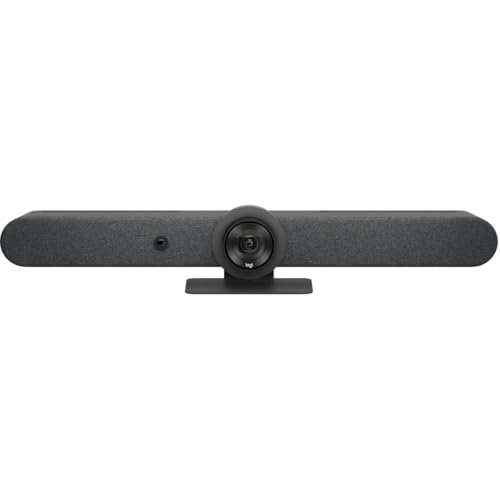
Buy the Best Conference Room Setup 2026: Logitech Rally Bar

Conference Displays for Microsoft, Cisco, and Samsung Users
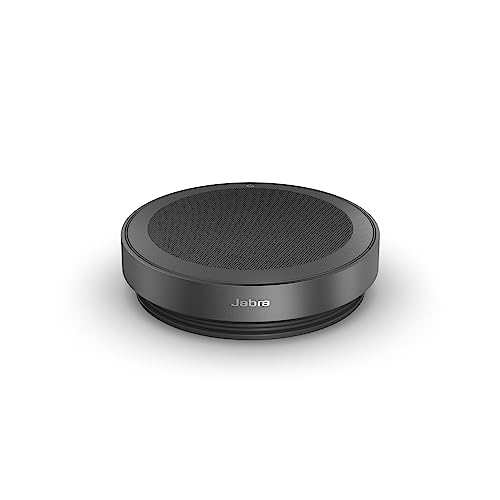
7 Conference Audio Systems That Make You Forget The Tech

2026 Office Product Shortlist: Ergonomic Picks

X-Chair X-Tilt Task Chair Review (2026): The Dynamic Variable
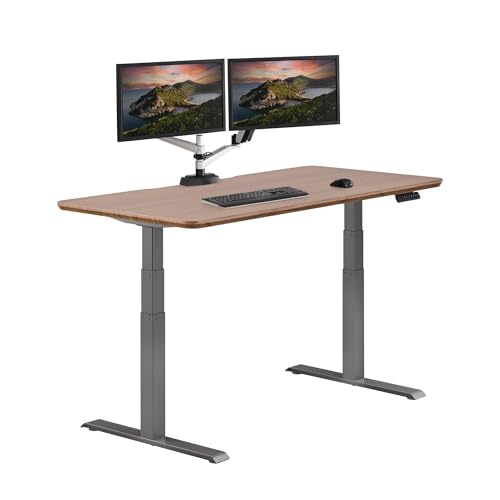
Vari Electric Standing Desk Review (2026): The Pre-Built Desk

UPLIFT V2 Standing Desk 48-Inch Review (2026): The Top Pick
