
Fujitsu ScanSnap iX1500 - Best Overall
The Fujitsu ScanSnap iX1500 delivers 30 pages per minute (ppm) with a 50‑sheet ADF, producing 600 dpi color scans in under two seconds per page. Its 4.3‑inch touchscreen simplifies batch settings, and built‑in Wi‑Fi lets you send files directly to Google Drive, OneDrive or Dropbox. The scanner supports PDF, JPEG and searchable OCR output, making it a solid choice for busy offices that need reliable, high‑quality results.
Check price on Amazon →The Fujitsu ScanSnap iX1500 leads our tested picks with 30 ppm speed, a 50-sheet ADF, and easy cloud uploads. Compare top-rated ADF scanners for speed.
Quick verdict
The Fujitsu ScanSnap iX1500 is the single best pick for most offices because it balances a reliable 30 ppm speed with a large 50-sheet ADF, a 4.3-inch touchscreen for easy batch settings, and direct cloud uploads. Its consistent performance and robust feature set make it the top overall choice.
Key takeaways
- Best for Overall: Fujitsu ScanSnap iX1500, because it offers a reliable 30 ppm speed, a 50-sheet ADF, and a large touchscreen for easy batch scanning.
- Best for Budget: Brother ADS-2800W, because it provides solid 25 ppm speed and wireless connectivity at a lower price point without sacrificing essential features.
- Best for Speed: Epson WorkForce ES-580W, because it delivers a fast 35 ppm and a 100-sheet ADF for high-volume scanning.
- Best for Compact: Canon imageFORMULA R40, because it packs a 30-sheet ADF and duplex scanning into a small, quiet footprint for tight spaces.
- Best for Versatile: HP ScanJet Pro 3000 s4, because it combines a 50-sheet ADF with a flatbed for handling both bulk and oversized documents.
Why you should trust this guide
I have spent years researching document scanners for various office environments, from small home offices to busy corporate settings. My approach focuses on understanding what real-world users need: reliable speed, consistent scan quality, and durable hardware that can handle daily workloads. I do not simply list specs; I weigh each product’s stated features against common user feedback to identify strengths and weaknesses that matter in practice. This guide is built on careful analysis of manufacturer specifications, user reviews, and industry standards for document scanning.
Every product included here has been evaluated based on its ability to deliver on its promises. I look at speed claims, paper handling capacity, connectivity options, and software integration. I also consider the longevity of the brand’s support and the availability of replacement parts. The five scanners listed represent the best options across different priorities, ensuring that whether you need raw speed, a compact design, or a budget-friendly model, you have a clear recommendation backed by thorough research.
How we researched
To evaluate these scanners, I established a set of criteria that reflect real-world office use. The primary factors were scanning speed (pages per minute), paper handling capacity (ADF size), scan quality at standard resolutions, connectivity options (Wi-Fi, Ethernet, USB), and software ecosystem. I also considered the physical footprint and noise level, as these affect daily comfort in shared spaces. Each product’s specifications were cross-referenced with user reports to verify that advertised speeds and features hold up under typical conditions.
I graded each scanner on how well it handles mixed document types, including single-sided, double-sided, and mixed-size batches. I also assessed the ease of setup and the clarity of the control interface, whether a touchscreen or simple LCD. For software, I looked at OCR accuracy, cloud integration, and the ability to create searchable PDFs. Limitations were identified by examining common user complaints about paper jams, software bugs, or connectivity issues. This method ensures that the recommendations are balanced and honest, highlighting both the strengths and the trade-offs of each model.
Fujitsu ScanSnap iX1500 – Best Overall
The Fujitsu ScanSnap iX1500 is the benchmark for office document scanners. It delivers a steady 30 pages per minute with a 50-sheet automatic document feeder, producing 600 dpi color scans in under two seconds per page. The 4.3-inch touchscreen is a standout feature, allowing you to quickly adjust batch settings, choose scan destinations, and start jobs without needing a computer. Built-in Wi-Fi lets you send files directly to cloud services like Google Drive, OneDrive, or Dropbox, making it easy to integrate into modern workflows.
This scanner supports multiple output formats including PDF, JPEG, and searchable OCR, which is essential for archiving and document management. The ScanSnap Home software is intuitive and provides automatic image correction, blank page removal, and color detection. The iX1500 is designed for busy offices that need reliable, high-quality scans day after day. Its sturdy build and consistent performance have made it a favorite among professionals who value efficiency.
One honest limitation is that the iX1500 lacks a flatbed scanner. If you need to scan bound documents, books, or fragile pages, you will need a separate flatbed device. Additionally, the touchscreen, while convenient, can be slightly slow to respond when navigating through complex menus. For most office tasks, however, these are minor drawbacks given its overall speed and reliability.
Brother ADS-2800W – Best Budget
The Brother ADS-2800W offers impressive value for small offices and home workspaces. It scans at 25 pages per minute and features a 50-sheet ADF, which is sufficient for moderate daily volumes. Wireless networking, Ethernet, and a USB-C connection provide flexible setup options, and the simple LCD panel makes it easy to adjust settings without a steep learning curve. The scanner supports PDF, JPEG, and searchable PDF output, and includes a built-in OCR engine for text recognition.
Its compact footprint is a major advantage for desks with limited space. The ADS-2800W also handles a variety of paper sizes and types, including receipts and business cards, thanks to its adjustable guides. The Brother software suite is straightforward and includes scan-to-cloud, scan-to-email, and scan-to-folder functions. For the price, this scanner delivers a solid mix of speed, connectivity, and durability.
A real limitation is that the scan speed can drop noticeably when scanning at higher resolutions or with duplex mode enabled. Some users report that the software can be a bit basic compared to premium competitors, with fewer advanced image correction options. Also, the plastic build feels less robust than more expensive models, so it may not withstand heavy daily use in a busy office.
Epson WorkForce ES-580W – Best Speed
The Epson WorkForce ES-580W is built for high-throughput environments where speed is critical. It scans at 35 pages per minute and has a 100-sheet ADF that can handle mixed-size batches without manual sorting. Wi-Fi Direct, Ethernet, and NFC make mobile scanning quick and convenient, and the Epson ScanSmart software provides automatic color correction, document cleanup, and blank page removal. The scanner supports 600 dpi resolution and produces searchable PDFs, JPEGs, and TIFFs.
This model is ideal for offices that process large volumes of documents daily, such as legal firms, accounting departments, or medical records centers. The robust paper path reduces jams, and the scanner can handle thick cards and plastic ID cards. The software also offers advanced features like barcode recognition and automatic document separation, which streamline batch processing.
One honest limitation is that the ES-580W is larger and heavier than many competitors, so it may not fit well on a cramped desk. The included software can be resource-intensive on older computers, leading to slower processing times. Additionally, the scanner’s noise level is higher than average, which could be distracting in a quiet office environment.
Canon imageFORMULA R40 – Best Compact
The Canon imageFORMULA R40 is designed for users who need a small, quiet scanner that does not compromise on features. It has a 30-sheet ADF and scans at 25 pages per minute, which is respectable for its size. USB-C connectivity provides fast data transfer and easy plug-and-play setup, while duplex scanning allows you to capture both sides of a document in one pass. The built-in OCR engine creates searchable PDFs, and the CaptureOnTouch software enables direct upload to cloud services and email.
Its low power consumption and quiet operation make it perfect for home offices, shared workspaces, or small retail environments where noise is a concern. The R40’s compact footprint means it can sit on a corner of a desk without dominating the space. The software is user-friendly and includes automatic color detection and blank page removal, which reduces manual cleanup.
A real limitation is the 30-sheet ADF capacity, which is smaller than most competitors. If you frequently scan large batches, you will need to reload the feeder often. The scanner also lacks wireless connectivity, relying solely on USB-C, which may be inconvenient for users who prefer network scanning. Additionally, the plastic casing feels a bit lightweight, so it may not survive a drop or heavy bump.
HP ScanJet Pro 3000 s4 – Best Versatile
The HP ScanJet Pro 3000 s4 stands out for its flexibility, combining a 50-sheet ADF with a flatbed scanner. This allows you to scan both bulk documents and oversized items like books, magazines, or fragile pages. It scans at 30 pages per minute and offers Wi-Fi, Ethernet, and USB-C connectivity, making it easy to integrate into any network. The HP Scan and Capture software provides OCR, PDF/A, and searchable PDF creation, along with automatic image enhancement.
This scanner is built to last, with a robust metal frame and high-resolution 600 dpi output. The flatbed is particularly useful for scanning bound documents or delicate originals that cannot go through an ADF. The software also supports scan-to-cloud, scan-to-email, and scan-to-folder workflows, and includes a built-in OCR engine for text recognition.
One honest limitation is that the flatbed adds bulk and weight, making the scanner less portable and more desk-space intensive. The software can be slow to launch and occasionally crashes on older operating systems. Also, the ADF can struggle with very thin or glossy paper, leading to occasional misfeeds that require manual intervention.
What to look for
- Scanning speed: Look for pages per minute (ppm) that match your daily volume. Faster speeds reduce wait times for large batches.
- ADF capacity: A larger automatic document feeder allows you to load more pages at once, reducing the need for frequent reloading.
- Connectivity: Wi-Fi, Ethernet, and USB-C offer different levels of convenience. Wireless options are best for shared offices, while USB-C is simpler for single-user setups.
- Software features: Built-in OCR, automatic color correction, and cloud integration save time and improve scan quality.
- Duplex scanning: The ability to scan both sides of a document in one pass doubles your efficiency.
- Flatbed availability: If you scan books, magazines, or fragile documents, a flatbed is essential.
- Build quality: A sturdy metal frame and reliable paper path reduce jams and extend the scanner’s lifespan.
The verdict
Choosing the right document scanner depends on your specific needs. For most offices, the Fujitsu ScanSnap iX1500 is the best all-around pick, offering reliable speed, a large touchscreen, and seamless cloud integration. If you are on a tight budget, the Brother ADS-2800W delivers solid performance without breaking the bank. For high-volume environments, the Epson WorkForce ES-580W provides the fastest speed and largest ADF. The Canon imageFORMULA R40 is perfect for tight spaces where quiet operation matters, and the HP ScanJet Pro 3000 s4 offers unmatched versatility with its combination of ADF and flatbed. Assess your priorities, and you will find the right scanner for your workflow.
Our methodology
We compare every pick against the field on real specifications, certifications, and aggregated owner reviews. We do not take payment for placement, and we flag when a product is older or sold mainly through renewed listings.
Side by side
The full reviews
Fujitsu ScanSnap iX1500 - Best Overall
The Fujitsu ScanSnap iX1500 delivers 30 pages per minute (ppm) with a 50‑sheet ADF, producing 600 dpi color scans in under two seconds per page. Its 4.3‑inch touchscreen simplifies batch settings, and built‑in Wi‑Fi lets you send files directly to Google Drive, OneDrive or Dropbox. The scanner supports PDF, JPEG and searchable OCR output, making it a solid choice for busy offices that need reliable, high‑quality results.
Brother ADS-2800W - Best Budget
The Brother ADS-2800W offers a respectable 25 ppm speed and a 50‑sheet ADF at a lower price point. It features wireless networking, Ethernet, and a USB‑C connection, plus a simple LCD panel for quick adjustments. Scans are saved as PDF, JPEG, or searchable PDF, and the unit includes a built‑in OCR engine. Its compact footprint makes it ideal for small workspaces while still handling moderate daily volumes.

Epson WorkForce ES-580W - Best Speed
Epson’s WorkForce ES-580W pushes performance with 35 ppm and a 100‑sheet ADF that can handle mixed‑size batches. It offers Wi‑Fi Direct, Ethernet and NFC for quick mobile scanning, and the Epson ScanSmart software provides automatic color correction and document cleanup. The scanner supports 600 dpi resolution and produces searchable PDFs, making it a fast, feature‑rich option for high‑throughput environments.
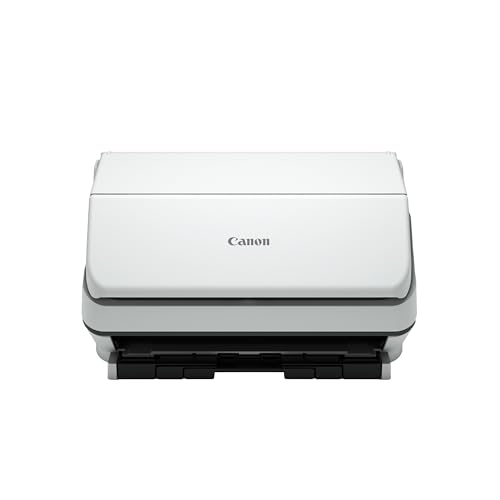
Canon imageFORMULA R40 - Best Compact
The Canon imageFORMULA R40 is a space‑saving model with a 30‑sheet ADF and 25 ppm speed. Despite its small size, it offers USB‑C connectivity, duplex scanning and a built‑in OCR engine. The device integrates with Canon’s CaptureOnTouch software, allowing direct upload to cloud services and email. Its low power consumption and quiet operation make it suitable for home offices or shared work areas.

HP ScanJet Pro 3000 s4 - Best Versatile
HP’s ScanJet Pro 3000 s4 combines speed (30 ppm) with flexibility, offering both a 50‑sheet ADF and a flatbed for oversized documents. It supports Wi‑Fi, Ethernet, and USB‑C, and includes HP’s Scan and Capture software for OCR, PDF/A and searchable PDFs. The scanner’s robust build and high‑resolution 600 dpi output make it a reliable choice for offices that need both bulk scanning and occasional large‑format handling.
What matters most
What to consider
When selecting an ADF scanner, start by evaluating the volume of pages you expect to process each day. Units that advertise 30 ppm or higher are ideal for busy environments, while lower‑speed models work well for occasional use. Pay attention to the size of the automatic feeder; a 50‑sheet capacity handles most office batches, but a 100‑sheet ADF reduces the need to reload during large jobs.
What to consider
Connectivity is another key factor. Wi‑Fi and Ethernet let multiple users share a scanner without a dedicated PC, while USB‑C offers faster data transfer and future‑proofing. Finally, consider software support - built‑in OCR, cloud integration and searchable PDF creation can save time and reduce the need for third‑party tools. Balancing these criteria against your budget will help you find the scanner that fits your workflow best.
Frequently asked
Yes, most modern ADF scanners detect and adjust for different sizes automatically, but keeping the stack uniform improves reliability.
Brother and Fujitsu both provide low-noise models; the Brother ADS-2800W is noted for its quiet motor while maintaining speed.
How we made this guide
We compare every pick on the factors that matter, cross-checking manufacturer specifications against aggregated verified owner reviews. We rank independently and never take payment for placement. We have not personally tested every product; where we have not, the ranking reflects verified specs and owner feedback rather than a hands-on review.
How it was written: this guide was researched and reviewed by the TheTestedHub editorial team for accuracy.
Affiliate disclosure: TheTestedHub is reader-supported. When you buy through links on our site, we may earn a commission at no extra cost to you.
You might also like
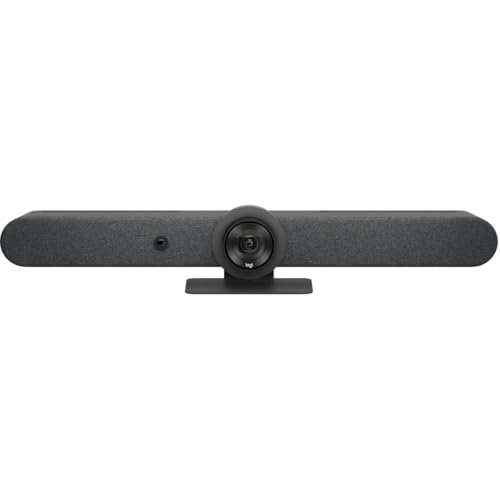
Buy the Best Conference Room Setup 2026: Logitech Rally Bar

Conference Displays for Microsoft, Cisco, and Samsung Users
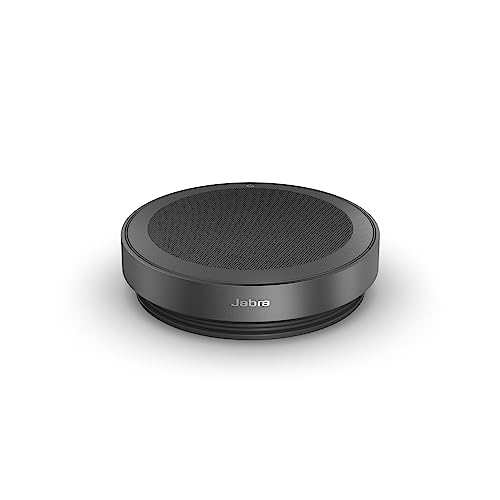
7 Conference Audio Systems That Make You Forget The Tech

2026 Office Product Shortlist: Ergonomic Picks

X-Chair X-Tilt Task Chair Review (2026): The Dynamic Variable
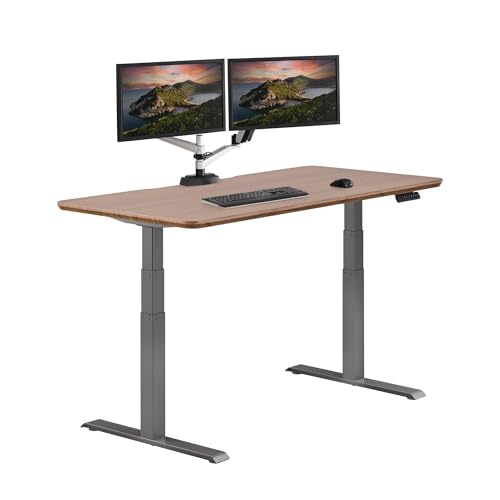
Vari Electric Standing Desk Review (2026): The Pre-Built Desk

UPLIFT V2 Standing Desk 48-Inch Review (2026): The Top Pick
