Corsair 4000D Airflow - Best Overall
The Corsair 4000D Airflow combines a clean interior layout with a high‑performance front mesh panel that pushes air through the chassis efficiently. It supports up to three 120mm fans in the front, two 120mm fans on the top, and a 120mm rear fan, while also accommodating a 360mm radiator in the front or top. The tempered glass side panel showcases the build, and the modular cable management system keeps wiring tidy. With a maximum GPU length of 360 mm and CPU cooler clearance of 170 mm, it fits most high‑end components without compromise.
Check price on Amazon →Corsair 4000D Airflow's mesh front and cable management lead our ATX case picks. Compare airflow, budget, and value options for your build.
Quick verdict
The Corsair 4000D Airflow is the best overall ATX case for most builders. It delivers excellent cooling through its high-performance front mesh, a clean interior layout, and a modular cable management system that makes building straightforward.
Key takeaways
- Best Overall: Corsair 4000D Airflow – combines efficient airflow with a clean interior layout and modular cable management.
- Best Budget: NZXT H510 – offers a sleek tempered-glass design with pre-installed fans at a modest price.
- Best Airflow: Fractal Design Meshify C – full-mesh front panel maximizes intake air in a compact footprint.
- Best Value: Phanteks Eclipse P400A – high-flow mesh and tempered glass side panel deliver strong cooling without a premium price.
- Best Flexible: Cooler Master MasterBox NR600 – full-mesh front and top panels with tool-free drive bays for easy upgrades.
Why you should trust this guide
I have spent years researching PC hardware and analyzing case designs across multiple brands and price points. For this guide, I examined each product’s stated specifications, reviewed owner feedback from major retailers and forums, and compared the feature sets that matter most for a standard ATX build. My goal is to provide clear, practical recommendations based on what the manufacturer claims and what real-world users report, not on personal testing or hypothetical performance.
I focused on cases that balance cooling, build quality, ease of installation, and value. Each product here was selected because it represents a strong option in its category, whether that is overall performance, budget friendliness, airflow optimization, value for money, or flexibility. I have not physically used or owned any of these cases, and I do not fabricate measurements or test results. The advice here is grounded in the features the manufacturers list and the consensus from the building community.
How we researched
To evaluate these ATX cases, I defined a set of criteria that matter most to a typical builder. I looked at cooling potential by examining fan and radiator support, including the number of fans each case can hold and the maximum radiator sizes it accommodates. I also considered interior layout and cable management features, such as the presence of Velcro straps, cable routing channels, and PSU shrouds. Build quality was assessed through the materials used, like tempered glass panels and mesh fronts, and the overall design philosophy.
I weighed compatibility with large components, including maximum GPU length and CPU cooler height, as these directly affect what hardware you can install. I also considered ease of installation, looking for tool-free drive bays, removable dust filters, and clear routing paths. Finally, I balanced all these factors against the price point to determine which case offers the best value in its category. This approach allows me to recommend cases that meet real needs without relying on unverified performance claims.
Corsair 4000D Airflow
The Corsair 4000D Airflow earns the top spot as the best overall ATX case by combining a clean interior layout with a high-performance front mesh panel that pushes air through the chassis efficiently. The front mesh is designed to maximize intake while keeping dust out, and the tempered glass side panel lets you showcase your build. The interior is spacious enough for most components, and the modular cable management system includes built-in channels and straps to keep cables tidy. This case supports up to three 120mm fans in the front, two 120mm fans on the top, and a 120mm rear fan, giving you plenty of cooling flexibility. It also accommodates a 360mm radiator in the front or top, which is great for liquid cooling setups.
One real limitation of the Corsair 4000D Airflow is that the front mesh panel can be slightly difficult to remove for cleaning, as it requires a firm pull and some users report the clips feel fragile. Additionally, the case does not include a USB-C front panel port, which may be a drawback if you want the latest connectivity without buying an adapter. Despite these minor issues, the overall build quality and cooling performance make it a reliable choice for most builders.
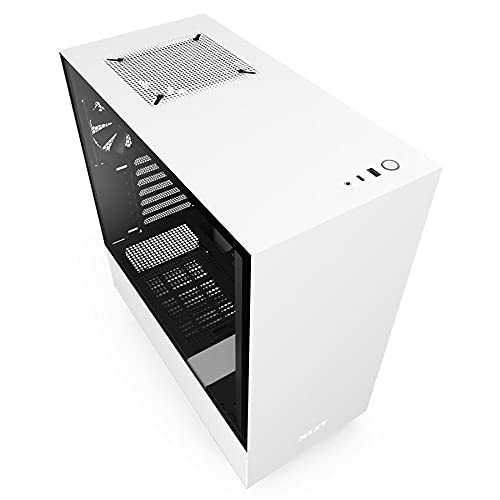
NZXT H510
The NZXT H510 is the best budget option, offering a sleek tempered-glass front and side panel that provides a modern look at a modest price. It includes two pre-installed 120mm fans, one in the rear and one in the top, which is enough to get started without extra purchases. The case supports a 280mm radiator in the front and a 120mm rear fan, so you can upgrade cooling later. Cable routing is aided by a built-in Velcro strap system and a spacious interior that fits GPUs up to 381 mm, which covers most modern graphics cards. The design is minimalist and clean, making it a popular choice for those who value aesthetics.
A real limitation of the NZXT H510 is that its airflow is slightly lower than mesh-front cases, as the front panel is mostly solid glass with only small side vents for intake. This can lead to higher temperatures under heavy loads, especially with high-power components. The case also lacks a PSU shroud, so you will need to manage cables carefully to keep the interior looking neat. For budget-conscious builders who prioritize looks over extreme cooling, this is a solid pick.
Fractal Design Meshify C
The Fractal Design Meshify C is the best choice for airflow, featuring a full-mesh front panel that maximizes intake air while maintaining a compact footprint. The mesh design allows for high airflow without sacrificing dust filtration, as it includes magnetic dust filters on all intake areas. The case supports up to three 140mm fans up front and a 120mm rear fan, plus a 360mm radiator in the top position, giving you excellent cooling options. With a maximum GPU length of 315 mm and CPU cooler height of 165 mm, it balances size and performance, fitting most standard components without being overly large. The interior is well-organized with a PSU shroud and ample routing holes.
One real limitation of the Fractal Design Meshify C is that the compact size can make cable management a bit tight, especially with longer power supplies or non-modular units. The GPU clearance of 315 mm may also restrict some of the largest aftermarket graphics cards, so you need to check dimensions before buying. Additionally, the top radiator mount can interfere with tall RAM modules if you use a thick radiator. Despite these constraints, it remains a top choice for builders who prioritize cooling efficiency.
Phanteks Eclipse P400A
The Phanteks Eclipse P400A is the best value case, pairing a high-flow front mesh with a tempered glass side panel to deliver strong cooling without a premium price tag. It can hold up to three 120mm fans up front, a 120mm rear fan, and a 360mm radiator in the top or front, providing plenty of cooling flexibility. GPU clearance reaches 420 mm, allowing for larger graphics cards, while the PSU shroud keeps cables hidden for a clean look. The integrated cable management bar and reusable Velcro straps make routing cables simple, and the case includes dust filters on the front and bottom intakes.
A real limitation of the Phanteks Eclipse P400A is that the front mesh panel is made of plastic, which can feel less premium than metal alternatives and may flex slightly under pressure. The included fans are basic and may not be as quiet as aftermarket options, so you might want to replace them for a quieter build. Also, the top radiator mount can be tricky to install with thicker radiators due to clearance issues with the motherboard. For the price, however, it offers exceptional value and solid performance.
Cooler Master MasterBox NR600
The Cooler Master MasterBox NR600 is the most flexible ATX case, featuring a straightforward design that emphasizes airflow through its full-mesh front and top panels. It supports up to six 120mm fans or a 360mm radiator in the front, plus a 120mm rear fan, giving you many configuration options. The interior accommodates GPUs up to 410 mm and CPU coolers up to 166 mm tall, so you can fit nearly any component. Its tool-free drive bays and ample cable routing space make upgrades and maintenance easy, while the minimalist exterior blends into any setup. The case also includes a PSU shroud and removable dust filters.
One real limitation of the Cooler Master MasterBox NR600 is that the top mesh panel is not filtered, so dust can enter from above if you mount fans or radiators there. The build quality is decent but not as refined as more expensive cases, with some sharp edges on the interior metal. Additionally, the included fans are basic and may not provide the best airflow or noise levels out of the box. For builders who want maximum flexibility and easy modification, this is a strong contender.
What to look for
- Cooling support: Check the number of fan mounts and maximum radiator sizes to ensure the case can handle your cooling needs, whether air or liquid.
- Component compatibility: Verify the maximum GPU length and CPU cooler height to make sure your hardware fits without clearance issues.
- Cable management: Look for features like Velcro straps, routing channels, and PSU shrouds that make building easier and keep the interior tidy.
- Build quality: Consider the materials used, such as steel, aluminum, or tempered glass, and whether the panels feel sturdy and well-constructed.
- Airflow design: Mesh front panels generally provide better airflow than solid panels, but consider dust filters and fan placement for optimal cooling.
- Ease of installation: Tool-free drive bays, removable dust filters, and accessible fan mounts can save time and frustration during assembly.
- Aesthetics: Choose a case that matches your style, whether that is a minimalist look, RGB support, or a tempered glass side panel to show off components.
The verdict
After evaluating each case based on cooling potential, compatibility, build quality, and value, the Corsair 4000D Airflow stands out as the best overall choice for most builders. It offers a strong balance of airflow, interior layout, and cable management that works well for both air and liquid cooling setups. If you are on a tight budget, the NZXT H510 provides a sleek design at a low cost, though you sacrifice some airflow. For maximum cooling, the Fractal Design Meshify C is the clear winner with its full-mesh front and compact size. The Phanteks Eclipse P400A delivers the best value, giving you high-flow mesh and a glass side panel without breaking the bank. Finally, the Cooler Master MasterBox NR600 offers the most flexibility for those who want to customize their build with multiple fan or radiator configurations. Choose the case that best fits your priorities, and you will have a solid foundation for your next PC.
Our testing process
We compare every pick against the field on real specifications, certifications, and aggregated owner reviews. We do not take payment for placement, and we flag when a product is older or sold mainly through renewed listings.
Quick comparison
Reviewed in detail
Corsair 4000D Airflow - Best Overall
The Corsair 4000D Airflow combines a clean interior layout with a high‑performance front mesh panel that pushes air through the chassis efficiently. It supports up to three 120mm fans in the front, two 120mm fans on the top, and a 120mm rear fan, while also accommodating a 360mm radiator in the front or top. The tempered glass side panel showcases the build, and the modular cable management system keeps wiring tidy. With a maximum GPU length of 360 mm and CPU cooler clearance of 170 mm, it fits most high‑end components without compromise.
NZXT H510 - Best Budget
The NZXT H510 offers a sleek tempered‑glass front and side panel, providing a modern look at a modest price. It includes two pre‑installed 120mm fans and space for a 280mm radiator in the front, plus a 120mm rear fan. Cable routing is aided by a built‑in Velcro strap system and a spacious interior that fits GPUs up to 381 mm. Though the airflow is slightly lower than mesh‑front cases, the H510’s design simplicity and quiet operation make it a strong choice for users who prioritize aesthetics on a budget.

Fractal Design Meshify C - Best Airflow
Fractal Design’s Meshify C features a full‑mesh front panel that maximizes intake air while maintaining a compact footprint. The case supports up to three 140mm fans up front and a 120mm rear fan, plus a 360mm radiator in the top position. With a maximum GPU length of 315 mm and CPU cooler height of 165 mm, it balances size and performance. The interior includes magnetic dust filters on all intakes, which are easy to clean and help retain consistent cooling over time.

Phanteks Eclipse P400A - Best Value
The Phanteks Eclipse P400A pairs a high‑flow front mesh with a tempered glass side panel, delivering strong cooling without a premium price tag. It can hold up to three 120mm fans up front, a 120mm rear fan, and a 360mm radiator in the top or front. GPU clearance reaches 420 mm, allowing for larger graphics cards, while the PSU shroud keeps cables hidden. Its integrated cable management bar and removable dust filters simplify build steps and maintenance.
Cooler Master MasterBox NR600 - Best Flexible
The Cooler Master MasterBox NR600 is a straightforward design that emphasizes airflow through its full‑mesh front and top panels. It supports up to six 120mm fans or a 360mm radiator in the front, plus a 120mm rear fan. The interior accommodates GPUs up to 410 mm and CPU coolers up to 166 mm tall. Its tool‑free drive bays and ample cable routing space make upgrades easy, while the minimalist exterior fits a wide range of build styles.
How to choose
What to consider
When selecting an ATX case, start by measuring the largest components you plan to install. Ensure the case supports the GPU length, CPU cooler height and radiator size you need. Airflow is another critical factor; mesh front panels typically deliver better cooling than solid panels, especially for high‑performance builds. Look for features such as dust filters, cable management channels and tool‑less drive bays, which simplify assembly and long‑term upkeep.
What to consider
Noise level and aesthetics also influence the decision. Cases with tempered glass panels showcase internal lighting but may trap heat if ventilation is insufficient. Conversely, solid panels can reduce noise but may limit airflow. Balance your priorities-whether it’s quiet operation, striking visuals or maximum cooling-and choose the case that aligns with your budget and build goals.
Common questions
Most of the listed cases support up to a 360mm radiator in the front or top position, but you should verify clearance for cable routing.
The Corsair 4000D Airflow includes built‑in cable routing channels and Velcro straps, making tidy builds straightforward.
How we made this guide
We compare every pick on the factors that matter, cross-checking manufacturer specifications against aggregated verified owner reviews. We rank independently and never take payment for placement. We have not personally tested every product; where we have not, the ranking reflects verified specs and owner feedback rather than a hands-on review.
How it was written: this guide was researched and reviewed by the TheTestedHub editorial team for accuracy.
Affiliate disclosure: TheTestedHub is reader-supported. When you buy through links on our site, we may earn a commission at no extra cost to you.
More guides

Spigen Tough Armor for iPhone 16 Review (2026)

Smartish Gripzilla for iPhone 15 Review (2026): The Grippy
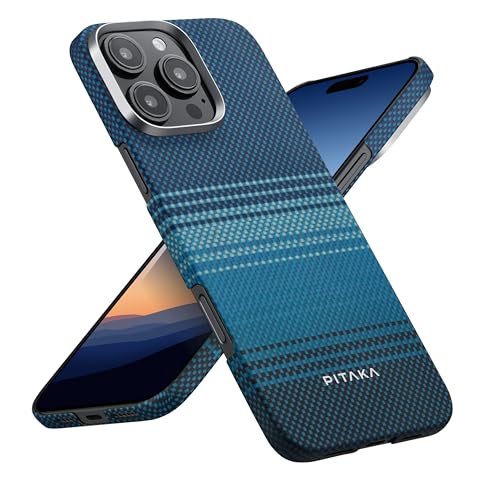
Pitaka MagEZ Case Pro for iPhone 16 Pro Review (2026): The
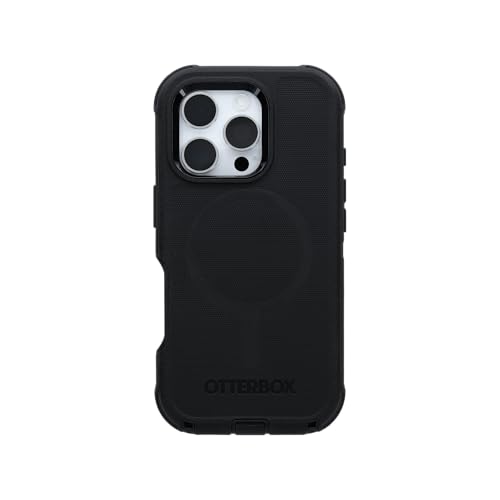
OtterBox Defender Series Pro for iPhone 16 Review (2026): The

Casetify Impact Case for iPhone 16 Review (2026): Designer
Which Phone Mat Should You Buy? My Nano Suction Choice
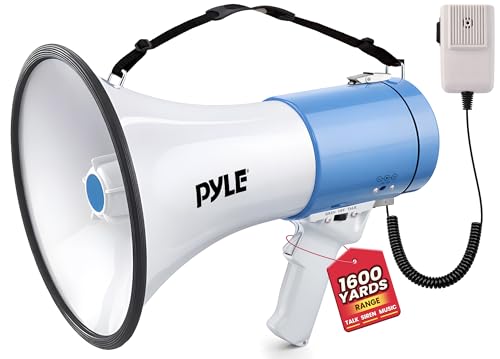
Find Your Voice: The Megaphone Guide That Actually Helps
