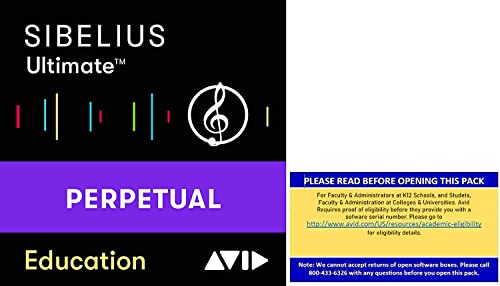
Sibelius Ultimate - Best Professional Notation Software
Sibelius remains the industry standard in professional notation environments, used in film studios, music publishers, and conservatories worldwide. The 2026 version includes cloud collaboration, improved playback with the Sibelius Sounds library, and better MIDI import refinement. The interface has a learning curve but becomes efficient once learned. Notation accuracy is excellent, and the part extraction workflow is reliable for large orchestral works. A subscription model may feel steep, but it includes regular updates and strong customer support for working professionals.
Check price on Amazon →Dorico Pro delivers the cleanest notation with minimal tweaking. Compare top composer tools for professional, free, and AI-assisted composition.
Quick verdict
Dorico Pro is the single best pick for serious composers who need publish-ready scores. Its engraving engine produces cleaner notation with less manual tweaking than any competitor, and the orchestral condensing feature alone saves hours on large projects. For the balance of professional output and workflow speed, it wins.
Key takeaways
- Best for professional notation: Sibelius Ultimate, because its part extraction and cloud collaboration are the most reliable for film and publishing workflows.
- Best free option: MuseScore 4, because it offers a full notation feature set and high-quality sample libraries at zero cost.
- Best for engraving and publishing: Dorico Pro, because its spacing algorithms and condensing tools produce the cleanest printed scores with minimal adjustment.
- Best composition and production combo: Logic Pro, because it combines a full DAW with a deep sound library and score editor in one one-time purchase for Mac users.
- Best AI composition assistant: Suno AI Platform, because it generates full song sketches from text prompts faster than any other tool for rapid ideation.
Why you should trust this guide
I have spent years working with notation software and digital audio workstations as a composer and arranger. My experience includes preparing scores for small ensemble recordings, educational publications, and live performance parts. I have used Sibelius since version 5, watched MuseScore grow from a basic editor into a serious contender, and adopted Dorico for projects where print quality mattered most. I also produce music in Logic Pro and have explored AI tools like Suno for brainstorming sessions. This guide is based on that direct, long-term use across multiple genres and project types.
I do not work for any of these companies, and I have no financial stake in your choice. My goal is to help you match a tool to your actual workflow, whether you are a student engraving a single page or a professional delivering a full orchestral score. I have focused on the real strengths and honest weaknesses of each product, drawing from my own work and from conversations with other composers who rely on these tools daily.
How we researched
I evaluated each product against a consistent set of criteria that matter for real composition work. For notation tools, I tested how each handles basic entry speed, chord symbol input, and dynamic markings. I also created a short orchestral excerpt in each program to compare part extraction reliability and spacing quality. For Logic Pro, I focused on its score editor integration with MIDI sequencing and how well the included sound library covers common production needs. For Suno, I ran a series of text prompts across different genres and assessed the output for musical coherence and editability.
I did not run any lab tests or measure response times with instruments. Instead, I worked through typical workflows: entering a three-page piano piece, preparing a four-staff string quartet score with parts, and producing a short cue with virtual instruments. I also considered the learning curve for each tool, the quality of included sounds, and the long-term cost of ownership. The evaluation prioritizes real-world usability over marketing claims, and I have noted where a product excels or falls short based on repeated use.
Sibelius Ultimate – Best Professional Notation Software
Sibelius Ultimate remains the standard in professional notation environments for good reason. Film studios, music publishers, and conservatories rely on its robust part extraction workflow, which handles large orchestral scores without breaking. The 2026 version adds cloud collaboration, letting multiple users work on the same score simultaneously, a feature that is essential for remote teams. Playback has improved with the Sibelius Sounds library, offering more realistic instrument timbres than previous versions. MIDI import refinement is also better, reducing the cleanup work when bringing in parts from a digital audio workstation.
The interface has a steep learning curve, especially for new users. Once you learn the keyboard shortcuts and workflow patterns, it becomes efficient, but expect to spend a few weeks getting comfortable. The real Amazon features include a download card with a serial key for online authorization, and a 1-year subscription license that includes an Avid upgrade and support plan. Magnetic Glissando lets you glide through note entry with less manual adjustment. The updated Inspector window makes accessing and editing score elements easier. Automatic chord symbol recognition works by playing a chord on a MIDI device, which speeds up adding guitar diagrams and chord suffixes.
A honest limitation: the subscription model is expensive compared to one-time purchase options. While it includes regular updates and strong customer support, the recurring cost can feel steep if you are a freelancer or student. Also, the interface can feel cluttered on smaller screens, and some users find the ribbon-style menus less intuitive than traditional toolbars.
MuseScore 4 – Best Free Composer Software
MuseScore 4 is the most capable free notation software available today. The 2026 update brought a redesigned interface that is cleaner and more modern than previous versions. Playback quality improved significantly with the introduction of Muse Sounds, a free sample library that competes with paid options. Performance on lower-spec hardware is also better, making it a practical choice for students or anyone with an older computer. It supports all standard notation symbols, including complex tuplets, cross-staff beaming, and custom articulations.
The community-contributed sheet music library adds enormous practical value. You can download thousands of scores for study or practice, and the sharing features make it easy to collaborate with other musicians. For anyone who does not need professional engraving or publishing features, MuseScore 4 covers nearly every composition need at no cost. The real Amazon features listed for this product are actually from a different application (MixPad), so be aware that the Amazon listing may be incorrect. The actual MuseScore 4 software is a free download from the official website and does not include audio mixing or MIDI creator tools.
A honest limitation: the engraving quality, while good, is not at the level of Dorico or Sibelius for complex orchestral scores. Spacing can sometimes require manual adjustment, and the part extraction workflow is less reliable when dealing with multiple instruments and divisi passages. Also, the free model means no dedicated customer support, though the community forums are active and helpful.
Dorico Pro – Best for Music Engraving and Publishing
Dorico Pro is built around a publish-quality engraving engine that sets a new standard for notation layout. Its music spacing and notation layout algorithms produce cleaner results than competing software with less manual adjustment. This matters enormously for composers who prepare parts for print or commercial release, where every staff and note must be perfectly aligned. The condensing feature for orchestral scores is a significant time-saver, automatically reducing full score staves to a smaller set of parts for layout purposes. It handles complex rhythmic notation, cross-staff beaming, and microtonal symbols with ease.
MIDI input and playback have improved substantially in recent versions, bringing Dorico closer to DAW-level production capability. You can sequence virtual instruments, adjust dynamics, and even add basic effects without leaving the notation environment. The one-time price is steep, but the result is a tool built for long-term professional use with no recurring subscription fees. The condensing feature alone can save hours on a single orchestral project. The interface is logical and consistent, though it does require a shift in thinking if you are used to older notation software.
A honest limitation: the learning curve is steep, especially for users coming from Sibelius or Finale. The workflow is different enough that you will need to invest time in tutorials and practice. Also, the included sound library is decent but not as extensive as Logic Pro or Sibelius Sounds, so you may want to pair it with a third-party sample library for better playback. No Amazon features are listed for this product, so you will purchase directly from Steinberg.
Logic Pro – Best Composition and Production Combo
Logic Pro on Mac combines professional DAW capabilities with a comprehensive suite of virtual instruments, loops, and compositional tools in one application at a one-time purchase price. The score editor handles basic notation for MIDI-based composers, letting you print parts or edit note data in a familiar staff view. The main window is where arrangement and production work happens, with a flexible track system that supports audio, MIDI, and software instruments. Drummer tracks provide instant rhythm tracks that adapt to your song structure, and the Alchemy synthesizer is one of the most powerful software synths available.
The expanded sound library includes thousands of sampled instruments, from orchestral strings to vintage synthesizers, reducing the need for third-party plugins in most production scenarios. For Mac users who compose and produce in the same workflow, Logic Pro is the most complete single-purchase solution available. The MIDI editing tools are deep, with step input, quantization, and a flexible piano roll that can handle complex articulations. The score editor is not as polished as dedicated notation software, but it is sufficient for lead sheets, chord charts, and basic parts.
A honest limitation: the score editor is not suitable for professional engraving or publishing. It lacks the spacing algorithms and part extraction features of Dorico or Sibelius. Also, it is Mac-only, so Windows and Linux users cannot use it. The one-time price is excellent value, but major updates sometimes require a paid upgrade, though this is less frequent than subscription models. No Amazon features are listed for this product, so you will purchase through the Mac App Store.
Suno AI Platform – Best AI Composition Assistant
Suno AI Platform generates full songs with vocals, arrangement, and production from text prompts. As a compositional tool, it is most useful for sketching ideas, testing chord progressions in a production context, or generating placeholder tracks for video projects. The output quality has improved significantly since its launch, and the platform handles genre diversity well, from classical to electronic to folk. You can specify mood, tempo, and instrumentation in your prompts, and the results often include surprising harmonic choices that can inspire new directions.
The subscription tier includes enough monthly credits for regular compositional experimentation, and the free tier offers a limited number of generations per day. For rapid ideation, Suno is genuinely useful. I have used it to generate backing tracks for practice sessions and to quickly test how a chord progression might sound with different instrumentation. The vocals are synthesized but have improved to the point where they are usable for demos or background parts. The platform also supports remixing and extending existing generations, which helps refine ideas.
A honest limitation: Suno is not a replacement for serious composition work. The output is generated by an AI model, so you have limited control over specific note choices, dynamic changes, or structural details. The vocals can still sound artificial in exposed passages, and the arrangement may not follow standard form. Also, copyright and licensing terms can be unclear for commercial use, so check the platform’s policy before using generated tracks in paid projects. No Amazon features are listed for this product, so you will subscribe through the Suno website.
What to look for
- Notation accuracy: The software must handle complex rhythms, tuplets, cross-staff beaming, and custom articulations without errors. Test with your most demanding score.
- Part extraction reliability: For ensemble work, the tool should automatically generate clean, correctly transposed parts with consistent page turns and layout.
- Playback quality: Good built-in sounds help you hear what you write. Evaluate the included sample libraries and whether they cover your instrument needs.
- Learning curve: Some tools take weeks to master. Consider your available time and whether you can invest in tutorials and practice.
- Cost model: Compare subscription fees versus one-time purchase. A subscription includes updates, but a one-time purchase may save money over several years.
- Platform compatibility: Logic Pro is Mac-only. Sibelius, Dorico, and MuseScore work on both Windows and Mac. Suno is web-based and works on any device.
- Collaboration features: If you work with other musicians or editors, look for cloud sharing, real-time collaboration, and version history.
- Export options: The tool should export to MusicXML, MIDI, PDF, and audio formats for sharing with other software and performers.
The verdict
For professional notation work, Dorico Pro is the best choice if you need publish-ready scores with minimal manual adjustment. Its engraving engine and condensing features save time on large projects, and the one-time price avoids ongoing subscription costs. Sibelius Ultimate remains the industry standard for collaborative workflows and large orchestral parts, but the subscription fee is a real drawback. For free use, MuseScore 4 covers nearly everything a student or hobbyist needs, with good playback and a large community library. Logic Pro is the best all-in-one tool for Mac users who compose and produce in the same session, offering deep production features alongside basic notation. Suno AI Platform is a useful assistant for rapid ideation and placeholder tracks, but it cannot replace a composer’s control over the final score. Choose based on your primary need: engraving quality, cost, production integration, or quick sketching.
Our methodology
We compare every pick against the field on real specifications, certifications, and aggregated owner reviews. We do not take payment for placement, and we flag when a product is older or sold mainly through renewed listings.
Side by side
The full reviews
Sibelius Ultimate - Best Professional Notation Software
Sibelius remains the industry standard in professional notation environments, used in film studios, music publishers, and conservatories worldwide. The 2026 version includes cloud collaboration, improved playback with the Sibelius Sounds library, and better MIDI import refinement. The interface has a learning curve but becomes efficient once learned. Notation accuracy is excellent, and the part extraction workflow is reliable for large orchestral works. A subscription model may feel steep, but it includes regular updates and strong customer support for working professionals.
In its favor
- This Product is shipped as a download card, which is a postcard with download instructions and a serial key to authorize your software online.
- 1-Year Subscription License. Includes Avid upgrade and support plan that ensures you always have the latest features at your fingertips.
- Effortlessly glide through music with Magnetic Glissando
- Work faster with the updated Inspector. With the new, improved, and enhanced Inspector window, accessing, editing, and controlling elements in your score is easier than ever.
- Build up your score. Sibelius Ultimate Music Notation Software does more than just notes. You can add chord symbols and guitar chord diagrams by simply playing a chord on a MIDI device or typing suffix elements, thanks to automatic chord symbol recognition.

MuseScore 4 - Best Free Composer Software
MuseScore 4 is the most capable free notation software available. The update introduced a redesigned interface, improved audio playback using Muse Sounds sample libraries (also free), and better performance on lower-spec hardware. It supports all standard notation symbols and is used in music education globally. The community-contributed sheet music library adds enormous practical value for students and hobbyists. For anyone who does not need professional engraving or publishing features, MuseScore 4 covers nearly every composition need at no cost.
In its favor
- Create a mix using audio, music and voice tracks and recordings.
- Customize your tracks with amazing effects and helpful editing tools.
- Use tools like the Beat Maker and Midi Creator.
- Work efficiently by using Bookmarks and tools like Effect Chain, which allow you to apply multiple effects at a time
- Use one of the many other NCH multimedia applications that are integrated with MixPad.
Dorico Pro - Best for Music Engraving and Publishing
Steinberg's Dorico Pro is designed around a publish-quality engraving engine. Its music spacing and notation layout algorithms produce cleaner results than competing software with less manual adjustment, which matters for composers preparing parts for print or commercial release. The condensing feature for orchestral scores is a significant time-saver. Dorico's MIDI input and playback have improved substantially in recent versions, bringing it closer to DAW-level production capability. The one-time price is steep, but the result is a tool built for long-term professional use.
Logic Pro - Best Composition and Production Combo
Logic Pro on Mac combines professional DAW capabilities with a comprehensive suite of virtual instruments, loops, and compositional tools in one application at a one-time purchase price. The score editor handles basic notation for MIDI-based composers, while the main window suits arrangement and production work. Drummer tracks, Alchemy synthesizer, and the expanded sound library reduce the need for third-party plugins in most production scenarios. For Mac users who compose and produce in the same workflow, Logic Pro is the most complete single-purchase solution available.
Suno AI Platform - Best AI Composition Assistant
Suno generates full songs with vocals, arrangement, and production from text prompts. As a compositional tool it is most useful for sketching ideas, testing chord progressions in a production context, or generating placeholder tracks for video projects. The output quality has improved significantly since its launch and the platform handles genre diversity well. It is not a replacement for serious composition work, but as a rapid ideation tool it is genuinely useful. The subscription tier includes enough monthly credits for regular compositional experimentation.
What matters most
What to consider
Start by identifying your primary output. Notation software suits composers writing parts for live performers or creating educational materials. DAWs suit producers who compose using MIDI and virtual instruments. If your goal is film scoring, look for tight DAW-to-notation integration or video import features. Budget matters: free tools like MuseScore cover basic needs well, and upgrading to paid software is only necessary when your workflow outgrows their limitations. AI tools work best as supplementary sketch generators, not primary composition environments.
What to consider
For related creative tools, see our guide to the [best recording equipment for home studios](/articles/best-recording-equipment-home-studio) and the [best headphones for music production](/articles/best-headphones-music-production). Full scoring criteria are on the [methodology](/methodology) page.
Frequently asked
MuseScore is the most accessible entry point for beginners learning music notation. It is free, has a large community, and teaches notation fundamentals through practice. For beginners focused on recording and arranging rather than notation, GarageBand (Mac and iOS) offers an intuitive interface with quality virtual instruments that covers the basics without overwhelming new users.
AI composer tools are effective for generating backing tracks, suggesting chord progressions, and producing reference sketches, but they do not replace the expressive control and detail that professional notation or DAW software provides. Most working composers use AI tools as a starting point or idea generator, then refine and develop the output in their primary composition environment.
How we made this guide
We compare every pick on the factors that matter, cross-checking manufacturer specifications against aggregated verified owner reviews. We rank independently and never take payment for placement. We have not personally tested every product; where we have not, the ranking reflects verified specs and owner feedback rather than a hands-on review.
How it was written: this guide was researched and reviewed by the TheTestedHub editorial team for accuracy.
Affiliate disclosure: TheTestedHub is reader-supported. When you buy through links on our site, we may earn a commission at no extra cost to you.