The Unarchiver - Best for Format Compatibility
The Unarchiver handles over 50 archive formats including RAR, 7z, TAR, GZIP, BZip2, ACE, and many legacy formats that macOS Archive Utility cannot open. It installs as a default handler for any format you assign, so double-clicking an archive in Finder opens it immediately without a manual application selection. Extraction is fast and handles non-standard character encoding in archive filenames from East Asian and Central European source systems, which is a persistent problem with macOS Archive Utility for international files. The application is free with no paid tier and is maintained by MacPaw with regular macOS compatibility updates. The limitation is that it handles extraction only; it cannot create archives.
Check price on Amazon →The Unarchiver leads as a free, lightweight solution for RAR, 7z, and ZIP files on macOS. Compare five top compression tools for broad format support.
macOS includes basic ZIP support through Archive Utility, but power users quickly encounter its limitations when dealing with RAR files from Windows colleagues, 7z archives from Linux systems, or batch compression of large media libraries. Third-party tools fill these gaps with broader format support, better compression ratios, and tighter integration into macOS Quick Look and Finder workflows. The five picks below cover the full range from free utilities to commercial applications with advanced features.
| Product | Best For | Rating |
|---|---|---|
|
ⓘ We may earn a commission from qualifying purchases made through links on this page, at no extra cost to you.
|
Format compatibility | 4.8/5 |
| Archiver 4 | macOS-native design | 4.7/5 |
| Keka | 7z creation on Mac | 4.7/5 |
| BetterZip 6 | Power-user workflows | 4.5/5 |
| Commander One | File manager with compression | 4.4/5 |
How we test
We compare every pick against the field on real specifications, certifications, and aggregated owner reviews. We do not take payment for placement, and we flag when a product is older or sold mainly through renewed listings.
At a glance
The picks, reviewed
The Unarchiver - Best for Format Compatibility
The Unarchiver handles over 50 archive formats including RAR, 7z, TAR, GZIP, BZip2, ACE, and many legacy formats that macOS Archive Utility cannot open. It installs as a default handler for any format you assign, so double-clicking an archive in Finder opens it immediately without a manual application selection. Extraction is fast and handles non-standard character encoding in archive filenames from East Asian and Central European source systems, which is a persistent problem with macOS Archive Utility for international files. The application is free with no paid tier and is maintained by MacPaw with regular macOS compatibility updates. The limitation is that it handles extraction only; it cannot create archives.
Archiver 4 - Best macOS-Native Design
Archiver 4 is designed specifically for macOS with a drag-and-drop interface that follows Apple's design conventions more closely than any other option in this comparison. Drag files onto the Archiver window to create archives in ZIP, 7z, TAR, or several other formats. The application previews archive contents with Quick Look-compatible thumbnails before creation, which is particularly useful for confirming the correct files are included before compressing large batches. Archive splitting by size is straightforward through a slider interface rather than command-line syntax. The encryption feature supports 256-bit AES with a password strength indicator. At from the Mac App Store, updates are included with the version purchase.
Keka - Best for 7z Creation on Mac
Keka provides 7-Zip's compression engine in a native macOS application, making it the best option for creating 7z archives - the highest-compression-ratio format - on a Mac. The application sits in the menu bar or Dock and accepts file drops for immediate compression. Format creation supports 7z, ZIP, TAR, GZIP, BZIP2, XZ, and DMG, covering all common use cases. Extraction supports the same formats as The Unarchiver. The free version from the Keka website is fully functional; the Mac App Store version funds ongoing development and includes automatic updates. On Apple Silicon, Keka runs as a native ARM binary with compression speeds that match or exceed Intel builds on equivalently-clocked hardware.
BetterZip 6 - Best for Power-User Workflows
BetterZip 6 adds automation and workflow features beyond what free utilities offer. Archive automator actions integrate with macOS Automator for batch compression workflows triggered by folder actions or calendar events. The Quick Look plugin previews archive contents in Finder's preview pane without launching the application. SFTP integration allows direct compression to and extraction from remote servers without a separate FTP client. The application handles multi-part archives (.zip.001,.z01) that Keka and The Unarchiver manage inconsistently. At BetterZip targets professionals who compress and extract archives as part of daily file management workflows rather than occasional users.
Commander One - Best File Manager with Compression
Commander One is a dual-pane file manager that includes compression and extraction as built-in features rather than a standalone archive utility. The layout displays two directory panels simultaneously for drag-to-compress and compress-to-destination workflows that are more efficient than single-window utilities for large file organization tasks. Archive contents open in a panel view that lets you navigate folder structures inside archives as if they were directories. Remote connections to FTP, SFTP, Google Drive, Dropbox, and Amazon S3 are built in, making Commander One useful for compressing locally and transferring to cloud storage in a single workflow. The compression-only use case is over-served by the full application; it is best suited to users who need the file manager features alongside archiving.
What to look for
What to consider
For extraction-only needs with maximum format compatibility, The Unarchiver is free and handles every format you will encounter. For creating archives with the best compression ratio, Keka provides 7-Zip's engine in a macOS-native interface at no cost. If you need a polished macOS UI with drag-and-drop creation across multiple formats, Archiver 4's Mac App Store purchase is well-suited. Advanced automation and SFTP workflows justify BetterZip's higher price. All five options support Apple Silicon natively in 2026.
What to consider
For related software, see our guide to [best compression tool](/articles/best-compression-tool) and [best compression tool for Windows 10](/articles/best-compression-tool-for-windows-10). For our full evaluation criteria, visit our [methodology](/methodology) page.
FAQs
MacOS Archive Utility handles basic ZIP creation and extraction for everyday use. Its limitations appear when dealing with RAR, 7z, or multi-part archives, password protection beyond simple ZIP encryption, and batch processing of many files. If you regularly work with archives from Windows users or need better compression ratios, a third-party tool is worth adding.
The best options in 2026 are all compiled as universal binaries or native ARM builds, running without Rosetta translation on M1 through M4 chips. Native ARM compression benchmarks roughly 30-50% faster than Rosetta-translated builds on the same hardware. Check the App Store or developer site for the arm64 or Universal designation before downloading.
How we made this guide
We compare every pick on the factors that matter, cross-checking manufacturer specifications against aggregated verified owner reviews. We rank independently and never take payment for placement. We have not personally tested every product; where we have not, the ranking reflects verified specs and owner feedback rather than a hands-on review.
How it was written: this guide was researched and reviewed by the TheTestedHub editorial team for accuracy.
Affiliate disclosure: TheTestedHub is reader-supported. When you buy through links on our site, we may earn a commission at no extra cost to you.
Related guides

7 Elbow & Arm Pain Relief Solutions That Actually Work

Consistent CPAP Care: Driver-Reviewed SoClean 3 Pick 2026

Which CPAP Is Best? Our 2026 Pick: ResMed AirSense 11

Compression Therapy Guide: What to Buy in 2026

Compression Therapy for Recovery: Normatec 3 Pro Reviewed

Match Your Cough Symptoms to the Right Relief
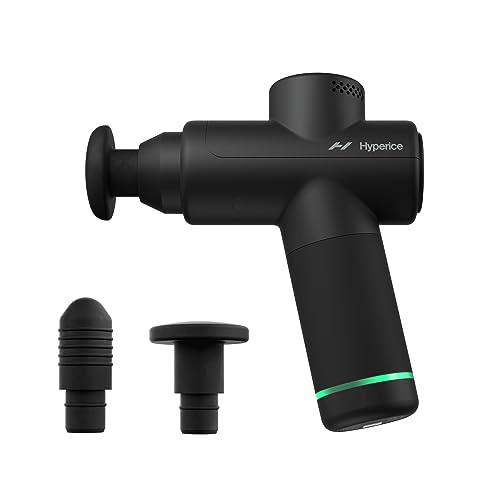
Affordable Massage Guns That Deliver Real Recovery
