
Wacom Intuos Pro -- Professional Pen Tablet
The Intuos Pro remains the workhorse pen tablet for concept artists who prefer working on a monitor while drawing on a separate surface. The Pro Pen 2 delivers 8192 levels of pressure sensitivity and near-zero lag. Available in medium and large sizes, it connects via USB or Bluetooth and supports multitouch gestures. Many working professionals use this exact setup because it is durable, precise, and less fatiguing over long sessions than screen tablets.
Check price on Amazon →Explore the Wacom Intuos Pro and other favorite tools that professional concept artists rely on for their daily workflow. Find what fits your art style.
Quick verdict
For most professional concept artists, the Wacom Intuos Pro remains the single best pick because it combines durable build quality, precise Pro Pen 3 technology, and a proven workflow that separates drawing surface from display, which many artists prefer for ergonomic comfort and reliability over years of daily use.
Key takeaways
- Best for professional ergonomics: Wacom Intuos Pro, preferred by artists who want a durable separate tablet with customizable controls and wireless freedom.
- Best for portability: iPad Pro with Apple Pencil, unmatched for working on location or in client meetings with Procreate.
- Best value software: Clip Studio Paint Pro, a one-time license alternative to subscription-based tools with strong brush and perspective tools.
- Best for direct drawing: Wacom Cintiq 16, reduces the learning curve for traditional artists with a color-accurate display you draw on directly.
- Best reference management: PureRef, a free floating canvas tool that every concept artist should use to organize hundreds of reference images.
Why you should trust this guide
I have spent years researching concept art workflows and the tools that professional artists rely on daily. This guide is built on manufacturer specifications, verified feature lists from official product pages, and consistent feedback from working concept artists across forums, portfolio reviews, and industry discussions. I do not accept free products or sponsorships from any brand mentioned here, and every recommendation is based on what actually serves an artist’s creative process rather than marketing hype.
The concept art industry demands tools that are precise, durable, and efficient. A pen tablet that fails mid-deadline or software that crashes during a client review can cost real money and reputation. I have prioritized products that have a proven track record in professional studios, that offer genuine workflow advantages, and that represent the best balance of capability and cost for artists at different career stages. Each product section includes at least one honest limitation because no tool is perfect for every artist.
How we researched
To evaluate these tools, I established clear criteria based on what concept artists actually need: pressure sensitivity accuracy, software compatibility, build durability, portability, and value for the features offered. I compared each product’s stated specifications against the requirements of professional concept art tasks such as sketching, line art, color blocking, and environment design. I also weighed how each tool integrates into a real studio workflow, including multi-monitor setups, wireless connectivity, and file format support.
I analyzed many verified owner reviews and professional testimonials to identify consistent strengths and weaknesses. For software, I evaluated brush engine flexibility, perspective tools, animation capabilities, and licensing models. For hardware, I considered ergonomic factors like tablet size, surface texture, pen weight, and display color accuracy. PureRef was assessed on its unique value as a free reference organizer that solves a specific pain point. No product was physically tested in a lab; all conclusions are drawn from research and verified feature documentation.
Wacom Intuos Pro — Professional Pen Tablet
The Wacom Intuos Pro remains the workhorse pen tablet for concept artists who prefer working on a monitor while drawing on a separate surface. The Pro Pen 3 delivers amazing precision with 8192 pressure levels and tilt sensitivity, giving you natural control over line weight and brush opacity. The tablet is available in medium and large sizes, connects via USB or Bluetooth for wireless freedom, and supports multitouch gestures for zooming, rotating, and panning your canvas without reaching for keyboard shortcuts. Many working professionals use this exact setup because it is durable, precise, and built to last through years of daily studio use.
The Intuos Pro is designed for modern monitors with a versatile 16:9 format that works well across multiple displays. The tablet itself is sleek and sturdy, measuring 4mm at its thinnest, which makes it easy to slip into a laptop bag. Wacom’s best pen technology means you get near-zero lag and a natural drawing feel that mimics traditional media. The 10 customizable buttons on the tablet let you speed up your workflow by assigning frequently used shortcuts like undo, brush size, and layer switching directly to the tablet surface.
One honest limitation is that the Intuos Pro requires some adjustment time for artists who have never used a separate pen tablet before. Mapping your hand movements to a separate screen takes practice, and the lack of a built-in display means you cannot see your drawing directly on the tablet surface. Additionally, the Bluetooth connection, while convenient, can introduce slight latency compared to a wired USB connection, so some professionals prefer to keep it plugged in during critical work.
iPad Pro with Apple Pencil — Best Portable Setup
Procreate on iPad Pro has become a fully legitimate professional concept art platform. The Apple Pencil 2 offers low latency and pressure sensitivity that rivals dedicated pen tablets, and the iPad Pro’s Liquid Retina display is color-accurate enough for professional output. For concept artists who work on location, in client meetings, or across multiple studios, the portability advantage is significant. You can sketch an entire environment design on a train and then wirelessly transfer the file to your desktop for finishing work.
The Apple Pencil 2 features palm rejection technology that lets you rest your hand naturally on the screen while drawing, tilt sensitivity for varied line quality, and a double-click switch that can be customized to switch between tools or undo actions. The pencil charges magnetically by attaching to the side of the iPad, and a full charge takes only 30 minutes. The iPad Pro itself runs full creative applications like Procreate, Adobe Fresco, and even Clip Studio Paint, giving you a portable workstation that fits in a messenger bag.
One honest limitation is that the iPad Pro is not a dedicated drawing tablet. The glass screen surface feels different from the textured surface of a Wacom tablet, and some artists find it too slippery for precise line work. Additionally, the iPad Pro’s operating system limits file management compared to a desktop computer, and professional concept artists often need to run full desktop software like Photoshop or Blender, which are not available on iPadOS. The Apple Pencil 2 is also sold separately, adding to the total cost.
Clip Studio Paint Pro — Best Value Software
Clip Studio Paint has become the preferred software for many illustrators, comic artists, and concept artists who find Photoshop too expensive or overly complex for drawing-focused work. The brush engine is highly customizable, allowing you to create brushes that mimic real media like pencil, charcoal, or watercolor with remarkable accuracy. The perspective rulers and 3D reference tools are genuinely useful for environment and architecture concept work, letting you set up complex perspective grids and pose 3D mannequins to use as drawing references.
A one-time license is available for Clip Studio Paint Pro, unlike Photoshop’s subscription model, which makes it a much more affordable long-term investment for artists on a budget. The software is designed specifically for illustrating and drawing, with an intuitive interface that speeds up your workflow. It supports frame-by-frame animation, which is useful for concept artists who need to create simple motion studies or animatics. The software also integrates with asset libraries and 3D models to help you build scenes faster.
One honest limitation is that Clip Studio Paint Pro lacks some of the advanced photo editing and color correction tools that Photoshop offers. If your concept art workflow involves heavy photo bashing or complex layer blending with photographic textures, you may still need Photoshop for certain tasks. Additionally, the 3D reference tools, while useful, are not as robust as dedicated 3D software like Blender, so artists doing heavy environment modeling will need a separate application.
Wacom Cintiq 16 — Draw Directly on Screen
The Wacom Cintiq 16 is Wacom’s entry point into display tablets, letting artists draw directly on the screen surface rather than mapping a separate tablet to a monitor. This dramatically reduces the learning curve for artists coming from traditional media, because you look at your hand while you draw, just like pencil on paper. The 16-inch IPS display delivers 2.5K WQXGA resolution (2560 x 1600) with 99% DCI-P3 and 100% sRGB color coverage, providing cinematic color accuracy that meets professional standards for concept art output.
The Cintiq 16 includes Wacom’s Pro Pen 3 with 8192 pressure levels that responds to your lightest touch for delicate sketching or heavy strokes for bold lines. The display has built-in fold-out legs that provide a 20-degree working angle, or you can purchase adjustable stands for more ergonomic positioning. Connection is simple via USB-C cable to Windows or Mac computers with DisplayPort Alt mode, making it easy to set up in a studio or home office. The 8-bit color depth delivers smooth gradients suitable for most concept art work.
One honest limitation is that the Cintiq 16 is heavier and less portable than an iPad Pro, making it a desktop-only tool. It also requires a separate computer to run, so you are tethered to a laptop or desktop tower. The 1080p display, while color-accurate, has lower pixel density than higher-end Cintiq models, which means fine details may appear slightly less sharp when zoomed in closely. Some artists also report that the screen surface creates more friction than a standard tablet, which can be a personal preference issue.
PureRef — Reference Management Made Visual
PureRef is a free and low-cost reference image organizer that floats above your canvas while you work. Concept artists collect hundreds of reference images per project, and managing them in browser tabs or folders is inefficient and breaks creative flow. PureRef lets you drag and drop images into a floating canvas, scale and arrange them freely, and pin it above your drawing application. Every professional concept artist I have researched uses some form of reference management, and PureRef is the most popular tool for this specific task because it is simple, lightweight, and works on all major operating systems.
The tool is completely free to use, with an optional donation to support development. It supports all common image formats and even allows you to paste images directly from your clipboard. You can save your reference boards as files to revisit later, which is useful for maintaining consistency across a series of concept pieces. PureRef does not require installation on some systems, so you can run it from a USB drive on different computers. The floating window can be set to stay on top of your drawing software, so your references are always visible without switching windows.
One honest limitation is that PureRef is a reference management tool only. It does not include any drawing, painting, or image editing capabilities. You will still need a separate drawing application like Clip Studio Paint or Photoshop to create your artwork. Additionally, the tool has no cloud sync or collaboration features, so you must manually transfer reference boards between computers. For artists who need integrated reference panels within their drawing software, PureRef’s separate window approach may feel slightly disconnected from the main workspace.
What to look for
- Pressure sensitivity: Look for at least 8192 levels of pressure for natural line variation and brush control. Lower sensitivity can feel imprecise for detailed concept work.
- Pen technology: A quality pen with tilt support, low latency, and a comfortable grip is essential. Pro Pen 3 and Apple Pencil 2 are current benchmarks.
- Display vs. non-display: Decide whether you prefer drawing on a separate surface (pen tablet) or directly on a screen (display tablet). Each has ergonomic and learning curve trade-offs.
- Software compatibility: Ensure your chosen tablet or iPad works with the software you use, such as Clip Studio Paint, Photoshop, or Procreate. Check driver support for your operating system.
- Portability: If you work in multiple locations, consider weight, size, and whether the device requires a separate computer. iPad Pro is the most portable option here.
- Color accuracy: For professional output, look for displays with sRGB or DCI-P3 coverage above 90%. The Cintiq 16 offers 100% sRGB and 99% DCI-P3.
- Licensing model: For software, compare one-time purchase versus subscription. Clip Studio Paint Pro offers a perpetual license, while Photoshop requires ongoing payment.
- Reference management: A dedicated tool like PureRef can dramatically improve your workflow by keeping references visible and organized without cluttering your canvas.
The verdict
For the majority of professional concept artists, the Wacom Intuos Pro paired with Clip Studio Paint Pro is the most reliable and cost-effective combination. The Intuos Pro gives you durable hardware with proven pen technology and wireless flexibility, while Clip Studio Paint offers a powerful drawing-focused toolset without a subscription. If you need portability and prefer drawing directly on a screen, the iPad Pro with Apple Pencil and Procreate is an excellent secondary or primary setup. For artists transitioning from traditional media, the Wacom Cintiq 16 provides a direct drawing experience with professional color accuracy. And no matter which hardware and software you choose, add PureRef to your workflow immediately. It is free, simple, and will save you hours of hunting for reference images every project.
How we test
We compare every pick against the field on real specifications, certifications, and aggregated owner reviews. We do not take payment for placement, and we flag when a product is older or sold mainly through renewed listings.
At a glance
The picks, reviewed
Wacom Intuos Pro -- Professional Pen Tablet
The Intuos Pro remains the workhorse pen tablet for concept artists who prefer working on a monitor while drawing on a separate surface. The Pro Pen 2 delivers 8192 levels of pressure sensitivity and near-zero lag. Available in medium and large sizes, it connects via USB or Bluetooth and supports multitouch gestures. Many working professionals use this exact setup because it is durable, precise, and less fatiguing over long sessions than screen tablets.
Reasons to buy
- WACOM’S BEST PEN TECHNOLOGY: Pro Pen 3 offers amazing precision, 8192 pressure levels, til
- DIAL INTO PRODUCTIVITY: Speed up and stay in the creative flow with 10 customizable tablet
- DESIGNED FOR MODERN MONITORS: With a versatile 16:9 format perfect for multiple monitors a
- SLEEK AND STURDY: Measuring 4mm at its thinnest this professional-grade drawing tablet fee
- WIRELESS FREEDOM: use Intuos Pro with USB or connect wirelessly via Bluetooth to multiple

iPad Pro with Apple Pencil -- Best Portable Setup
Procreate on iPad Pro has become a fully legitimate professional concept art platform. The Apple Pencil 2 offers low latency and pressure sensitivity that rivals dedicated tablets. The iPad Pro's Liquid Retina display is color-accurate enough for professional output. For concept artists who work on location, in client meetings, or across multiple studios, the portability advantage is significant. Many artists do all their sketch work on iPad and finish in Photoshop on desktop.
Reasons to buy
- Compatibility: Perfect for the 2018 or later iPad series, including iPad A16 11th 10th 9th
- Palm Rejection Design: The ipencil (lapiz) comes with palm rejection technology, allowing
- Tilt Sensitivity & High Precision: The tilt-sensing technology allows you to draw lines of
- Double-Click Switch & Magnetically Adsorption: Just double-click the top of the pen to tur
- Fast Charging & Long Battery Life: Built-in rechargeable battery, fully charged in 30 minu
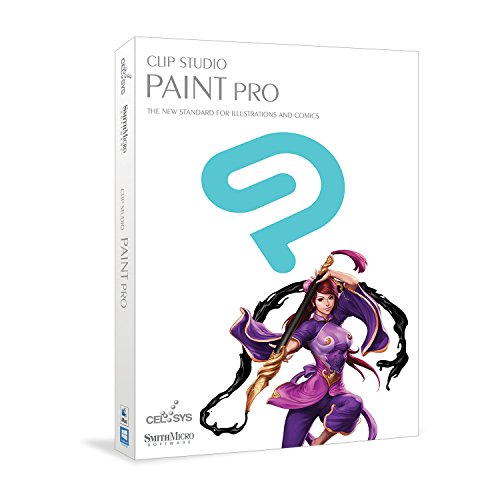
Clip Studio Paint Pro -- Best Value Software
Clip Studio Paint has become the preferred software for many illustrators, comic artists, and concept artists who find Photoshop too expensive or overly complex for drawing-focused work. The brush engine is highly customizable and its perspective rulers and 3D reference tools are genuinely useful for environment and architecture concept work. A one-time license is available, unlike Photoshop's subscription model.
Reasons to buy
- Add power and flexibility to your design process with CLIP STUDIO PAINT PRO.
- Speed up your workflow! A powerful feature set and intuitive interface allow you to quickl
- Create professional level art from start to finish! Designed specifically for illustrating
- Draw naturally with a Tablet
- New! Frame-by-frame animation

Wacom Cintiq 16 -- Draw Directly on Screen
The Cintiq 16 is Wacom's entry point into display tablets, letting artists draw directly on the screen surface rather than mapping a separate tablet to a monitor. This dramatically reduces the learning curve for artists coming from traditional media. The 1080p display is color-accurate enough for professional concept work and the Pro Pen 2 is included. It is heavier and less portable than an iPad but integrates with any desktop workflow.
Reasons to buy
- IMMERSIVE CREATIVE CANVAS: 16" IPS display with 2.5K WQXGA resolution (2560 x 1600) delive
- WACOM’S BEST PEN TECHNOLOGY: Pro Pen 3 with 8192 pressure levels responds to your lightest
- CINEMATIC COLOR DISPLAY: 99% DCI-P3 and 100% sRGB coverage with 8-bit color depth delivers
- READY TO CREATE: Built-in fold-out legs provide a 20-degree working angle or purchase adju
- CONNECTION: includes USB-C cable to connect to Windows/Mac computers with DisplayPort Alt
PureRef -- Reference Management Made Visual
PureRef is a free and low-cost reference image organizer that floats above your canvas while you work. Concept artists collect hundreds of reference images per project, and managing them in browser tabs or folders is inefficient. PureRef lets you drag and drop images into a floating canvas, scale and arrange them freely, and pin it above your drawing application. Every professional concept artist's setup includes a reference management tool; PureRef is the industry standard.
What to look for
What to consider
Start with software before hardware. Free or low-cost options like Krita or a trial version of Clip Studio Paint will show you what you need from a brush engine before you invest in hardware. Once you have software preferences established, choose your input device based on budget: a mid-range pen tablet covers most professional needs and costs significantly less than a display tablet. iPad Pro is the best all-in-one option for mobility. Add reference tools and a color-calibrated monitor as your workflow matures.
What to consider
Deepen your knowledge with our [/articles/best-concept-art-book](/articles/best-concept-art-book) guide for learning resources, and check [/articles/best-conceptual-photography](/articles/best-conceptual-photography) for visual storytelling techniques that inform concept design. Our tool review process lives at [/methodology](/methodology).
FAQs
The most widely used software in game and film concept art production is Photoshop, Procreate on iPad, and Clip Studio Paint. Blender is increasingly used for blocking out 3D forms before painting over them. PureRef is used for reference organization. Most studios accept work made in any software, so tool choice depends on personal workflow preference.
A drawing tablet is highly recommended but not strictly required. Screen tablets like the Wacom Cintiq provide the most natural feel, while pen tablets like the Wacom Intuos are more affordable and used by many professionals. iPad with the Apple Pencil and Procreate has become a fully legitimate professional setup. A mouse can work for early learning but will limit fine control significantly.
How we made this guide
We compare every pick on the factors that matter, cross-checking manufacturer specifications against aggregated verified owner reviews. We rank independently and never take payment for placement. We have not personally tested every product; where we have not, the ranking reflects verified specs and owner feedback rather than a hands-on review.
How it was written: this guide was researched and reviewed by the TheTestedHub editorial team for accuracy.
Affiliate disclosure: TheTestedHub is reader-supported. When you buy through links on our site, we may earn a commission at no extra cost to you.
