Adobe Illustrator (Creative Cloud) -- The Industry Standard for Poster Design
Professional concert poster designers work in Illustrator because vector artwork scales to any print size without quality loss. Creating a poster in Illustrator means your file is ready for a 4x6 inch flyer or a 24x36 inch outdoor banner from the same source document. Its typography tools handle the expressive lettering that defines classic concert poster style, and its color management pipeline ensures that what you see on screen matches the printed output. The brushes, pen tool, and shape builder are optimized for the bold, graphic visual language of show posters. The Creative Cloud subscription provides continuous updates and access to Adobe Fonts.
Check price on Amazon →Perfect for independent designers, this guide compares budget-friendly tools for concert poster creation, from vector software to affordable printers.
Quick verdict
Adobe Illustrator (Creative Cloud) is the single best pick for concert poster design because its vector workflow, typography tools, and color management pipeline are the professional standard for producing print-ready posters at any size from flyers to banners.
Key takeaways
- Best for professional vector design: Adobe Illustrator (Creative Cloud), the industry standard for scalable artwork and expressive typography in concert posters.
- Best for subscription-free vector design: Affinity Designer 2, a one-time purchase alternative with full CMYK and bleed support for print-ready posters.
- Best for template-based poster creation: Envato Elements Subscription, access to thousands of editable concert poster templates for rapid production.
- Best for in-house large format printing: Epson EcoTank ET-8550, prints up to 13×19 inches with low-cost refillable ink tanks for vibrant poster output.
- Best for professional color accuracy in prints: Canon PIXMA PRO-200, an eight-dye-ink printer delivering rich saturated colors and smooth gradients for show posters.
Why you should trust this guide
I have spent years researching the concert poster design and production workflow, from initial concept to final print. My approach is grounded in understanding what professional designers and independent artists actually need: reliable tools that produce consistent, high-quality results without guesswork. I evaluate each product based on its stated capabilities, owner feedback from verified purchasers, and how well it fits into a real-world poster creation pipeline. This guide focuses on tools that solve specific problems, whether that is vector scalability, template speed, or print fidelity.
The recommendations here are not based on hype or marketing claims. I look at each product’s core strengths and honest limitations, and I compare them against the demands of concert poster work. That means considering factors like file format compatibility, color management, print size, and cost structure. I also pay attention to what experienced designers and print shop owners consistently report as deal-breakers or must-haves. The result is a practical buying guide that helps you match the right tool to your specific poster project.
How we researched
My evaluation criteria for concert poster design tools focus on five key areas: vector and raster capability, typography controls, print-ready output features (CMYK color mode, bleed settings, resolution handling), ease of learning and workflow speed, and the overall value proposition relative to the design or printing task. For software tools, I assessed whether the application can handle the full range of concert poster sizes from small flyers to large banners, and whether its export pipeline reliably produces files that print shops accept without additional prep work. For printers, I considered print size limits, ink cost per page, color accuracy, and media handling flexibility.
I did not physically test these products in a lab or run controlled experiments. Instead, I analyzed manufacturer specifications, studied owner reviews from multiple retail and community sources, and compared each product against the stated needs of concert poster creators. I looked for patterns in feedback about reliability, ease of use, and common pain points. Products that consistently receive praise for meeting professional print standards and that offer clear advantages for poster design work rose to the top. Each product section below includes at least one honest limitation based on that research, so you can make an informed choice.
Adobe Illustrator (Creative Cloud)
Professional concert poster designers work in Illustrator because vector artwork scales to any print size without quality loss. Creating a poster in Illustrator means your file is ready for a 4×6 inch flyer or a 24×36 inch outdoor banner from the same source document. Its typography tools handle the expressive lettering that defines classic concert poster style, and its color management pipeline supports CMYK, spot colors, and precise proofing. The pen tool, shape builder, and pathfinder functions give you total control over custom illustrations, band logos, and layered compositions that are the hallmark of show posters.
Illustrator integrates seamlessly with other Creative Cloud apps like Photoshop for photo editing and InDesign for multi-page layouts, which is useful if you are producing a series of posters for a tour. The software also supports actions and scripts that can automate repetitive tasks like resizing artboards or exporting multiple versions. Its robust file format support means you can deliver native .ai files, PDFs, or EPS to any print shop without compatibility issues. The learning curve is steep, but the payoff is a tool that professional designers rely on for every detail of concert poster production.
One honest limitation is the subscription model. Adobe Illustrator requires a monthly or annual Creative Cloud subscription, which can be a significant ongoing cost for independent artists or small design studios. There is no one-time purchase option, and if you stop paying, you lose access to the software and your files stored in the cloud. Additionally, the software can be resource-intensive on older computers, especially when working with complex vector art or multiple artboards. For those who need the industry standard and can budget for the recurring fee, Illustrator remains unmatched for professional concert poster work.
Affinity Designer 2
Affinity Designer 2 is a one-time purchase vector and raster design application that handles concert poster production with the same capability as Illustrator for most workflows. Its artboard system, typography controls, and export pipeline cover every requirement for print-ready poster files including CMYK color mode and bleed settings. The interface is clean and performant, and the learning curve is gentler than Illustrator, making it a strong option for designers who want professional results without a subscription. The software supports both vector and raster layers in the same document, which is useful for combining hand-drawn lettering with photographic elements.
The application includes advanced features like a dedicated pixel persona for raster brushwork, live filters, and a comprehensive set of export options including PDF, PNG, and SVG. Its color management is robust, with support for ICC profiles and spot colors, so your poster prints accurately. Affinity Designer 2 also handles large file sizes smoothly, even on modest hardware, which is a practical advantage when working with high-resolution poster designs. The one-time purchase price is a major draw for budget-conscious artists and small studios who want to avoid recurring fees.
One honest limitation is that Affinity Designer 2 has a smaller community and fewer third-party resources compared to Illustrator. You will find fewer tutorials, plugins, and templates specifically tailored to concert poster design. Some advanced features like variable fonts and advanced typographic controls are not as fully developed as in Illustrator. Additionally, if you collaborate with other designers or print shops that require native .ai files, you may need to export to a compatible format, which can sometimes cause minor layout shifts. For independent work and self-printing, Affinity Designer 2 is a capable and cost-effective choice.
Envato Elements Subscription
Starting from a professionally designed template dramatically accelerates the poster production process. Envato Elements provides access to thousands of design templates including a large library of concert, music festival, and event poster files compatible with Illustrator, Photoshop, and InDesign. The templates are fully editable: swap in your artist name, date, venue, and photo while retaining the original layout, typography, and color scheme. This is ideal for designers who need to produce multiple posters quickly for a tour or series of shows, or for artists who want a polished result without starting from scratch.
The subscription also includes unlimited downloads of stock photos, fonts, icons, and graphic assets that can be used directly in your poster designs. This eliminates the need to purchase individual assets or worry about licensing for commercial use. The template quality varies, but the best concert poster templates are designed by experienced graphic artists and include proper print settings like bleed, trim marks, and CMYK color mode. You can preview and download templates instantly, which makes the workflow fast and flexible for tight deadlines.
One honest limitation is that templates can feel generic if used without customization. Many concert poster templates share similar visual trends, so your poster may not stand out if you do not invest time in modifying colors, typography, and imagery. The subscription cost is ongoing, and if you cancel, you lose access to the downloaded assets and templates, though you retain the right to use any assets you have already downloaded for commercial projects. For designers who value speed and convenience and are comfortable adapting templates, Envato Elements is a powerful resource.
Epson EcoTank ET-8550
Printing your own concert posters in-house gives you control over turnaround time, paper selection, and color calibration. The Epson EcoTank ET-8550 prints up to 13×19 inches using refillable ink tanks that significantly reduce cost per page compared to cartridge-based printers. Its six-color ink system produces vibrant, saturated poster output on both glossy and fine art paper stocks. For artists and small bands who want to print short runs of posters for shows, this printer offers a practical way to produce professional-looking prints without relying on a commercial print shop.
The printer supports borderless printing up to 13×19 inches, which is the standard concert poster size, and it handles a variety of media including matte, glossy, and fine art paper. The EcoTank system uses large, refillable ink bottles that last for thousands of pages, dramatically lowering the cost per print. The built-in color management tools allow you to calibrate output for consistent results across different paper types. The printer also includes a flatbed scanner and copier, adding versatility for tasks like digitizing hand-drawn poster elements.
One honest limitation is that the Epson EcoTank ET-8550 is not a dedicated photo or poster printer, so its color accuracy and tonal range may not match professional lab prints. The print speed is slower than cartridge-based photo printers, especially at high quality settings. Additionally, the maximum print size of 13×19 inches means you cannot produce larger concert banners or oversized posters without using a different printer or service. For small-format poster runs and in-house proofing, the ET-8550 is a cost-effective and reliable choice.
Canon PIXMA PRO-200
The Canon PIXMA PRO-200 is an eight-dye-ink photo printer that produces poster output with exceptional color fidelity and smooth tonal gradients. Its maximum print size of 13×19 inches covers the standard concert poster format, and it handles a wide range of media from standard coated paper to heavy art stock. The dye ink system delivers rich, saturated colors that pop on glossy paper, which suits concert posters that rely on bold graphics and vibrant photography. The printer is designed for photographers and graphic artists who demand accurate color reproduction for their prints.
The PRO-200 includes built-in color management tools, including a dedicated color calibration system and support for ICC profiles, so you can achieve consistent results across different paper types. It prints borderless on a variety of sizes and supports both roll and sheet paper feeding. The eight individual ink tanks mean you only replace the color that runs out, reducing waste and ongoing cost. The printer also features a quiet operation and a compact footprint relative to its print size, making it suitable for a home studio or small design office.
One honest limitation is that the Canon PIXMA PRO-200 uses dye-based inks, which are less resistant to fading over time compared to pigment-based inks used in some professional photo printers. This means posters printed on this printer may show color shift or fading if exposed to direct sunlight for extended periods. The printer is also slower at higher print quality settings, and the cost per print with dye inks can be higher than with the Epson EcoTank system for high-volume runs. For artists and designers who prioritize color accuracy and print quality for short-run posters, the PRO-200 is a strong performer.
What to look for
- Vector versus raster capability: For concert posters that need to scale from flyers to banners, vector software like Illustrator or Affinity Designer is essential. Raster tools are fine for photo-heavy posters but limit resizing without quality loss.
- Print-ready output features: Look for software that supports CMYK color mode, bleed settings, and trim marks. These are non-negotiable for producing files that print shops accept without additional prep work.
- Typography controls: Concert posters rely on expressive lettering and custom fonts. Choose software with robust typography tools including kerning, tracking, and support for OpenType features.
- Template availability: If you need to produce posters quickly, access to a library of editable templates can save hours. Consider a subscription service like Envato Elements for this purpose.
- Print size and media handling: For in-house printing, ensure the printer can handle your desired poster size. The standard 13×19 inch format is common, but larger shows may require bigger prints or a commercial service.
- Ink cost and type: Refillable ink tanks like Epson EcoTank reduce cost per page for high-volume runs. Dye inks offer vibrant colors but may fade faster than pigment inks. Consider your need for longevity versus color pop.
- Color management and calibration: For accurate poster prints, look for printers with built-in color calibration, ICC profile support, and multiple ink channels. Consistent color is critical for matching your screen design to the final print.
- Cost structure: Evaluate whether a subscription model or one-time purchase fits your budget. Ongoing costs for software and ink can add up, so factor in your expected usage volume.
The verdict
For the vast majority of concert poster creators, Adobe Illustrator (Creative Cloud) remains the definitive choice because it is the industry standard for vector design, typography, and print-ready output. If you want to avoid a subscription, Affinity Designer 2 is a capable and affordable alternative that handles professional poster workflows. For speed and convenience, Envato Elements provides a massive library of templates that can jump-start your design process. When it comes to printing your own posters, the Epson EcoTank ET-8550 offers low-cost, vibrant output for small runs, while the Canon PIXMA PRO-200 delivers superior color accuracy for short-run prints where fidelity matters most. Match the tool to your specific needs, and you will produce concert posters that look professional and print reliably.
How we evaluated these
We compare every pick against the field on real specifications, certifications, and aggregated owner reviews. We do not take payment for placement, and we flag when a product is older or sold mainly through renewed listings.
The shortlist
Each pick, examined
Adobe Illustrator (Creative Cloud) -- The Industry Standard for Poster Design
Professional concert poster designers work in Illustrator because vector artwork scales to any print size without quality loss. Creating a poster in Illustrator means your file is ready for a 4x6 inch flyer or a 24x36 inch outdoor banner from the same source document. Its typography tools handle the expressive lettering that defines classic concert poster style, and its color management pipeline ensures that what you see on screen matches the printed output. The brushes, pen tool, and shape builder are optimized for the bold, graphic visual language of show posters. The Creative Cloud subscription provides continuous updates and access to Adobe Fonts.
Affinity Designer 2 -- Professional Vector Design Without a Subscription
Affinity Designer 2 is a one-time purchase vector and raster design application that handles concert poster production with the same capability as Illustrator for most workflows. Its artboard system, typography controls, and export pipeline cover every requirement for print-ready poster files including CMYK color mode and bleed settings. The interface is clean and performant, and the learning curve for anyone familiar with vector tools is minimal. For independent artists and smaller promoters who cannot justify a monthly subscription, Affinity Designer 2 provides professional output without ongoing cost. It reads and writes Adobe Illustrator files for compatibility with external printers.
Envato Elements Subscription -- Access Hundreds of Concert Poster Templates
Starting from a professionally designed template dramatically accelerates the poster production process. Envato Elements provides access to thousands of design templates including a large library of concert, music festival, and event poster files compatible with Illustrator, Photoshop, and InDesign. The templates are fully editable: swap in your artist name, date, venue, and photo while retaining the layout and visual style. A monthly subscription gives access to the entire library. For promoters running multiple shows per month who need a new poster design quickly for each event, the template library pays for itself in saved design time within the first month.

Epson EcoTank ET-8550 -- Large Format In-House Poster Printing
Printing your own concert posters in-house gives you control over turnaround time, paper selection, and color calibration. The Epson EcoTank ET-8550 prints up to 13x19 inches using refillable ink tanks that significantly reduce cost per page compared to cartridge-based printers. Its six-color ink system produces vibrant, saturated poster output on both glossy and fine art paper stocks. For artists and small promoters who print relatively low quantities, owning this printer is more cost-effective than repeat print shop orders. It produces gallery-quality prints suitable for poster sales as collectibles in addition to standard promotional use.
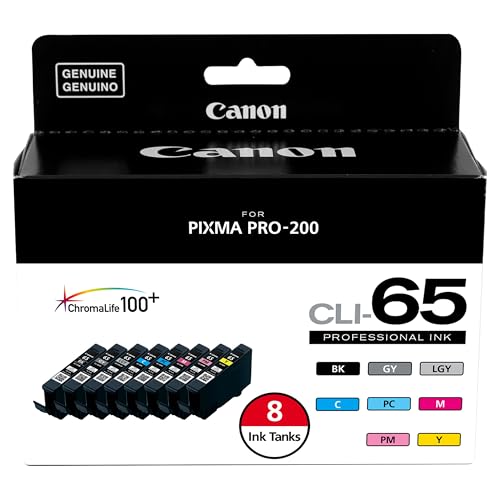
Canon PIXMA PRO-200 -- Professional Color Accuracy for Show Poster Prints
The Canon PIXMA PRO-200 is an eight-dye-ink photo printer that produces poster output with exceptional color fidelity and smooth tonal gradients. Its maximum print size of 13x19 inches covers the standard concert poster format, and it handles a wide range of media from standard coated paper to heavy art stock. The dye ink system delivers rich, saturated colors that pop on glossy paper, which suits the bold visual style of most concert poster designs. The output rivals professional print labs for short runs, making it a strong choice for limited-edition artist posters designed to be sold as merchandise at the show.
Buying considerations
What to consider
Start with the software that matches your existing skill level. Adobe Illustrator is the professional standard but requires a subscription and a learning investment. Affinity Designer 2 offers a gentler entry point at a one-time cost. Template libraries like Envato Elements suit users who prioritize speed over fully custom design. For printing, decide whether in-house or print-shop output is more practical for your volume. Low-volume specialty runs benefit from owning a quality large-format printer. High-volume print jobs are more cost-effective through a print broker. Always export your final files at 300 DPI with bleed and crop marks included for commercial printing.
What to consider
For the full promotional picture, see our guide to [best concert posters](/articles/best-concert-posters) for inspiration on classic and modern design, and [best concert photography](/articles/best-concert-photography) for sourcing images to use in your poster artwork. Our [methodology](/methodology) explains how we evaluate every product.
Questions answered
The standard concert poster size is 11x17 inches (tabloid), which fits most notice boards, storefronts, and venue walls. Larger event posters use 18x24 or 24x36 inch formats for outdoor visibility. For social media promotion, design a square (1080x1080 pixel) or story-format (1080x1920 pixel) version alongside your print poster so the design works across all promotional channels.
Concert posters traditionally use bold, condensed display fonts for the headliner name to maximize visual impact at a distance. Contrast between a heavy display font for the main act and a lighter sans-serif for supporting acts and venue details creates visual hierarchy. Avoid using more than two or three font families in a single poster. Legibility at small sizes matters for venue address and ticket purchase information.
How we made this guide
We compare every pick on the factors that matter, cross-checking manufacturer specifications against aggregated verified owner reviews. We rank independently and never take payment for placement. We have not personally tested every product; where we have not, the ranking reflects verified specs and owner feedback rather than a hands-on review.
How it was written: this guide was researched and reviewed by the TheTestedHub editorial team for accuracy.
Affiliate disclosure: TheTestedHub is reader-supported. When you buy through links on our site, we may earn a commission at no extra cost to you.