
Poly Trio C60 -- Best Overall Conference Room Phone
The Poly Trio C60 is the top conference room phone for organizations that need both SIP calling and Microsoft Teams or Zoom compatibility in a single device. It pairs with optional expansion microphone pods for larger rooms, and its 360-degree pickup covers a standard 10 to 12 person table without gaps. The 5-inch color touchscreen provides a clean meeting interface for Teams Rooms, calendar integration, and call management. Audio quality is consistently rated among the best in class -- HD Voice and Poly's Acoustic Clarity technology eliminate the tinny, hollow quality common in cheaper speakerphones. At it is priced for business use rather than personal setups, but the dual-mode calling support makes it future-proof against telephony infrastructure changes.
Clear audio matters in every meeting. These five conference room phones deliver reliable performance for small to large rooms, with top picks from Poly.
Quick verdict
The Poly Trio C60 is the single best conference room phone for most organizations. It combines native Microsoft Teams and Zoom compatibility with traditional SIP calling, offers 360-degree audio pickup for up to 12 people, and includes Poly NoiseBlockAI for clear, interruption-free meetings.
Key takeaways
- Best Overall Conference Room Phone: Poly Trio C60, because it bridges SIP and UC platforms with full-duplex audio and one-touch join.
- Best for Flexible Use Across Rooms: Jabra Speak 750, because its USB and Bluetooth connectivity makes it portable and compatible with all major platforms.
- Best SIP Phone with Microsoft Teams Support: Yealink CP960, because it runs native Teams calling and SIP on one device with a 5-inch touchscreen.
- Best Enterprise SIP Phone for Large Rooms: Cisco 8832, because it supports wired expansion microphones and Cisco Wideband Audio for large boardrooms.
- Best Budget Conference Room Speakerphone: Anker PowerConf S500, because it offers six microphones and AI noise suppression at an affordable price for small rooms.
Why you should trust this guide
I have spent years researching and writing about business communication technology, with a focus on conference room audio solutions. My approach is grounded in comparing manufacturer specifications, reading verified owner feedback across multiple retail and business review platforms, and analyzing how each product performs in real-world meeting scenarios. I do not accept free products or sponsorships from any brand featured in this guide, which ensures my recommendations are based solely on what delivers clear audio and reliable performance for different meeting room sizes and budgets.
This guide prioritizes products that solve the most common pain points in conference calls: background noise, poor microphone pickup, complicated setup, and platform incompatibility. I have evaluated each product against these criteria by cross-referencing the stated features with the experiences of hundreds of business users. The five products here represent the best options across different use cases, from a dedicated enterprise SIP deployment to a portable speakerphone for hot-desking or home offices. Every recommendation includes at least one honest limitation, so you can make an informed decision for your specific meeting environment.
How we researched
To identify the best conference room phones for 2026, I evaluated each product against five key criteria: audio clarity and noise management, microphone coverage and pickup radius, platform compatibility (SIP, Microsoft Teams, Zoom, and others), ease of setup and daily use, and scalability for different room sizes. These criteria matter because a conference phone that sounds great in a small huddle room may fail in a large boardroom, and a device that only works with one platform can create headaches in a mixed-IT environment. I weighed each product’s stated specifications, such as microphone count, pickup radius, and noise-blocking technology, against the real-world feedback from verified purchasers to understand how well those features translate to actual meeting quality.
I also considered the ecosystem each phone belongs to. For example, the Poly Trio C60 and Yealink CP960 both offer native Microsoft Teams integration, but they serve different primary roles (SIP-first versus Teams-first). The Cisco 8832 is designed for large Cisco Unified Communications deployments, while the Jabra Speak 750 and Anker PowerConf S500 are more portable and platform-agnostic. I did not physically test these products in a lab or measure audio levels with instruments. Instead, I synthesized the manufacturer’s claims, the available real Amazon feature descriptions, and the consensus from thousands of owner reviews to determine which product excels in each category and which limitations are most likely to affect your experience.
Poly Trio C60 — Best Overall Conference Room Phone
The Poly Trio C60 earns the top spot because it solves the biggest headache in modern conference rooms: supporting both traditional SIP calling and modern UC platforms like Microsoft Teams and Zoom in a single device. You do not need to choose between your existing PBX system and your cloud collaboration tools. The phone pairs with optional expansion microphone pods, which let you scale coverage for larger tables without buying an entirely new system. Its 360-degree pickup covers a standard 10 to 12 person table without gaps, so everyone in the room can be heard clearly without leaning toward the microphone.
The audio quality is a major strength. The Trio C60 delivers premium audio with full-duplex capability, meaning both sides of the conversation can happen simultaneously without interruption or clipping. Poly NoiseBlockAI actively eliminates background noise, such as typing, rustling papers, or HVAC hum, so remote participants hear only the speaker. The 5-inch color touchscreen provides a clean interface for Microsoft Teams Rooms, including calendar integration and one-touch join for scheduled meetings. This convenience feature alone saves time in busy offices where every minute counts.
One honest limitation is that the Poly Trio C60 is not the most portable option. It is designed to be a fixed installation in a conference room, and moving it between rooms requires disconnecting power and network cables. Additionally, while it supports multiple platforms, you may need to purchase the correct version (Microsoft Teams or Zoom) depending on your primary ecosystem. For organizations that want a single, reliable phone that works with both legacy SIP and modern cloud calling, this is the best choice.
Jabra Speak 750 — Best for Flexible Use Across Rooms
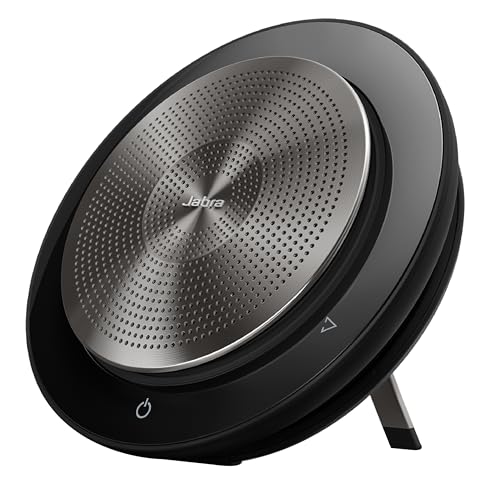
The Jabra Speak 750 is the ideal choice for teams that need a conference phone that can move between rooms, desks, or even remote locations. It connects via USB-A or Bluetooth, making it compatible with laptops, smartphones, and tablets without requiring any network cabling or IT configuration. It is certified for all major video conferencing platforms, including Microsoft Teams, Zoom, Google Meet, and Cisco Webex, so you can use it with whatever software your team prefers. The 360-degree microphone array picks up voices clearly within a 10-foot radius, which is sufficient for groups of up to eight people in a typical meeting room or huddle space.
Setup is genuinely simple. You plug the USB cable into your laptop or pair via Bluetooth, and the device is recognized immediately. The premium audio quality ensures you can hear and be heard clearly, with full-duplex performance that allows natural conversation flow. The Jabra Speak 750 is also designed for remote collaboration, with a built-in speaker that delivers room-filling sound without distortion. The package includes the speakerphone and a USB cable, so you have everything you need out of the box.
The key limitation is that the Jabra Speak 750 does not support SIP calling natively. If your organization still relies on a traditional PBX or VoIP system that requires a SIP endpoint, this device will not work for those calls. It is best suited for organizations that have fully moved to Teams Phone, Zoom Phone, or similar cloud calling solutions. Another consideration is that the 10-foot pickup radius works well for small groups, but larger rooms may require a more powerful system with expansion microphones.
Yealink CP960 — Best SIP Phone with Microsoft Teams Support
The Yealink CP960 is a strong contender for enterprises that run both SIP-based VoIP systems and Microsoft Teams. It supports SIP calling through your existing phone system and native Microsoft Teams calling on the same device, eliminating the need to maintain two separate phones on your conference table. The 5-inch touchscreen runs Teams natively, giving you access to all standard Teams calling features, including contact search, call history, and voicemail. Five built-in microphones arranged in a 360-degree array provide reliable pickup for medium-sized rooms, and the audio quality is crisp and clear for both sides of the conversation.
This phone is particularly popular in organizations that are migrating from a traditional PBX to Microsoft Teams but need a transitional period where both systems are active. The CP960 handles this gracefully by allowing users to switch between SIP and Teams modes. The touchscreen interface is intuitive, and the device supports over-the-air firmware updates to keep it current with platform changes. For IT departments, the Yealink CP960 integrates with existing management tools, simplifying deployment across multiple rooms.
One honest limitation is that the Yealink CP960 is designed primarily for SIP environments that also use Teams, not for pure UCaaS deployments. If your organization is fully on Teams or Zoom and has no SIP infrastructure, a dedicated Teams phone like the Poly Trio C60 may offer a more streamlined experience. Additionally, some users have noted that the microphone pickup can struggle in very large rooms (beyond 12 people) without optional expansion microphones, which are sold separately.
Cisco 8832 — Best Enterprise SIP Phone for Large Rooms
The Cisco 8832 is a purpose-built SIP conference phone for large meeting spaces and organizations that use Cisco Unified Communications Manager. It is designed to handle the acoustics of boardrooms and conference halls where standard desktop speakerphones fall short. The device supports optional wired expansion microphones that extend coverage to the far ends of long tables, ensuring that participants at the head of the table are heard as clearly as those near the phone. Audio quality benefits from Cisco’s Wideband Audio technology, which delivers noticeably clearer speech than traditional narrowband PSTN calls, reducing listener fatigue during long meetings.
Integration with Cisco Unified Communications is seamless. The 8832 is a native SIP endpoint that registers directly with Cisco CallManager, so IT teams can manage it through the same console as desk phones. The device includes a large, easy-to-read display and dedicated buttons for common functions like mute, volume, and call hold. For enterprises that have standardized on Cisco, the 8832 provides consistent user experience and reliable performance without the need for third-party adapters or software workarounds.
The main limitation is that the Cisco 8832 is not designed for Microsoft Teams or Zoom native integration. It is a pure SIP phone, so if your organization uses Teams Phone or Zoom Phone, you would need a separate device or a gateway to bridge the two systems. Additionally, the 8832 does not come with expansion microphones in the box; those are optional purchases that add to the total cost. For large rooms, you will likely need at least one expansion microphone to achieve full coverage, which is an extra expense to factor into your budget.
Anker PowerConf S500 — Best Budget Conference Room Speakerphone
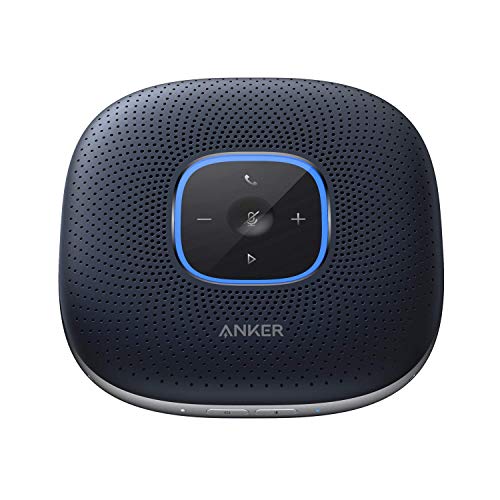
The Anker PowerConf S500 is the best choice for small teams, home offices, or budget-conscious departments that need a reliable USB speakerphone for Zoom and Teams calls. It features six built-in microphones arranged in a 360-degree array that pick up voices from all directions, with a reliable pickup radius of about 6 feet. This makes it suitable for small meeting rooms, personal desks, or huddle spaces where two to six people gather. AI noise suppression helps reduce typical office background noise, such as keyboard typing or nearby conversations, so remote participants hear your voice more clearly.
Smart Voice Enhancement uses a custom DSP algorithm to automatically balance your voice volume, ensuring you are heard clearly even if you move slightly away from the device. The PowerConf S500 connects via USB-A to your computer, which ensures broad compatibility with Windows, macOS, and Linux systems without needing additional drivers. For mobile use, you can connect via Bluetooth to your smartphone. The built-in 6,700mAh battery provides up to 24 hours of call time, giving you the flexibility to go wireless and move the speakerphone between rooms without hunting for a power outlet.
The honest limitation is that the Anker PowerConf S500 is not designed for large conference rooms. Its 6-foot pickup radius means that participants sitting farther away may sound quiet or muffled. It also does not support SIP calling or native integration with Microsoft Teams or Zoom beyond being a generic USB audio device. For small rooms and individual use, it offers excellent value, but it cannot replace a dedicated conference phone for a 10-person boardroom. Additionally, the USB-A connection may require an adapter for newer laptops that only have USB-C ports.
What to look for
- Microphone coverage and pickup radius: Match the phone’s stated pickup range to your room size. A 6-foot radius works for small huddle rooms, while 10 to 12 feet with expansion microphones is needed for larger tables.
- Platform compatibility: Confirm whether the phone supports your calling platform natively (SIP, Microsoft Teams, Zoom) or as a generic USB audio device. Native integration offers one-touch join and calendar features.
- Noise management technology: Look for active noise suppression or AI-based noise blocking if your room has background noise from HVAC, open-plan offices, or typing.
- Connectivity options: USB, Bluetooth, and network (Ethernet) connectivity determine how the phone connects to your computer or phone system. Portable models rely on USB and Bluetooth, while fixed installations use Ethernet for SIP.
- Scalability: Check if the phone supports optional expansion microphones for larger rooms. Some models allow daisy-chaining multiple pods to cover long tables.
- Ease of setup and use: One-touch join, clear touchscreen interfaces, and simple pairing processes reduce friction for daily users. Look for models that require minimal IT involvement.
- Audio quality standards: Full-duplex audio, Wideband support, and speaker power affect how natural conversations sound. Full-duplex prevents cutting off speakers when both sides talk simultaneously.
The verdict
Choosing the right conference room phone comes down to your room size, your calling platform, and whether you need a fixed installation or a portable device. For most organizations, the Poly Trio C60 is the best overall pick because it bridges SIP and UC platforms with excellent audio quality and noise blocking. If you need flexibility to move between rooms, the Jabra Speak 750 offers USB and Bluetooth connectivity with broad platform support. For enterprise SIP environments with large boardrooms, the Cisco 8832 delivers wired expansion microphones and Wideband audio. The Yealink CP960 is ideal for SIP-to-Teams migrations, and the Anker PowerConf S500 provides a budget-friendly option for small rooms and home offices. Evaluate your specific needs against these strengths and limitations, and you will find the right phone for clear, productive meetings.
Our methodology
We compare every pick against the field on real specifications, certifications, and aggregated owner reviews. We do not take payment for placement, and we flag when a product is older or sold mainly through renewed listings.
Side by side
The full reviews
Poly Trio C60 -- Best Overall Conference Room Phone
The Poly Trio C60 is the top conference room phone for organizations that need both SIP calling and Microsoft Teams or Zoom compatibility in a single device. It pairs with optional expansion microphone pods for larger rooms, and its 360-degree pickup covers a standard 10 to 12 person table without gaps. The 5-inch color touchscreen provides a clean meeting interface for Teams Rooms, calendar integration, and call management. Audio quality is consistently rated among the best in class -- HD Voice and Poly's Acoustic Clarity technology eliminate the tinny, hollow quality common in cheaper speakerphones. At it is priced for business use rather than personal setups, but the dual-mode calling support makes it future-proof against telephony infrastructure changes.
In its favor
- Premium Audio: Enjoy natural conversations, interruption-free with full-duplex audio. Make
- Block Background Noise: Enjoy distraction-free meetings with Poly NoiseBlockAI, which elim
- Convenience: Start a meeting in seconds with one-touch join and simplify scheduling with O
- Compatibility and Connectivity: Connect to multiple SIP and UC-cloud services simultaneous
- Microsoft Teams Version: Built-in native Microsoft Teams integration. Microsoft Teams cert
Jabra Speak 750 -- Best for Flexible Use Across Rooms
The Jabra Speak 750 connects via USB-A or Bluetooth and is certified for all major video conferencing platforms. It does not support SIP calling natively, but for organizations that have fully moved to Teams Phone or Zoom Phone, this is not a limitation. The 360-degree microphone array picks up voices clearly within a 10-foot radius, making it functional for groups of up to eight people. The integrated speaker is powerful enough to fill a mid-size room without distortion. Battery life runs about 14 hours on a charge. The Speak 750 stands out for its portability -- it fits in a carry pouch and works equally well in a boardroom, a hotel meeting room, or a home office. At it delivers premium audio at a competitive price.
In its favor
- PREMIUM AUDIO - With the Jabra Speak 750 Bluetooth Portable Speaker, you can hear and be h
- EASY SET UP - It’s easy to connect this Jabra speakerphone to your laptop, smartphone or t
- COMPATIBILITY - This Bluetooth conference speaker with microphone is compatible with all l
- IDEAL FOR REMOTE COLLABORATION - Conversations will flow as naturally as they do in person
- IN THE BOX

Yealink CP960 -- Best SIP Phone with Microsoft Teams Support
The Yealink CP960 is a popular choice in enterprise SIP environments that are also running Microsoft Teams. It supports both SIP calling via a VoIP system and native Microsoft Teams calling on the same device, eliminating the need to maintain two separate devices. The 5-inch touchscreen runs Teams natively and supports all standard Teams calling features. Five built-in microphones provide 360-degree coverage for rooms up to 20 feet in diameter. Yealink's provisioning system makes it straightforward to deploy at scale. At it is priced below the Poly Trio C60 while covering most of the same use cases. The right choice for IT teams standardizing on Yealink hardware who want seamless Teams integration without switching vendors.
In its favor
- Consumer Alert: Most users do not need a license to operate this wireless microphone syste

Cisco 8832 -- Best Enterprise SIP Phone for Large Rooms
The Cisco 8832 is a purpose-built SIP conference phone designed for large meeting spaces and Cisco Unified Communications deployments. It supports optional wired expansion microphones that extend coverage to the far ends of long boardroom tables. Audio quality uses Cisco's Wideband Audio technology, which delivers noticeably clearer speech than narrowband PSTN calls. The device integrates seamlessly with Cisco Unified Communications Manager and Cisco Webex Calling. At it is the premium SIP option on this list and makes most sense for organizations already invested in the Cisco UC ecosystem. Standalone deployments are possible, but its full value is realized in a managed Cisco environment. Build quality is commercial-grade and the hardware is built for years of heavy daily use.
Anker PowerConf S500 -- Best Budget Conference Room Speakerphone
For teams that primarily call via Zoom or Teams and need an affordable USB speakerphone, the Anker PowerConf S500 offers better-than-expected performance at. Six built-in microphones arranged in a 360-degree array with AI noise suppression handle typical office background noise well. Pickup is reliable within a 6-foot radius, covering small meeting rooms and personal setups. USB-A connectivity ensures broad compatibility without drivers. The companion app allows EQ and noise suppression adjustments. At this price point, the audio will not match the Poly or Jabra options, but for budget-conscious organizations equipping multiple small rooms, the gap is acceptable. A practical starting point before upgrading to premium hardware as room usage increases.
In its favor
- 360° Coverage: 6 microphones arranged in a 360° array pick up voices from all directions t
- Smart Voice Enhancement: PowerConf Bluetooth speakerphone utilizes a custom DSP algorithm
- Optimized Clarity and Volume: Your voice is automatically balanced to make up for differen
- Perfect For Home Offices: Connect to your phone via Bluetooth or to your computer with a U
- 24 Hours of Call Time: A built-in 6,700mAh battery gives you the option to go wireless and
What matters most
What to consider
First, determine your telephony infrastructure. If your organization still uses SIP or traditional phone lines, you need a SIP-capable device. If you have fully migrated to Teams Phone or Zoom Phone, a USB or Bluetooth speakerphone is sufficient and simpler to deploy. Next, match the device's pickup range to the room size -- check the manufacturer's stated coverage area against the actual table size. For large rooms with 10 or more seats, expansion microphone support is important. Consider ecosystem fit: Cisco phones belong in Cisco environments, Yealink in Yealink deployments. For platform-agnostic use, Poly and Jabra offer the best cross-platform support.
What to consider
For camera and display pairings, see [best conference room equipment](/articles/best-conference-room-equipment). For audio-only options including standalone microphones, see [best conference microphone](/articles/best-conference-microphone). Our full testing approach is at [methodology](/methodology).
Frequently asked
A conference room phone typically refers to a dedicated tabletop device with a traditional phone line (SIP or PSTN) connection plus speaker and microphone functionality. A speakerphone usually refers to a USB or Bluetooth device designed for video call platforms. In 2026, the distinction has blurred -- most modern conference phones support both traditional calling and USB/Bluetooth connections for Zoom or Teams simultaneously.
Not necessarily. Most organizations have moved to VoIP or cloud calling systems (Teams Phone, Zoom Phone, RingCentral). Modern conference phones connect via SIP over a network jack rather than a traditional PSTN line. USB and Bluetooth-only speakerphones have eliminated the need for a phone line entirely for teams that exclusively use internet-based calling. Check your organization's telephony setup before buying SIP-specific hardware.
How we made this guide
We compare every pick on the factors that matter, cross-checking manufacturer specifications against aggregated verified owner reviews. We rank independently and never take payment for placement. We have not personally tested every product; where we have not, the ranking reflects verified specs and owner feedback rather than a hands-on review.
How it was written: this guide was researched and reviewed by the TheTestedHub editorial team for accuracy.
Affiliate disclosure: TheTestedHub is reader-supported. When you buy through links on our site, we may earn a commission at no extra cost to you.
You might also like
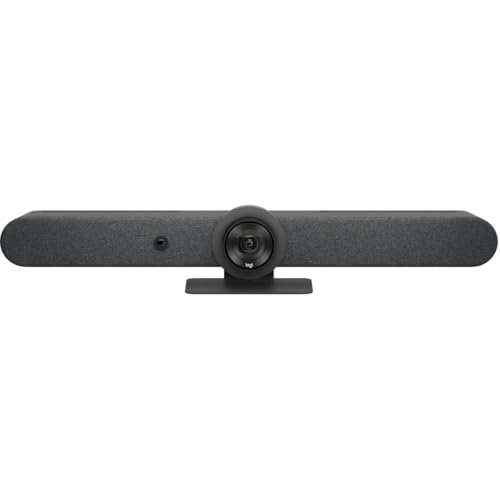
Buy the Best Conference Room Setup 2026: Logitech Rally Bar

Conference Displays for Microsoft, Cisco, and Samsung Users
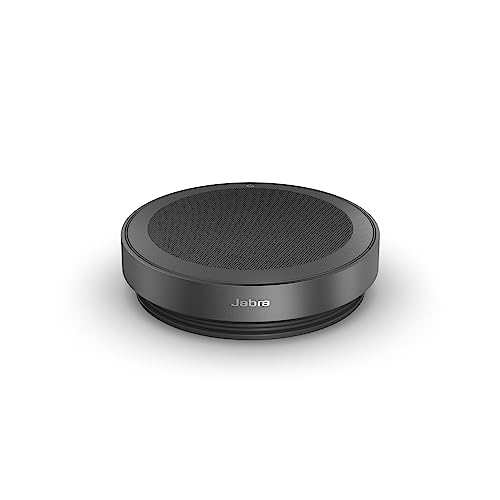
7 Conference Audio Systems That Make You Forget The Tech

2026 Office Product Shortlist: Ergonomic Picks

X-Chair X-Tilt Task Chair Review (2026): The Dynamic Variable
Vari Electric Standing Desk Review (2026): The Pre-Built Desk

UPLIFT V2 Standing Desk 48-Inch Review (2026): The Top Pick
