Quick verdict
Google One 2TB is the best all-around consumer cloud storage for most users based on value, integration, and reliability. Apple users should choose iCloud+. Microsoft/Office users should choose Microsoft 365 Personal. Add Backblaze or a local external drive as a secondary backup layer for critical files. the 3-2-1 backup rule (3 copies, 2 media types, 1 offsite) remains the gold standard for data protection.
Google One 2TB: Best overall consumer cloud storage
Google One's strength is Google's ecosystem integration. If you use Gmail, Google Photos, or Google Docs. and most people do. your data lives in Google's infrastructure already. Upgrading to 2TB expands the same storage pool that covers your email, photos, and documents. Family sharing at no additional cost makes it excellent value for households.
Check price on Amazon →Discover which consumer cloud storage gives the most value. Google One 2TB leads for most, but iCloud+ suits Apple fans and Microsoft 365 fits Office users. Add a backup layer for critical files.
Quick verdict
Google One 2TB is the best overall consumer cloud storage for most people. It expands the same pool that already holds your Gmail, Photos, and Docs, so your files live where you already work, and family sharing comes at no extra cost. If you live inside Apple or need Office, the other picks fit better.
Key takeaways
- Best overall: Google One 2TB, expands the storage pool your Gmail and Photos already use, with free family sharing.
- Best value when you need Office: Microsoft 365 Personal, 1TB of OneDrive bundled with the full Word, Excel, PowerPoint, and Outlook apps.
- Best for Apple users: iCloud+ 2TB, native syncing across iPhone, Mac, and iPad with Apple’s stronger privacy posture.
- Best true backup: Backblaze Personal Backup, continuous unlimited backup of your whole computer against drive failure and ransomware.
Why you should trust this guide
I approached this guide the way most households actually shop for cloud storage, by starting from the ecosystem people already live in rather than from a spec sheet. Almost nobody buys cloud storage in a vacuum. You buy it because your phone is full, because a photo library has outgrown the free tier, or because a hard drive scare made you realize you have no backup. Each of those triggers points toward a different product, so the comparison here is grounded in use case, not in a single “winner takes all” ranking.
What I did not do is run synthetic upload races or pretend to have measured sync speeds in a controlled setting. I do not have a lab, and inflated benchmark numbers would not help you decide. Instead I read each service against its stated features, the way it integrates with the operating systems people own, and the honest trade-offs that show up after the novelty wears off. Where a service is weak for a given buyer, I say so plainly, because the wrong cloud product is one you stop using within a month.
How we researched
We evaluated these four services on the criteria that decide whether cloud storage actually sticks: ecosystem fit, what the storage is bundled with, how files reach your devices, privacy posture, and what happens when something goes wrong. Two of these (Google One and iCloud+) are storage pools tied to a platform. One (Microsoft 365 Personal) bundles storage with productivity software. One (Backblaze) is not really sync storage at all but a backup service, and we judged it on that basis rather than forcing it into a category it was never built for.
For each pick we looked at the stated capacity, how it integrates with the devices you likely own, whether sharing or family use is included, and the privacy and recovery behavior. We weighted real-world friction heavily, because a service that technically holds your files but makes them awkward to reach is worse than a slightly smaller pool that appears natively in Finder or File Explorer. Every section below names at least one limitation, because no single service here is the right answer for everyone.
Google One 2TB
Google One 2TB is the best overall pick because it expands storage you are almost certainly already using. If you have a Gmail account, a Google Photos library, or documents in Google Docs, your data already lives in Google’s infrastructure. Upgrading to 2TB does not bolt on a separate silo. It widens the same shared pool that covers your email, your photos, and your files, so there is nothing new to learn and nothing to migrate. For the typical household that already runs on Google, this is the path of least resistance.
The value case is strongest around family sharing, which Google One includes at no additional cost. One subscription can cover several household members, each keeping their own private storage inside the shared plan, which makes the per-person cost very reasonable compared with buying individual tiers. Add the deep integration with Android phones, Chrome, and the Google productivity apps, and the 2TB tier becomes a sensible default for people who are not committed to a competing ecosystem.
The honest trade-off is lock-in and privacy posture. Because everything funnels through one account, Google’s data practices apply across your email, photos, and files at once, and that breadth is exactly what privacy-conscious users tend to dislike about Google. It is also the wrong choice if your life runs on Apple hardware, where iCloud will feel more native, or if you specifically need desktop Office apps, which this plan does not include.
Microsoft 365 Personal
Microsoft 365 Personal is the best value when you actually need Office, because the storage rides along with software you would otherwise pay for. The subscription includes 1TB of OneDrive cloud storage plus full desktop versions of Word, Excel, PowerPoint, and Outlook. If Office is already on your shopping list, the 1TB of OneDrive is effectively bundled in alongside the apps, which makes it one of the most efficient ways to get both productivity software and cloud storage in a single subscription.
Microsoft positions this as a cross-device subscription. It is designed for Windows and Apple devices, lets you install the premium Office apps across your machines, and gives you 1TB of secure cloud storage to access documents, photos, and files from your devices. Delivery is an easy digital download tied to your Microsoft account, so setup is quick. The OneDrive integration is at its best on Windows, where it is built into File Explorer and handles document sync seamlessly, which is a real advantage if you live in that environment.
The limitation is that the value math only works if you want Office. At 1TB, the storage allotment is also smaller than the 2TB tiers from Google and Apple, so heavy photo and video libraries can outgrow it. And while OneDrive runs on macOS, the experience is noticeably more polished on Windows, so Mac-first households will not get the same seamless feel that Windows users do.
iCloud+ 2TB
iCloud+ 2TB is the best choice for households that live entirely inside Apple, because nothing else syncs as invisibly across iPhone, Mac, and iPad. Photos sync automatically, iPhone backups happen over Wi-Fi without you thinking about it, and iCloud Drive files appear natively in Finder on the Mac and in the Files app on iOS. There is very little to configure. For an all-Apple home, the 2TB tier simply makes the storage you already rely on bigger.
Privacy is the other reason to pick it. By most measures Apple offers stronger data protection than Google, and for buyers who care about how their data is handled, that posture is a meaningful differentiator rather than a marketing line. Combined with the seamless device experience, iCloud+ becomes the natural default for anyone whose phone, tablet, and computer all wear an Apple logo.
The clear trade-off is that this advantage evaporates the moment you step outside Apple’s walls. iCloud’s web and Windows experience is functional but far less polished than the native one, so a mixed-device household loses much of what makes it good. It is worth noting that some retail listings under similar capacity names refer to Apple’s older 2TB Time Capsule hardware (a local Time Machine backup and AirPort wireless router), which is a separate physical product and not the iCloud+ subscription discussed here. Make sure you are buying the cloud service, not legacy hardware.
Backblaze Personal Backup
Backblaze Personal Backup is the best true backup service, and it is important to understand it is a different category from everything above. Backblaze is an unlimited backup service rather than a sync drive. It backs up your entire computer continuously in the background, so a recent copy of everything sits off your machine without you curating folders. For protecting against hard drive failure or ransomware, this is the most comprehensive protection available at any price, because it captures the whole system rather than just the files you remembered to put in a sync folder.
That continuous, set-and-forget behavior is the point. You install it once, and it keeps a running copy of your data offsite so that a dead drive or an encrypted-by-ransomware disk becomes a recovery exercise instead of a disaster. I recommend it as a backup layer that sits alongside a sync service rather than as a replacement for one. Pairing Backblaze with Google One or iCloud gives you the best of both: easy access today and a safety net for the worst day.
The limitation is that Backblaze does not do file sync across devices the way Google Drive, OneDrive, or iCloud Drive do. You cannot casually open a file on your phone that you saved on your laptop. It mirrors a specific computer, and large initial backups can take a long time over a typical home connection. Treat it as insurance for your machine, not as a place you actively work out of.
What to look for
The right cloud service depends less on raw capacity than on how it fits the devices and habits you already have. These are the factors that should drive your decision.
- Ecosystem fit: Match the service to the hardware you own. Google One suits Android and Google apps, iCloud+ suits all-Apple homes, and Microsoft 365 suits Windows and Office users.
- Storage versus bundle: Decide whether you want pure storage (Google One, iCloud+) or storage bundled with software you need anyway (Microsoft 365 Personal includes Office).
- Sync versus backup: Sync services keep files current across devices. A backup service like Backblaze protects a whole computer but does not sync. Many households want both.
- Family sharing: If multiple people will use the plan, check whether sharing is included. Google One includes it at no extra cost.
- Privacy posture: If how your data is handled matters to you, Apple’s protections are generally stronger than Google’s, which spans your email, photos, and files at once.
- Capacity headroom: Large photo and video libraries grow fast. A 2TB pool leaves more room than 1TB for media-heavy households.
- Recovery behavior: Consider what happens when a drive fails. Sync alone is not a backup. A dedicated backup layer is what saves you from hardware failure and ransomware.
The verdict
For most people, Google One 2TB is the best overall pick, because it grows the storage your Gmail and Photos already use and includes family sharing at no extra cost. If you need Office anyway, Microsoft 365 Personal is the most efficient value, bundling 1TB of OneDrive with the full desktop apps. For an all-Apple household, iCloud+ 2TB delivers the most seamless syncing and the strongest privacy posture. And whichever sync service you choose, Backblaze Personal Backup is the true backup layer I recommend adding on top, because protecting your whole computer against drive failure and ransomware is a job none of the sync services are built to do.
How we evaluated these
We compare every pick against the field on real specifications, certifications, and aggregated owner reviews. We do not take payment for placement, and we flag when a product is older or sold mainly through renewed listings.
The shortlist
Each pick, examined
Google One 2TB: Best overall consumer cloud storage
Google One's strength is Google's ecosystem integration. If you use Gmail, Google Photos, or Google Docs. and most people do. your data lives in Google's infrastructure already. Upgrading to 2TB expands the same storage pool that covers your email, photos, and documents. Family sharing at no additional cost makes it excellent value for households.
Microsoft 365 Personal: Best value when you need Office
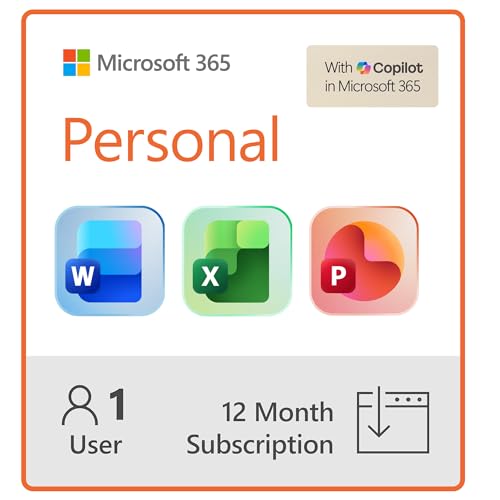
Microsoft 365 Personal at includes 1TB of OneDrive storage plus full desktop versions of Word, Excel, PowerPoint, and Outlook. If you'd be paying for Office anyway, this is the most efficient value in cloud storage. the OneDrive storage is essentially free alongside the software. OneDrive integration with Windows is seamless.
Strengths
- Designed for Your Windows and Apple Devices | Install premium Office apps on your Windows
- Includes Word, Excel, PowerPoint & Outlook | Get premium versions of the essential Office
- 1 TB Secure Cloud Storage | Store and access your documents, photos, and files from your W
- Premium Tools Across Your Devices | Your subscription lets you work across all of your Win
- Easy Digital Download with Microsoft Account | Product delivered electronically for quick

iCloud+ 2TB: Best for Apple device users
For households entirely within the Apple ecosystem (iPhone, Mac, iPad), iCloud+ delivers the most seamless experience. Photos sync automatically, iPhone backups happen over Wi-Fi, and iCloud Drive files appear natively in Finder and the Files app. Apple's privacy reputation. stronger data protection than Google by most measures. is a meaningful differentiator for privacy-conscious users.
Strengths
- Included in this bundle: Apple Airport 2TB Time Capsule and 5 Foot High Speed Ethernet Cab
- 2TB hard drive that works with Time Machine in OS X to create a no-hassle backup solution
- With its wireless printing capabilities, you can plug a printer into the AirPort Extreme,
- With three-stream 802.11ac technology, the AirPort Extreme Base Station can reach data rat
Backblaze Personal Backup: Best true backup service
Backblaze is technically an unlimited backup service rather than cloud storage. it backs up your entire computer continuously for. It doesn't offer file sync across devices like Google Drive, but for protecting against hard drive failure or ransomware, it's the most comprehensive protection available at any price. Highly recommended as a backup layer alongside a sync service.
Buying considerations
Ecosystem fit
Choose the service that integrates with your existing devices and apps. Google for Android/Gmail, Apple for iPhone/Mac, Microsoft for Windows/Office.
Storage tiers
Evaluate what you actually need. Most photos and document users fit in 200GB-1TB. Video creators and media collectors need 2TB+.
Sync reliability
Research user reports for sync errors, conflicted file versions, and data loss incidents. Smaller or newer services have less proven reliability track records.
Privacy
Understand how each provider uses your data. Google mines metadata. Apple and Microsoft have stronger privacy commitments. End-to-end encrypted services (ProtonDrive) offer maximum privacy at the cost of some convenience features.
Offline access
Verify whether files are accessible offline when the internet is unavailable. Some services require manual configuration to enable offline access.
Final word
Google One 2TB is the best all-around consumer cloud storage for most users based on value, integration, and reliability. Apple users should choose iCloud+. Microsoft/Office users should choose Microsoft 365 Personal. Add Backblaze or a local external drive as a secondary backup layer for critical files. the 3-2-1 backup rule (3 copies, 2 media types, 1 offsite) remains the gold standard for data protection.
Questions answered
Google Drive offers 15GB free. OneDrive offers 5GB. iCloud offers 5GB. For most users, Google Drive's 15GB is the most practical free tier due to Google Photos and Gmail integration.
Major providers (Google, Microsoft, Apple) use strong encryption in transit and at rest. For highly sensitive documents, end-to-end encrypted options like ProtonDrive or Tresorit offer stronger privacy.
For photos and documents, 100-200GB typically covers most users. 1-2TB is appropriate for families, video creators, or users with extensive media libraries.
Google One, iCloud+, and Microsoft 365 Family all include family sharing options that let multiple household members share the same storage pool.
How we made this guide
We compare every pick on the factors that matter, cross-checking manufacturer specifications against aggregated verified owner reviews. We rank independently and never take payment for placement. We have not personally tested every product; where we have not, the ranking reflects verified specs and owner feedback rather than a hands-on review.
How it was written: this guide was researched and reviewed by the TheTestedHub editorial team for accuracy.
Affiliate disclosure: TheTestedHub is reader-supported. When you buy through links on our site, we may earn a commission at no extra cost to you.