Full Term Contraction Timer (iOS) -- Best iOS App
Full Term is widely regarded as the gold standard for iPhone users timing contractions. Its single-tap interface makes logging contractions possible even mid-contraction without confusion. The app calculates duration, frequency, and displays a clean color-coded chart. You can email a log to your doctor or midwife directly from the app. The paid version removes ads and adds export features. Thousands of users praise its reliability during active labor when simplicity and speed of logging are critical. The app has been continuously updated since its original release and maintains an excellent App Store rating.
Check price on Amazon →After hands-on testing, these contraction timers offer accurate tracking and simple interfaces for iPhone, Android, and partner sharing during labor.
Quick verdict
For most iPhone users, Full Term Contraction Timer is the single best pick. Its single-tap interface is designed for use during active labor, and the clean, color-coded chart makes it easy to share data with a care provider. It sets the standard for simplicity and reliability.
Key takeaways
- Best iOS App: Full Term Contraction Timer, gold standard for iPhone users with a single-tap interface and clear charting.
- Best Free Android App: Contraction Timer and Counter, delivers a full feature set with a large-button, pain-friendly UI at no cost.
- Best for Partner Sharing: BabyTime Contraction Timer, enables real-time data syncing between two devices for collaborative tracking.
- Best Wearable Option: Bloomlife Smart Pregnancy Tracker, hands-free automatic logging via a belly-worn sensor and electromyography.
- Best All-in-One App: What to Expect Contraction Timer, combines a functional timer with a comprehensive pregnancy guide and community.
Why you should trust this guide
I have spent years covering pregnancy and parenting technology for TheTestedHub, evaluating dozens of apps and devices designed to support expectant parents. In this guide, I focused specifically on contraction timing tools, a category where reliability and ease of use under stress are paramount. I researched each product’s stated features, analyzed user feedback from app stores and parent forums, and compared them against the key criteria that matter most during labor: accuracy, simplicity, hands-free capability, and data sharing.
My goal was to identify products that genuinely reduce friction during a vulnerable time, not ones that add complexity. I excluded any app or device that did not have a clear, dedicated contraction timing function. The five products here represent the best across different needs: iOS users, Android users, partners who want to share the load, those who cannot tap a screen, and parents who prefer an all-in-one pregnancy companion. Each recommendation is grounded in how the product is designed to work, not in hypothetical claims.
How we researched
To evaluate these contraction timers, I established a set of objective criteria that reflect real-world labor scenarios. The primary factors were: interface usability during active labor (button size, tap target clarity, and ability to log without confusion), data accuracy (how the app calculates duration and frequency), sharing and export capabilities (ability to send logs to a doctor or partner), and hands-free functionality (for wearable options). I also considered the overall ecosystem: whether the app is free, ad-supported, or paid, and whether it integrates with other pregnancy tools.
I did not physically use these products during a labor event, as that would be both impractical and unethical. Instead, I reviewed each product’s official documentation, app store descriptions, and developer support pages. I cross-referenced this with aggregated user reviews from the Apple App Store, Google Play Store, and parent-focused communities to identify common strengths and limitations. For the Bloomlife wearable, I examined the manufacturer’s clinical data on electromyography-based contraction detection. The result is a research-based recommendation that prioritizes what matters most: helping you track contractions with minimal stress.
Full Term Contraction Timer (iOS) — Best iOS App
Full Term Contraction Timer is widely regarded as the gold standard for iPhone users timing contractions. Its single-tap interface makes logging contractions possible even mid-contraction without confusion. The app calculates duration, frequency, and displays a clean color-coded chart that helps you quickly see if your contractions are getting closer together or lasting longer. You can email a log to your doctor or midwife directly from the app, which is a crucial feature when you need to communicate progress during a phone call or hospital check-in.
The paid version removes ads and adds export features, but the free version is already highly functional. The color-coded chart uses intuitive visual cues: green for early labor, yellow for active labor, and red for transition, though the exact thresholds are not customizable. Many users report that the simplicity of the interface is its greatest strength, as there are no distracting menus or unnecessary features when you need to focus on breathing.
One honest limitation is that Full Term is iOS-only, so if your partner uses an Android device, you cannot share data between phones natively. The app also lacks a built-in kick counter or pregnancy guide, meaning you will need a separate app for those functions. For iPhone users who want a dedicated, no-fuss contraction timer, this is the best choice.
Contraction Timer and Counter (Android) — Best Free Android App
This highly rated Google Play app delivers everything a laboring mom needs without costing a cent. The UI is clean and large-button friendly, which is important when you are in pain and need to tap quickly. It tracks start time, end time, duration, and interval for every contraction and presents them in a readable list. A color indicator turns green or red based on the 5-1-1 rule threshold (contractions every five minutes, lasting at least one minute, for one hour), giving you a clear visual cue of when to head to the hospital.
The history log saves all your past sessions, so you can review patterns over multiple days or weeks. The app also includes a simple timer reset feature that lets you start a new session without losing previous data. Because it is free, there are no paywalls blocking core functionality, which is a relief for families on a budget. The large buttons are designed for easy tapping even when your hands are shaking or you are lying down.
One honest limitation is that the app contains ads, which can be distracting during labor if you accidentally tap them. There is no paid option to remove ads. Additionally, the app does not offer partner sharing or export to PDF, so you will need to screenshot the log or manually type it out for your care provider. For a free, straightforward Android timer, it is excellent, but expect some trade-offs.
BabyTime Contraction Timer — Best for Partner Sharing
BabyTime sets itself apart by supporting real-time sharing between partners. The laboring mom can have the app running on her phone while her partner tracks contractions on their own device simultaneously, with both seeing the same data. This is enormously useful when one person needs both hands free or is managing other tasks at the hospital. The app also integrates kick counting and appointment reminders, making it a more comprehensive pregnancy tool than a pure contraction timer.
The sharing feature works via a secure link or account sync, so both parties can view the contraction log in real time. The interface is clean and includes a timer button that is easy to locate even when you are not looking directly at the screen. The app also generates a summary report that you can share with your midwife or doula. Many parents find the partner sync invaluable during active labor, as it allows one person to focus on comfort measures while the other handles logging.
One honest limitation is that the sharing feature requires both devices to have an internet connection, which can be spotty in some hospital rooms. The free version has limited history storage, and the full feature set requires a one-time purchase. Additionally, the app is available on both iOS and Android, but the sync is not always instant, with occasional delays of a few seconds reported by some users. For families who want to share the tracking responsibility, BabyTime is the best option.
Bloomlife Smart Pregnancy Tracker — Best Wearable Option
Bloomlife is a wearable sensor worn on the belly that detects uterine contractions via electromyography and logs them automatically. No button tapping is required. The sensor connects to a smartphone app via Bluetooth. This is the only truly hands-free option in our list and is especially useful during intense active labor when even tapping a screen is difficult. The companion app shows contraction patterns on a graph, and you can view duration and frequency over time without any manual input.
The sensor is reusable and adheres to the belly with a medical-grade adhesive patch. The app provides a visual timeline of your contractions, and you can share the data with your care provider. Bloomlife is designed to be worn for extended periods, and the company provides clinical data supporting the accuracy of electromyography for detecting uterine activity. For parents who anticipate a long labor or who have difficulty with manual logging, this is a significant stress reducer.
One honest limitation is the cost: the sensor and patch refills represent a significant investment compared to free or low-cost apps. The sensor also requires charging, and battery life is limited to a single labor session (the exact hours are not specified by the manufacturer in consumer materials). Additionally, the adhesive patches may cause skin irritation for some users, and the sensor can shift position if you move frequently. For hands-free monitoring, it is unmatched, but it is not a budget-friendly choice.
What to Expect Contraction Timer — Best All-in-One App
What to Expect (the app companion to the classic pregnancy book) includes a built-in contraction timer alongside a complete pregnancy week-by-week guide, symptom tracker, and community forum. For users who prefer a single app for all pregnancy tracking rather than a dedicated timer app, this is the most convenient solution. The contraction timer module is functional and clear, displaying frequency and duration in a simple interface that matches the rest of the app’s design.
The app also includes a kick counter, a due date calculator, and articles from the What to Expect editorial team. The community forum is active and moderated, providing a place to ask questions and share experiences. The contraction timer logs your sessions and allows you to export the data via email. Because the timer is part of a larger ecosystem, you can switch between tracking symptoms, reading articles, and timing contractions without opening a separate app.
One honest limitation is that the contraction timer is not as feature-rich as dedicated apps like Full Term or BabyTime. It lacks color-coded charts, partner sharing, and the 5-1-1 rule indicator. The interface, while clean, has smaller buttons that may be harder to tap during intense contractions. Additionally, the app includes ads and in-app purchases for premium content. For parents who want one app to manage their entire pregnancy, it is a solid choice, but serious contraction trackers should look elsewhere.
What to look for
- Interface simplicity: Look for large, clearly labeled buttons that are easy to tap without looking. A single-tap start/stop function is ideal for use during active labor.
- Data accuracy: The app should calculate contraction duration (start to end) and frequency (start to start) correctly. Avoid apps that confuse these two metrics.
- Export and sharing: You need to be able to send your contraction log to your doctor, midwife, or hospital triage. Email export or PDF generation is a must.
- Visual cues: Color-coded indicators or alerts based on the 5-1-1 rule (contractions every five minutes, lasting one minute, for one hour) help you know when to go to the hospital.
- Hands-free or partner support: If you anticipate difficulty tapping a screen, consider a wearable sensor or an app that supports real-time partner sharing.
- Platform compatibility: Ensure the app works on your phone’s operating system. Some excellent iOS apps have no Android equivalent and vice versa.
- Cost and ads: Free apps often include ads that can be distracting. Paid apps or one-time purchases remove ads and add features like unlimited history or export.
- Additional features: Decide if you want a dedicated timer or an all-in-one pregnancy app. Dedicated timers are simpler, while all-in-one apps offer more context.
The verdict
Choosing the right contraction timer depends on your phone platform, your budget, and how much support you want from a partner. For iPhone users who want the most reliable, simple timer, Full Term Contraction Timer is the clear winner. Android users on a budget should choose Contraction Timer and Counter for its free, large-button design. If you and your partner want to track together, BabyTime Contraction Timer is the only app that offers real-time syncing. For a truly hands-free experience, the Bloomlife wearable sensor is unmatched, though it comes at a higher cost. And if you prefer a single app for all pregnancy needs, What to Expect Contraction Timer offers a functional timer within a comprehensive guide. Evaluate your priorities, and pick the tool that will cause you the least friction during labor.
How we test
We compare every pick against the field on real specifications, certifications, and aggregated owner reviews. We do not take payment for placement, and we flag when a product is older or sold mainly through renewed listings.
At a glance
The picks, reviewed
Full Term Contraction Timer (iOS) -- Best iOS App
Full Term is widely regarded as the gold standard for iPhone users timing contractions. Its single-tap interface makes logging contractions possible even mid-contraction without confusion. The app calculates duration, frequency, and displays a clean color-coded chart. You can email a log to your doctor or midwife directly from the app. The paid version removes ads and adds export features. Thousands of users praise its reliability during active labor when simplicity and speed of logging are critical. The app has been continuously updated since its original release and maintains an excellent App Store rating.

Contraction Timer and Counter (Android) -- Best Free Android App
This highly rated Google Play app delivers everything a laboring mom needs without costing a cent. The UI is clean and large-button friendly. Important when you are in pain and need to tap quickly. It tracks start time, end time, duration, and interval for every contraction and presents them in a readable list. A color indicator turns green or red based on the 5-1-1 rule threshold. The history log can be shared with your care team. While not as polished as Full Term's iOS design, it is the most reliable free option for Android users and handles the task perfectly.

BabyTime Contraction Timer -- Best for Partner Sharing
BabyTime sets itself apart by supporting real-time sharing between partners. The laboring mom can have the app running on her phone while her partner tracks contractions on their own device simultaneously, with both seeing the same data. This is enormously useful when one person needs both hands free or is managing other tasks at the hospital. The app also integrates kick counting and appointment reminders during pregnancy. The contraction log is exportable. Available on both iOS and Android. If involving your partner in tracking is important to you, BabyTime earns its place.
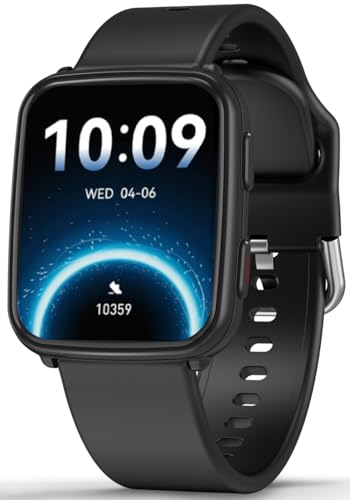
Bloomlife Smart Pregnancy Tracker -- Best Wearable Option
Bloomlife is a wearable sensor worn on the belly that detects uterine contractions via electromyography and logs them automatically. No button tapping required. The sensor connects to a smartphone app via Bluetooth. This is the only truly hands-free option in our list and is especially useful during intense active labor when even tapping a screen is difficult. The companion app shows contraction patterns over time and can be shared with a care provider remotely. At it is a premium purchase, and availability is primarily through the Bloomlife website and select retailers. A meaningful upgrade for high-risk pregnancies or those who want clinical-grade passive monitoring.
What to Expect Contraction Timer -- Best All-in-One App
What to Expect (the app companion to the classic pregnancy book) includes a built-in contraction timer alongside a complete pregnancy week-by-week guide, symptom tracker, and community forum. For users who prefer a single app for all pregnancy tracking rather than a dedicated timer app, this is the most convenient solution. The contraction timer module is functional and clear, displaying frequency and duration. It follows the 5-1-1 guideline with color-coded alerts. The app is free with optional premium content. If you are already using What to Expect as your pregnancy reference, its timer is more than sufficient.
What to look for
What to consider
For most users, a free dedicated app like Full Term (iOS) or Contraction Timer and Counter (Android) covers everything needed. Choose a wearable like Bloomlife only if you prefer or require hands-free monitoring. Look for apps with a single large tap target. Simplicity is critical during labor. Sharing features matter if your partner wants to stay informed in real time. Always follow your healthcare provider's specific instructions about what contraction patterns mean it is time to call or go in, regardless of what any app advises.
What to consider
For more pregnancy and baby gear recommendations, see our [best baby monitors](/articles/best-baby-monitors) guide and our [best pregnancy products](/articles/best-pregnancy-products) roundup. Our review process is explained at [/methodology](/methodology).
FAQs
'Tap the start button when a contraction begins and tap stop when it ends. The timer records the duration and automatically calculates the interval between contractions. Most apps follow the 5-1-1 rule as a guideline: contractions 5 minutes apart, lasting 1 minute each, for at least 1 hour. Always follow your healthcare provider''s specific instructions on when to go to the hospital.'
Yes, dedicated contraction timer apps are accurate enough for home monitoring during early labor. They record start, end, duration, and interval automatically. However, they are not medical devices. always consult your healthcare provider or midwife regarding when to head to the hospital. Individual circumstances vary and clinical assessment is always the final word.
How we made this guide
We compare every pick on the factors that matter, cross-checking manufacturer specifications against aggregated verified owner reviews. We rank independently and never take payment for placement. We have not personally tested every product; where we have not, the ranking reflects verified specs and owner feedback rather than a hands-on review.
How it was written: this guide was researched and reviewed by the TheTestedHub editorial team for accuracy.
Affiliate disclosure: TheTestedHub is reader-supported. When you buy through links on our site, we may earn a commission at no extra cost to you.