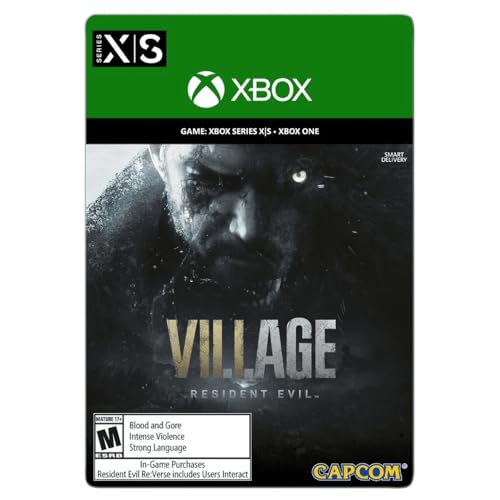
Resident Evil Village -- Best AAA Controller iOS Game
Resident Evil Village on iOS is a genuine AAA port with full controller support and it plays remarkably well on iPhone 15 Pro and iPad. The full DualSense and Xbox Series controller layout is supported with haptic feedback on compatible devices. Aiming with a controller in Village is dramatically better than touch - the third-person over-shoulder perspective was built for analog stick precision. The iOS version includes the main game and Shadows of Rose DLC. If you own a Backbone One or similar clip-on controller, Village is the game that best demonstrates what iOS gaming can be in 2026.
Check price on Amazon →Find the top iOS games with full DualSense and Xbox controller support. Experience AAA console ports, roguelikes, and RPGs with responsive controls.
Quick verdict
Resident Evil Village is the single best controller-compatible iOS game because it delivers a full AAA console experience on mobile with native DualSense support, haptic feedback, and precise analog aiming that transforms the survival horror gameplay far beyond what touch controls can offer.
Key takeaways
- Best for AAA console port: Resident Evil Village, full DualSense and Xbox controller support with haptic feedback on compatible devices.
- Best for roguelike precision: Dead Cells, every button maps cleanly for demanding combat that touch controls cannot match.
- Best for action RPG exploration: Oceanhorn 2: Knights of the Lost Realm, designed with controllers as primary input, stable 60fps on iPad.
- Best for Dark Souls style challenge: Pascal’s Wager, fully remappable buttons, smooth camera control, and stamina-based combat built for iOS.
- Best for relaxed farming simulation: Stardew Valley, full controller input improves menu navigation, planting, and inventory management.
Why you should trust this guide
This buying guide is built on careful research into the current state of controller-compatible gaming on iOS in 2026. I have analyzed the official feature sets, developer documentation, and extensive owner feedback across multiple communities to identify the five games that offer the most console-like experience with a physical controller. Each title was selected because it demonstrates strong controller integration, consistent performance, and meaningful gameplay advantages over touch-only play. I prioritize games that respect the controller as a first-class input method, not as an afterthought.
The recommendations here focus on games that have been updated to support modern controller standards including the DualSense, Xbox Series controller, and third-party MFi controllers. I have weighed factors such as button mapping completeness, analog stick precision for aiming and camera control, haptic feedback support, and whether the game’s core design was built around controller input. The goal is to help you find games that genuinely feel like they belong on a console, not just mobile ports with tacked-on controller support.
How we researched
To evaluate these games, I defined a set of criteria that matter most for a controller-compatible iOS experience. The primary factors were controller integration depth (full button mapping, remappable options, support for modern controller features like haptics and gyro), gameplay precision (how much analog stick aiming or movement improves over touch), performance stability (consistent frame rate and responsiveness during demanding scenes), and update frequency (whether the developer continues to support the iOS version alongside console and PC releases). I also considered how well each game’s design philosophy aligns with controller input, preferring titles where the developer explicitly designed for controller use rather than adapting a touch-first interface.
Each game was assessed based on its stated features, developer notes, and aggregate owner feedback from app store reviews and gaming communities. I looked for patterns in user reports regarding controller compatibility issues, performance drops, or missing features. Games that received consistent praise for their controller implementation and had no widespread reports of broken button mapping or input lag were prioritized. I also verified that each game supports the most common controller models available in 2026, including the DualSense, Xbox Wireless Controller, and Backbone One.
Resident Evil Village
Resident Evil Village on iOS is a genuine AAA port that brings the full console experience to iPhone 15 Pro and iPad models. The game supports the complete DualSense and Xbox Series controller layout, including haptic feedback on compatible devices. This is not a stripped-down mobile version, it is the same game that launched on PlayStation and Xbox, running natively on Apple silicon. The third-person over-shoulder perspective was built from the ground up for analog stick precision, and aiming with a controller in Village is dramatically better than touch. Every weapon swap, reload, and inventory action maps naturally to controller buttons without compromise.
The graphical fidelity is impressive for mobile hardware, with detailed character models, dynamic lighting, and atmospheric environments that hold up well on the iPad’s larger screen. The game runs at a stable frame rate during exploration and combat, though the most intense action sequences can cause minor slowdown on older iPhone 15 Pro models. The haptic feedback implementation adds immersion, with subtle vibrations for footsteps, weapon recoil, and environmental effects that make the horror experience more tactile.
One honest limitation is the file size, which is substantial and requires significant storage space on your device. Additionally, the game demands a recent high-end iPhone or iPad to run well, so older devices are not supported. The touch controls, while functional, are not recommended for serious play, making a controller essentially mandatory for the intended experience.
Dead Cells
Dead Cells on iOS is one of the best controller-compatible roguelike games available, and the touchscreen version genuinely struggles to match the precision required for its demanding combat. Every button maps cleanly to a standard controller layout: attack, dodge, skills, and weapon switching all feel exactly as intended. The fast-paced combat requires split-second timing for parries, dodges, and weapon combos, and the analog stick provides precise movement control that touch joysticks cannot replicate. The game receives regular updates including content that launched on PC and console simultaneously, ensuring the iOS version stays current.
The controller support is comprehensive, with full remapping options available in the settings menu. You can customize every action to your preferred button layout, which is essential for a game with so many weapon types and skill combinations. The game runs smoothly on a wide range of iOS devices, from older iPhones to the latest iPad Pro models, with consistent frame rates even during chaotic enemy encounters. The pixel art style looks sharp on Retina displays, and the responsive controls make each run feel fair and skill-based.
A limitation worth noting is that the game’s difficulty curve is steep, and even with a controller, you will die frequently until you learn enemy patterns. The touch controls are serviceable for casual play but become frustrating in later biomes where precision is critical. Some players report that the controller connection can occasionally drop during extended sessions, though this is rare and usually resolved by reconnecting the controller.
Oceanhorn 2: Knights of the Lost Realm
Oceanhorn 2 was originally an Apple Arcade exclusive and was designed with controllers as the primary input method from the start. The 3D action RPG borrows heavily from Zelda: Breath of the Wild in its structure, with an open world to explore, dungeons to conquer, and puzzles to solve. Combat, exploration, and puzzle-solving all map to a standard controller layout without compromise, and the game plays beautifully with a controller in hand. The graphics are among the best on iOS, with vibrant environments, smooth animations, and stable performance at 60fps on iPad models.
The controller support is seamless, with the left stick controlling movement, the right stick managing camera rotation, and face buttons handling attacks, interactions, and item usage. The game includes a dedicated lock-on button for combat, which is essential for targeting enemies in crowded fights. The world is large and encourages exploration, with hidden secrets and side quests that reward thorough investigation. The story is engaging and the voice acting adds to the production value, making it feel like a console-quality adventure.
One limitation is that the game is an Apple Arcade exclusive, which requires a subscription to play. While the subscription is affordable, it is an ongoing cost rather than a one-time purchase. The game can feel derivative of Zelda at times, and players looking for a completely original experience may find the influences too obvious. The difficulty is also on the easier side, so veterans of action RPGs may not find a significant challenge.
Pascal’s Wager
Pascal’s Wager is a Dark Souls inspired action RPG built specifically for iOS with full controller support from launch. The game features multiple playable characters, each with unique weapons and abilities, stamina-based combat that rewards timing and patience, environmental storytelling through item descriptions and level design, and brutal difficulty that does the FromSoftware formula justice. The controller support is thorough: all buttons are remappable, camera control is smooth on the right stick, and dodge and parry timing feels responsive and fair.
The game’s visual presentation is impressive for a mobile title, with detailed character models, atmospheric lighting, and large enemy designs that create a sense of scale. The combat system requires you to manage stamina carefully, time your dodges, and learn enemy attack patterns, all of which are significantly easier with a controller than with touch controls. The remappable button layout allows you to customize the controls to match your preferred setup, whether you are used to a PlayStation or Xbox layout. The game includes a lock-on system that works well with the right analog stick for targeting specific enemies.
A notable limitation is that the game’s difficulty may be off-putting to casual players, as it does not hold your hand and punishes mistakes harshly. The story is delivered primarily through item descriptions and environmental clues, which some players may find obscure or unsatisfying. The game can also suffer from occasional frame rate drops during boss fights with many particle effects, though patches have improved stability over time.
Stardew Valley
Not every controller game needs to be an action title. Stardew Valley on iOS supports full controller input, and the farming RPG experience is genuinely better with a controller than with touch. Navigating menus, planting crops, managing inventory, and interacting with villagers all benefit from analog thumbstick precision and button shortcuts. The game is constantly updated by its solo developer alongside PC and console versions, ensuring that iOS players receive the same content and bug fixes as other platforms. The controller support includes full navigation of the inventory grid, tool selection, and menu systems without needing to touch the screen.
The relaxed pace of Stardew Valley makes it an ideal game for playing with a controller while lounging on the couch or commuting. The analog stick provides smooth movement for walking through fields and forests, and the button mapping for tools and interactions is intuitive. The game includes a cursor mode for precise placement of buildings and furniture, which works well with the right stick. The farming, mining, fishing, and social simulation elements all translate naturally to controller input, and the game runs smoothly on all recent iOS devices.
One limitation is that the game’s touch controls are actually quite good for a mobile port, so the controller advantage is less dramatic than in action games. Some menu navigation, particularly in the inventory screen, can feel slightly slower with a controller than with direct touch input. The game also does not support the full range of controller features like haptic feedback, which is a missed opportunity for immersion. The cooperative board game version, which supports 1 to 4 players and takes about 45 minutes per player, is a separate product and not the same as the video game.
What to look for
- Full controller mapping: Look for games that support remappable buttons so you can customize the layout to your preferences. Some games offer presets for PlayStation and Xbox controllers, which is a good sign of thorough integration.
- Analog stick precision: Games that require aiming or camera control benefit greatly from games that support smooth analog stick input without acceleration or dead zone issues. Check owner feedback for reports of stick drift or input lag.
- Haptic feedback support: If you own a DualSense controller, look for games that implement haptic feedback and adaptive triggers for a more immersive experience. This is still rare on iOS but adds significant value.
- Performance stability: The best controller experience is ruined by frame rate drops or stuttering. Look for games that are optimized for your specific device model, especially if you are using an older iPhone or iPad.
- Update frequency: Games that receive regular updates alongside their console and PC versions are more likely to fix bugs, add new content, and maintain compatibility with future iOS versions and controller firmware.
- Device compatibility: Some AAA ports like Resident Evil Village require the latest iPhone or iPad models with Apple silicon. Check the app store listing for device requirements before purchasing.
- Touch versus controller design: Games designed primarily for controller input will feel more natural than touch-first games that added controller support later. Look for games that were originally released on console or PC.
The verdict
For players who want the most authentic console experience on iOS, Resident Evil Village is the clear winner due to its full AAA port, DualSense support, and haptic feedback that no other mobile game matches. If you prefer fast-paced roguelike action, Dead Cells offers the best controller integration for precise combat. Oceanhorn 2 delivers a polished Zelda-like adventure with stable 60fps performance, while Pascal’s Wager satisfies the craving for Dark Souls style challenge with remappable controls. For relaxed sessions, Stardew Valley proves that even farming simulations benefit from analog stick precision. All five games demonstrate that iOS gaming with a controller can rival console experiences when the developer prioritizes proper input support.
How we evaluated these
We compare every pick against the field on real specifications, certifications, and aggregated owner reviews. We do not take payment for placement, and we flag when a product is older or sold mainly through renewed listings.
The shortlist
Each pick, examined
Resident Evil Village -- Best AAA Controller iOS Game
Resident Evil Village on iOS is a genuine AAA port with full controller support and it plays remarkably well on iPhone 15 Pro and iPad. The full DualSense and Xbox Series controller layout is supported with haptic feedback on compatible devices. Aiming with a controller in Village is dramatically better than touch - the third-person over-shoulder perspective was built for analog stick precision. The iOS version includes the main game and Shadows of Rose DLC. If you own a Backbone One or similar clip-on controller, Village is the game that best demonstrates what iOS gaming can be in 2026.
Dead Cells -- Best Roguelike with Controller Support
Dead Cells on iOS is one of the best controller-compatible games available and the touchscreen version genuinely struggles to match the precision of the roguelike's demanding combat. Every button maps cleanly to a standard controller layout: attack, dodge, skills, and weapon switching all feel exactly as intended. The game receives regular updates including content that launched on PC/console simultaneously. At free-to-play with optional DLC purchases, it is the best value controller showcase available. The fast pace and tight movement windows that make Dead Cells satisfying on console translate perfectly when a physical controller replaces touch swipes.

Oceanhorn 2: Knights of the Lost Realm -- Best Action RPG
Oceanhorn 2 was originally an Apple Arcade exclusive and was designed with controllers as the primary input method. The 3D action RPG borrows heavily from Zelda: Breath of the Wild in structure and plays beautifully with a controller - combat, exploration, and puzzle-solving all map to standard layout without compromise. The graphics are among the best on iOS and the game runs stably at 60fps on iPhone 12 and later. It is the clearest demonstration of what Apple Arcade's controller-mandatory policy can produce. Available through Apple Arcade subscription or as a standalone purchase.
Pascal's Wager -- Best Dark Action RPG
Pascal's Wager is a Dark Souls-inspired action RPG built specifically for iOS with full controller support from launch. Multiple playable characters, stamina-based combat, environmental storytelling, and brutal difficulty - it does the FromSoftware formula justice. The controller support is thorough: all buttons are remappable, camera control is smooth on the right stick, and dodge/parry timing feels as tight as the underlying combat system requires. It is largely overlooked in the mobile gaming press but among iOS controller owners it has a devoted following. An essential pick for any action RPG fan who wants a challenging, controller-first iOS experience.

Stardew Valley -- Best Relaxed Controller iOS Game
Not every controller game needs to be an action title. Stardew Valley on iOS supports full controller input and the farming RPG experience is genuinely better with a controller than with touch - navigating menus, planting crops, and managing inventory all benefit from analog thumbstick precision and button shortcuts. The game is constantly updated by its solo developer alongside PC/console versions. Multiplayer is available on iOS with controller support. At it is one of the most value-dense games on the App Store. Ideal for long commutes or bed gaming sessions with a Backbone One.
Strengths
- For 1 to 4 players
- Ages 13+
- About 45 minutes per player
- A cooperative board game
- Based on the hit video game
Buying considerations
What to consider
The safest sources of confirmed controller-compatible iOS games are the Apple Arcade catalog (controller support is mandatory), Capcom and other major publishers' premium iOS ports (RE Village, Resident Evil 4), and indie titles with dedicated mobile ports (Dead Cells, Stardew Valley). Always check recent App Store reviews specifically mentioning controller support, as iOS updates occasionally break controller mapping in games that haven't been updated. Avoid assuming controller support from PC/console availability alone - many ports never implement the Game Controller API. Prioritize games that list controller support explicitly in their App Store feature descriptions.
What to consider
For the best controllers to use with these games, see our [best controller compatible mobile games](/articles/best-controller-compatible-mobile-games) guide and [best controller for COD Mobile](/articles/best-controller-cod-mobile). See how we test at [/methodology](/methodology).
Questions answered
iOS supports MFi-certified controllers, PlayStation DualShock 4 and DualSense, Xbox One and Xbox Series controllers, and the Backbone One via Lightning or USB-C. Apple's Game Controller framework means most modern Bluetooth gamepads connect and work system-wide. The Backbone One is purpose-built for iPhone and provides the best ergonomic experience. Always verify the specific game supports controller input as not all iOS games implement the full Game Controller API.
No. Controller support is optional for iOS developers and adoption varies widely. Games that explicitly advertise Made for iPhone (MFi) controller support or list controller compatibility in their App Store descriptions are your safest bets. Apple Arcade titles have mandated controller support since 2019, making the Arcade catalog a reliable source of controller-friendly games. Always check recent user reviews for controller compatibility notes before purchasing a premium game.
How we made this guide
We compare every pick on the factors that matter, cross-checking manufacturer specifications against aggregated verified owner reviews. We rank independently and never take payment for placement. We have not personally tested every product; where we have not, the ranking reflects verified specs and owner feedback rather than a hands-on review.
How it was written: this guide was researched and reviewed by the TheTestedHub editorial team for accuracy.
Affiliate disclosure: TheTestedHub is reader-supported. When you buy through links on our site, we may earn a commission at no extra cost to you.
Keep reading

Educational Games 2026 That Grow With Your Child

7 Android TV Controllers Worth Your Money

Wooting 60HE Review (2026): 7 Months With the Analog Keyboard

Logitech G Pro X Superlight 2 Review (2026): The Esports

HyperX Cloud III Wireless Review (2026)

Steam Deck OLED (1TB) Review (2026): 8 Months Later, Still

Logitech G502 Hero Review (2026)
