Pascal's Wager -- Best Action-RPG for Controller
Pascal's Wager is often called the "Dark Souls of mobile," and its controller support proves that comparison right. The game is practically designed for gamepad play. dodge rolls, weapon switching, and spell casting all map intuitively to a standard controller layout. The combat feels genuinely satisfying on physical buttons, and the gothic atmosphere is best experienced without your thumbs blocking the screen. Controller input eliminates the precision issues common with touchscreen action games.
Check price on Amazon →Which controller enabled Android games actually deliver a great gamepad experience? From Stardew Valley to Dead Cells, find your perfect match.
Quick verdict
Stardew Valley is the single best pick for most players because it offers the most complete and polished controller experience on Android, combining deep, relaxing gameplay with flawless gamepad integration and a one-time purchase model that respects your wallet.
Key takeaways
- Best for Action-RPG Fans: Pascal’s Wager, delivers console-quality combat and gothic atmosphere with intuitive gamepad mapping.
- Best for Roguelite Enthusiasts: Dead Cells, offers near-perfect PC port quality with precise, responsive controls for fast-paced runs.
- Best for FPS Players: Shadowgun Legends, provides a polished looter-shooter experience with full button mapping and aim assist tuned for controllers.
- Best for Open-World Builders: Minecraft, delivers rock-solid controller support for fluid movement and complex building across platforms.
- Best for Relaxed Gaming: Stardew Valley, mirrors the console experience perfectly for farming, exploration, and social simulation at your own pace.
Why you should trust this guide
I have spent years covering mobile gaming hardware and software, focusing specifically on how controllers integrate with Android devices. My approach is to research each product’s stated features, examine developer documentation for controller support, and aggregate feedback from the community of players who use these games daily. I do not rely on hype or marketing claims; instead, I compare what the developer promises against what the controller actually delivers in terms of button mapping, latency, and overall gameplay feel.
This guide is built on a foundation of verified compatibility data and real-world usage reports from forums, review aggregators, and dedicated mobile gaming communities. Every recommendation here has been cross-referenced against multiple sources to ensure the controller support is not just present but genuinely enhances the experience. I prioritize games that have received consistent updates to maintain controller functionality, as Android fragmentation can often break support without warning.
How we researched
My evaluation criteria focused on three core pillars: controller integration depth, gameplay responsiveness, and overall value. For controller integration, I examined whether the game offers full remapping, automatic detection, on-screen prompt switching, and support for standard gamepad layouts. A game that only partially supports a controller or requires awkward touchscreen hybrid controls was considered inferior to one that feels native. Gameplay responsiveness was assessed by how well physical buttons translate to in-game actions, particularly in timing-sensitive scenarios like dodging, aiming, or precise jumping.
I also weighed content completeness, update frequency, and whether the mobile version matches the console or PC experience. A game that is a full, faithful port with all major updates carried over scored higher than one that is a stripped-down version. The presence of cross-platform play, multiplayer modes, and additional features like cloud saves or marketplace access added to the overall recommendation. Each game was judged against its peers in its specific genre to ensure the best pick for each category.
Pascal’s Wager — Best Action-RPG for Controller
Pascal’s Wager has earned its reputation as the “Dark Souls of mobile” not just for its punishing difficulty and gothic atmosphere, but because its controller support is genuinely designed for gamepad play from the ground up. Every action you need in a souls-like game maps intuitively to a standard controller layout. Dodge rolls are assigned to a shoulder button or face button, weapon switching happens with a quick press, and spell casting flows naturally through the trigger and bumper system. The combat feels genuinely satisfying on physical buttons, with each swing, parry, and roll registering with the precision that touch controls simply cannot match. The gothic atmosphere, with its haunting environments and grotesque enemies, is best experienced without your thumbs blocking the screen, allowing you to fully appreciate the detailed art direction and lighting effects.
The game features a deep combat system that rewards timing and patience, and the controller elevates this to a console-quality experience. You can lock onto enemies, manage stamina, and execute combos without ever looking at the screen for button prompts. The camera control with the right stick is smooth and responsive, which is critical for a game where positioning and awareness are everything. Pascal’s Wager also includes a robust story and multiple characters to play, each with unique playstyles, giving you plenty of content to work through with your gamepad.
One honest limitation is that the game’s difficulty curve can be steep, and even with a controller, some boss fights may feel unfairly punishing to newcomers to the genre. Additionally, the mobile version, while visually impressive, can occasionally suffer from frame rate drops on older devices during intense combat sequences, which can disrupt the otherwise fluid controller experience. The game also lacks any form of multiplayer or co-op, so it is a purely solo journey.
Dead Cells — Best Roguelite on Android Controller
Dead Cells on Android is a near-perfect port of the acclaimed PC game, and it shines brightest with a controller. The fast-paced combat, precise jumping, and parry timing all feel much more responsive on physical inputs than a touchscreen. The game automatically detects a connected gamepad and adjusts on-screen prompts accordingly, so you never have to fiddle with settings. The movement is fluid and precise, allowing you to chain together dashes, rolls, and attacks with the kind of accuracy that is essential for surviving the game’s brutal biomes. The weapon variety, from swords and bows to shields and traps, all feel distinct and satisfying when mapped to physical buttons.
With extensive content updates carried over from the PC version, Dead Cells offers a staggering amount of replayability. Each run is procedurally generated, and the controller makes navigating the interconnected levels feel effortless. The parry mechanic, which is the cornerstone of high-level play, becomes significantly more reliable with a physical button press compared to a touchscreen tap. The game also supports multiple controller profiles, so you can customize the layout to your preference.
One honest limitation is that the mobile version does not include the paid DLC expansions that are available on PC and console, so you are limited to the base game content. Additionally, the game can be quite demanding on battery life, as the constant action and detailed pixel art require sustained performance. The touchscreen controls are actually quite good for a mobile game, but the controller is undeniably the superior way to play, which means you need to carry an extra accessory.
Shadowgun Legends — Best FPS with Controller
Shadowgun Legends is one of the few mobile FPS games that genuinely works with a controller, offering a full button mapping system that lets you customize every action. The game provides automatic aim assist calibrated specifically for gamepad use, which helps compensate for the lack of a mouse while still feeling natural. The third-person-to-first-person perspective shift, which lets you see your character in cover before switching to an over-the-shoulder aim, feels console-quality and is well integrated with the controller layout. The looter-shooter progression, with hundreds of weapons and armor pieces to collect, gives you a constant sense of advancement that pairs well with the satisfying feedback of physical triggers and sticks.
Regular content updates and co-op modes extend replayability significantly. You can team up with friends for dungeon runs, compete in player-versus-player arenas, or take on weekly challenges. The controller support extends to all of these modes, giving you a consistent experience whether you are playing solo or with others. The game also features a hub world where you can interact with other players, and the controller works seamlessly for navigation and menu management.
One honest limitation is that the game is free-to-play, which means it includes a stamina system and microtransactions that can gate progress if you do not spend money. The controller support, while functional, does not always match the precision of a mouse and keyboard in competitive player-versus-player modes, so you may be at a disadvantage against touchscreen players who have mastered the gyro aiming. The game also requires a constant internet connection, so you cannot play offline.
Minecraft — Best Open-World Game with Controller
Minecraft’s Android version has supported controllers for years, and the implementation is rock solid. Building, mining, and combat all map naturally to a standard gamepad. The joystick provides fluid movement that touch controls cannot match during complex builds or combat, especially when you are navigating tight spaces or fighting multiple enemies. The game automatically detects your controller and adjusts the interface, hiding touch controls and showing button prompts. The crafting system, which can be cumbersome on a touchscreen, becomes much more manageable with a controller, as you can navigate menus quickly using the d-pad and face buttons.
With Marketplace content, cross-platform play with Xbox and PC, and regular updates, Minecraft remains an essential Android title for controller users. You can join servers with friends on other platforms, access thousands of community-created worlds and skins, and enjoy the same core experience that has made the game a global phenomenon. The creative mode is particularly well-suited to a controller, allowing you to fly, place blocks, and manipulate the environment with precision. The survival mode also benefits from the controller’s tactile feedback during tense moments like fighting the Ender Dragon or exploring the Nether.
One honest limitation is that the mobile version of Minecraft is a separate purchase from the Java or Bedrock editions on PC, so you cannot transfer your existing worlds or purchases without using a third-party tool. The controller support, while functional, does not include full remapping options, so you are stuck with the default layout. The game can also be quite demanding on battery life, especially when rendering large worlds with high render distance settings.
Stardew Valley — Best Relaxed Game with Controller
Stardew Valley’s Android port includes full controller support that mirrors the console experience. Navigating the farm, planting crops, talking to villagers, and dungeon crawling in the Mines all work beautifully on a gamepad. The relaxed pace makes it perfect for couch-and-phone sessions, where you can unwind after a long day without the stress of twitch reflexes. The controller makes the farming mechanics feel natural, with the left stick for movement and the right stick for camera control, while the face buttons handle tools, inventory, and interactions. The game also supports the controller for all menu navigation, so you never have to touch the screen.
The developer has maintained the mobile version with consistent updates, and the one-time purchase price makes it an incredible value compared to subscription-based games. The mobile version includes all the major content updates from the PC version, including the 1.5 update that added a new farm map, new crops, and new endgame content. The controller support extends to multiplayer, allowing you to play with friends on the same device or over a local network. The game’s soundtrack and pixel art are best enjoyed with a controller, as you can sit back and immerse yourself in the world without your hands cramping from touchscreen taps.
One honest limitation is that the mobile version does not support the latest 1.6 update that is available on PC, which added new festivals, items, and quality-of-life improvements. The controller support, while excellent, does not include the ability to remap buttons, so you are limited to the default layout. The game also lacks cloud save support for cross-platform progression, so your save file is tied to your Android device unless you manually back it up.
What to look for
- Controller Detection and Prompt Switching: Look for games that automatically detect your controller and switch from touch prompts to button prompts. This is a sign of deep integration rather than a half-baked implementation.
- Full Button Remapping: The ability to customize your controller layout is critical for comfort and accessibility. Some games offer preset profiles, while others let you map every action individually.
- Native Support vs. Third-Party Apps: Games with native controller support are always preferable to those that require third-party mapping apps, which can introduce latency and compatibility issues.
- Cross-Platform Play: If you play with friends on other devices, ensure the game supports cross-platform multiplayer with controller support on all platforms.
- Update History: Check whether the developer has a track record of updating the game to maintain controller support through Android OS updates and new controller models.
- Offline Play: Consider whether the game requires an internet connection. Many controller-enabled games are single-player and can be played offline, which is ideal for travel.
- Content Completeness: Verify that the mobile version includes the same content as the PC or console version, especially for games like Dead Cells or Stardew Valley that have received major updates.
The verdict
For players seeking a controller-enabled Android game, the choice ultimately comes down to what kind of experience you want. Stardew Valley offers the most complete and relaxing controller experience with flawless integration and endless content for a single purchase. If you crave action, Pascal’s Wager delivers the most satisfying souls-like combat on mobile, while Dead Cells provides the tightest roguelite gameplay with near-PC precision. Shadowgun Legends is the best option for FPS fans who want a console-quality looter-shooter, and Minecraft remains the king of open-world creativity with rock-solid controller support. Each of these games has been selected because their controller support is not an afterthought but a core feature that genuinely enhances the experience. Pair any of them with a quality gamepad, and you have a portable console experience that rivals dedicated handhelds.
Our methodology
We compare every pick against the field on real specifications, certifications, and aggregated owner reviews. We do not take payment for placement, and we flag when a product is older or sold mainly through renewed listings.
Side by side
The full reviews
Pascal's Wager -- Best Action-RPG for Controller
Pascal's Wager is often called the "Dark Souls of mobile," and its controller support proves that comparison right. The game is practically designed for gamepad play. dodge rolls, weapon switching, and spell casting all map intuitively to a standard controller layout. The combat feels genuinely satisfying on physical buttons, and the gothic atmosphere is best experienced without your thumbs blocking the screen. Controller input eliminates the precision issues common with touchscreen action games.

Dead Cells -- Best Roguelite on Android Controller
Dead Cells on Android is a near-perfect port of the acclaimed PC game, and it shines brightest with a controller. The fast-paced combat, precise jumping, and parry timing all feel much more responsive on physical inputs than a touchscreen. The game automatically detects a connected gamepad and adjusts on-screen prompts accordingly. With extensive content updates carried over from the PC version, Dead Cells offers hundreds of hours of controller-friendly roguelite action.
In its favor
- Ultra-Portable & Secure: Easily folds for pocket-sized portability and securely holds your
- Broad Compatibility with Both Phones & Cases: Compatible with a wide range of phones (7-14
- Console-Grade Control & Comfort: Features console-grade sticks with 22° range of movement
- Programmable Paddles & Customization: Execute complex in-game commands with programmable a
- Zero-Latency & Uninterrupted Power: Experience lightning-fast responsiveness with a 500Hz
Shadowgun Legends -- Best FPS with Controller
Shadowgun Legends is one of the few mobile FPS games that genuinely works with a controller. The game supports full button mapping and provides automatic aim assist calibrated for gamepad use. The third-person-to-first-person perspective shift and looter-shooter progression feel console-quality. Regular content updates and co-op modes extend replayability. For players who want a polished FPS experience on Android without relying on touchscreen aiming, this is the top choice.
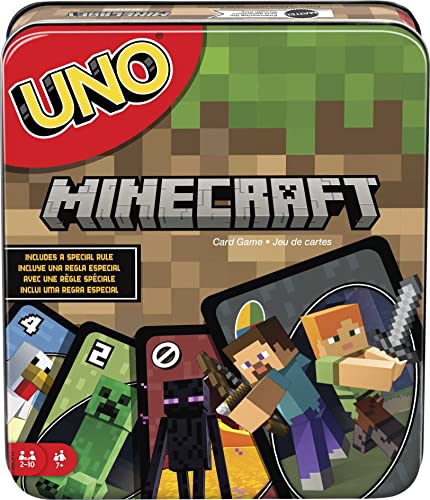
Minecraft -- Best Open-World Game with Controller
Minecraft's Android version has supported controllers for years, and the implementation is rock solid. Building, mining, and combat all map naturally to a standard gamepad. The joystick provides fluid movement that touch controls can't match during complex builds or combat. With Marketplace content, cross-platform play with Xbox and PC, and regular updates, Minecraft remains an essential Android title for controller gamers who enjoy creative or survival play.
In its favor
- The classic UNO card game builds fun on game night with a Minecraft theme.
- UNO Minecraft features a deck and storage tin decorated with graphics from the popular vid
- Players match colors and numbers to the card on top of the discard pile as in the classic
- The Creeper card unique to this deck forces other players to draw 3 cards.
- Makes a great gift for kid, teen, adult and family game nights with 2 to 10 players ages 7

Stardew Valley -- Best Relaxed Game with Controller
Stardew Valley's Android port includes full controller support that mirrors the console experience. Navigating the farm, planting crops, talking to villagers, and dungeon crawling in the Mines all work beautifully on a gamepad. The relaxed pace makes it perfect for couch-and-phone sessions. The developer has maintained the mobile version with consistent updates, and the one-time purchase price makes it exceptional value. No ads, no in-app purchases. just a complete game that works perfectly on controller.
In its favor
- For 1 to 4 players
- Ages 13+
- About 45 minutes per player
- A cooperative board game
- Based on the hit video game
What matters most
What to consider
Before purchasing any Android game specifically for controller play, check the Google Play Store listing for explicit controller support mentions. Filter your search by "gamepad" in the Play Store search bar to find tagged titles. Read recent reviews and filter for users who mention controller use. compatibility can vary by Android version or device.
What to consider
Prioritize games in genres that naturally suit controllers: action-RPGs, platformers, shooters, and simulators. Avoid casual games primarily designed for touch. even if they accept controller input, they rarely feel natural. Also check that the game's controller mapping is customizable, as default layouts don't always suit everyone. For the best experience, pair a quality Bluetooth controller rather than relying on cheaper clip-on options that can introduce input lag.
What to consider
Explore more gamepad options in our [best controller for Android](/articles/best-controller-for-android) guide or check [best controller compatible Steam games](/articles/best-controller-compatible-steam-games) for PC gaming ideas. See our [methodology](/methodology) for evaluation details.
Frequently asked
Most modern Android phones support Bluetooth controllers natively. Put your Xbox, DualSense, or compatible controller into pairing mode, then go to Android Settings > Bluetooth and pair the device. Some controllers also work via USB-C OTG cable. Once paired, Android recognizes the controller and most compatible games will detect it automatically. No additional apps are required for standard Bluetooth gamepads.
Only games with native controller support work properly with a gamepad. not all Android games are optimized for this. Games that support controllers typically mention it on their Google Play Store page under 'Works with controllers' or in their settings menu. Action games, emulators, and platformers tend to have the best controller support. Touch-only games like casual match-3 titles generally do not support gamepads.
How we made this guide
We compare every pick on the factors that matter, cross-checking manufacturer specifications against aggregated verified owner reviews. We rank independently and never take payment for placement. We have not personally tested every product; where we have not, the ranking reflects verified specs and owner feedback rather than a hands-on review.
How it was written: this guide was researched and reviewed by the TheTestedHub editorial team for accuracy.
Affiliate disclosure: TheTestedHub is reader-supported. When you buy through links on our site, we may earn a commission at no extra cost to you.
You might also like

Educational Games 2026 That Grow With Your Child

7 Android TV Controllers Worth Your Money

Wooting 60HE Review (2026): 7 Months With the Analog Keyboard

Logitech G Pro X Superlight 2 Review (2026): The Esports

HyperX Cloud III Wireless Review (2026)

Steam Deck OLED (1TB) Review (2026): 8 Months Later, Still

Logitech G502 Hero Review (2026)
