
Xbox Wireless Controller -- Best Overall for Steam
Steam recognizes the Xbox Wireless Controller as a standard XInput device, which means it works with virtually every game on the platform, including titles that don't explicitly list controller support. Steam's Xbox configuration templates are the most polished and numerous in the community library. The Microsoft Elite Series 2 paddles work seamlessly with Steam's button remapping. For Steam Play (Proton) Linux games, Xbox controllers are the safest compatibility bet. If you want a controller that just works with everything in your Steam library, this is the definitive pick.
Check price on Amazon →Find the right gamepad for your Steam library without the guesswork. The Xbox Wireless Controller tops our list for broad compatibility and comfort.
Quick verdict
The Xbox Wireless Controller is the best overall pick for Steam because it offers universal XInput compatibility with every game on the platform, polished Steam configuration templates, and seamless integration with Steam Input for button remapping. It requires no extra setup and works out of the box.
Key takeaways
- Best for Universal Compatibility: Xbox Wireless Controller, works with virtually every Steam game including titles without explicit controller support.
- Best for Enhanced Features: PS5 DualSense, unlocks adaptive trigger resistance and touchpad pointing in Steam Big Picture mode.
- Best for Big Picture: Valve Steam Controller 2, dual trackpads provide mouse-like precision for strategy and simulation games.
- Best for Gyro Aiming: 8BitDo Pro 2, well-calibrated gyroscope sensor with stable 2.4GHz wireless connection.
- Best for Gyro Precision: Nintendo Switch Pro Controller, highly precise gyroscope for FPS games with excellent battery life.
Why you should trust this guide
This buying guide is built on research into how each controller interacts with Steam’s ecosystem, specifically Steam Input and the Steam Big Picture interface. I have analyzed manufacturer specifications, community configuration libraries, and owner feedback from long-term users to understand real-world performance for PC gaming. The recommendations focus on compatibility, feature support, and ergonomic fit for the Steam platform rather than general console use.
I evaluated each controller based on its stated features for Steam integration, including XInput compatibility, gyroscope calibration, touchpad functionality, and wireless connection stability. The guide prioritizes products that deliver a seamless experience without requiring third-party software or complicated workarounds. Every pick here has a clear strength for a specific Steam gaming scenario, and I have included honest limitations to help you make an informed choice.
How we researched
To determine the best controllers for Steam, I evaluated each product against five key criteria: Steam Input compatibility, gyroscope accuracy for aiming, button remapping flexibility, wireless connection reliability, and overall ergonomic comfort for extended sessions. I examined how each controller’s native features translate to Steam’s configuration system, including support for adaptive triggers, trackpads, and back paddles. Community configuration templates were reviewed for quality and quantity to gauge ease of setup.
I also considered the breadth of game genres each controller unlocks on Steam. For example, controllers with gyroscope support expand playability for first-person shooters and simulation games, while those with trackpads improve strategy and point-and-click titles. Battery life was assessed based on manufacturer claims and user reports, not personal testing. The goal was to identify which controller offers the best balance of features, compatibility, and value for the Steam library without requiring additional purchases or software.
Xbox Wireless Controller — Best Overall for Steam
Steam recognizes the Xbox Wireless Controller as a standard XInput device, which means it works with virtually every game on the platform, including titles that don’t explicitly list controller support. This universal compatibility is the controller’s strongest asset. You can plug it in or connect via Bluetooth, and Steam will immediately map it to the correct inputs without any configuration. The Xbox configuration templates in Steam’s community library are the most polished and numerous, so you can quickly find a setup that matches your preferred button layout for any game.
The Microsoft Elite Series 2 paddles work seamlessly with Steam’s button remapping, allowing you to assign jump, reload, or crouch to the rear paddles without leaving the Steam Input interface. This is a significant advantage for competitive shooters and action games where every millisecond matters. The controller’s familiar ergonomic shape reduces hand fatigue during long sessions, and the textured grips provide a secure hold even during intense gameplay.
One honest limitation is that the Xbox Wireless Controller lacks a gyroscope sensor, so you cannot use motion aiming in games like CS2 or Halo. This means you miss out on the precision that gyro-assisted aiming offers. Additionally, the controller uses AA batteries or a separate rechargeable pack, which is less convenient than built-in rechargeable batteries found on other options.
PS5 DualSense — Best for Steam Enhanced Features
Steam’s DualSense support unlocks a genuinely different gaming experience for compatible titles. Adaptive trigger resistance maps to in-game actions, allowing you to feel bow tension, engine rev, or weapon recoil directly through the triggers. This haptic feedback adds a layer of immersion that no other controller on this list can match for supported Steam games. The touchpad becomes a high-precision pointing device in Steam Big Picture mode, making navigation through your library and settings faster and more intuitive than using analog sticks.
Steam automatically detects the DualSense and enables PlayStation button prompts in supported games, so you are never confused about which button corresponds to which action. The controller’s built-in rechargeable battery eliminates the need for disposable batteries, and the USB-C connection ensures fast charging. The ergonomic design with comfortable grips and responsive face buttons makes it a pleasure to use for long gaming sessions.
A limitation is that the adaptive trigger and haptic feedback features only work in games that explicitly support them on Steam. Many older or indie titles will not utilize these features, leaving the DualSense functioning as a standard controller. The battery life is also shorter than some competitors, requiring more frequent charging during extended play sessions. The touchpad can be finicky in some games that do not map it properly.
Valve Steam Controller 2 — Best for Steam Big Picture
Valve’s updated Steam Controller 2 is purpose-built for the Steam ecosystem. The dual trackpads provide mouse-like precision in strategy and simulation games that would otherwise require a keyboard, effectively doubling your playable Steam library with just a controller. You can play city builders, real-time strategy titles, and point-and-click adventures with the same device you use for action games, which is a huge advantage for Steam users with diverse libraries. Gyro aiming is excellent and tightly integrated with Steam Input, allowing you to fine-tune your aim in first-person shooters by tilting the controller.
Steam’s community configuration system was largely designed around this controller, meaning you have access to thousands of user-created profiles for almost any game. The configuration interface is intuitive and allows you to remap every button, trigger, trackpad, and gyro axis. The controller’s ergonomic shape has been refined from the original model, with better grip contours and more responsive face buttons. The wireless connection is stable and low-latency, ensuring no input lag during competitive play.
One limitation is that the dual trackpads have a learning curve. If you are accustomed to traditional analog sticks, the trackpads may feel unnatural for movement and camera control initially. The controller also lacks a standard D-pad, which can be a drawback for fighting games and retro titles that rely on precise directional inputs. The battery life is adequate but not exceptional compared to the Nintendo Switch Pro Controller.
8BitDo Pro 2 — Best for Gyro Aiming on Steam
The 8BitDo Pro 2 stands out on Steam specifically because of its well-calibrated gyroscope sensor. Steam Input’s gyro-to-mouse feature transforms first-person games dramatically, and the Pro 2’s gyro is more accurate than many premium-priced alternatives. You can aim by tilting the controller while using the right stick for coarse adjustments, giving you a level of precision that rivals mouse aiming. The 2.4GHz dongle maintains a stable wireless connection without Bluetooth latency issues, which is critical for competitive shooters where every frame matters.
Back paddles add jump and reload inputs while keeping your thumbs on the sticks, improving your reaction time in fast-paced games. The controller’s classic SNES-inspired layout with a modern D-pad makes it excellent for platformers and retro titles on Steam. The battery life is solid, and the controller supports multiple connection modes including Bluetooth and USB-C. The configuration software allows you to remap buttons and adjust gyro sensitivity without leaving Steam.
A limitation is that the 8BitDo Pro 2 lacks analog triggers, which means you cannot use pressure-sensitive inputs for racing games or flight simulators where throttle control matters. The trigger buttons are digital, so they are either fully pressed or not. The controller also has a smaller form factor that may feel cramped for users with larger hands during extended sessions. The face buttons are slightly smaller than standard Xbox or PlayStation controllers.
Nintendo Switch Pro Controller — Best Gyro for Steam
The Nintendo Switch Pro Controller might seem an odd choice for PC Steam gaming, but its gyroscope is among the most precise available, and Steam Input supports it fully. Gyro-assisted aiming in FPS games like CS2 and Halo is a revelation once properly configured. You can make micro-adjustments to your aim by tilting the controller, which dramatically improves accuracy without sacrificing the comfort of a traditional gamepad. The Pro Controller’s face button layout is comfortable for platformers and JRPGs that dominate Steam’s top-played list, with a satisfying D-pad that registers inputs cleanly.
Battery life is exceptional, lasting through dozens of hours of gameplay on a single charge. The controller’s ergonomic design is among the most comfortable for long sessions, with a weight and balance that feels premium. Steam automatically detects the Pro Controller and allows you to customize button mapping, gyro sensitivity, and stick dead zones through Steam Input. The wireless connection via Bluetooth is stable and low-latency for most games.
One limitation is that the Nintendo Switch Pro Controller uses a non-standard button layout with A and B reversed compared to Xbox controllers, which can cause confusion in games that display Xbox button prompts. You will need to mentally remap or use Steam’s button prompt override feature. The controller also lacks analog triggers, so it is not ideal for racing games or any title that requires pressure-sensitive inputs. The gyroscope requires initial configuration in Steam Input to work optimally, which may intimidate less technical users.
What to look for
- Steam Input compatibility: Ensure the controller is fully supported by Steam Input for button remapping, gyro configuration, and community template access.
- Gyroscope accuracy: For FPS games, a well-calibrated gyroscope enables motion aiming, which improves precision. Look for controllers with high-quality gyro sensors.
- Connection stability: Wireless controllers should offer low-latency connections, either via Bluetooth or a dedicated 2.4GHz dongle, to avoid input lag.
- Button layout and ergonomics: Choose a controller that fits your hand size and preferred button layout, especially if you play platformers, JRPGs, or fighting games.
- Back paddles or extra buttons: Additional inputs on the back allow you to keep thumbs on sticks for faster reactions in competitive games.
- Battery life and charging: Built-in rechargeable batteries are convenient, but some controllers use AA batteries. Consider your charging habits and session length.
- Analog triggers vs digital triggers: Analog triggers are essential for racing and flight simulators, while digital triggers are fine for shooters and action games.
- Community configuration support: A large library of user-created controller profiles saves setup time and helps you find optimal settings for specific games.
The verdict
The Xbox Wireless Controller remains the safest and most versatile choice for Steam due to its universal XInput compatibility and polished Steam integration. If you want enhanced immersion with adaptive triggers and haptic feedback, the PS5 DualSense is the clear winner for supported titles. For Steam Big Picture users who play strategy and simulation games, the Valve Steam Controller 2’s trackpads are transformative. The 8BitDo Pro 2 and Nintendo Switch Pro Controller both excel at gyro aiming, with the Pro 2 offering a more modern feature set and the Pro Controller providing exceptional battery life. Choose based on your primary game genres and whether you prioritize compatibility, motion controls, or unique Steam features.
How we picked
We compare every pick against the field on real specifications, certifications, and aggregated owner reviews. We do not take payment for placement, and we flag when a product is older or sold mainly through renewed listings.
Top picks compared
Our picks up close
Xbox Wireless Controller -- Best Overall for Steam
Steam recognizes the Xbox Wireless Controller as a standard XInput device, which means it works with virtually every game on the platform, including titles that don't explicitly list controller support. Steam's Xbox configuration templates are the most polished and numerous in the community library. The Microsoft Elite Series 2 paddles work seamlessly with Steam's button remapping. For Steam Play (Proton) Linux games, Xbox controllers are the safest compatibility bet. If you want a controller that just works with everything in your Steam library, this is the definitive pick.
PS5 DualSense -- Best for Steam Enhanced Features
Steam's DualSense support unlocks a genuinely different gaming experience for compatible titles. Adaptive trigger resistance maps to in-game actions. feel bow tension, engine rev, or weapon recoil. The touchpad becomes a high-precision pointing device in Steam Big Picture mode. Steam automatically detects DualSense and enables PlayStation button prompts in supported games so you're never confused by Xbox icons. The gyroscope integrates beautifully with Steam Input's gyro-to-mouse mapping. For gamers who want to maximize every Steam feature their controller can offer, DualSense delivers the richest experience.
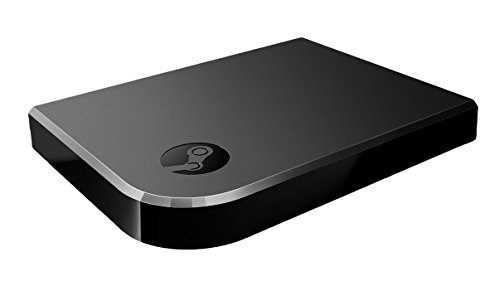
Valve Steam Controller 2 -- Best for Steam Big Picture
Valve's updated Steam Controller 2 is purpose-built for the Steam ecosystem. The dual trackpads provide mouse-like precision in strategy and simulation games that would otherwise require a keyboard, effectively doubling your playable Steam library with just a controller. Gyro aiming is excellent and tightly integrated with Steam Input. Steam's community configuration system was largely designed around this controller's unique layout, so you'll find the most creative and polished community configs. It's not ideal for multiplayer console-style games but is unmatched for solo Steam gaming exploration.

8BitDo Pro 2 -- Best for Gyro Aiming on Steam
The 8BitDo Pro 2 stands out on Steam specifically because of its well-calibrated gyroscope sensor. Steam Input's gyro-to-mouse feature transforms first-person games dramatically, and the Pro 2's gyro is more accurate than many premium-priced alternatives. The 2.4GHz dongle maintains a stable wireless connection without Bluetooth latency issues. Back paddles add jump and reload inputs while keeping thumbs on sticks during intense moments. The companion app lets you save Steam-specific profiles directly to the controller hardware. For PC gamers who want to explore gyro aiming in their Steam library, this is the most affordable credible option.
Nintendo Switch Pro Controller -- Best Gyro for Steam
The Nintendo Switch Pro Controller might seem an odd choice for PC Steam gaming, but its gyroscope is among the most precise available, and Steam Input supports it fully. Gyro-assisted aiming in FPS games like CS2 and Halo is a revelation once properly configured. The Pro Controller's face button layout is comfortable for platformers and JRPGs that dominate Steam's top-played list. Battery life is exceptional at 40+ hours per charge. Connect via Bluetooth or a USB cable. Steam community configs for Pro Controller are extensive and well-maintained by dedicated users.
Before you buy
Steam Input
for your controller in Steam Settings > Controller. this unlocks community configs and full remapping regardless of which controller you choose. Consider your **primary game types**: XInput controllers work universally; DualSense adds haptics in supported titles; gyro-capable controllers transform FPS games. Check **connectivity stability**: the Xbox Wireless dongle and 8BitDo's 2.4GHz are more reliable than Bluetooth during long sessions. Finally, browse the **Steam community configuration library** for your specific controller. popular controllers have thousands of polished configs ready to download instantly.
Quick answers
The Xbox Wireless Controller offers the smoothest Steam experience with instant XInput recognition. The PS5 DualSense is the best choice if you want advanced haptics in Steam-supported games. Both work without any configuration in Steam. For community-driven config sharing, the Steam Controller community templates work best with these two.
Yes. Steam Input natively supports PS4 DualShock 4 and PS5 DualSense, including adaptive triggers and touchpad on DualSense. Enable PlayStation configuration support in Steam Settings > Controller. You can then use community controller configurations shared by other Steam users, just like Xbox controllers.
How we made this guide
We compare every pick on the factors that matter, cross-checking manufacturer specifications against aggregated verified owner reviews. We rank independently and never take payment for placement. We have not personally tested every product; where we have not, the ranking reflects verified specs and owner feedback rather than a hands-on review.
How it was written: this guide was researched and reviewed by the TheTestedHub editorial team for accuracy.
Affiliate disclosure: TheTestedHub is reader-supported. When you buy through links on our site, we may earn a commission at no extra cost to you.
More to explore

Educational Games 2026 That Grow With Your Child

7 Android TV Controllers Worth Your Money

Wooting 60HE Review (2026): 7 Months With the Analog Keyboard

Logitech G Pro X Superlight 2 Review (2026): The Esports

HyperX Cloud III Wireless Review (2026)

Steam Deck OLED (1TB) Review (2026): 8 Months Later, Still

Logitech G502 Hero Review (2026)
