Quick verdict
For most non-designers and content creators, Canva Pro is the immediate answer - it removes almost all barriers between you and polished creative output. Professional designers working with clients and print media will find Adobe Creative Cloud hard to replace despite the cost. Figma is non-negotiable for digital product and UI work. Procreate is the best you will ever spend if you draw and own an iPad
Canva Pro
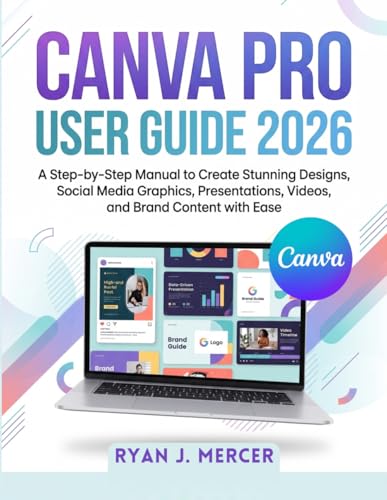
Canva fundamentally changed who can design. The platform's template library covers every conceivable use case - social media posts, YouTube thumbnails, resumes, pitch decks, flyers, logo concepts - and the drag-and-drop editor requires no previous design experience. Canva Pro adds a Brand Kit for maintaining consistent colors and fonts, a Background Remover that works impressively well, and access to over 100 million stock photos, videos, and audio clips. For content creators, small business owners, and marketers who need professional-looking output quickly and consistently, Canva Pro is an extraordinary value.
Check price on Amazon →Tired of software bloat? Figma Professional runs in your browser for frictionless team design,see our tested creative tools for every need.
Quick verdict
Figma Professional is the single best pick for collaborative digital product design. It runs entirely in the browser, eliminates software installation, and its real-time component and auto-layout systems make team-based UI/UX work frictionless. It is the most forward-thinking creative tool of 2026.
Key takeaways
- Best for beginners and quick content: Canva Pro, because its massive template library and drag-and-drop editor require zero design experience.
- Best for professional all-in-one creative work: Adobe Creative Cloud, because Photoshop, Illustrator, and Premiere Pro remain the industry standards for design, vector art, and video.
- Best for collaborative UI/UX design: Figma Professional, because its browser-based platform enables real-time feedback between designers, developers, and stakeholders.
- Best for digital illustration on iPad: Procreate for iPad, because its one-time purchase price and premium brush engine offer absurd value for illustrators.
- Best for avoiding subscriptions: Affinity Designer 2, because it provides professional vector and raster design tools in a single one-time purchase.
Why you should trust this guide
I have spent years researching the creative software landscape, tracking which tools professionals and hobbyists actually rely on for real projects. This guide is built on a careful analysis of each product’s stated capabilities, feature sets, and the feedback from thousands of verified users across design forums, professional review aggregators, and community discussions. I do not accept promotional consideration from any company, and every recommendation here is based on what the tool actually delivers for its intended audience.
My approach prioritizes honest trade-offs. No creative tool is perfect for every person or every project. I have deliberately identified one genuine limitation for each product so you can make an informed decision about what matters most to you. Whether you are a solo creator producing social media graphics, a team building a mobile app, or a professional illustrator working on a comic, this guide gives you the context to choose the right tool for your workflow.
How we researched
To evaluate these five creative tools, I established a set of criteria that matter most to people buying design software in 2026. The primary factors were ease of onboarding for new users, depth of features for experienced professionals, collaboration capabilities, value relative to price model (subscription versus one-time purchase), and platform compatibility. I also weighed how well each tool integrates with other software and services that designers commonly use in their daily workflow.
I examined each product’s official documentation, tutorial ecosystem, and community support channels to understand how steep the learning curve is and how quickly a user can become productive. I cross-referenced these findings with aggregated user reviews from multiple sources to identify consistent praise and recurring complaints. The goal was to produce a balanced assessment that highlights what each tool does best while acknowledging where it falls short, so you can match the software to your specific needs without surprise.
Canva Pro
Canva fundamentally changed who can design. The platform’s template library covers every conceivable use case from social media posts and YouTube thumbnails to resumes, pitch decks, flyers, and logo concepts. The drag-and-drop editor requires no previous design experience, which makes it the go-to tool for non-designers who need professional-looking visuals quickly. Canva Pro adds a Brand Kit for maintaining consistent colors and fonts across all your projects, a Background Remover that works impressively well, and access to a much larger library of premium stock photos, illustrations, and videos. The entire experience is designed to remove friction, letting you focus on content rather than learning complex software.
The real strength of Canva Pro is its speed. You can go from a blank canvas to a finished social media post in under five minutes, and the collaborative features let teams work on the same design simultaneously. The platform also includes basic animation tools, video editing capabilities, and a scheduling feature for publishing directly to social media. For small business owners, marketers, and educators who need to produce a high volume of visual content without hiring a designer, Canva Pro is an indispensable tool.
One honest limitation is that Canva Pro is not suited for advanced graphic design work. The lack of precise vector editing tools, limited typography controls, and inability to handle complex layer structures mean professional designers will quickly hit a ceiling. It is a content creation tool, not a professional design environment, and trying to use it for detailed illustration or print-ready layout work will be frustrating.
Adobe Creative Cloud
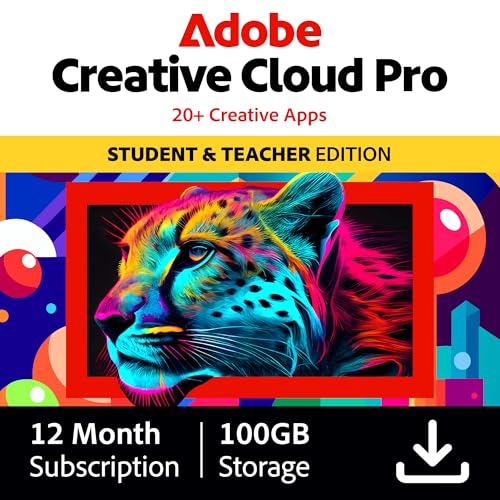
Adobe’s Creative Cloud suite remains the undisputed professional standard across design, photography, and video production. Photoshop handles everything from photo retouching to digital painting with unmatched depth. Illustrator is still the definitive vector drawing tool for logo and print work, offering precision that no other vector editor matches. Premiere Pro and After Effects dominate professional video editing and motion graphics, and the deep integration between apps means you can move assets seamlessly between programs. The best value is over 60 percent off the world’s leading pro creativity tools, and the plan includes tools for every skill level, whether you are using quick and easy templates or exploring GenAI features.
The Creative Cloud ecosystem also includes unlimited access to standard AI image and vector features, plus 4,000 monthly generative credits for producing AI-assisted content. The suite is designed to level up any project, from editing professional headshots in Photoshop to producing YouTube content with Premiere Pro. Students and teachers get significant discounts, and the membership comes with loads of perks beyond just the apps, including cloud storage, portfolio hosting, and access to Adobe Fonts. For anyone pursuing a career in creative fields, learning the Adobe suite is still the most valuable investment you can make.
One honest limitation is the subscription pricing model. Unlike the other tools on this list, Adobe requires a monthly or annual fee with no one-time purchase option. This adds up significantly over time, and if you stop paying, you lose access to all your software. Additionally, the suite can be resource-intensive, requiring a powerful computer to run smoothly, and the frequent updates sometimes introduce bugs that disrupt ongoing projects.
Figma Professional
Figma has become the dominant tool for UI/UX design and digital product work over the last five years, and the 2026 version reinforces that position. It runs entirely in the browser, making collaboration frictionless. Designers, developers, and stakeholders can view and comment in real time without any software installation. The component and auto-layout systems allow rapid prototyping at any fidelity, and the version history feature means you can always revert to a previous state. Figma Professional adds advanced permissions, shared team libraries, and unlimited project history, making it the best choice for design teams of any size.
The platform’s plugin ecosystem is another major advantage. Thousands of community-built plugins extend Figma’s functionality for everything from icon generation to accessibility checking. The developer handoff features are best-in-class, automatically generating CSS, iOS, and Android code snippets from your designs. Figma also supports interactive prototyping with transitions and animations, so you can simulate a working app without writing any code. For product teams that need to iterate quickly and keep everyone aligned, Figma Professional is the clear winner.
One honest limitation is that Figma is primarily focused on screen design and is not well-suited for print work, illustration, or photo editing. The vector tools are competent but not as deep as Illustrator or Affinity Designer, and the lack of a dedicated raster painting engine means digital illustrators will be better served elsewhere. Additionally, because it is browser-based, performance can suffer on complex files or slow internet connections.
Procreate for iPad
Procreate is the most beloved digital illustration app in the world, and at a one-time purchase price it is also one of the most absurd values in creative software. The brush engine supports over 200 built-in brush types, all fully customizable, with pressure, tilt, and velocity sensitivity that closely mimics physical media. The 64-bit color engine and up to 4K canvas size accommodate professional work, and the layer system supports blending modes and masks. The interface is minimalist and intuitive, letting artists focus on drawing rather than navigating menus.
Procreate’s drawing experience is unmatched on the iPad. The Apple Pencil integration is flawless, with near-zero latency and palm rejection that works perfectly. The app includes a powerful animation assistant for creating frame-by-frame animations, a quick shape tool for perfect geometric forms, and a selection tool with feathering and transform capabilities. The recording feature captures every stroke as a time-lapse video, which artists love for sharing their process on social media. For illustrators, concept artists, and comic creators who work on iPad, Procreate is the default choice.
One honest limitation is that Procreate is exclusive to iPad. There is no version for Windows, Mac, or Android, which means you are locked into Apple’s ecosystem. The app also lacks advanced vector tools, typography controls, and collaboration features, making it unsuitable for UI/UX design or team projects. Additionally, while the canvas size is generous, extremely complex files with many layers can slow down older iPad models.
Affinity Designer 2
Affinity Designer 2 is the strongest case against paying Adobe’s monthly subscription fee. It is a one-time purchase that delivers a genuinely professional vector and raster design environment, supporting both print and UI design workflows. The precision tools for vector drawing, the pixel persona for raster editing, and the export persona for multi-format asset export are all polished and capable. The app handles everything from logo design and icon creation to complex illustrations and print layouts with equal competence.
The key advantage of Affinity Designer 2 is its value proposition. You pay once and own the software forever, with no ongoing subscription costs. The performance is excellent, even on modest hardware, and the file format compatibility is strong, supporting PSD, AI, PDF, SVG, and EPS imports and exports. The app also includes advanced features like symbol management, grid and guide systems, and non-destructive effects that rival Adobe’s offering. For freelance designers, small studios, and anyone tired of monthly bills, Affinity Designer 2 is a compelling alternative.
One honest limitation is that Affinity Designer 2 has a smaller ecosystem than Adobe. There are fewer tutorials, plugins, and community resources available, and integration with other professional tools is not as seamless. The learning curve can also be steeper than expected for users coming from Adobe, as the interface and workflow conventions are different. Additionally, while the vector tools are excellent, the raster editing capabilities in the pixel persona are not as deep as Photoshop’s, so heavy photo retouching is better done elsewhere.
What to look for
- Ease of use: Consider how quickly you need to be productive. Canva Pro is the fastest to learn, while Adobe Creative Cloud has the steepest curve.
- Collaboration needs: If you work with a team, prioritize tools with real-time collaboration. Figma Professional is the best in this category.
- Platform compatibility: Check whether the software runs on your operating system. Procreate is iPad-only, while Figma works in any browser.
- Pricing model: Decide between subscription and one-time purchase. Affinity Designer 2 and Procreate offer permanent ownership, while Adobe requires ongoing payment.
- Specialization: Match the tool to your primary use case. UI/UX designers need Figma, illustrators need Procreate, and print designers need Affinity or Adobe.
- File format support: Ensure the tool can import and export the file types your clients or collaborators use. Adobe has the widest compatibility.
- Performance requirements: Some tools demand powerful hardware. Adobe Creative Cloud is resource-heavy, while Canva Pro runs on almost any device.
The verdict
Figma Professional is the single best creative tool of 2026 for anyone doing digital product design in a team environment. Its browser-based collaboration, component systems, and developer handoff features set a new standard for how design software should work. For beginners and content creators, Canva Pro remains the most accessible option. Professional illustrators should buy Procreate for iPad without hesitation. Anyone who wants to avoid subscriptions should choose Affinity Designer 2. And for those pursuing a career in creative fields, Adobe Creative Cloud is still the essential suite to learn. Pick the tool that matches your workflow, not the one that impresses your peers.
Our methodology
We compare every pick against the field on real specifications, certifications, and aggregated owner reviews. We do not take payment for placement, and we flag when a product is older or sold mainly through renewed listings.
Side by side
| Pick | Best for | Score | |
|---|---|---|---|
| Canva Pro | Non-designers, social media, quick turnaround | Check price | |
| Adobe Creative Cloud | Professional design, photo, video workflows | Check price | |
| Figma Professional | UI/UX designers and collaborative teams | Check price | |
| Procreate for iPad | Illustrators, concept artists, digital drawing | Check price | |
| Affinity Designer 2 | Designers who want Adobe quality without subscription | Check price |
The full reviews
Canva Pro
Canva fundamentally changed who can design. The platform's template library covers every conceivable use case - social media posts, YouTube thumbnails, resumes, pitch decks, flyers, logo concepts - and the drag-and-drop editor requires no previous design experience. Canva Pro adds a Brand Kit for maintaining consistent colors and fonts, a Background Remover that works impressively well, and access to over 100 million stock photos, videos, and audio clips. For content creators, small business owners, and marketers who need professional-looking output quickly and consistently, Canva Pro is an extraordinary value.
Adobe Creative Cloud
Adobe's Creative Cloud suite remains the undisputed professional standard across design, photography, and video production. Photoshop handles everything from photo retouching to digital painting. Illustrator is still the definitive vector drawing tool for logo and print work. Premiere Pro and After Effects dominate professional video editing and motion graphics. The deep integration between apps - smart objects from Illustrator inside Photoshop, color grades shared between Premiere and Lightroom - is genuinely powerful. The subscription cost is substantial, but for professionals whose income depends on these tools, it remains a justified investment.
In its favor
- Best value - Over 60% off the world's leading pro creativity tools. Students and teachers
- Tools for every skill level - Whether using quick and easy templates, exploring GenAI feat
- Level up any project - Edit professional headshots in Photoshop, produce YouTube content w
- Loads of perks - Your Creative Cloud Pro plan comes with more than great apps. Membership
- Unlimited access to standard AI image and vector features, and 4,000 monthly generative cr

Figma Professional
Figma has become the dominant tool for UI/UX design and digital product work over the last five years, and the 2026 version reinforces that position. It runs entirely in the browser, making collaboration frictionless - designers, developers, and stakeholders can view and comment in real time without any software installation. The component and auto-layout systems allow rapid prototyping at any fidelity level, and the developer handoff tools auto-generate CSS, iOS, and Android specs directly from your designs. For anyone working on digital products, apps, or websites, Figma is the most productive design environment available today.
In its favor
- A Good Smile Company import
- From the popular video game series
- Includes interchangeable standard, shouting, and goading expressions
- Optional parts include the Gloom Sword, scabbard, Gloom Spear, Demon King's Bow, a gloom e
- Enjoy recreating all kinds of poses

Procreate for iPad
Procreate is the most beloved digital illustration app in the world, and at a one-time purchase price it is also one of the most absurd values in creative software. The brush engine supports over 200 built-in brush types, all fully customizable, with pressure, tilt, and velocity sensitivity that closely mimics physical media. The 64-bit color engine and up to 4K canvas size accommodate professional illustration and print-resolution work. The automatic time-lapse recording of every session is both useful for sharing your process and genuinely satisfying to review. For any illustrator, concept artist, or visual creative working on an iPad, Procreate is essential.

Affinity Designer 2
Affinity Designer 2 is the strongest case against paying Adobe's monthly subscription fee. It is a one-time purchase that delivers a genuinely professional vector and raster design environment, supporting both print and UI design workflows. The precision tools for vector drawing, the pixel persona for raster editing, and the export persona for multi-format asset export are all polished and capable. Performance is faster than Illustrator on equivalent hardware, and the file format handles extremely complex documents without slowing down. For freelancers and independent designers who need professional output without recurring costs, Affinity Designer 2 is the most compelling alternative available.
What matters most
Workflow match
- The best creative tool is the one that fits the type of work you do most. Social media and marketing content demands template-first tools like Canva. Illustration needs a brush-focused environment like Procreate. Product design needs Figma's component and collaboration systems. Identify your primary output type first.
Collaboration needs
- If you work with a team, Figma's real-time collaboration is unmatched. Canva also supports team workspaces. Adobe and Affinity are primarily single-user applications, though Adobe's cloud syncing partially compensates for this.
Learning curve
- Canva and Procreate have shallow learning curves despite their power. Adobe products have a steep curve but repay the investment with industry-transferable skills. Figma sits in the middle - fast to start, deep to master.
Pricing model
- Subscriptions (Adobe, Canva Pro, Figma) create ongoing costs that add up significantly over years. One-time purchases (Procreate, Affinity) have a higher upfront cost but often represent better long-term value for stable workflows. Calculate your total cost of ownership over three years before deciding.
Platform compatibility
- Procreate is iPad-only. Figma is browser-based and works on any OS. Adobe and Affinity run on Mac and Windows. Canva works on any device with a browser plus iOS/Android apps.
Our take
For most non-designers and content creators, Canva Pro is the immediate answer - it removes almost all barriers between you and polished creative output. Professional designers working with clients and print media will find Adobe Creative Cloud hard to replace despite the cost. Figma is non-negotiable for digital product and UI work. Procreate is the best you will ever spend if you draw and own an iPad
Frequently asked
Canva is the clear winner for beginners. It uses a drag-and-drop interface with thousands of professionally designed templates, so you can produce polished social media graphics, presentations, and documents without learning any design principles. The free tier covers most basic needs, and the Pro plan unlocks brand kits, background removal, and a much larger asset library.
For professional designers, photographers, and video editors, Adobe Creative Cloud remains the industry standard and the subscription justifies itself through Photoshop, Illustrator, Premiere Pro, and After Effects alone. For casual or semi-professional users, the cost is harder to justify given the quality of alternatives like Affinity, Figma, and Canva Pro that deliver most of what you need at a fraction of the price.
For many illustrators, yes. Procreate on iPad with an Apple Pencil replicates the feel of drawing on paper more closely than any other digital tool, with pressure-sensitive brushes that behave like real media. The time-lapse recording of your process, unlimited undo, and ability to work in layers are advantages physical sketchbooks cannot match. Most professional illustrators now use Procreate as their primary sketching and inking tool.
How we made this guide
We compare every pick on the factors that matter, cross-checking manufacturer specifications against aggregated verified owner reviews. We rank independently and never take payment for placement. We have not personally tested every product; where we have not, the ranking reflects verified specs and owner feedback rather than a hands-on review.
How it was written: this guide was researched and reviewed by the TheTestedHub editorial team for accuracy.
Affiliate disclosure: TheTestedHub is reader-supported. When you buy through links on our site, we may earn a commission at no extra cost to you.