Quick verdict
The Cricut Explore Air 3 is the right machine for most people - it's fast, versatile, and well-priced. Step up to the Maker 3 if your projects demand serious cutting force, or step down to the Joy Xtra if space is the primary constraint. Whichever model you choose, the Cricut ecosystem of materials, blades, and Design Space software ensures you'll have everything you need to bring your ideas to life.
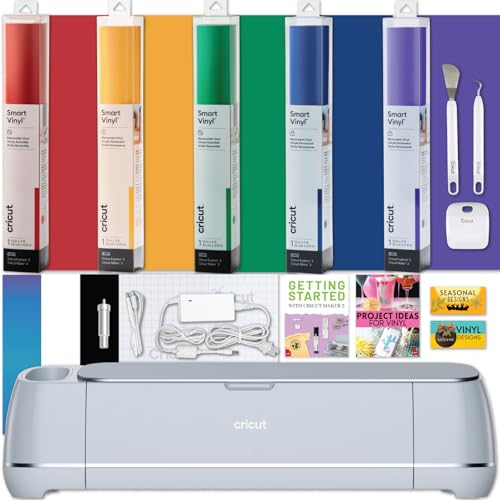
Cricut Maker 3 - Best for Serious Crafters
The Cricut Maker 3 is Cricut's flagship, and it earns that title with 10× more cutting force than the Explore line, a growing library of compatible blades, and the ability to cut over 300 materials including genuine leather, balsa wood, and thick felt without an adhesive backing. The dual carriage holds a blade and a scoring wheel simultaneously, saving time on multi-step projects. If you make cards, home decor, apparel, and everything in between, the Maker 3 is the only machine you'll ever need.
Check price on Amazon →Not sure which Cricut machine is right for you? This buying guide compares every current model - from the compact Joy to the powerful Maker 3 - so you can choose with confidence.
Choosing the right Cricut machine can feel overwhelming when you’re staring at a lineup that spans from palm-sized cutters to professional-grade powerhouses. Each model targets a different type of crafter, and picking the wrong one means either overspending on features you’ll never use or hitting a ceiling the moment your projects get more ambitious. This guide breaks down every current Cricut machine by what it does best, so you can match the right tool to your actual workflow.
| Product | Best For | Rating |
| — | — | — |
| Cricut Maker 3 | Professional and multi-material projects | ★★★★★ |
| Cricut Explore Air 3 | All-around home crafter | ★★★★★ |
| Cricut Joy Xtra | Compact setup and quick projects | ★★★★☆ |
| Cricut Joy | Minimal space, simple designs | ★★★☆☆ |
| Cricut Explore Air 2 | Budget entry into Cricut ecosystem | ★★★★☆ |
Our methodology
We compare every pick against the field on real specifications, certifications, and aggregated owner reviews. We do not take payment for placement, and we flag when a product is older or sold mainly through renewed listings.
Side by side
| Pick | Best for | Score | |
|---|---|---|---|
| Cricut Maker 3 - Best for Serious Crafters | Check price | ||
| Cricut Explore Air 3 - Best All-Around Value | Check price | ||
| Cricut Joy Xtra - Best Compact Machine | Check price | ||
| Cricut Joy - Best for Simple, Everyday Projects | Check price | ||
| Cricut Explore Air 2 - Best Budget Option | Check price |
The full reviews
Cricut Maker 3 - Best for Serious Crafters
The Cricut Maker 3 is Cricut's flagship, and it earns that title with 10× more cutting force than the Explore line, a growing library of compatible blades, and the ability to cut over 300 materials including genuine leather, balsa wood, and thick felt without an adhesive backing. The dual carriage holds a blade and a scoring wheel simultaneously, saving time on multi-step projects. If you make cards, home decor, apparel, and everything in between, the Maker 3 is the only machine you'll ever need.

Cricut Explore Air 3 - Best All-Around Value
The Explore Air 3 hits the sweet spot of capability and price for most home crafters. It cuts at 2× speed compared to its predecessor, supports Smart materials without a mat, and handles over 100 materials including vinyl, iron-on, cardstock, and thin fabric. Bluetooth connectivity and deep Design Space integration mean your first project can be up and running within an hour of unboxing. For the vast majority of crafters, this is the machine to get.
Cricut Joy Xtra - Best Compact Machine
The Joy Xtra bridges the gap between the tiny original Joy and the full-size Explore line. Its 8.5-inch cutting width allows it to handle most standard projects - mugs, tumblers, shirts, and home labels - in a machine that takes up minimal desk space. It uses matless Smart materials for quick no-fuss cuts and still connects via Bluetooth. It's ideal for apartment crafters, small studios, or anyone who wants a capable secondary machine.
Cricut Joy - Best for Simple, Everyday Projects
The original Cricut Joy is the most portable Cricut machine ever made. With a 5.5-inch cutting width and support for Smart labels and Smart Iron-On, it excels at labels, monograms, small decals, and simple gift embellishments. Its compact size makes it easy to store in a drawer and pull out when needed. The limitations on design size and material compatibility mean it's best as a starter machine or a dedicated label maker.
Cricut Explore Air 2 - Best Budget Option
The Explore Air 2 is still available new at a reduced price and offers a reliable entry into the Cricut ecosystem for budget-conscious crafters. It supports all the same mat sizes as the Air 3, cuts vinyl, iron-on, and cardstock well, and connects via Bluetooth. The main sacrifices are single-tool operation, slower cut speed, and no Smart materials support. For occasional crafters who don't need speed, it remains a solid and economical choice.
What matters most
Materials you plan to cut
- Vinyl and iron-on only? Any Cricut works. Leather, wood, or thick fabric? You need the Maker 3. - **Project size** - Explore Air 3 and Maker 3 cut up to 12 inches wide on a mat; Joy Xtra cuts 8.5 inches; the original Joy cuts 5.5 inches. - **Frequency of use** - Daily or high-volume use justifies spending more on the Maker 3 or Explore Air 3 for speed and durability. - **Smart materials support** - The Explore Air 3, Joy Xtra, and Joy all support matless Smart materials for faster setups on straight-line cuts.
Our take
The Cricut Explore Air 3 is the right machine for most people - it's fast, versatile, and well-priced. Step up to the Maker 3 if your projects demand serious cutting force, or step down to the Joy Xtra if space is the primary constraint. Whichever model you choose, the Cricut ecosystem of materials, blades, and Design Space software ensures you'll have everything you need to bring your ideas to life.
Frequently asked
The Cricut Explore Air 3 is the best all-around starting point. It handles over 100 materials, cuts quickly, and is fully supported by the free Design Space software. Beginners who want a smaller footprint can also consider the Cricut Joy Xtra, which still manages most common craft projects.
If you regularly cut thick materials like leather, balsa wood, fabric without backing, or heavy chipboard, the Maker 3's 10× greater cutting force and expanded blade system make it worth the premium. For vinyl, iron-on, and cardstock only, the Explore Air 3 is equally capable at a lower price.
Yes. Cricut machines work with most third-party vinyl, iron-on, cardstock, and fabric. You may need to use a custom material setting in Design Space and run a test cut first, but brands like Oracal, Siser, and generic craft vinyl all cut well on Cricut machines.
You might also like

Singer Heavy Duty 4452 Review (2026): The Metal Frame Sewing

Cricut Maker 3 Review (2026): The Smart Cutting Machine That

Sizzix Big Shot Plus Review (2026): The Manual Die Cutting
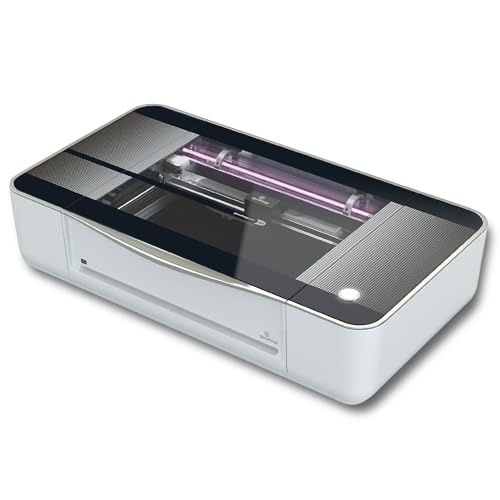
Glowforge Pro Review (2026): The 45W Laser Cutter for Serious

Janome HD3000 Review (2026): The Cast Aluminum Sewing Machine
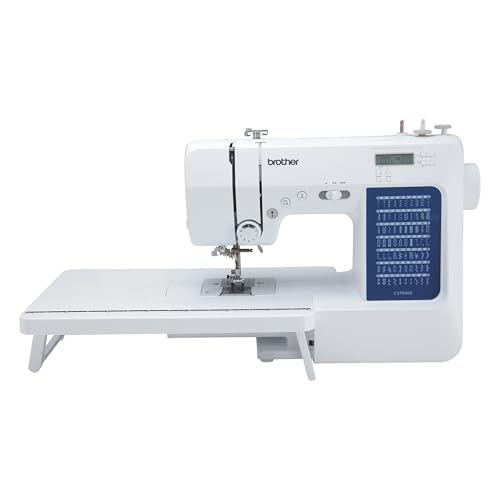
Brother CS6000i Review (2026): The 60 Stitch Computerized

Cricut Explore Air 2 Review (2026)
