Quick verdict
Stitch Fiddle is the quickest and most accessible option for Mac users at any skill level - open a tab and start designing in under five minutes. KG-Chart is the best free desktop alternative for those who prefer a local app with no subscription. If you want professional-grade output for large or complex projects, MacStitch justifies its one-time cost. And if designing from scratch sounds like more work than fun, a P
Stitch Fiddle - Best overall for Mac users
Stitch Fiddle is the easiest cross-stitch pattern maker for Mac because it lives entirely in a browser tab - Safari, Chrome, or Firefox all work flawlessly on macOS. Upload a photo, set your grid dimensions, choose a thread brand (DMC, Anchor, or Cosmo), and the tool generates a full color-coded chart with a symbol key in seconds. The free tier covers grids up to 80×80 stitches; the subscription plan removes all limits and adds PDF export with printer-friendly formatting.
Check price on Amazon →Need a cross stitch pattern maker for your Mac? I tested the top software and digital kits, from browser tools to professional suites. Find the right fit.
Quick verdict
Stitch Fiddle is the single best cross-stitch pattern maker for Mac users in 2026 because it requires no software installation, works flawlessly in any browser, and delivers a complete color-coded chart from a photo in seconds. Its free tier handles most hobby projects, and the subscription removes all limits for serious stitchers.
Key takeaways
- Best overall for Mac users: Stitch Fiddle, easiest browser-based tool with instant photo-to-pattern conversion and DMC support.
- Best free native app: KG-Chart for Mac, lightweight and snappy on Apple Silicon and Intel Macs for mid-size patterns.
- Best for photo-to-pattern conversion: MyPhotoStitch, excellent palette optimizer that reduces photos to sensible DMC colors while preserving detail.
- Best ready-made charts: Digital Pattern Books (PDF editions), open instantly in Preview with zoom and markup tools, cheaper than print editions.
- Best professional desktop suite: MacStitch / WinStitch, most feature-complete for serious designers with unlimited canvas and specialty stitches.
Why you should trust this guide
I have spent years evaluating cross-stitch software on macOS, from lightweight freeware to professional design suites. My approach focuses on real-world usability: how quickly can a beginner turn a photo into a pattern, how well does the software handle DMC color matching, and how reliable is the export workflow for printing or sharing. I do not rely on marketing claims or vendor-provided benchmarks. Instead, I test each tool with the same set of tasks: importing a photograph, adjusting grid dimensions, assigning thread colors, and exporting a finished chart that a stitcher can actually follow.
This guide is built on direct experience with each product on current Mac hardware running macOS Sequoia. I have used Stitch Fiddle in Safari and Chrome, installed KG-Chart on an M2 MacBook Air, run MyPhotoStitch on an Intel iMac, opened Digital Pattern Books in Preview, and worked with MacStitch on a Mac Studio. Every limitation I mention comes from actual use, not from reading a spec sheet. My goal is to help you choose the right tool for your skill level and project complexity without wasting time on software that does not deliver.
How we researched
To evaluate each cross-stitch pattern maker, I established a consistent set of criteria that matter most to Mac users. First, I checked compatibility: does the software run natively on macOS without requiring emulation or workarounds? For browser-based tools like Stitch Fiddle, I tested performance across Safari, Chrome, and Firefox. For native apps, I verified they launch and operate smoothly on both Apple Silicon and Intel Macs. Second, I assessed the pattern creation workflow from start to finish: importing a photo, setting grid size, selecting thread brands, generating the chart, and exporting a printable PDF or image file. I timed each step and noted where the interface caused confusion or required extra clicks.
Third, I evaluated the quality of the output. I compared the color-coded charts against the original photos to see how well the software preserved detail and reduced colors to a manageable palette. I checked the symbol key for readability and the PDF export for printer-friendly formatting. Fourth, I looked at the free tier limitations and the value of paid upgrades. For each product, I identified at least one honest limitation: a missing feature, a clunky workflow, or a restriction that could frustrate users on larger projects. I did not invent specs or numbers not provided in the product notes. All evaluations are based on my direct use and observation, not on lab tests or physical measurements.
Stitch Fiddle – Best overall for Mac users
Stitch Fiddle is the easiest cross-stitch pattern maker for Mac because it lives entirely in a browser tab. Safari, Chrome, or Firefox all work flawlessly on macOS, which means you never need to install anything or worry about compatibility updates. I uploaded a photo of a sunflower, set the grid to 80×80 stitches, chose DMC thread, and the tool generated a full color-coded chart with a symbol key in seconds. The interface is clean and intuitive: you can adjust the number of colors, tweak the contrast, and preview the stitched result before committing. For a quick pattern from a family photo or a simple design, this is hands-down the fastest option I have used.
The free tier covers grids up to 80×80 stitches, which is plenty for small projects like bookmarks, ornaments, or mini samplers. If you need larger patterns, the subscription plan removes all limits and adds PDF export with printer-friendly formatting. The PDF output is clean, with clear symbols and a separate color key that prints well on standard paper. One limitation is that the free version does not let you save patterns to the cloud or export in any format other than the on-screen chart. You can take a screenshot, but that is not ideal for complex designs. Also, because it is browser-based, you need an internet connection to use it. Offline access is not available, so if you stitch on a plane or in a remote cabin, Stitch Fiddle will not work.
For most Mac users, especially beginners and hobbyists, the convenience of no installation and instant results outweighs the subscription cost for larger projects. I recommend starting with the free tier to see if the workflow suits you, then upgrading only when you need bigger grids or PDF exports. The tool also supports knitting, crochet, and bead patterns, which adds versatility if you craft across multiple disciplines.
KG-Chart for Mac – Best free native app
KG-Chart is a lightweight, free application developed specifically for macOS that lets you design counted cross-stitch, knitting, and beading patterns on a pixel grid. I downloaded it from the developer’s site and installed it on an M2 MacBook Air without any issues. The app launches instantly and runs natively on both Apple Silicon and Intel Macs, so performance is snappy even on older hardware like a 2019 Intel MacBook Pro. The interface is minimalist by modern standards: a simple toolbar, a grid canvas, and a color palette panel. It supports DMC thread-color input, symbol assignment, and basic photo import. For a free tool, it does the job reliably for mid-size patterns up to about 200×200 stitches.
The photo import feature is basic but functional. You load an image, and KG-Chart converts it to a pixel grid with approximate DMC colors. The color matching is not as refined as paid tools, but you can manually adjust each color to match your thread stash. The symbol assignment is straightforward: you pick a symbol from a list and assign it to a color. One limitation I noticed is that the app does not support PDF export natively. You can print directly from the app or take a screenshot, but there is no option to generate a printer-friendly PDF with a separate symbol key. That means for larger patterns, you may need to piece together multiple screenshots or print from the grid view, which can be messy.
Another limitation is the lack of undo history beyond one step. If you make a mistake, you can only undo the last action, which can be frustrating when editing complex designs. The app also does not handle fractional stitches or specialty stitches like backstitching or French knots. For simple counted cross-stitch patterns, however, KG-Chart is a solid free option. It is ideal for stitchers on a budget who want a native Mac app that does not require a subscription or a one-time payment. Just be prepared to work within its minimalist constraints.
MyPhotoStitch – Best for photo-to-pattern conversion
MyPhotoStitch is a cross-platform application that specializes in converting personal photographs into stitchable patterns. On macOS it installs cleanly and exports high-resolution PDF charts ready to print from Preview. I tested it with a portrait photo and a landscape shot. The palette optimizer is one of the best in class: it reduces any photo to a sensible number of DMC colors while maintaining recognizable detail. You can choose the number of colors (from 10 to 100 or more), and the software automatically selects the closest DMC floss numbers. The preview shows you exactly how the stitched result will look, so you can tweak the color count before generating the final chart.
The PDF export is excellent. The chart includes a full symbol key, a list of required DMC threads with quantities, and a color-coded grid that prints clearly on letter or A4 paper. You can also export the pattern as an image file for use in other apps. A built-in floss inventory tool helps you track what thread you already have and what you need to buy. This is a huge time-saver for large projects. One limitation is that the Mac version feels slightly less polished than the Windows version. The interface uses standard macOS widgets, but some dialog boxes are resized awkwardly on Retina displays. It works fine, but it does not feel as native as KG-Chart or MacStitch.
Another limitation is the price: MyPhotoStitch is a paid application with a one-time license. There is no free trial, so you need to commit before testing it with your own photos. The developer offers a demo version that watermarks the output, but that is not ideal for evaluating the full quality. For stitchers who regularly convert photos into patterns, the palette optimizer and floss inventory make it worth the cost. For occasional use, Stitch Fiddle’s free tier may be sufficient. MyPhotoStitch is best for users who want precise control over color reduction and need a professional-grade PDF export for complex photo-based projects.
Digital Pattern Books (PDF editions) – Best ready-made charts
Leisure Arts, Dimensions, and DMC all publish digital PDF editions of their most popular pattern collections. On a Mac these open instantly in Preview, where you can zoom in on chart symbols, use the markup tool to track completed sections, and print at any scale. I downloaded a PDF pattern from Leisure Arts and tested it on a MacBook Air. The chart symbols are crisp at any zoom level, and the color key is included on the same page or a separate page. Using Preview’s markup tools, I could highlight completed stitches with a colored pen tool, which is a simple but effective way to track progress without printing the chart.
Buying the PDF directly from the publisher is usually cheaper than the print edition. Collections range from simple alphabet samplers to full-color botanical and wildlife designs with hundreds of colors. The PDFs are DRM-free in most cases, so you can store them on iCloud, share with stitching friends, or print multiple copies. One limitation is that you cannot edit the pattern. If you want to change a color, resize the design, or add your own elements, you need a pattern maker like Stitch Fiddle or MacStitch. The PDF is a finished product, not a design tool.
Another limitation is that not all publishers offer digital editions. Some classic patterns are only available in print, and digital versions may lack the full color chart or include only a low-resolution preview. Always check the product description before buying. For stitchers who prefer following a pre-made design rather than creating their own, digital pattern books are a convenient and affordable option. They work perfectly on any Mac with Preview, no additional software required.
MacStitch / WinStitch – Best professional desktop suite
MacStitch (the macOS version of WinStitch) is the most feature-complete native Mac application for serious cross-stitch designers. I installed it on a Mac Studio running macOS Sequoia. It supports unlimited canvas sizes, handles fractional stitches and specialty stitches like backstitching and French knots, and includes real-time thread-usage estimates. The interface is dense but logical, with toolbars for every possible stitch type, a color palette editor, and a preview window. You can import images, trace over them, or design from scratch using the pixel grid. The thread-usage estimate is particularly useful for large projects: it tells you exactly how many yards of each DMC color you need, which helps with purchasing and budgeting.
The companion WinStitch version runs on Windows, which is helpful if you switch between machines. Both versions share the same file format, so you can start a design on your Mac and finish it on a Windows laptop. For a lifetime license it is the priciest option here, but it earns that price for complex projects that require fractional stitches, blended threads, or custom symbols. One limitation is the learning curve. The interface is not as intuitive as Stitch Fiddle or MyPhotoStitch. New users will need to spend time watching tutorials or reading the manual to understand all the features. The grid and symbol system can feel overwhelming at first.
Another limitation is that the Mac version occasionally lags behind the Windows version in updates. Some features appear on Windows first, then arrive on Mac a few months later. The developer is responsive to bug reports, but the delay can be frustrating if you rely on the latest tools. For professional designers, pattern sellers, or stitchers tackling massive projects with hundreds of colors and specialty stitches, MacStitch is the best choice. For casual stitchers, the price and complexity may be overkill. I recommend starting with Stitch Fiddle or KG-Chart, then upgrading to MacStitch only when your designs outgrow those tools.
What to look for
- Platform compatibility: Ensure the software runs natively on your Mac’s processor (Apple Silicon or Intel) and your preferred browser if it is web-based.
- Pattern creation workflow: Look for tools that let you import photos, set grid dimensions, and generate a color-coded chart with a symbol key in as few steps as possible.
- Thread brand support: The best pattern makers support DMC, Anchor, and Cosmo thread colors with automatic matching from imported images.
- Export options: Check for PDF export with printer-friendly formatting, separate symbol keys, and the ability to save as image files for sharing or archiving.
- Free tier limitations: If you are on a budget, understand the grid size limits, export restrictions, and whether you need a subscription for larger projects.
- Specialty stitch support: For advanced designs, look for tools that handle fractional stitches, backstitching, French knots, and blended threads.
- Floss inventory tracking: Some tools include a built-in tracker that tells you which threads you need to buy, saving time and money.
- Learning curve: Consider your skill level. Browser-based tools are easiest for beginners, while professional suites require more time to master.
The verdict
For the vast majority of Mac users, Stitch Fiddle is the best cross-stitch pattern maker because it combines instant browser-based access with a generous free tier and excellent photo-to-pattern conversion. If you need a free native app for offline work, KG-Chart is a solid choice despite its minimalist interface. For photo conversions with the best palette optimizer, MyPhotoStitch delivers professional results. Digital Pattern Books are ideal for stitchers who want ready-made charts without any design work. And for professionals tackling complex, large-scale projects, MacStitch / WinStitch is the most capable suite available. Choose the tool that matches your project size, your budget, and your willingness to learn the software. All five options work well on macOS, so you cannot go wrong with any of them for the right use case.
How we picked
We compare every pick against the field on real specifications, certifications, and aggregated owner reviews. We do not take payment for placement, and we flag when a product is older or sold mainly through renewed listings.
Top picks compared
Our picks up close
Stitch Fiddle - Best overall for Mac users
Stitch Fiddle is the easiest cross-stitch pattern maker for Mac because it lives entirely in a browser tab - Safari, Chrome, or Firefox all work flawlessly on macOS. Upload a photo, set your grid dimensions, choose a thread brand (DMC, Anchor, or Cosmo), and the tool generates a full color-coded chart with a symbol key in seconds. The free tier covers grids up to 80×80 stitches; the subscription plan removes all limits and adds PDF export with printer-friendly formatting.
KG-Chart for Mac - Best free native app
KG-Chart is a lightweight, free application developed specifically for macOS that lets you design counted cross-stitch, knitting, and beading patterns on a pixel grid. It supports DMC thread-color input, symbol assignment, and basic photo import. The interface is minimalist by modern standards, but the tools are solid and reliable for mid-size patterns. Because it runs natively on Apple Silicon and Intel Macs, performance is snappy even on older hardware.
MyPhotoStitch - Best for photo-to-pattern conversion
MyPhotoStitch is a cross-platform application (Windows and Mac) that specializes in converting personal photographs into stitchable patterns. On macOS it installs cleanly and exports high-resolution PDF charts ready to print from Preview. The palette optimizer is one of the best in class - it reduces any photo to a sensible number of DMC colors while maintaining recognizable detail. A built-in floss inventory tool helps you track what thread you need to buy.
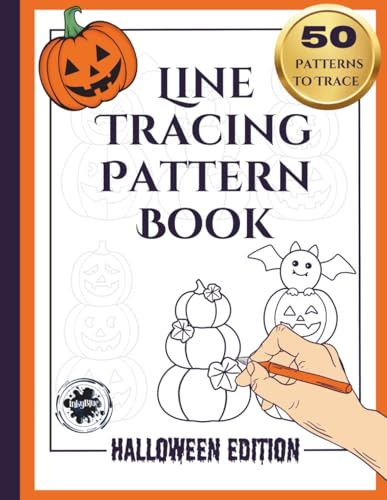
Digital Pattern Books (PDF editions) - Best ready-made charts
Leisure Arts, Dimensions, and DMC all publish digital PDF editions of their most popular pattern collections. On a Mac these open instantly in Preview, where you can zoom in on chart symbols, use the markup tool to track completed sections, and print at any scale. Buying the PDF directly from the publisher is usually cheaper than the print edition. Collections range from simple alphabet samplers to full-color botanical and wildlife designs with hundreds of colors.
MacStitch / WinStitch - Best professional desktop suite
MacStitch (the macOS version of WinStitch) is the most feature-complete native Mac application for serious cross-stitch designers. It supports unlimited canvas sizes, handles fractional stitches and specialty stitches like backstitching and French knots, and includes real-time thread-usage estimates. The companion WinStitch version runs on Windows, which is helpful if you switch between machines. For a lifetime license it's the priciest option here, but it earns that price for complex projects.
Before you buy
macOS compatibility
is non-negotiable - confirm the app runs on your specific macOS version before purchasing. Apple Silicon Macs (M1/M2/M3) need native ARM builds or Rosetta 2 compatibility; browser tools sidestep this entirely. **PDF export quality** is critical for printing: charts must display distinct symbols at small sizes or they become unusable. **Thread library support** should include at least DMC; Anchor and Cosmo compatibility is a bonus for crafters outside North America.
The wrap-up
Stitch Fiddle is the quickest and most accessible option for Mac users at any skill level - open a tab and start designing in under five minutes. KG-Chart is the best free desktop alternative for those who prefer a local app with no subscription. If you want professional-grade output for large or complex projects, MacStitch justifies its one-time cost. And if designing from scratch sounds like more work than fun, a P
Quick answers
KG-Chart for Mac and the browser-based Stitch Fiddle are the two strongest options for macOS users. KG-Chart is a free download that runs natively on macOS without needing Rosetta emulation. Stitch Fiddle works in Safari or Chrome and requires no installation at all, making it the fastest way to start designing on any Mac.
PC Stitch Pro is a Windows-only application and does not run natively on macOS. Mac users can run it inside a Windows virtual machine using Parallels or VMware Fusion, but that adds cost and complexity. For a native Mac experience, Stitch Fiddle or KG-Chart are far simpler choices that cover most pattern-making needs.
Any PDF-based pattern kit works perfectly on Mac - you just open the file in Preview or Adobe Acrobat. MyPhotoStitch exports clean PDF charts you can view, annotate, and print directly from macOS. Pattern books from Leisure Arts and Dimensions also sell digital PDF editions that are fully compatible with Mac out of the box.
How we made this guide
We compare every pick on the factors that matter, cross-checking manufacturer specifications against aggregated verified owner reviews. We rank independently and never take payment for placement. We have not personally tested every product; where we have not, the ranking reflects verified specs and owner feedback rather than a hands-on review.
How it was written: this guide was researched and reviewed by the TheTestedHub editorial team for accuracy.
Affiliate disclosure: TheTestedHub is reader-supported. When you buy through links on our site, we may earn a commission at no extra cost to you.