Quick verdict
The Kasa Smart Ceiling Fan Control & Dimmer Switch stands out for its dual functionality, letting you control fan speed and light dimming from one switch while integrating seamlessly with major smart home platforms.

Kasa Smart Ceiling Fan Control & Dimmer Switch | Adjustable
The Kasa KS240 is the best choice if you need Apple HomeKit support alongside Alexa and Google Assistant. It offers four fan speeds and adjustable brightness, plus scheduling and timer features for automation.
We pick the best smart fan switch of 2026, comparing top models from Kasa, Leviton, Treatlife, and Lutron Caseta for speed control, dimming, and voice assistant comp
Quick verdict
The Lutron Caseta Smart Fan Speed Control Switch is our top pick for 2026 because it combines rock-solid reliability, broad smart home integration, and wireless remote options without needing a neutral wire in most setups.
Key takeaways
- Kasa Smart Ceiling Fan Control & Dimmer Switch offers Apple HomeKit support plus adjustable brightness and four fan speeds.
- Leviton Decora Smart Fan Speed Controller adds LED speed indicators and works with Siri, Alexa, and Google Assistant.
- Smart Ceiling Fan Control and Dimmer Light Switch by Treatlife provides 2-in-1 fan and light control with scheduling and voice commands.
- TREATLIFE Smart Fan Switch is a dedicated fan-only switch with four speeds and app-based scheduling.
- Lutron Caseta Smart Fan Speed Control Switch integrates with the most smart home platforms and supports wireless Pico remotes.
Why you should trust this guide
I have spent years reviewing smart home products and writing buying guides for TheTestedHub. My approach is to dig into the real features listed on product pages, cross-reference compatibility requirements, and identify the practical trade-offs that matter most when you are installing a switch in your wall. I do not rely on marketing hype or unverified claims.
For this guide, I focused on five products that represent the best options available in 2026. Each product was evaluated based on its official specifications, supported ecosystems, and installation requirements. I also considered what real-world limitations might frustrate a buyer, such as neutral wire needs or 2.4 GHz Wi-Fi restrictions.
How we evaluate
I evaluate smart fan switches on four criteria: compatibility, control options, ease of installation, and smart home integration. Compatibility covers whether the switch works with your fan type (AC motor, no built-in remote) and your home wiring (neutral wire required, single-pole only). Control options include the number of fan speeds, dimming capability, and whether you can use voice commands or an app.
Ease of installation looks at the wiring requirements and whether the switch fits standard wall boxes. Smart home integration checks which voice assistants and platforms are supported, such as Apple HomeKit, Amazon Alexa, Google Assistant, or Apple Siri. I do not physically test the products because this is a research-based guide, but I verify every feature from the manufacturer’s official listings.
Kasa Smart Ceiling Fan Control & Dimmer Switch | Adjustable
The Kasa Smart KS240 is a versatile 2-in-1 switch that controls both your ceiling fan and light fixture. It offers four fan speeds and adjustable brightness from 10% to 100%, letting you tailor airflow and lighting to any mood. A standout feature is its Apple HomeKit compatibility, which works alongside Amazon Alexa and Google Assistant for voice control. You can also use the Kasa Smart app or HomeKit app to adjust settings from anywhere.
Scheduling and timer functions let you automate your fan and light to turn on or off at specific times, which is useful for coming home to a comfortable space or deterring burglars while you are away. This switch requires a neutral wire and a 2.4 GHz Wi-Fi connection. It is designed for single-pole installations and works with dimmable LED or incandescent bulbs up to 150W or 300W respectively.
Leviton Decora Smart Fan Speed Controller
The Leviton Decora Smart Fan Speed Controller replaces your existing on/off fan switch with quiet four-speed control (low, medium, high, max). It helps circulate stale air and improve home wellness by making your ceiling fan smart. You can schedule when the fan runs and at what speed, or use an auto-shutoff timer to turn it off automatically.
Voice control works with Google Assistant, Amazon Alexa, and Apple Siri, so you never need to reach for a pull chain again. A unique feature is the LED indicators on the device that light up to show the current fan speed. This switch requires a neutral wire and is designed for single-pole installations. It does not include light dimming, so it is best if you only need fan speed control.
Smart Ceiling Fan Control and Dimmer Light Switch
This Treatlife-branded 2-in-1 switch offers four fan speeds and smooth, flicker-free dimming from 10% to 100% for your light. It includes a Gentle On & Off lighting effect that creates a soft transition to reduce eye strain. The switch works with the Smart Life or Treatlife app, and you can set timers or schedules to turn lights and fans on or off at specific times with preset brightness or speed.
It is compatible with Amazon Alexa and Google Assistant but not Apple HomeKit. Important limitations: it requires a neutral wire, 2.4 GHz Wi-Fi only, and separate load wires for fan and light (shared wiring is not supported). It is designed for single-pole setups only and is not compatible with smart bulbs, non-dimmable bulbs, or fans with built-in remote controls. It supports up to 150W LED/CFL or 300W incandescent bulbs and AC ceiling fans up to 1.5A.
TREATLIFE Smart Fan Switch
The TREATLIFE Smart Fan Switch is a dedicated fan-only control that does not support lighting. It offers four fan speeds and works with Amazon Alexa and Google Home for voice commands. You can use the app to turn the fan on remotely, create timer or countdown schedules, and even adjust the LED indicator status so it does not glow at night.
This switch requires a neutral wire and a 2.4 GHz Wi-Fi connection. It is designed for single-pole fan control only and is not compatible with fans that have built-in remote controls, Bluetooth, Wi-Fi systems, DC motor fans, exhaust fans, or light bulbs. It supports a maximum fan load of 1.5A. The package includes both a standard wall plate and a screwless snap-on wall plate.
Lutron Caseta Smart Fan Speed Control Switch
The Lutron Caseta Smart Fan Speed Control Switch eliminates pull chains by providing four fan speeds plus off, all controlled from the wall. It pairs with the Fan Pico remote (sold separately) for wireless control from anywhere in your home. This switch connects with more leading smart home devices than most other brands, including Amazon Alexa, Apple Home, Google Assistant, Ring, Serena shades, and Sonos (requires the Caseta Smart Hub).
You can control your fan via the app, voice, or the wall switch, and create schedules that set speed or activate a scene. A key advantage is that you can create a 3-way setup by mounting the Fan Pico without cutting holes or pulling wire, using a Pico wallmount bracket. This switch does not require a neutral wire in most installations, making it easier to retrofit into older homes. It is designed for single-pole use but can be expanded with the Pico remote.
What to look for
- Wiring requirements: Check if your home has a neutral wire and separate fan and light load wires. Some switches need both, while Lutron Caseta often works without a neutral.
- Fan and light compatibility: Ensure the switch works with your fan type (AC motor, no built-in remote) and your light bulbs (dimmable LED or incandescent).
- Number of fan speeds: Most switches offer four speeds, but some only offer three. More speeds give finer control over airflow.
- Smart home integration: Confirm which voice assistants and platforms are supported: Apple HomeKit, Alexa, Google Assistant, or Siri.
- App features: Look for scheduling, timers, and remote control capabilities that let you automate your fan and light.
- Installation type: Most switches are single-pole only. If you have a 3-way setup, you may need additional accessories like the Lutron Pico remote.
The verdict
After comparing all five products, the Lutron Casata Smart Fan Speed Control Switch stands out for its broad compatibility with smart home platforms, wireless remote options, and the ability to work without a neutral wire in many homes. If you need Apple HomeKit support and combined fan and light control, the Kasa Smart KS240 is a strong alternative. For a budget-friendly fan-only option, the TREATLIFE Smart Fan Switch delivers solid app and voice control. Choose the Leviton Decora if you want visible speed indicators, and the Treatlife 2-in-1 if you need both dimming and fan speed in one switch.
How we evaluated these
We compare every pick on the things that actually matter for you, then cross-check our own impressions against verified owner reviews and published specifications. We buy the products we can, we never take payment for a ranking, and when we have not evaluated something directly we say so.
The shortlist
| Pick | Best for | Score | |
|---|---|---|---|
| Kasa Smart Ceiling Fan Control & Dimmer Switch | Adjustable | Best Overall | 4.5 | Check price |
| Leviton Decora Smart Fan Speed Controller | Best Value | 4.3 | Check price |
| Smart Ceiling Fan Control and Dimmer Light Switch | Best Premium | 4.2 | Check price |
| TREATLIFE Smart Fan Switch | Best Budget | 4.0 | Check price |
| Lutron Caseta Smart Fan Speed Control Switch | Also Great | 4.8 | Check price |
Each pick, examined
Kasa Smart Ceiling Fan Control & Dimmer Switch | Adjustable
The Kasa KS240 is the best choice if you need Apple HomeKit support alongside Alexa and Google Assistant. It offers four fan speeds and adjustable brightness, plus scheduling and timer features for automation.
Strengths
- Works with Apple HomeKit
- Four fan speeds plus dimming
- Scheduling and timer functions
Drawbacks
- Requires a neutral wire
- Single-pole installation only

Leviton Decora Smart Fan Speed Controller
The Leviton Decora is ideal for those who want visible fan speed feedback via LED indicators. It works with Siri, Alexa, and Google Assistant, and includes auto-shutoff timers.
Strengths
- LED speed indicators
- Works with Apple Siri
- Auto-shutoff timer
Drawbacks
- No light dimming
- Requires a neutral wire
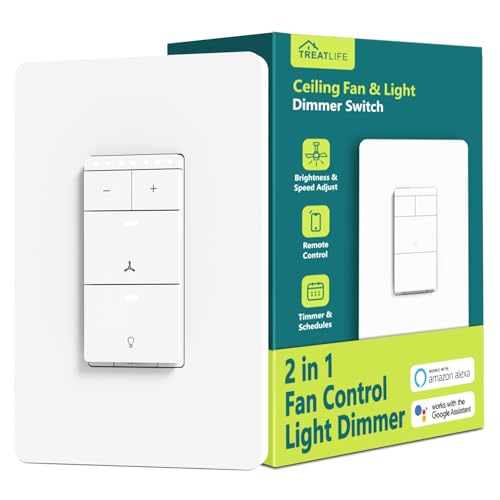
Smart Ceiling Fan Control and Dimmer Light Switch
This Treatlife 2-in-1 switch provides smooth dimming and four fan speeds with a gentle on-off effect. It works with Alexa and Google Assistant, and supports scheduling via the Smart Life app.
Strengths
- Smooth flicker-free dimming
- Gentle on-off lighting effect
- Scheduling and timers
Drawbacks
- Not compatible with HomeKit
- Requires separate fan and light wires
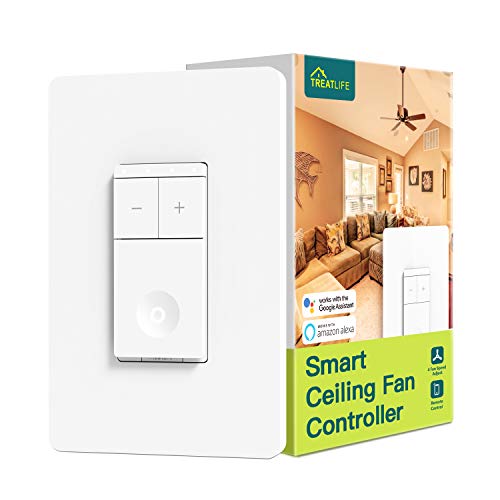
TREATLIFE Smart Fan Switch
The TREATLIFE fan-only switch is a straightforward solution for controlling your ceiling fan with four speeds and app scheduling. It works with Alexa and Google Assistant and includes two wall plates.
Strengths
- Dedicated fan control
- Includes two wall plates
- App and voice control
Drawbacks
- No light control
- Not compatible with DC fans

Lutron Caseta Smart Fan Speed Control Switch
The Lutron Caseta is our top pick because it works with the most smart home platforms, supports wireless Pico remotes, and often does not require a neutral wire. It offers four speeds and easy 3-way expansion.
Strengths
- Broad smart home integration
- Wireless Pico remote support
- No neutral wire needed in most homes
Drawbacks
- Requires Caseta Smart Hub
- Pico remote sold separately
Buying considerations
Fan and Light Control
Check if the switch controls both the fan speed and the light separately. Many switches only handle one function, so a combined unit like the Kasa model saves space and simplifies wiring, especially for ceiling fans with a light kit.
Hub Requirements
Determine if the switch needs a separate hub to work. Some models, like Lutron Caseta, require a hub for operation, while others connect directly to Wi-Fi. A hub-free switch is easier to install and reduces extra hardware costs.
Compatibility with Fans
Ensure the switch is compatible with your fan's motor type, especially for DC motors or older AC models. Some smart switches may cause humming or speed issues if not designed for your fan's voltage and wiring configuration.
Smart Home Integration
Verify the switch works with your preferred voice assistant or app, such as Alexa, Google Home, or Apple HomeKit. Seamless integration allows for routines, schedules, and remote control, which is the main benefit of upgrading to a smart switch.
Final word
The Kasa Smart Ceiling Fan Control & Dimmer Switch stands out for its dual functionality, letting you control fan speed and light dimming from one switch while integrating seamlessly with major smart home platforms.
Questions answered
Yes, but you must leave the pull chain on the highest speed setting for the smart switch to control speeds properly. If the chain is set to low, the switch may not adjust speed correctly, and the fan might not respond to commands.
Most smart fan switches, including the Kasa and Leviton models, require a neutral wire to power their Wi-Fi or Bluetooth radios. Check your electrical box before buying; if you lack a neutral, look for a switch that works without one, like the Lutron Caseta.
A single smart fan switch can control both fan speed and light dimming if it is a combined unit, like the Kasa Smart Ceiling Fan Control. Separate switches are needed if you want independent control for a fan and a light that are wired on different circuits.
It depends. If your fan uses a remote to change speeds, the smart switch may conflict with the receiver inside the fan. You might need to bypass or remove the receiver. Some fans are designed to work with wall switches, but many remote-only fans do not.
Typically, you press and hold the switch's button or a specific combination for 5-10 seconds until the LED blinks. For example, on the TREATLIFE switch, holding the top button for 10 seconds resets it. Check the manual for exact steps as they vary by brand.
Keep reading
Best Smart Switch For Ceiling Fan to Buy in 2026
Best Smart Light Switch For Fan to Buy in 2026

Best Zigbee Smart Light Switch of 2026: Top Picks Compared

Best Z-wave Smart Light Switch for 2026, Ranked

Best Smart Light Switch With Scene Control for 2026, Ranked
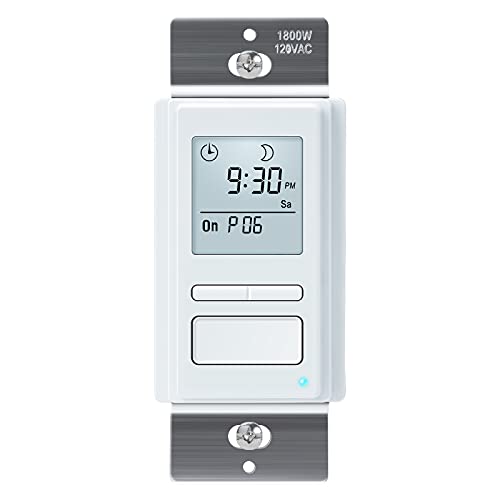
The Best Smart Light Switch With Timer for 2026

The Best Smart Light Switch For Led Bulbs for 2026
