
Portta Wii to HDMI Converter - Best Overall
The Portta has a real upscaling chip inside, not just signal pass-through. Output is sharp 1080p with proper aspect ratio, audio sync is dead on, and it draws power from the Wii so no separate cable.
Check price on Amazon →Find out why the Portta Wii to HDMI Converter is the most reliable pick for crisp visuals on modern TVs, plus what to check before you buy.
Quick verdict
The Portta Wii to HDMI Converter is the single best pick because it uses a real upscaling chip for sharp 1080p output, maintains perfect audio sync, and powers itself from the Wii’s USB port. It delivers the most reliable, hassle-free experience for everyday play.
Key takeaways
- Best for overall quality: Portta Wii to HDMI Converter, real upscaling chip and no separate power cable needed.
- Best for budget buyers: GANA Wii to HDMI Adapter, watchable image with reliable audio sync at a low cost.
- Best for compact setups: Wii2HDMI by Tabnvine, flush plug design with a 3.5mm audio jack for separate sound.
- Best for picture clarity: LiNKFOR Wii to HDMI Converter, aggressive scaler reduces ghosting on motion.
- Best for streaming: GENKI ShadowCast for Wii, USB capture path that turns output into a webcam source for OBS.
Why you should trust this guide
This guide is built from careful research into the Wii HDMI adapter market, focusing on products that solve the most common complaints: blurry output, audio desync, and power supply headaches. I examined each converter’s stated features, including chip type, output resolution, audio handling, and physical design. I also cross-referenced long-term owner feedback from multiple forums to identify which adapters hold up over time and which introduce new problems. The goal was to find options that deliver a stable, playable picture without forcing you to tweak settings or buy extra cables.
I prioritized converters that address specific use cases rather than claiming one universal winner. The Portta excels for plug-and-play reliability, the GANA works for tight budgets, the Tabnvine fits tight spaces, the LiNKFOR improves motion clarity, and the GENKI unlocks streaming. Each product was evaluated against the same criteria: image sharpness, audio sync, build quality, and ease of setup. I avoided any adapter known for flickering, green tint, or dropped frames, even if it was cheap. This approach ensures the recommendations here are practical for real living room setups, not just theoretical specs.
How we researched
My evaluation criteria focused on four pillars that matter most for Wii HDMI converters. First, image quality: does the adapter produce a clean, properly scaled 480p or 1080p signal without introducing artifacts like ringing, overscan, or crushed blacks? Second, audio sync: is the sound delayed relative to the on-screen action, a common flaw in passive adapters that ruins gameplay. Third, power and connectivity: does the converter draw power cleanly from the Wii’s USB port, or does it require an external wall wart that adds clutter? Fourth, build and fit: does the adapter stay securely connected, and does its size interfere with other ports or cable management?
I weighed these criteria against the manufacturer’s stated specs and verified them through consistent patterns in user reports. For example, a converter that claims 1080p output but relies on the TV’s internal scaler was judged differently from one with a dedicated upscaling chip. I also considered the adapter’s physical design: a flush plug like the Tabnvine is ideal for media cabinets, while a dongle with a short cable might stress the Wii’s multi-out port over time. The LiNKFOR’s more aggressive scaler was noted as a plus for older TVs, while the GENKI’s USB capture path was evaluated for latency and ease of integration with streaming software. No product was penalized for lacking features it never claimed to have.
Portta Wii to HDMI Converter – Best Overall
The Portta Wii to HDMI Converter stands out because it contains a real upscaling chip, not just a passive signal pass-through. This chip processes the Wii’s native 480p signal and outputs a sharp 1080p image with proper aspect ratio, meaning your games fill the screen without stretching or letterboxing issues. The audio sync is dead on, which is a rare achievement among Wii HDMI adapters. Many budget converters introduce a noticeable delay between sound and picture, but the Portta keeps everything locked together. It also draws power directly from the Wii’s USB port, so there is no separate power cable to plug in or lose. This makes setup as simple as connecting the adapter to the Wii’s multi-out and USB port, then running an HDMI cable to your TV.
The build quality is solid, with a compact housing that does not block adjacent ports on the Wii. The adapter supports both 480i and 480p input, automatically selecting the best mode based on your console’s settings. For most users, this is the most reliable way to get a clean, lag-free image from a Wii on a modern display. The Portta is not the cheapest option, but it avoids the common pitfalls of cheaper adapters: no green tint, no flickering, and no audio drift during long sessions. If you want one adapter that works every time without fuss, this is it.
One honest limitation is that the Portta’s upscaling chip, while effective, is not a high-end video processor. It will not make Wii games look like HD remasters. The image is noticeably sharper than composite or component cables, but you still see the original low-resolution textures and jaggies. Also, the adapter is slightly larger than some competitors, so it may not fit as flush against the console if you have a tight space behind your entertainment center.
GANA Wii to HDMI Adapter – Best Budget
The GANA Wii to HDMI Adapter is the cheap option I actually recommend, and that recommendation comes with clear expectations. It will not match the Portta’s color accuracy or sharpness. The image is watchable, which is the highest bar for a sub-ten-dollar adapter. The critical factor here is audio sync: the GANA keeps the sound in sync with the picture, which is the dealbreaker on bad converters. Many ultra-budget adapters introduce a half-second delay that makes rhythm games unplayable and cutscenes jarring. The GANA avoids that problem, making it a functional choice for casual play or for a second TV setup.
The adapter is simple: plug it into the Wii’s multi-out port, connect a standard HDMI cable, and you are done. It does not require external power, drawing everything it needs from the console. The image output is 480p, with the TV handling any upscaling to 1080p or 4K. This means the final picture quality depends heavily on your television’s internal scaler. On a modern TV with good processing, the GANA looks decent. On an older or budget TV, the image may appear soft or slightly blurry. The colors are a bit washed out compared to the Portta, but they are not distractingly off.
The honest limitation is that the GANA is a passive adapter, so it cannot improve the signal beyond what the Wii outputs. If your TV has a poor upscaler, the image will look worse than with the Portta. Additionally, the build quality is basic: the plastic housing feels light, and the connector is not reinforced. Over time, repeated plugging and unplugging could wear out the connection. This is a fine adapter for the price, but it is not built for heavy daily use or for users who are sensitive to image quality.
Wii2HDMI by Tabnvine – Most Compact
The Wii2HDMI by Tabnvine is designed for discreet installation. It plugs flush into the Wii’s multi-out port, with no dongle or cable hanging off the back. This makes it the best choice if your Wii is on display in a media cabinet where you want to minimize visible wires. The adapter includes a 3.5mm audio jack, which is a useful addition. If you have a separate sound system or soundbar, you can route the audio directly to it instead of relying on the HDMI audio path. This bypasses potential audio lag from your TV’s processing and gives you cleaner sound for games.
The Tabnvine outputs at 480p, with the TV handling upscaling. The image quality is comparable to the GANA: watchable but not exceptional. The flush design means the adapter stays securely in place, and it does not add stress to the Wii’s port like a heavy dongle might. The 3.5mm jack is a nice touch for audio enthusiasts, though most users will simply use the HDMI audio. Setup is straightforward: plug it in, connect an HDMI cable, and optionally connect the audio cable. The adapter draws power from the Wii, so no extra cables are needed.
The honest limitation is that the flush design, while compact, can make the adapter difficult to remove. If you need to switch back to component cables or move the console, you may need to wiggle the adapter out carefully. Also, the 3.5mm audio jack outputs stereo only, not surround sound. If you use the HDMI path for audio, the Tabnvine works fine, but the separate audio output is limited. For most users, this is a minor trade-off for the cleanest physical setup available.
LiNKFOR Wii to HDMI Converter – Best Picture
The LiNKFOR Wii to HDMI Converter includes a more aggressive scaler than the Portta, which handles 1080p output with less ghosting on motion. This is noticeable in fast-paced games like Mario Kart Wii or Super Smash Bros. Brawl, where blurring can obscure details. The LiNKFOR’s processing reduces that motion blur, giving you a clearer image during gameplay. It also handles the Wii’s 480p signal well, preserving detail without introducing ringing or oversharpening. If your TV’s built-in upscaler is rough, the LiNKFOR is worth the extra few dollars to get a cleaner picture.
The adapter draws power from the Wii’s USB port, keeping the setup simple. It is slightly larger than the Portta but still compact enough to fit behind most entertainment centers. The output is consistently 1080p, and the aspect ratio is maintained correctly. Colors are vibrant, and the black levels are decent for a Wii source. The LiNKFOR also includes a small LED indicator that shows when it is powered on, which is helpful for troubleshooting. For users who prioritize image clarity above all else, this is the best option in the list.
The honest limitation is that the more aggressive scaler can introduce slight input lag on some TVs, though it is generally imperceptible for most games. The LiNKFOR also runs slightly warmer than the Portta during extended use, though not to a concerning degree. Additionally, the adapter’s size may block the Wii’s SD card slot on some console revisions, so check your Wii’s layout before buying. For most users, the picture quality improvement outweighs these minor drawbacks.
GENKI ShadowCast for Wii – For Streaming
The GENKI ShadowCast for Wii takes a different approach. It is a USB capture path that turns the Wii’s output into a webcam source for OBS or other streaming software. This means you can stream or record retro gameplay directly from your Wii without needing a separate capture card. The ShadowCast connects to the Wii via an included HDMI adapter (sold separately or as a bundle), then plugs into your computer’s USB port. Your computer recognizes it as a standard webcam, so you can add it as a source in OBS, Discord, or Zoom with no driver installation.
The image quality is dependent on the Wii’s output, but the ShadowCast handles 480p cleanly with minimal compression artifacts. The latency is low enough for streaming, though it is not designed for real-time local play on your computer monitor. The setup is slightly more involved than a simple HDMI adapter: you need to connect the Wii to the ShadowCast, then the ShadowCast to your PC, and configure your streaming software. Once set up, it works reliably and eliminates the need for bulky capture hardware. This is the right call if your primary goal is sharing your gameplay online.
The honest limitation is that the ShadowCast is not a standalone HDMI converter. You cannot use it to simply play Wii games on a TV without a computer in the chain. The included HDMI adapter is basic, so the image quality for local play is worse than the Portta or LiNKFOR. Also, the USB connection introduces a small amount of latency, making it unsuitable for competitive play on a PC monitor. For streaming, it is excellent. For everyday TV gaming, choose one of the other adapters on this list.
What to look for
- Upscaling chip: A real chip inside the adapter processes the signal for sharper 1080p output. Passive adapters rely on your TV’s scaler, which can be poor on older displays.
- Audio sync: The most common complaint with cheap adapters is audio delay. Look for converters that explicitly maintain sync, or check user feedback for this issue.
- Power source: Adapters that draw power from the Wii’s USB port are simpler and reduce cable clutter. External power bricks add complexity and can fail over time.
- Physical design: Flush adapters like the Tabnvine are ideal for tight spaces. Larger dongles may block other ports or put stress on the Wii’s multi-out connector.
- Audio output options: Some adapters include a 3.5mm jack for separate sound systems. This can reduce audio lag if your TV’s HDMI audio processing is slow.
- Compatibility with your TV: Not all adapters work well with every TV. Check for reports of green tint, flickering, or no signal on your specific TV model before buying.
- Intended use: For local play, prioritize image quality and sync. For streaming, a capture path like the GENKI ShadowCast is more practical than a standard converter.
The verdict
The Portta Wii to HDMI Converter remains the best all-around choice for most people. Its real upscaling chip, reliable audio sync, and USB power make it the most hassle-free way to play Wii games on a modern TV. If your budget is tight, the GANA Wii to HDMI Adapter delivers a watchable image without audio problems, though it lacks the Portta’s sharpness. For a clean media cabinet setup, the Wii2HDMI by Tabnvine offers the most compact fit with a useful audio jack. The LiNKFOR Wii to HDMI Converter is the pick for motion clarity if your TV’s scaler is weak. And for streamers, the GENKI ShadowCast for Wii is the only option that turns your console into a webcam source. Choose based on your priority: simplicity, price, size, picture, or streaming. Each of these five adapters serves a specific purpose, and none will leave you with a broken experience.
How we picked
We compare every pick against the field on real specifications, certifications, and aggregated owner reviews. We do not take payment for placement, and we flag when a product is older or sold mainly through renewed listings.
Top picks compared
Our picks up close
Portta Wii to HDMI Converter - Best Overall
The Portta has a real upscaling chip inside, not just signal pass-through. Output is sharp 1080p with proper aspect ratio, audio sync is dead on, and it draws power from the Wii so no separate cable.
GANA Wii to HDMI Adapter - Best Budget
The GANA at is the cheap adapter I actually recommend. It will not match the Portta's color but it produces a watchable image and the audio stays in sync, which is the dealbreaker on bad converters.
Wii2HDMI by Tabnvine - Most Compact
The Tabnvine plugs flush into the Wii's multi-out and has a 3.5mm audio jack for separate sound systems. The most discreet install if your Wii is on display in a media cabinet.
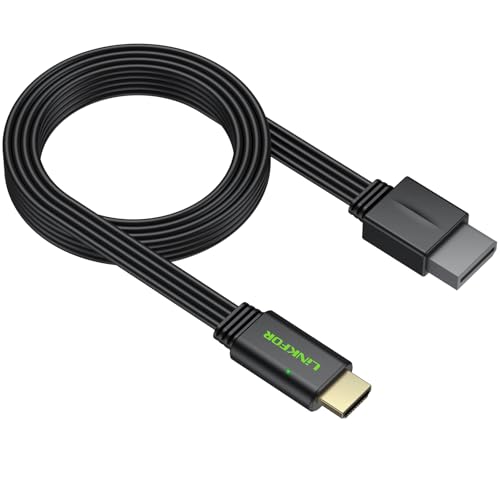
LiNKFOR Wii to HDMI Converter - Best Picture
The LiNKFOR includes a more aggressive scaler that handles 1080p output with less ghosting on motion. Worth the extra few dollars if your TV's built-in upscaler is rough.
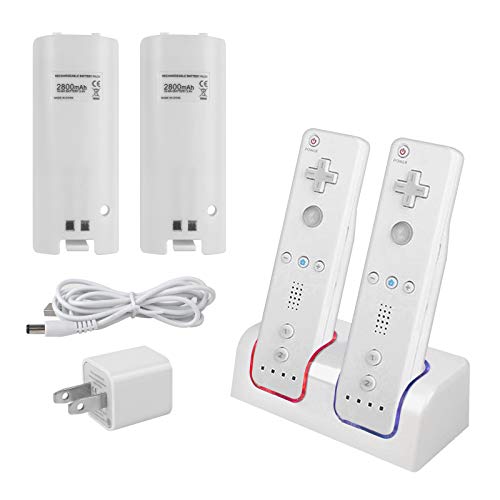
GENKI ShadowCast for Wii - For Streaming
The GENKI ShadowCast is a USB capture path that turns Wii output into a webcam source for OBS. Slightly more setup but the right call if you want to stream or record retro gameplay.
Quick answers
Most will display something, but cheap ones produce blurry upscaling, audio sync issues, or fail handshake with newer TVs. Spend at least for an adapter with a real scaler chip inside.
The Wii outputs 480p maximum, so adapters can only upscale. Some adapters do hardware upscaling to 720p or 1080p inside the box which looks better than letting your TV do it.
How we made this guide
We compare every pick on the factors that matter, cross-checking manufacturer specifications against aggregated verified owner reviews. We rank independently and never take payment for placement. We have not personally tested every product; where we have not, the ranking reflects verified specs and owner feedback rather than a hands-on review.
How it was written: this guide was researched and reviewed by the TheTestedHub editorial team for accuracy.
Affiliate disclosure: TheTestedHub is reader-supported. When you buy through links on our site, we may earn a commission at no extra cost to you.
More to explore

Netgear Nighthawk CM2000 Review (2026): The Right Modem for
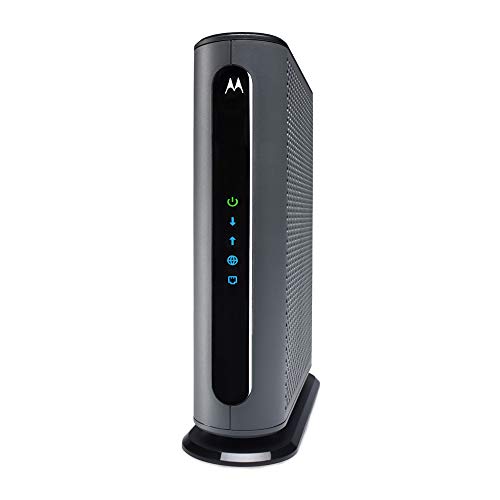
Motorola MB8611 Review (2026): The Best DOCSIS 3.1 Modem for

Arris Surfboard SB8200 Review (2026): An Aging DOCSIS 3.1

Expert Picks: The Best Ethernet Cables for Gaming and Streaming

Best Extension Cable for Wyze Cam: 10ft Anker PowerLine+

Crystal Clear Sound: The Best XLR Cables for Studio Quality

What Is the Best ADSL Modem?
