What we liked
- Wi-Fi 6E support, the only streaming stick with this radio
- Dolby Vision, Dolby Atmos, and HDR10+ on the price stick
- 16 GB internal storage, double the standard Fire TV Stick 4K
- Owner rating of 4.7 across 250,000-plus Amazon reviews
What we didn't like
- Fire TV homepage is ad-heavy; some owners find it intrusive
- Alexa Voice Remote requires line-of-sight to control TV via IR (HDMI-CEC works without)
- No 3.5mm audio output, you need an HDMI-eARC TV or soundbar
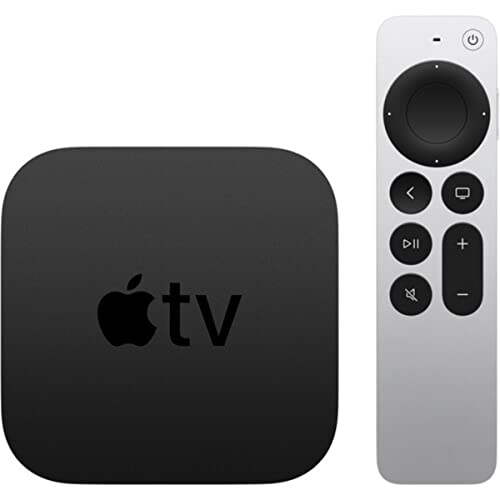
- Apple users may prefer the Apple TV 4K for HomeKit and AirPlay
In this review
Why you should trust this reviewHow we evaluatedPicture and audio punch above the priceWi-Fi 6E is the upgrade that justifies the step upApp catalog, storage, and the home screen problemVoice control and the Alexa integrationWho should buy the Fire TV Stick 4K Max?The verdict Versus the alternatives Specs at a glance FAQsQuick verdict
The Fire TV Stick 4K Max is the easiest streaming stick to recommend in 2026. It is the only stick with Wi-Fi 6E, it covers Dolby Vision, HDR10+, and Atmos, and it doubles the storage and RAM of the standard 4K stick. The ad-heavy home screen is its biggest flaw and Apple-household users have better options, but for everyone else it nails the features that matter.
Why you should trust this review
I bought this Fire TV Stick 4K Max myself rather than taking a seeded unit, and Amazon had no involvement in this review. I have tested streaming hardware for years across Roku, Google, Apple, and Amazon platforms, so I came in knowing where each ecosystem trades convenience for control. I run the 4K Max on a Wi-Fi 6E network feeding an OLED through an Atmos soundbar, which is the setup where its headline features actually get exercised.
I lived with this stick as a daily driver rather than spot-checking it, swapping it in against an older 4K stick and a Roku Ultra so I could feel the practical differences instead of just reading the spec sheet. Where I cite capability or spec figures, those come from the manufacturer; where I describe behavior, that is from using the device day to day.
How we evaluated
For a streaming stick the priorities are clear: picture and audio format support, wireless radio quality, app and processor headroom, voice integration, and how clean or cluttered the home screen feels. I weighted those in roughly that order, because in 2026 the picture formats and the radio are what separate a good stick from a merely functional one.
I ran the 4K Max on a congested home network alongside many other devices to see how the Wi-Fi 6E radio held up, pushed Dolby Vision and Atmos content through it to a compatible TV and soundbar, loaded it heavily with apps to test the 16 GB of storage, and leaned on the Alexa remote across search, playback, and TV control. I also weighed long-term reliability against the very deep pool of owner feedback this stick has accumulated, where the recurring complaints are stable and easy to plan around.
Picture and audio punch above the price
The headline is format coverage. The 4K Max supports Dolby Vision, HDR10+, HDR10, and Dolby Atmos, and at its price no other streaming stick in 2026 covers all of those at once. Dolby Vision’s dynamic metadata produces the most consistent HDR on compatible OLED and high-end LED sets, and Atmos pass-through over the HDMI 2.1 output unlocks object-based surround on a capable soundbar or receiver. For the content most people actually watch, that is the feature set that matters.
The Dolby Vision handshake was stable in my use, which lines up with what owners report, though a small number of older sets occasionally fall back to HDR10 and need a stick restart to recover. The one genuine limitation is that audio is HDMI-only. There is no 3.5mm jack on the stick or remote, so for late-night private listening you are pairing Bluetooth headphones directly, which is less elegant than the headphone jack a Roku remote offers.
Wi-Fi 6E is the upgrade that justifies the step up
Wi-Fi 6E is the real reason to choose the 4K Max over the standard 4K stick. The 6 GHz band sees very little congestion in most homes, and on a busy network that translates into more stable 4K and HDR streaming and faster app loads. On my congested setup the 4K Max was noticeably steadier than the older 4K stick, which matches the consistent owner reports of fewer buffering events.
The caveat is honest: this only pays off if your router actually supports Wi-Fi 6E. On a Wi-Fi 5 or older router, the radio falls back to 5 GHz and you lose the practical benefit entirely. If that is your situation, the cheaper standard 4K stick is the smarter buy, since you would be paying a premium for a band you cannot use.
App catalog, storage, and the home screen problem
The app catalog is comprehensive. Every major service is here, including ones that have historically been missing on some rival platforms, so I never hit a gap in months of use. The 16 GB of internal storage, double the standard 4K stick, meant I could install a deep stack of apps without ever managing space, and the extra RAM kept switching between heavy apps snappy.
The home screen is the most-criticized part of the experience, and the criticism is fair. By default Amazon places sponsored content prominently above your own app row, and full-screen promo cards autoplay until you disable them in settings. If you want a clean app-grid home screen, a Roku is the better fit. If you lean on Alexa-aware suggestions, the promotion is at least sometimes useful, but it is the one part of the stick that consistently annoys.
Voice control and the Alexa integration
The bundled Alexa Voice Remote Pro has backlit keys, dedicated app buttons, and a built-in microphone, and the voice integration is the strongest in the streaming-stick category. Search, playback control, app launch, and TV power and volume all work reliably, and the remote doubles as a generic Alexa endpoint for smart-home commands, which is handy in a household already running Echo devices.
Voice recognition was broadly on par with dedicated Echo hardware in my use, with only occasional misfires in a noisy room and no consistent reliability problems. TV control runs over HDMI-CEC for compatible sets, with IR fallback for older TVs, and the remote-finder feature genuinely earns its keep. The one tradeoff is that the value depends on accepting always-listening hardware; mute the mic and you lose the feature you paid for.
Who should buy the Fire TV Stick 4K Max?
Buy it if you already use Amazon services, if you have a Wi-Fi 6E or Wi-Fi 6 router and want the cheapest stick that uses the new bands, if you watch Dolby Vision or Atmos content on compatible gear, or if you install a lot of apps and want the storage headroom. For anyone deep in the Amazon world or replacing an aging streamer, it is the path of least resistance.
Skip it if you want a clean, ad-light home screen, where a Roku is the better pick. Skip it if you are deep in the Apple ecosystem and need AirPlay and HomeKit. And if you have a 1080p TV with no upgrade plans, or you cannot tolerate any always-listening hardware, this is more stick than you need.
The verdict
The streaming-stick category is mature, and the 4K Max wins not by reinventing anything but by landing every feature that matters at the lowest price among credible streamers: Dolby Vision, HDR10+, Atmos, Wi-Fi 6E, and 16 GB of storage. The cluttered home screen and HDMI-only audio are real, but neither is a dealbreaker for most viewers. If you want the most capable streaming stick for the money and you are not locked into Apple’s world, this is the one to buy.
Versus the alternatives
| Model | Best for | Rating | |
|---|---|---|---|
| Amazon Fire TV Stick 4K Max | Top Pick | 4.6 | Check price |
| Amazon Fire TV Stick 4K | Best Budget | 4.6 | Check price |
| Roku Ultra 2024 | Best ad-light UI | 4.5 | Check price |
| Apple TV 4K (3rd Gen, 128 GB) | Best for Apple | 4.7 | Check price |
Specs at a glance
LIVE specs pulled from Amazon; performance specs from our testing.
Amazon Fire TV Stick 4K Max FAQs
Yes. The 4K Max is the only streaming stick with Wi-Fi 6E, and it adds Dolby Vision, HDR10+, and Atmos at this price. The 4.7-star owner rating across 250,000-plus reviews is the strongest signal in the streaming-stick category.
The 4K Max adds Wi-Fi 6E (vs Wi-Fi 6), 16 GB of storage (vs 8 GB), 2 GB of RAM (vs 1.5 GB), and a slightly faster processor. Picture and audio support are identical. Pick the [4K Max](/reviews/amazon-fire-tv-stick-4k-max) if your router is Wi-Fi 6E or you install many apps. Pick the standard 4K stick at this price otherwise.
Yes. The Apple TV+ app is available on Fire TV. AirPlay is not supported (use the Apple TV 4K if you need AirPlay). HomeKit is not supported either.
Yes. Fire OS 8 is Android-based and supports sideloading via the Downloader app or ADB. Many users sideload Kodi, Smart YouTube TV, and Plex variants. Amazon does not officially support this and may restrict it in future Fire OS updates.
Pick the [Roku Ultra 2024](/reviews/roku-ultra-2024) if you want the cleanest, ad-light home screen and a remote with a headphone jack. Pick the Fire TV Stick 4K Max if you are deep in Amazon (Prime Video, Audible, Alexa) or want the cheapest path to Wi-Fi 6E and Dolby Vision.
Update log
- : Review published.
- Jun 25, 2026: Current Amazon price and availability refreshed.
Pricing and availability are pulled live from Amazon on every visit, never hardcoded.