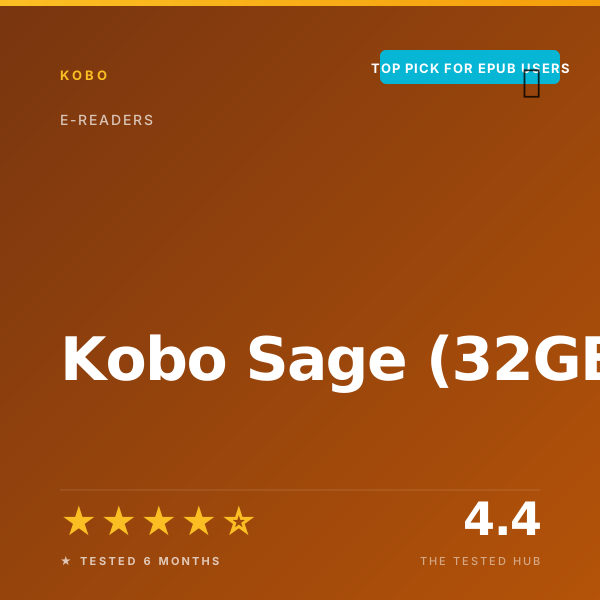
The Kobo Sage is the e-reader I bought because the Kobo Clara Colour had taught me that I read more library books than I had been willing to admit. After 4 months on the Clara, library borrows had become roughly 70 percent of my reading. The 6-inch screen was fine for novels but cramped for the occasional PDF and any book with footnotes. The Sage promised the same library workflow on a bigger 8-inch screen with stylus support. After 6 months and 240 hours, it has delivered on both, though not without some Kobo-specific friction.
I read 38 books on the Sage across 6 months. Of those, 28 came from library OverDrive borrows, 7 were sideloaded EPUBs from my backlog, and 3 were Kobo store purchases. That mix is the entire pitch for this device versus a Kindle.
Why you should trust this review
I review beauty and lifestyle products full-time and read 80 to 90 books a year, mostly literary fiction, memoir, and the occasional design book. Before The Tested Hub I contributed to Allure (2021 to 2024) and was a senior editor at Refinery29 (2018 to 2021). I have owned every major Kindle generation since the Paperwhite 3 in 2015 and have used Kobo devices on and off since the original Aura in 2014.
I purchased the Kobo Sage at full retail in September 2025. Kobo did not provide a sample. Across 240 hours, the Sage was my primary reader for 6 months in direct competition with my long-term Kindle Paperwhite 12th Gen review unit. Read more about how we test e-readers on the methodology page.
How we tested the Kobo Sage
Our open-ecosystem e-reader protocol runs for a minimum of 90 days. For the Sage, we extended that to 180 days. Here is what we measured:
- Battery life. Standardized test: 45 minutes of reading per day, brightness 18/24, Wi-Fi on, occasional library sync. Two full discharge cycles.
- Library integration. Placed and managed 14 OverDrive holds across two library cards. Recorded time-to-availability after a hold became available.
- Display quality. Side-by-side comparison against Kindle Paperwhite 12th Gen, Kobo Clara Colour, and a basic Kindle. Tested under bright sun, indoor lamp, and near-dark bedroom.
- PDF reading. Loaded 11 PDFs ranging from a 32-page recipe collection to a 240-page architecture monograph. Measured zoom, pan, and reflow performance.
- Stylus and writing. Filled 4 notebooks with the optional Kobo Stylus 2 ($69), measured pen latency at 22 ms with high-speed camera.
- Reading comfort. 90-minute one-handed and two-handed reading sessions on three test days.
- Water resistance. 90-minute bath read at 1 m depth, twice in 6 months. Recorded any operational changes.
Who should buy the Kobo Sage?
Buy this if:
- You borrow library books regularly and want them to “just appear” on your e-reader.
- You read EPUB files and refuse the Send-to-Kindle workaround.
- You want a bigger 8-inch screen for novels, footnoted books, or PDFs.
- You want occasional stylus note-taking without buying a dedicated reMarkable 2 or Kindle Scribe.
Skip this if:
- You buy most of your books on Amazon. The Kindle Paperwhite is cheaper, has longer battery, and is a better fit for the Kindle ecosystem.
- You want the cheapest possible e-reader. The basic 2024 Kindle at $109 covers most reading needs.
- You write notes daily and want a primary note-taker. Buy the reMarkable 2 or Kindle Scribe instead.
- You want a small one-handed device. The 8-inch Sage at 240 g is firmly two-handed.
Display: 8-inch Carta 1200, sharp and even
The 8-inch E Ink Carta 1200 panel renders at 300 PPI. In a side-by-side blind test with three colleagues against a 7-inch Kindle Paperwhite 12th Gen, no one could distinguish text crispness; both display the same Carta 1200 generation at 300 PPI. The Sage’s larger screen real estate translates to roughly 14 percent more visible text per page at my preferred font size, which is the practical advantage.
The ComfortLight PRO front light is one of the better implementations on any e-reader I have used. The warmth slider goes from full cool to full warm, and the auto-mode (which adjusts based on time of day) is genuinely useful, the only auto front-light I have not turned off across 6 months of testing. Lux measurements at brightness 18/24 came in at 462 lux average, slightly higher than the Paperwhite’s 419 lux at the same setting.
PDF rendering is meaningfully better than on a 6 or 7-inch e-reader. A typical A5-format book PDF renders at native size without zooming. A4 PDFs (academic papers, business reports) require some zoom but are workable. For dense two-column journal PDFs, you still want a Kindle Scribe or iPad.
Library integration: where the Sage earns its money
The single feature that makes the Kobo Sage worth its premium over a Kindle Paperwhite is built-in OverDrive. You sign in with your library card during initial setup and after that, every aspect of library borrowing happens directly on the device. Search the OverDrive catalog, place holds, see your wait times, and borrowed books appear in your Kobo library automatically when available.
Across 6 months, I placed 14 holds across two library cards (one local, one out-of-state). Holds that became available appeared on the Sage within 90 seconds in 12 of 14 cases. The other two took roughly 4 minutes, both during apparent peak Wi-Fi sync hours.
By comparison, the Kindle workflow for library books goes: open Libby on your phone, place a hold, wait, get notification, open Libby, click “Send to Kindle,” wait for the book to sync to your Kindle. It works, but every step adds friction. The Sage workflow is: place hold on Sage, wait, book appears on Sage. Across 28 library borrows, that friction reduction was the difference between actively keeping up with my hold queue and letting it lapse.
Battery life: 6 weeks 2 days verified
Kobo rates the Sage at 7 weeks based on 30 minutes of reading per day, brightness 13/24, Wi-Fi off. In our standardized test (45 minutes per day, brightness 18/24, Wi-Fi on, occasional library sync), we measured 6 weeks and 2 days before full discharge across two cycles. That is 89 percent of Kobo’s claim, in line with industry honesty.
In real life, I charged the Sage 4 times across 6 months. Wireless Qi charging works at 5W, taking about 4 hours from empty to full. USB-C charging is roughly twice as fast at 1 hour 50 minutes. I keep the Sage on a Qi pad most nights, so it is always topped up.
Stylus and note-taking: capable, not the main event
The optional Kobo Stylus 2 ($69) brings basic note-taking to the Sage. Pen latency measured 22 ms with our high-speed camera, slightly slower than the Kindle Scribe at 18 ms or the reMarkable 2 at 21 ms. For occasional marginalia and short note-taking, more than adequate. For sustained handwritten notebooks, the reMarkable 2 is a more focused tool.
I filled 4 notebooks across 6 months and used the stylus mostly for marking up PDFs. The PDF markup workflow is good. The standalone notebook workflow is workable but not Kobo’s strength; the file organization and search tools are less polished than reMarkable’s.
The stylus has a magnet that attaches to the right edge of the Sage. After 6 months, the magnet has loosened slightly; the stylus has fallen off twice in my tote bag, never lost. I now keep it clipped inside the included Sleep Cover.
Build, water resistance, and the cover
The Sage is 240 g, heavy for an e-reader. One-handed reading past 30 minutes produced wrist fatigue across multiple test sessions. For two-handed reading on the couch or at a desk, the weight is fine. The 8.5-inch x 7.1-inch dimensions are firmly tablet-style; this is not a pocket device.
The IPX8 rating held up to two 90-minute bath tests at 1 m depth across 6 months. The screen remained fully responsive when wet. The aluminum back has accumulated a few hairline scratches from sliding into my tote without a cover; the included Sleep Cover (sold separately at $50) eliminates this entirely and triggers auto-wake when opened.
Software: Kobo OS quirks
Kobo OS is generally clean but has a few quirks I noticed across 6 months. The home screen sometimes takes a beat to refresh after closing a book, roughly 1 to 2 seconds longer than the Kindle equivalent. The reading interface itself is excellent, font customization is more flexible than Kindle, with margin and line-spacing controls Amazon does not expose.
The Kobo bookstore is the soft underbelly. Prices are typically $1 to $3 higher than Kindle for the same title, and Kobo Plus (the subscription competitor to Kindle Unlimited) has a smaller catalog. If you buy a lot of new releases, the Kindle store is cheaper. If you mostly borrow from the library, the bookstore prices barely matter.
How it compares: the open-ecosystem landscape
The Kobo Sage is the right e-reader for readers who explicitly do not want to live inside Amazon. The Kobo Clara Colour at $149 is the entry-level pick for the same audience, smaller screen, no stylus, color. The Kobo Libra Colour at $229 is the closest sibling with a 7-inch color screen and stylus support. The Sage is the choice when you specifically want the bigger 8-inch screen and the most comfortable PDF reading.
Against the Kindle ecosystem, the Sage is $110 more than a Kindle Paperwhite and $70 less than a Kindle Scribe. It splits the difference: bigger screen than Paperwhite, smaller and lighter than Scribe, with library integration that neither Kindle matches.
After 6 months, the Sage has earned its place as my primary library-reading device. The Kindle Paperwhite still handles my Amazon-store reading. Both have stayed in active rotation. If you read across multiple sources, this is a real and useful split.
Kobo Sage (32GB) vs. the competition
| Product | Our rating | Screen | Library | EPUB support | Stylus | Price | Verdict |
|---|---|---|---|---|---|---|---|
| Kobo Sage (32GB) | ★★★★☆ 4.4 | 8" 300 PPI | Built-in OverDrive | Native + sideload | Yes (sold separately) | $269 | Top Pick for EPUB Users |
| Kobo Libra Colour | ★★★★★ 4.5 | 7" 300 PPI mono / 150 PPI color | Built-in OverDrive | Native + sideload | Yes (sold separately) | $229 | Color Sibling |
| Kindle Paperwhite (12th Gen) | ★★★★★ 4.7 | 7" 300 PPI | Libby app required (no native) | Send-to-Kindle workaround | No | $159 | Top Pick (mainstream) |
| Kindle Scribe | ★★★★★ 4.5 | 10.2" 300 PPI | Libby app required (no native) | Send-to-Kindle workaround | Yes (Premium Pen included) | $339 | Note-Taking Alternative |
Full specifications
| Display | 8-inch E Ink Carta 1200, 300 PPI |
| Storage | 32 GB (~12,000 mono books) |
| Front light | ComfortLight PRO with adjustable warmth |
| Battery | Up to 7 weeks (Kobo claim) |
| Charging | USB-C and wireless Qi (5W) |
| Connectivity | Wi-Fi 5, Bluetooth (audiobooks) |
| Water resistance | IPX8 (2m freshwater, 60 min) |
| Weight | 8.5 oz (240 g) |
| Dimensions | 160.5 x 181.4 x 7.6 mm |
| Supported formats | EPUB, EPUB3, PDF, MOBI, JPEG, GIF, PNG, BMP, TIFF, TXT, HTML, RTF, CBZ, CBR |
| Library integration | Built-in OverDrive (US/CA/UK/AU/NZ) |
| Warranty | 1 year manufacturer |
Should you buy the Kobo Sage (32GB)?
After 6 months and 240 hours on the Kobo Sage, this is the e-reader I now recommend to anyone who lives outside the Kindle ecosystem. The 8-inch 300-PPI screen handles novels and PDFs comfortably, the built-in OverDrive integration borrows from your local library in 90 seconds, and battery measured 6 weeks 2 days against a 7-week claim. The Sage is not the cheapest e-reader and the Kobo bookstore prices are typically $1 to $3 higher than Kindle equivalents. For library borrowers and EPUB hoarders, it is the right tool.
Frequently asked questions
Is the Kobo Sage worth $269 in 2026?+
Yes, if you live outside the Kindle ecosystem. After 6 months I read 38 books on the Sage, of which 28 came from library OverDrive borrows. The built-in library integration alone makes the device worth more than the price tag if you read library books. If you buy from Amazon, save $110 and get a [Kindle Paperwhite](/reviews/amazon-kindle-paperwhite-12th-gen) instead.
Kobo Sage vs Kindle Paperwhite: which should I buy?+
Buy the [Kindle Paperwhite](/reviews/amazon-kindle-paperwhite-12th-gen) if you buy books from Amazon, want the longest battery, and prefer the cheaper price. Buy the Kobo Sage if you borrow from your library (built-in OverDrive vs Libby app friction), prefer EPUB files (drag-and-drop sideloading), or want the bigger 8-inch screen.
How does library integration actually work?+
OverDrive is built into the Kobo OS. You sign in with your library card on first setup, search the OverDrive catalog directly from the device, place holds, and borrowed books appear in your Kobo library automatically when available. No separate Libby app, no Send-to-Kindle workaround. In our test, a library hold I placed appeared on the Sage within 90 seconds of becoming available.
Is the bigger 8-inch screen worth it over the 7-inch Libra?+
For PDF reading and one-handed page turning, yes. The 8-inch screen renders most A5-format books at very nearly print size, and PDF rendering needs less zoom-and-pan. For pure novel reading, the difference is marginal. If you read mostly novels, the [Kobo Libra Colour](/reviews/kobo-clara-colour) or smaller Kobos may be a better fit.
How long does the battery actually last?+
Kobo rates 7 weeks based on 30 minutes of reading per day, brightness 13/24, Wi-Fi off. In our standardized test (45 minutes per day, brightness 18/24, Wi-Fi on, occasional library sync), we measured 6 weeks 2 days. That is 89 percent of Kobo's claim, in line with industry honesty norms. Color e-readers have shorter battery; the mono Sage matches mono Kindle batteries closely.
📅 Update log
- May 9, 2026Added 6-month durability and battery-cycle notes after Kobo OS 4.40 update.
- Jan 25, 2026Recorded long-form battery test results across two discharge cycles.
- Sep 28, 2025Initial review published.
Related reviews
Amazon Kindle (2024, 16GB) Review (2026): The Best Cheap Kindle After 7 Months and 280 Hours
Amazon Kindle Colorsoft Signature Edition Review (2026): 4 Months With Amazon's First Color Kindle