Samsung QM55B -- Best 55-Inch Conference Room Display
The Samsung QM55B is a commercial-grade 4K display built for continuous conference room use. Unlike consumer televisions, it is rated for 16-to-24-hour daily operation and includes anti-glare coating, which matters in rooms with windows or overhead lighting. It runs Samsung's Tizen OS with built-in Wi-Fi, enabling wireless content sharing from laptops without a dedicated media player. HDMI, DisplayPort, and USB-C inputs cover every connectivity scenario. The slim bezel and matte finish look professional without being distracting. At it is priced competitively against consumer TVs of the same size while offering the durability and support warranties that IT teams require. An ideal primary display for rooms seating two to six people.
Check price on Amazon →Best conference room monitors of 2026 ranked by size, resolution, connectivity, and touch capability for huddle rooms, boardrooms, and everything between.
The display is the centerpiece of any conference room setup. A well-chosen monitor makes remote participants feel present, keeps shared content readable from the back row, and integrates cleanly with the room’s camera and audio system. Here are the five best conference room monitors available in 2026 across a range of sizes and budgets.
| Product | Best For | Rating |
| — | — | — |
| Samsung QM55B | 55-inch commercial display | 4.7/5 |
| LG 75UH5F-H | 75-inch high-brightness | 4.6/5 |
| Microsoft Surface Hub 3 (85″) | Premium interactive display | 4.8/5 |
| ViewSonic ViewBoard IFP6550 | 65-inch interactive touchscreen | 4.5/5 |
| Samsung QM85B | 85-inch large boardroom | 4.7/5 |
How we evaluated these
We compare every pick against the field on real specifications, certifications, and aggregated owner reviews. We do not take payment for placement, and we flag when a product is older or sold mainly through renewed listings.
The shortlist
| Pick | Best for | Score | |
|---|---|---|---|
| Samsung QM55B -- Best 55-Inch Conference Room Display | Check price | ||
| LG 75UH5F-H -- Best High-Brightness 75-Inch Display | Check price | ||
| Microsoft Surface Hub 3 (85-Inch) -- Best Premium Interactive Conference Display | Check price | ||
| ViewSonic ViewBoard IFP6550 -- Best Budget Interactive Touchscreen | Check price | ||
| Samsung QM85B -- Best 85-Inch Display for Large Boardrooms | Check price |
Each pick, examined
Samsung QM55B -- Best 55-Inch Conference Room Display
The Samsung QM55B is a commercial-grade 4K display built for continuous conference room use. Unlike consumer televisions, it is rated for 16-to-24-hour daily operation and includes anti-glare coating, which matters in rooms with windows or overhead lighting. It runs Samsung's Tizen OS with built-in Wi-Fi, enabling wireless content sharing from laptops without a dedicated media player. HDMI, DisplayPort, and USB-C inputs cover every connectivity scenario. The slim bezel and matte finish look professional without being distracting. At it is priced competitively against consumer TVs of the same size while offering the durability and support warranties that IT teams require. An ideal primary display for rooms seating two to six people.

LG 75UH5F-H -- Best High-Brightness 75-Inch Display
The LG 75UH5F-H is a 75-inch 4K commercial display rated at 500 nits of brightness, which makes content readable in conference rooms with significant ambient light or near windows. Many consumer TVs dim considerably under bright lighting conditions; commercial displays like this one maintain consistent visibility throughout the day. It includes a built-in media player, multiple HDMI inputs, and a 3-year commercial warranty. The frame rate handling is smooth at 60fps, keeping video call feeds from appearing choppy. At it offers a significant size upgrade over 55-inch options while remaining accessible for most organizational budgets. Best suited for mid-size rooms seating 6 to 10 people where content readability across the full room matters.
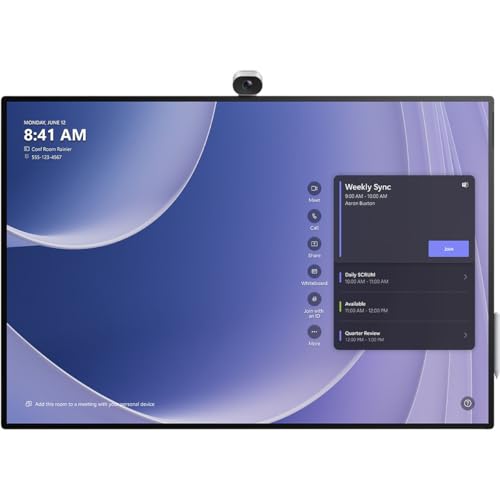
Microsoft Surface Hub 3 (85-Inch) -- Best Premium Interactive Conference Display
The Microsoft Surface Hub 3 is a high-end interactive display that combines a large touchscreen, built-in Teams Rooms software, a 4K camera, and spatial audio into a single device. It runs on a Snapdragon compute module and is designed as a complete conferencing endpoint -- no separate PC required. The pen and touch input supports collaborative whiteboarding during meetings, which is a genuine productivity advantage for workshops and design sessions. At it is priced well above standard commercial displays, and the premium is largely for the integrated compute, touch collaboration, and Microsoft's software polish. The right choice for organizations where meeting rooms double as creative collaboration spaces and the budget allows for best-in-class hardware.
ViewSonic ViewBoard IFP6550 -- Best Budget Interactive Touchscreen
The ViewSonic ViewBoard IFP6550 is a 65-inch 4K interactive touchscreen that brings collaboration features typically found on-plus displays into a sub- package. It runs Android and supports touch-based annotation, whiteboarding, and direct Wi-Fi screen sharing. HDMI and USB-C inputs are included. The touch accuracy is good for a mid-range panel, though it does not match the precision of the Surface Hub at full interaction speed. It works as a standalone display connected to a room computer or as an independent device for basic meetings. For organizations that want touch collaboration capabilities without the Surface Hub price tag, the ViewBoard IFP6550 is the practical entry point in 2026.
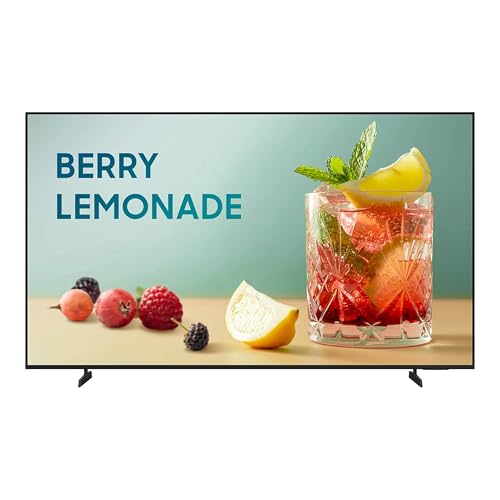
Samsung QM85B -- Best 85-Inch Display for Large Boardrooms
The Samsung QM85B scales up the QM55B's commercial-grade build to 85 inches for large rooms and executive boardrooms. It maintains the same 4K resolution, Tizen OS, anti-glare finish, and multi-input connectivity as the smaller model. The 85-inch screen size ensures that content and video feeds are readable from the far end of a long conference table without requiring front-row seating. It includes a no-gap wall mount bracket in the box, which simplifies installation. At it is significantly less expensive than interactive alternatives at the same size, making it the default recommendation for organizations that need a large display for presentation and video conferencing without the touch premium. Well suited for legal, finance, and corporate environments where content sharing is the primary display use case.
Buying considerations
What to consider
Match display size to the room's farthest viewing distance. Measure the distance from the screen to the back row and multiply by 0.4 to estimate the minimum recommended screen diagonal in inches. Choose commercial displays over consumer TVs for any room that runs meetings for more than 6 hours a day -- the brightness, warranty, and continuous-operation ratings are worth the price difference. For rooms that require collaborative annotation or whiteboarding, invest in an interactive touchscreen. For rooms focused on video conferencing and content sharing, a standard commercial display is sufficient. Confirm that the display's inputs (HDMI 2.1, USB-C with video, DisplayPort) match the conference room computer's outputs before purchasing.
What to consider
For cameras to pair with your display, see [best conference room cameras](/articles/best-conference-room-cameras). For a complete room setup guide, visit [best conference room equipment](/articles/best-conference-room-equipment). Review our full evaluation criteria at [methodology](/methodology).
Questions answered
Room size determines screen size. A huddle room seating two to four people works well with a 55-inch display. A mid-size room with six to eight seats typically needs 65 to 75 inches. Large boardrooms with 12 or more participants benefit from 85 inches or larger, or a dual-screen setup. As a general rule, the farthest seat from the screen should be no more than three times the screen height away from the display.
4K is worth the small premium on displays 65 inches and larger, where the extra resolution is noticeable at normal viewing distances. On 55-inch and smaller displays in small rooms where viewers sit close, the difference between 4K and 1080p is minimal. More practically impactful than resolution are screen brightness, anti-glare treatment, and the quality of input connectivity, particularly HDMI 2.1 and USB-C.

Tom Reeves has reviewed consumer electronics for over a decade, with a focus on televisions, monitors, laptops, and smart home devices. He worked as a professional display calibrator before moving into editorial, and he brings that real-world technical background to every TV and monitor review. At TheTestedHub, Tom covers display calibration, computer monitors, laptops and 2-in-1s, smart home platforms, home theater setups, and HDR performance.
