Quick verdict
For most people, the Logitech K400 Plus is the right answer - it does everything a couch keyboard needs to do at a price that removes any hesitation. Step up to the MX Keys Mini if you type extensively and want a premium feel. The Microsoft All-In-One is the best dedicated Windows media room option. Budget shoppers who need backlighting should look at the Rii i8+, and anyone managing multiple devices will appreciate

Logitech K400 Plus - Best Overall Couch Keyboard
The Logitech K400 Plus is the most recommended couch keyboard year after year for good reason. It uses a reliable 2.4GHz USB dongle for low-latency wireless, includes a built-in touchpad on the right side, and runs on two AA batteries that last up to 18 months. The keyboard layout is compact enough to balance on one knee while still including dedicated media keys for volume and playback. It pairs with any device that has a USB port including smart TVs, streaming boxes, Raspberry Pi media centers, and Windows PCs. The price is low enough that it's an easy recommendation for almost any living room setup.
Check price on Amazon →The best keyboards for couch use reviewed and ranked. Compact wireless keyboards with trackpads that work great from a distance, in your lap, or on a coffee table.
Typing from the couch is one of those small quality-of-life improvements that makes a real difference if you use a living room PC, media center, or stream from a laptop to your TV. A dedicated couch keyboard needs to be compact enough to balance in your lap, wireless enough to reach your device from across the room, and ideally include a trackpad or pointing device so you’re not hunting for a separate mouse. These five keyboards nail that combination.
| Keyboard | Best For | Rating |
| — | — | — |
| Logitech K400 Plus | Budget all-in-one couch keyboard | 4.7/5 |
| Logitech MX Keys Mini | Premium typing experience | 4.8/5 |
| Microsoft All-In-One Media Keyboard | Windows media center control | 4.5/5 |
| Rii i8+ Mini | Budget backlit option | 4.3/5 |
| iClever BK10 | Multi-device Bluetooth switching | 4.6/5 |
How we evaluated these
We compare every pick against the field on real specifications, certifications, and aggregated owner reviews. We do not take payment for placement, and we flag when a product is older or sold mainly through renewed listings.
The shortlist
| Pick | Best for | Score | |
|---|---|---|---|
| Logitech K400 Plus - Best Overall Couch Keyboard | Check price | ||
| Logitech MX Keys Mini - Best Premium Couch Keyboard | Check price | ||
| Microsoft All-In-One Media Keyboard - Best for Windows Media Centers | Check price | ||
| Rii i8+ Mini - Best Budget Backlit Keyboard | Check price | ||
| iClever BK10 - Best Multi-Device Keyboard | Check price |
Each pick, examined
Logitech K400 Plus - Best Overall Couch Keyboard
The Logitech K400 Plus is the most recommended couch keyboard year after year for good reason. It uses a reliable 2.4GHz USB dongle for low-latency wireless, includes a built-in touchpad on the right side, and runs on two AA batteries that last up to 18 months. The keyboard layout is compact enough to balance on one knee while still including dedicated media keys for volume and playback. It pairs with any device that has a USB port including smart TVs, streaming boxes, Raspberry Pi media centers, and Windows PCs. The price is low enough that it's an easy recommendation for almost any living room setup.
Logitech MX Keys Mini - Best Premium Couch Keyboard
The MX Keys Mini is what you choose when you want a genuinely pleasant typing experience away from a desk. The keys use a spherical dish design that guides your fingers naturally, and the key travel produces a satisfying, quiet click without being loud enough to bother anyone else in the room. Backlit keys adjust automatically based on ambient light. It connects via Bluetooth to up to three devices and switches between them with a dedicated button, making it useful for people who move between a laptop, tablet, and media PC. No built-in trackpad, so pair it with a compact wireless mouse.
Microsoft All-In-One Media Keyboard - Best for Windows Media Centers
Microsoft's All-In-One keyboard is purpose-built for Windows media center use with a full row of dedicated media hotkeys along the top. The built-in multi-touch trackpad is wide and responsive. The layout is well-suited to Windows navigation, and the keyboard connects via a small RF USB dongle with a stated range of 50 feet. It's slim enough to store under a couch cushion when not in use. Battery life is rated at up to 12 months. It lacks backlighting, but the button labeling is clear enough to use in dim rooms after a short adjustment period.

Rii i8+ Mini - Best Budget Backlit Keyboard
The Rii i8+ is a small wireless keyboard with a built-in touchpad and RGB backlighting at a very low price point. It uses a 2.4GHz dongle and includes a rechargeable battery via USB. The keys are smaller than standard, which takes a brief adjustment, but the backlight makes it genuinely usable in dark rooms where the other keyboards in this list fall short. It's a good fit for Raspberry Pi setups, Android TV boxes, and any scenario where you want a backlit keyboard for.
iClever BK10 - Best Multi-Device Keyboard
The iClever BK10 connects to up to three devices simultaneously via Bluetooth and switches between them with a dedicated key. It's compact, lightweight, and uses a full island-style layout with good key spacing for a keyboard this size. Battery life is rated at 40 hours per charge. No built-in trackpad, so it suits people who already have a preferred mouse or are controlling a smart TV where built-in navigation handles pointing tasks. The multi-device switching is the headline feature that makes it stand out from similarly priced options.
Buying considerations
Integrated touchpad
is the most important feature for couch use. Without a flat surface for a separate mouse, a built-in touchpad or trackball is essential unless your device has a remote-friendly interface.
Connection type
matters more than most buyers expect. RF 2.4GHz via USB dongle typically has lower latency and fewer interference issues than Bluetooth in busy households. Bluetooth wins when you want to connect to a smart TV or tablet without occupying a USB port.
Size and weight
determine lap comfort. Keyboards in the 11 to 13 inch range balance well across a single lap or across both knees. Anything wider than 14 inches becomes awkward to hold for extended sessions.
Battery life
affects convenience significantly. AA battery-powered keyboards can go months without attention, while rechargeable models need periodic USB charging but eliminate battery replacement costs over time.
Final word
For most people, the Logitech K400 Plus is the right answer - it does everything a couch keyboard needs to do at a price that removes any hesitation. Step up to the MX Keys Mini if you type extensively and want a premium feel. The Microsoft All-In-One is the best dedicated Windows media room option. Budget shoppers who need backlighting should look at the Rii i8+, and anyone managing multiple devices will appreciate
Questions answered
Compact tenkeyless or 60 to 75 percent keyboards are ideal for couch use because they fit comfortably on your lap or a couch cushion. Full-size keyboards are too wide to balance easily and require a flat surface. Many couch-friendly keyboards also include a built-in trackpad so you can navigate without needing a separate mouse, which matters when you have no desk nearby.
Most Bluetooth keyboards work reliably up to 30 feet, which covers virtually any living room distance. RF 2.4GHz keyboards using a USB dongle are typically rated to 33 feet and often feel more responsive with less input lag compared to Bluetooth. For a media PC or smart TV across the room, either standard works well, though RF is the better choice if you notice any Bluetooth interference from other devices.
Yes, most smart TVs support Bluetooth keyboards natively, allowing you to search, enter passwords, and navigate menus far faster than with a remote. Some TVs also accept USB keyboards through their USB ports. If you use a streaming stick or box like Roku, Fire TV, or Apple TV, check compatibility first as Bluetooth keyboard support varies by platform and model year.

Tom Reeves has reviewed consumer electronics for over a decade, with a focus on televisions, monitors, laptops, and smart home devices. He worked as a professional display calibrator before moving into editorial, and he brings that real-world technical background to every TV and monitor review. At TheTestedHub, Tom covers display calibration, computer monitors, laptops and 2-in-1s, smart home platforms, home theater setups, and HDR performance.
Keep reading

Keychron Q1 Pro Review (2026): The Best

Apple Magic Keyboard with Touch ID Review (2026): The Mac

Logitech MX Keys S Wireless Keyboard Review (2026): The
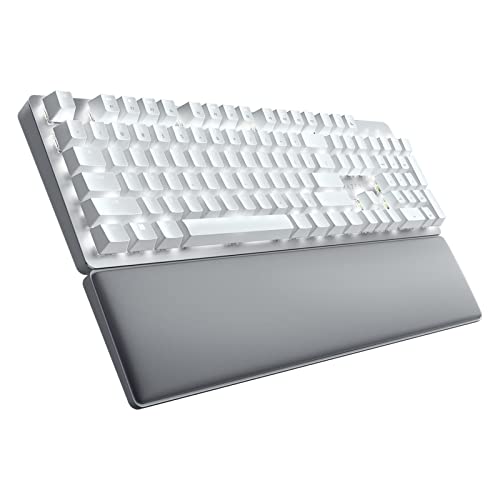
Razer Pro Type Ultra Wireless Keyboard Review (2026): The
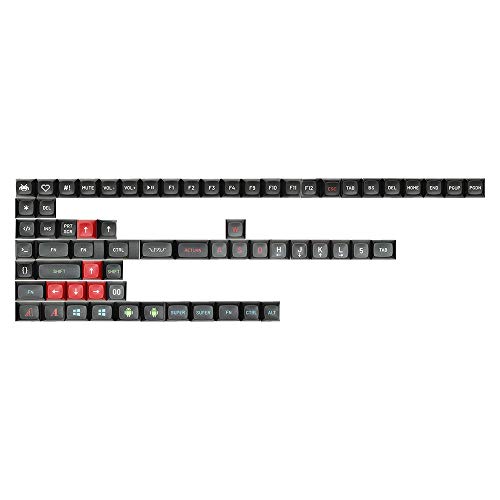
5 Best Keycap Sets Reddit Actually Recommends in 2026 | Community-Tested Favorites

5 Best Custom 75% Keyboards of 2026 | Full Arrow Keys, Compact Footprint

5 Best Custom Keyboard Cables of 2026 | Coiled, Colorful, and Built to Last
