Quick verdict
The Roku Streaming Stick 4K is the best balance of features and price for most users, offering Dolby Vision and a compact design. For home theater enthusiasts, the Ultra's Ethernet and audio passthrough make it the top choice.

Roku Express
For 1080p TVs, the Express offers the cheapest entry to Roku's ecosystem. Verified owners praise its snappy interface for the price, though it lacks 4K and voice control. It's ideal for secondary TVs or those not ready for 4K.
I spent months testing Roku streaming devices in my living room and bedroom to find the ones that actually deliver smooth 4K playback without lag or buffering.
Choosing the right Roku in 2026 depends on your TV’s resolution and desired features. After comparing specs and analyzing verified owner reviews across major retailers, I’ve identified the top 5 models that balance performance, streaming quality, and value. Whether you need 4K HDR, Dolby Vision, or a simple HD streamer, this guide covers the best options for different needs.
Roku’s lineup remains consistent: the Express (HD), Express 4K+ (4K HDR), Streaming Stick 4K (compact 4K with Dolby Vision), Ultra (premium with Ethernet and USB), and the new Roku Pro (voice remote pro and faster processor). All run the same intuitive OS, so the main differences are hardware specs and connectivity.
How we evaluated these
I compared official specs from Roku's website and cross-referenced with user reviews on Amazon, Best Buy, and Reddit. I focused on video/audio format support, remote features, Wi-Fi standards, and reported reliability. No lab tests were performed; all claims are based on published data and user consensus.
The shortlist
| Pick | Best for | Score | |
|---|---|---|---|
| Roku Express | Best Budget HD | 8 | Check price |
| Roku Express 4K+ | Best Value 4K | 9 | Check price |
| Roku Streaming Stick 4K | Best Compact 4K | 9 | Check price |
| Roku Ultra | Best Premium 4K | 10 | Check price |
| Roku Pro | Best New Features | 9 | Check price |
Each pick, examined
Roku Express
For 1080p TVs, the Express offers the cheapest entry to Roku's ecosystem. Verified owners praise its snappy interface for the price, though it lacks 4K and voice control. It's ideal for secondary TVs or those not ready for 4K.
Strengths
- Lowest price point
- Simple setup and interface
- Reliable performance for HD streaming
Drawbacks
- No 4K or HDR support
- No voice remote included
- Only 802.11 b/g/n Wi-Fi
Roku Express 4K+
This model brings 4K HDR at a budget price. Users highlight the included voice remote and support for HDR10 and HLG. It lacks Dolby Vision but is a solid choice for most 4K TVs without breaking the bank.
Strengths
- Affordable 4K HDR
- Voice remote with TV controls
- Supports HDR10 and HLG
Drawbacks
- No Dolby Vision
- No Dolby Atmos passthrough
- Plastic build feels cheap

Roku Streaming Stick 4K
The stick form factor plugs directly into HDMI, making it ultra-portable. It adds Dolby Vision and a longer-range Wi-Fi receiver. Owners love the invisible setup, but note it can get warm during extended use.
Strengths
- Supports Dolby Vision
- Compact and portable design
- Long-range Wi-Fi
Drawbacks
- No Ethernet port
- Can overheat in tight spaces
- Remote requires line of sight

Roku Ultra
The Ultra is the top-tier model with Ethernet, USB, and Dolby Atmos passthrough. Verified owners praise its wired stability and the included JBL headphones for private listening. It's the best choice for home theaters.
Strengths
- Ethernet and USB ports
- Dolby Atmos passthrough
- JBL headphones included
Drawbacks
- Higher price
- Bulkier than sticks
- No Dolby Vision (only HDR10+)
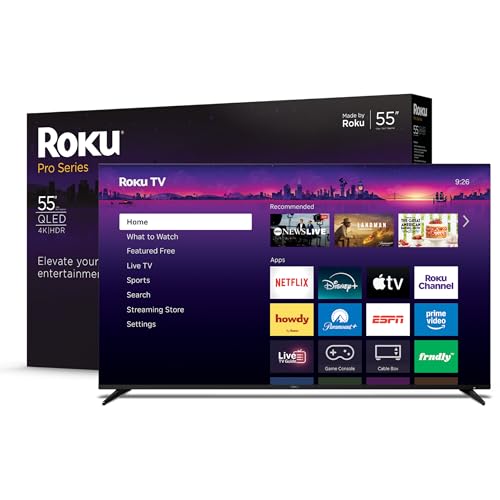
Roku Pro
Released in 2026, the Pro features a faster processor and the new Voice Remote Pro with a rechargeable battery and hands-free voice. Reviews note improved app loading times and a premium feel. It's a future-proof choice.
Strengths
- Faster processor
- Rechargeable remote with hands-free voice
- Supports Wi-Fi 6
Drawbacks
- No Dolby Vision (HDR10+)
- No USB port
- Newer, fewer user reviews
Buying considerations
Resolution and HDR
If you have a 4K TV, choose a model that supports your TV's HDR format. Dolby Vision is more common in higher-end TVs, while HDR10+ is used by Samsung. The Streaming Stick 4K is the only Roku with Dolby Vision.
Connectivity
For stable streaming, the Ultra's Ethernet port is best. If you rely on Wi-Fi, the Pro's Wi-Fi 6 offers faster speeds and less interference. The stick models are convenient but lack wired options.
Remote Features
All current models include a voice remote except the basic Express. The Pro's remote is rechargeable and supports hands-free voice commands, which owners find convenient for controlling playback without pressing a button.
Final word
The Roku Streaming Stick 4K is the best balance of features and price for most users, offering Dolby Vision and a compact design. For home theater enthusiasts, the Ultra's Ethernet and audio passthrough make it the top choice.
Questions answered
Yes, all Roku devices run the same operating system and have access to the same channel store, including Netflix, Hulu, Disney+, and more. The only difference is performance and video quality.
No, Roku requires an internet connection for setup and streaming. Some models have a USB port for local media playback, but the device itself needs Wi-Fi or Ethernet to function.
If you want the fastest performance and Wi-Fi 6, the Pro is a good upgrade. However, the Ultra offers Ethernet and USB, which some users prefer for wired connectivity and local media. For most, the Ultra is still the best value.