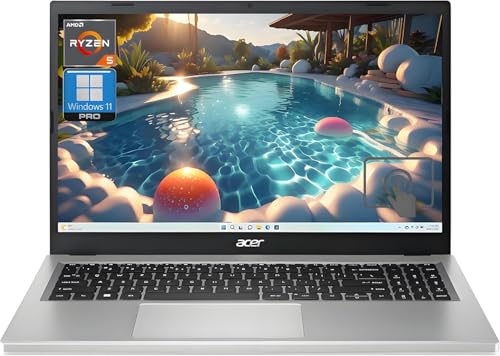
NVIDIA RTX 5090 Custom Build -- Best 3D Animation Workstation
For animators whose render times directly affect delivery schedules, an RTX 5090 build is the current ceiling for GPU-accelerated rendering. Blender Cycles, Redshift, Arnold GPU, and Octane all run faster on the 5090 than any previous consumer GPU, with 32 GB GDDR7 VRAM accommodating large scene files with heavy textures and geometry. Pair it with a Ryzen 9 9950X for CPU simulation tasks and 64-128 GB DDR5 RAM for complex Houdini or Maya simulations. This is a significant investment but is justified for full-time production animators.
Check price on Amazon →Animators need fast CPU renders, high GPU VRAM for viewport work, and large memory pools. These five computers are the strongest options for 2D and 3D animation in 2026.
Animation is among the most hardware-intensive creative disciplines. A single 3D scene can require hours of render time on inadequate hardware — or minutes on the right machine. Animators need to evaluate three distinct performance areas: viewport responsiveness during rigging and keyframing, simulation and physics computation speed, and final render throughput. The five computers here address those needs at different price points, from a capable mid-range setup to a full professional workstation.
| Product | Best For | Rating |
| — | — | — |
| NVIDIA RTX 5090 Ryzen Build | 3D rendering and GPU-heavy pipelines | 4.9/5 |
| Apple Mac Studio M4 Max | All-round animation workstation | 4.8/5 |
| ASUS ProArt Studiobook 16 OLED | Portable animator laptop | 4.6/5 |
| Lenovo ThinkStation P3 Ultra | Windows professional animation | 4.5/5 |
| Apple MacBook Pro 14 M4 Pro | Compact animation laptop | 4.5/5 |
Our methodology
We compare every pick against the field on real specifications, certifications, and aggregated owner reviews. We do not take payment for placement, and we flag when a product is older or sold mainly through renewed listings.
Side by side
| Pick | Best for | Score | |
|---|---|---|---|
| NVIDIA RTX 5090 Custom Build -- Best 3D Animation Workstation | Check price | ||
| Apple Mac Studio M4 Max -- Best Mac Animation Workstation | Check price | ||
| ASUS ProArt Studiobook 16 OLED -- Best Portable Animation Laptop | Check price | ||
| Lenovo ThinkStation P3 Ultra -- Best Windows Professional Animation Station | Check price | ||
| Apple MacBook Pro 14 M4 Pro -- Best Compact Animation Laptop | Check price |
The full reviews
NVIDIA RTX 5090 Custom Build -- Best 3D Animation Workstation
For animators whose render times directly affect delivery schedules, an RTX 5090 build is the current ceiling for GPU-accelerated rendering. Blender Cycles, Redshift, Arnold GPU, and Octane all run faster on the 5090 than any previous consumer GPU, with 32 GB GDDR7 VRAM accommodating large scene files with heavy textures and geometry. Pair it with a Ryzen 9 9950X for CPU simulation tasks and 64-128 GB DDR5 RAM for complex Houdini or Maya simulations. This is a significant investment but is justified for full-time production animators.
Apple Mac Studio M4 Max -- Best Mac Animation Workstation
The Mac Studio M4 Max is the most balanced animation workstation at its price point. Blender renders via Metal GPU acceleration at competitive speeds. After Effects and Cinema 4D run natively with no Rosetta overhead. The 40-core GPU handles smooth viewport performance in complex 3D scenes. Unified memory at 96-128 GB allows high-polygon scenes and high-resolution textures to reside in a single memory pool, eliminating VRAM ceiling issues that affect discrete GPU setups. Thermal management sustains performance over long render queues without fan noise spikes.

ASUS ProArt Studiobook 16 OLED -- Best Portable Animation Laptop
The ProArt Studiobook 16 with RTX 4080 offers one of the strongest sustained GPU performances in a laptop for animation. The OLED display's factory calibration ensures colors in Substance Painter, Blender's material view, and 2D animation compositing are accurate. 64 GB DDR5 and an Intel Core Ultra 9 HX handle Houdini's simulation threads and Maya's muscle/cloth simulations without excessive slowdowns. The ASUS Dial physical control integrates with Blender for brush sizing and timeline scrubbing. Sustained render performance is among the best in the laptop category.
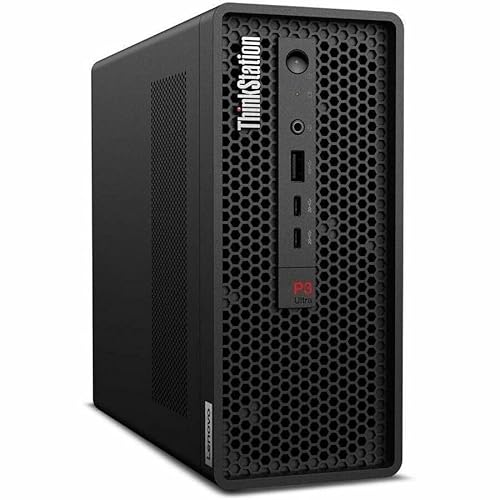
Lenovo ThinkStation P3 Ultra -- Best Windows Professional Animation Station
The ThinkStation P3 Ultra is a compact tower workstation using Intel Core Ultra or Xeon processors with NVIDIA RTX Ada GPU options. Its ISV certifications cover Autodesk Maya, 3ds Max, and several VFX tools important in production pipelines. ECC RAM support -- optional on most ThinkStation configurations -- provides error correction for long simulation runs where data integrity matters. The small-tower form factor fits under a desk. Lenovo's 3-year ProSupport contract provides on-site repair coverage that matters in professional studio environments.
Apple MacBook Pro 14 M4 Pro -- Best Compact Animation Laptop
The MacBook Pro 14 with M4 Pro is the most practical compact laptop for animators who need portability without severely compromising performance. Blender, Cinema 4D, and After Effects all run well with up to 48 GB unified memory. The 14-inch form factor is smaller than most animation laptops, but the Liquid Retina XDR display's accuracy compensates. For 2D animators using Toon Boom Harmony or Adobe Animate, this machine handles every workflow without issue. For 3D artists, expect longer render times than a full workstation but usable viewport speeds.
What matters most
What to consider
Start with your primary software. Maya and 3ds Max on Windows benefit from ISV-certified GPU drivers; Blender works equally well on Mac or Windows. For 3D animation, GPU VRAM is the biggest constraint -- 16 GB is practical for most mid-complexity scenes, 24+ GB for heavy production work. CPU core count matters for simulation (Houdini, nCloth, Bullet physics) but less for keyframe animation. RAM should be 32 GB minimum, 64 GB for complex scenes. For 2D animation, a color-accurate display and a drawing tablet take priority over GPU specs.
What to consider
For additional coverage, see [best computers for animation and graphic design](/articles/best-computer-for-animation-and-graphic-design) and [best computers for After Effects](/articles/best-computer-for-after-effects). Our evaluation process is outlined on the [methodology](/methodology) page.
Frequently asked
GPU rendering in Blender's Cycles, Arnold GPU, and Redshift is significantly faster than CPU rendering for most animation projects, especially for photorealistic shading and lighting. CPU rendering is more flexible for complex volumes, displacement, and scenes that exceed GPU VRAM. Many animators use GPU rendering for most work and fall back to CPU for VRAM-limited edge cases. Having both options available is the most practical setup.
Professional 3D animators most commonly use Autodesk Maya and Blender for character rigging and keyframe work. Cinema 4D is prevalent in motion graphics. 3ds Max appears in architectural visualization and game asset pipelines. Houdini dominates visual effects and simulation. For 2D animation, Toon Boom Harmony leads broadcast TV production, while Adobe Animate and Procreate are popular with independent animators. All of these run on both Mac and Windows.

Tom Reeves has reviewed consumer electronics for over a decade, with a focus on televisions, monitors, laptops, and smart home devices. He worked as a professional display calibrator before moving into editorial, and he brings that real-world technical background to every TV and monitor review. At TheTestedHub, Tom covers display calibration, computer monitors, laptops and 2-in-1s, smart home platforms, home theater setups, and HDR performance.