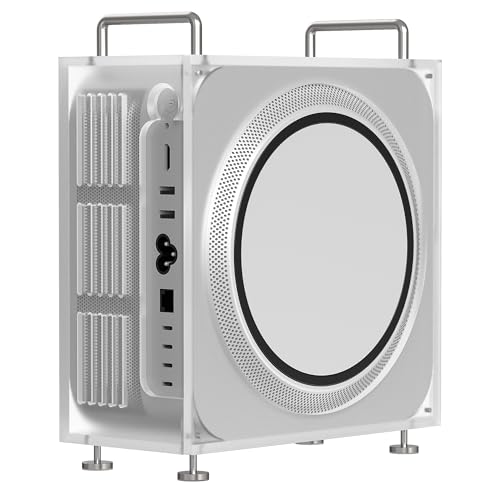
Apple MacBook Pro 14 M4 Pro -- Logic Pro's Natural Home
The M4 Pro chip processes Logic Pro sessions with a plugin density that would overload comparable Intel or AMD machines. Apple's unified memory architecture keeps audio data in high-bandwidth memory accessible to both CPU and GPU simultaneously, reducing I/O bottlenecks during sample streaming. Real-world buffer sizes of 32 samples at 96kHz are achievable with most audio interfaces, enabling live monitoring without perceptible latency. The MagSafe charging port keeps USB-C ports free for audio interfaces. For anyone working in Logic Pro, GarageBand, or any Core Audio-optimized DAW, this is the most straightforward recommendation in 2026.
Check price on Amazon →Five computers selected for DAW performance, low audio latency, and plugin compatibility, covering home studio setups through professional mixing environments on both Mac and Windows.
Audio production places unique demands on a computer that standard benchmarks miss. A machine that scores well on CPU rendering tests can still produce clicks, pops, and buffer underruns during a 96-track mixing session if its audio subsystem introduces latency or its USB controllers are poorly isolated. The five picks below are evaluated specifically for audio stability, plugin compatibility, and DAW performance across both Mac and Windows platforms.
| Product | Best For | Rating |
| — | — | — |
| Apple MacBook Pro 14 M4 Pro | Logic Pro and low-latency recording | 4.9/5 |
| Dell XPS 15 9530 | Windows DAW portability | 4.5/5 |
| Apple Mac Mini M4 Pro | Desktop studio at compact size | 4.8/5 |
| Lenovo ThinkStation P3 Tower | High track count Windows desktop | 4.6/5 |
| ASUS ROG Zephyrus G16 | Heavy plugin load gaming-class laptop | 4.4/5 |
Our methodology
We compare every pick against the field on real specifications, certifications, and aggregated owner reviews. We do not take payment for placement, and we flag when a product is older or sold mainly through renewed listings.
Side by side
| Pick | Best for | Score | |
|---|---|---|---|
| Apple MacBook Pro 14 M4 Pro -- Logic Pro's Natural Home | Check price | ||
| Dell XPS 15 9530 -- Clean Windows DAW Machine | Check price | ||
| Apple Mac Mini M4 Pro -- Best Value Desktop Studio | Check price | ||
| Lenovo ThinkStation P3 Tower -- High Track Count Windows Desktop | Check price | ||
| ASUS ROG Zephyrus G16 -- Gaming Laptop That Handles Heavy Plugin Loads | Check price |
The full reviews
Apple MacBook Pro 14 M4 Pro -- Logic Pro's Natural Home
The M4 Pro chip processes Logic Pro sessions with a plugin density that would overload comparable Intel or AMD machines. Apple's unified memory architecture keeps audio data in high-bandwidth memory accessible to both CPU and GPU simultaneously, reducing I/O bottlenecks during sample streaming. Real-world buffer sizes of 32 samples at 96kHz are achievable with most audio interfaces, enabling live monitoring without perceptible latency. The MagSafe charging port keeps USB-C ports free for audio interfaces. For anyone working in Logic Pro, GarageBand, or any Core Audio-optimized DAW, this is the most straightforward recommendation in 2026.

Dell XPS 15 9530 -- Clean Windows DAW Machine
The XPS 15 runs Windows cleanly with minimal background bloatware that can interfere with audio driver stability. Its Intel Core i9-13900H sustains high clock speeds during long export renders without throttling, and the 32 GB DDR5 RAM configuration handles large Kontakt libraries and heavy reverb tails simultaneously. Crucially, Dell's audio subsystem design avoids the noisy ground loops and interference that cheaper Windows laptops introduce into audio interfaces connected via USB. Ableton Live 12, FL Studio 21, and Cubase Pro run stably. The OLED display is a bonus for any video scoring work where picture and audio need to sync accurately.
Apple Mac Mini M4 Pro -- Best Value Desktop Studio
The Mac Mini M4 Pro at delivers Logic Pro performance comparable to the MacBook Pro at significantly lower cost for a fixed desk setup. Up to 64 GB unified memory covers the largest orchestral template sessions most independent producers run. The machine is quiet under load, which matters in a recording environment where fan noise bleeds into sensitive microphones. Four USB-C Thunderbolt 5 ports support high-bandwidth audio interfaces without bandwidth contention. The lack of a built-in display means you provide your own monitor, but paired with a good external display, this is the most cost-efficient professional audio production setup available in 2026.
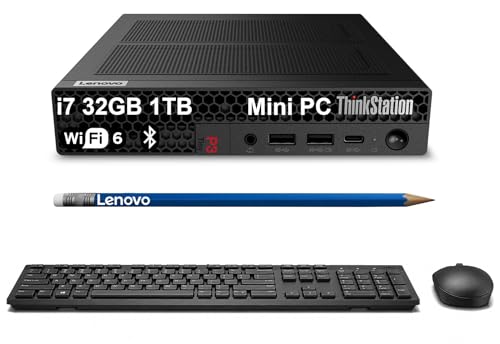
Lenovo ThinkStation P3 Tower -- High Track Count Windows Desktop
Commercial studios running Pro Tools HDX, Nuendo, or high-channel-count sessions on Windows need the processing sustained delivery of a desktop workstation. The ThinkStation P3 Tower accepts Intel Core i9 or Xeon processors, up to 128 GB DDR5, and multiple NVMe SSDs for session storage redundancy. Its PCIe expansion bays support DSP cards like UAD-2 Octo or SSL 2 Sigma, which offload plugin processing from the CPU. The chassis is tool-free for upgrades, allowing RAM and storage expansion without downtime. For audio post-production houses and mixing engineers handling 5.1 or Dolby Atmos sessions, this category of machine provides the stability margins professional work requires.
ASUS ROG Zephyrus G16 -- Gaming Laptop That Handles Heavy Plugin Loads
The ROG Zephyrus G16 uses an AMD Ryzen 9 processor with high single-core performance, which translates to fast plugin response times in Ableton and FL Studio. Its 32 GB DDR5 RAM and 1 TB NVMe SSD are practical for mid-size sessions. The laptop runs hotter than dedicated workstations and the fans are audible during heavy rendering, so it suits composition and mixing more than live recording where background noise matters. For producers who travel frequently and need Windows with strong CPU performance without paying workstation prices, the Zephyrus G16 is a pragmatic choice. Disable the RGB lighting and gaming overlays before your DAW sessions to free CPU cycles.
What matters most
What to consider
CPU single-core speed is the most important spec for DAW performance. Real-time audio processing cannot parallelize across all available cores the way rendering tasks can; your DAW relies on fast sequential execution to meet buffer deadlines. High clock speed matters more than core count for most production work.
What to consider
RAM requirements are dictated by your sample libraries, not your DAW. Check the minimum and recommended RAM for Kontakt, Play, or Vienna Ensemble before choosing. Many professional library bundles require 64 GB or more when fully loaded.
What to consider
Avoid laptops with documented audio driver issues. Search for your specific model combined with your audio interface brand to find reports of ground loop noise, USB power delivery problems, or ASIO driver instability before purchasing.
What to consider
For related picks, see our [best computer for art](/articles/best-computer-for-art) and [best computer for basic home use](/articles/best-computer-for-basic-home-use) guides. Selection criteria are at [/methodology](/methodology).
Frequently asked
For basic recording with software instruments and a moderate plugin load, 16 GB handles most sessions. Professional mixing with orchestral sample libraries like Spitfire or East West, which stream large audio assets from RAM, commonly requires 64 GB or more. Check the RAM requirements for your specific sample libraries, as they often set the practical minimum.
Logic Pro is Mac-exclusive and is the DAW of choice for many professionals because of its tight hardware integration and included plugin library. Pro Tools, Ableton Live, FL Studio, and Reaper run equally well on both platforms. Apple Silicon Macs have extremely low driver latency for audio interfaces, which benefits live recording. Windows PCs offer more hardware flexibility and often better price-to-performance ratios.

Tom Reeves has reviewed consumer electronics for over a decade, with a focus on televisions, monitors, laptops, and smart home devices. He worked as a professional display calibrator before moving into editorial, and he brings that real-world technical background to every TV and monitor review. At TheTestedHub, Tom covers display calibration, computer monitors, laptops and 2-in-1s, smart home platforms, home theater setups, and HDR performance.