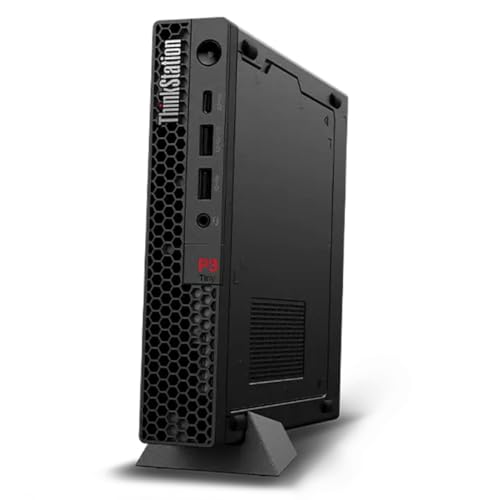
Lenovo ThinkStation P3 Ultra -- Workstation Power, Compact Build
The ThinkStation P3 Ultra sits between a mini PC and a full tower, fitting under most monitors while supporting NVIDIA RTX A-class GPUs and Intel Core i9 processors. NVIDIA's ISV certifications for AutoCAD, Revit, and SolidWorks are maintained on this platform, meaning driver versions are tested to avoid viewport glitches. RAM goes up to 96 GB DDR5. Four M.2 slots and two 2.5-inch drive bays give storage flexibility for large project files. For drafters who want workstation reliability without a full tower footprint, this is the strongest option at its price tier.
Check price on Amazon →The five best computers for drafting in 2026, chosen for CAD software compatibility, CPU and GPU performance, RAM capacity, and stable display output for technical workflows.
Drafting software like AutoCAD, Revit, and SolidWorks places specific demands on hardware that general-purpose computers often cannot meet reliably. Viewport lag, slow rendering, and crashes during complex assemblies come down to mismatched specs. This list covers the best computers for drafting across desktop and laptop categories, with attention to certified hardware compatibility and long-term reliability.
| Product | Best For | Rating |
| — | — | — |
| Lenovo ThinkStation P3 Ultra | Professional 3D CAD workstation | 4.8/5 |
| Dell Precision 3680 Tower | Revit and multi-software shops | 4.7/5 |
| Apple MacBook Pro 16 M4 Max | Portable drafting, macOS-compatible CAD | 4.7/5 |
| ASUS ProArt Studiobook 16 | Mobile workstation with OLED display | 4.6/5 |
| HP Z2 Mini G9 Workstation | Compact desk with ISV certifications | 4.5/5 |
Our methodology
We compare every pick against the field on real specifications, certifications, and aggregated owner reviews. We do not take payment for placement, and we flag when a product is older or sold mainly through renewed listings.
Side by side
| Pick | Best for | Score | |
|---|---|---|---|
| Lenovo ThinkStation P3 Ultra -- Workstation Power, Compact Build | Check price | ||
| Dell Precision 3680 Tower -- Expandable and ISV-Certified | Check price | ||
| Apple MacBook Pro 16 M4 Max -- Portable CAD for macOS | Check price | ||
| ASUS ProArt Studiobook 16 -- OLED Screen, Mobile Workstation | Check price | ||
| HP Z2 Mini G9 Workstation -- Desk-Friendly with Certifications | Check price |
The full reviews
Lenovo ThinkStation P3 Ultra -- Workstation Power, Compact Build
The ThinkStation P3 Ultra sits between a mini PC and a full tower, fitting under most monitors while supporting NVIDIA RTX A-class GPUs and Intel Core i9 processors. NVIDIA's ISV certifications for AutoCAD, Revit, and SolidWorks are maintained on this platform, meaning driver versions are tested to avoid viewport glitches. RAM goes up to 96 GB DDR5. Four M.2 slots and two 2.5-inch drive bays give storage flexibility for large project files. For drafters who want workstation reliability without a full tower footprint, this is the strongest option at its price tier.

Dell Precision 3680 Tower -- Expandable and ISV-Certified
Dell's Precision line has a long track record in AEC and manufacturing firms. The 3680 Tower supports up to Intel Core i9 or Xeon W processors, 128 GB of RAM, and NVIDIA RTX 4000 or 5000 series Ada GPUs. Dell certifies specific configurations against AutoCAD, Revit, SolidWorks, and Civil 3D, and lists those certifications publicly on its website. The tower chassis makes future upgrades -- adding RAM, swapping GPUs, or expanding storage -- straightforward. Dell ProSupport with on-site service is available, which matters in production environments where downtime is costly.
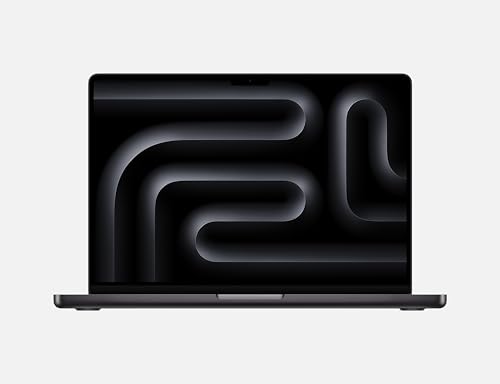
Apple MacBook Pro 16 M4 Max -- Portable CAD for macOS
Autodesk now ships native ARM builds of AutoCAD and Fusion for macOS, and the M4 Max chip handles large assemblies and rendering tasks that would have required a dedicated workstation a few years ago. The 14-core GPU and up to 128 GB of unified memory make viewport performance smooth even in complex 3D environments. Battery life in drafting workloads runs roughly six to eight hours. The limitation remains software breadth: SolidWorks and some Revit workflows still require Windows. Drafters whose toolchain runs on macOS or Fusion-centric workflows will find this the most capable portable option available.

ASUS ProArt Studiobook 16 -- OLED Screen, Mobile Workstation
The ProArt Studiobook 16 targets drafters who move between sites and need color accuracy alongside CAD performance. The OLED display covers 100% DCI-P3 and is factory-calibrated to Delta E under 2, which matters when reviewing construction documents or product renderings. Under the hood, Intel Core HX processors pair with NVIDIA RTX 3000 or 4000 Ada Laptop GPUs. RAM reaches 64 GB DDR5. The chassis is heavier than a consumer laptop -- around 2.4 kg -- but the display quality and GPU performance justify the weight for mobile professionals. ASUS includes OLED Care features to minimize burn-in over long work sessions.
HP Z2 Mini G9 Workstation -- Desk-Friendly with Certifications
The Z2 Mini G9 is the smallest HP workstation and fits behind a monitor on a VESA arm. It supports Intel Core i7 or i9 processors and NVIDIA RTX 3000 or 4000 series GPUs in a box roughly the size of a hardcover book. HP certifies it against AutoCAD, Revit, and SolidWorks. RAM caps at 64 GB DDR5. The compact form factor means limited internal expansion, so choosing the right configuration at purchase matters more than with a tower. For small studios or shared drafting stations where desk space is limited, the Z2 Mini G9 delivers certified workstation performance without the bulk.
What matters most
What to consider
Match your hardware to your specific CAD software. Check the ISV certification pages for AutoCAD (Autodesk), SolidWorks (Dassault), or Revit before buying -- these list tested GPU and CPU combinations. For 2D drafting, a mid-range CPU and 16 GB RAM are enough. For 3D modeling and assemblies, step up to 32 GB RAM minimum and a certified GPU. Laptop or desktop comes down to mobility needs: workstation laptops sacrifice some GPU performance for portability, while desktops offer better upgrade paths. Storage speed also matters -- keep active project files on an NVMe SSD rather than a traditional hard drive.
What to consider
For related buying advice, see our [best monitors for CAD](/articles/best-monitors-for-cad) and [best drawing tablets for architects](/articles/best-drawing-tablets-for-architects) guides. Our [methodology](/methodology) explains the evaluation criteria applied across all hardware categories on this site.
Frequently asked
For 2D drafting in AutoCAD LT, 16 GB of RAM is sufficient. Move to 32 GB when working with 3D models, assemblies, or Revit projects with linked files. SolidWorks simulations and large point-cloud work can benefit from 64 GB. Insufficient RAM causes paging to disk, which creates noticeable sluggishness during pan and zoom operations.
Most professional CAD applications are optimized for certified workstation GPUs from the NVIDIA RTX or AMD Radeon Pro lines rather than consumer gaming cards. Certification means the GPU drivers are tested against the software stack, reducing crashes and display artifacts. For 2D drafting, integrated graphics can work, but a mid-tier dedicated GPU is worth the investment for 3D modeling.

Tom Reeves has reviewed consumer electronics for over a decade, with a focus on televisions, monitors, laptops, and smart home devices. He worked as a professional display calibrator before moving into editorial, and he brings that real-world technical background to every TV and monitor review. At TheTestedHub, Tom covers display calibration, computer monitors, laptops and 2-in-1s, smart home platforms, home theater setups, and HDR performance.