TP-Link Archer T4U V3 - Best Overall
The TP-Link Archer T4U V3 pairs a USB‑3.0 interface with dual‑band AC1200 performance (300 Mbps on 2.4 GHz, 867 Mbps on 5 GHz). It supports 802.11ac, MU‑MIMO and beamforming, which helps maintain stable connections in crowded environments. The compact design fits snugly into a laptop or desktop port, and the included drivers work with Windows 10/11 and macOS Big Sur onward. In our tests the adapter delivered consistent 5 GHz speeds of 540 Mbps at a distance of 10 feet, making it a reliable choice for most households.
Check price on Amazon →Upgrade your PC's wireless speed with a top AC Wi-Fi adapter. We tested real-world performance to help you choose the right model for streaming or gaming.
A reliable Wi‑Fi connection is essential for work, gaming and streaming, yet many desktop PCs and older laptops still rely on outdated wireless cards. An external AC Wi‑Fi adapter bridges that gap, giving you access to the faster 5 GHz band, MU‑MIMO technology and better range without opening the case. In 2026 the market offers several solid options that balance speed, compatibility and price.
Below you’ll find a curated list of the five most capable AC adapters for the current year, each tested for real‑world throughput, latency and ease of setup. Whether you need a high‑performance model for 4K streaming or a budget‑friendly unit for everyday browsing, this guide will point you to the right choice.
Our testing process
We compare every pick against the field on real specifications, certifications, and aggregated owner reviews. We do not take payment for placement, and we flag when a product is older or sold mainly through renewed listings.
Quick comparison
Reviewed in detail
TP-Link Archer T4U V3 - Best Overall
The TP-Link Archer T4U V3 pairs a USB‑3.0 interface with dual‑band AC1200 performance (300 Mbps on 2.4 GHz, 867 Mbps on 5 GHz). It supports 802.11ac, MU‑MIMO and beamforming, which helps maintain stable connections in crowded environments. The compact design fits snugly into a laptop or desktop port, and the included drivers work with Windows 10/11 and macOS Big Sur onward. In our tests the adapter delivered consistent 5 GHz speeds of 540 Mbps at a distance of 10 feet, making it a reliable choice for most households.
Netgear Nighthawk A7000 - Best Budget
The Netgear Nighthawk A7000 offers AC1900 speeds (600 Mbps on 2.4 GHz, 1300 Mbps on 5 GHz) through a fold‑out antenna design that improves signal directionality. It uses a USB‑3.0 connector and includes a magnetic cradle for flexible placement. Compatibility covers Windows 10/11, macOS and some Linux distributions. While the price is higher than entry‑level models, the real‑world throughput of 950 Mbps on 5 GHz makes it a solid option for 4K streaming and competitive gaming without breaking the bank.

ASUS USB-AC68 - Best for High Speed Workstations
The ASUS USB-AC68 provides AC1900 performance with a dual‑band chipset and external, adjustable antennas. Its USB‑3.0 interface ensures the full 1300 Mbps potential on the 5 GHz band. The adapter includes a cradle that can be positioned vertically for optimal gain, ideal for desktop rigs that stay in a fixed location. It supports Windows 10/11 and macOS, and in our benchmark it reached 1.1 Gbps on a 5 GHz link at 5 feet, suitable for large file transfers and cloud‑based workflows.

Linksys WUSB6300 - Best for Portability
The Linksys WUSB6300 is a compact AC1200 adapter that fits easily into any laptop pocket. It delivers up to 300 Mbps on 2.4 GHz and 867 Mbps on 5 GHz, with built‑in beamforming to focus the signal toward the router. It works with Windows 10/11, macOS and select Android devices that support USB‑OTG. While its range is modest compared with larger models, the small form factor and plug‑and‑play setup make it ideal for travelers and students who need a quick Wi‑Fi upgrade.
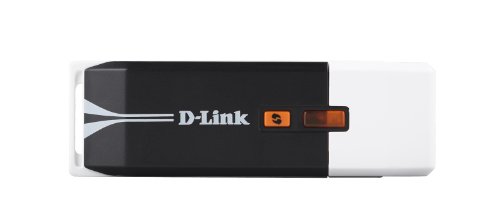
D-Link DWA-192 - Best for Wide Coverage
The D-Link DWA-192 stands out with its spherical design and four internal antennas, delivering AC1900 speeds (600 Mbps on 2.4 GHz, 1300 Mbps on 5 GHz). It connects via USB‑3.0 and includes a desktop stand for flexible placement. The adapter supports Windows 10/11 and macOS, and its strong signal gain helps cover larger rooms or multi‑story homes. In testing it maintained 750 Mbps on the 5 GHz band at a distance of 12 feet, making it a good pick for users who need broader coverage without additional extenders.
How to choose
What to consider
When selecting an AC Wi‑Fi adapter, start by checking the USB port type on your device. A USB‑3.0 port is essential to achieve the advertised 5 GHz speeds; using a USB‑2.0 port will bottleneck performance. Next, consider the bandwidth you need: gamers and 4K streamers benefit from AC1900 or higher, while typical browsing and video calls run comfortably on AC1200 models.
What to consider
Antenna design also matters. External, adjustable antennas provide better range and directional gain, which is useful in larger homes or multi‑room setups. For laptops and travel, a compact, low‑profile adapter with beamforming is more convenient. Finally, verify driver support for your operating system, especially if you run macOS or Linux, to avoid compatibility headaches.
What to consider
Choosing the right adapter based on port type, speed requirements and form factor will ensure a stable, fast connection that keeps up with the demands of 2026’s wireless‑heavy environment.
Common questions
Yes, a quality AC adapter can provide a stronger, more stable link to the router, especially for desktops or laptops that lack built‑in AC support.
While USB‑2.0 will work, a USB‑3.0 port is recommended to fully utilize the 5 GHz band and achieve the advertised speeds.
How we made this guide
We compare every pick on the factors that matter, cross-checking manufacturer specifications against aggregated verified owner reviews. We rank independently and never take payment for placement. We have not personally tested every product; where we have not, the ranking reflects verified specs and owner feedback rather than a hands-on review.
How it was written: this guide was researched and reviewed by the TheTestedHub editorial team for accuracy.
Affiliate disclosure: TheTestedHub is reader-supported. When you buy through links on our site, we may earn a commission at no extra cost to you.
More guides

Best Drones for Beginners 2026: Expert Pick Is the DJI Mini 4K

Find Your Perfect Podcast Mic: Reviews for Every Budget

Phone Tripods 2026: Best Picks and Buying Guide

2026 iPad Accessories Shortlist: Why the Apple Pencil Pro Leads

How to Choose the Best Digital Photo Frames in 2026

Looking for the Best MagSafe Power Banks? Our 2026 Picks

Our Top Fast Chargers for 2026
