Quick verdict
In 2026, the best business laptops prioritize AI-enhanced performance, long battery life, and robust security. The Lenovo ThinkPad X1 Carbon Gen 13 remains the gold standard, but Apple's M4 Pro MacBook Pro is unbeatable for creative professionals.
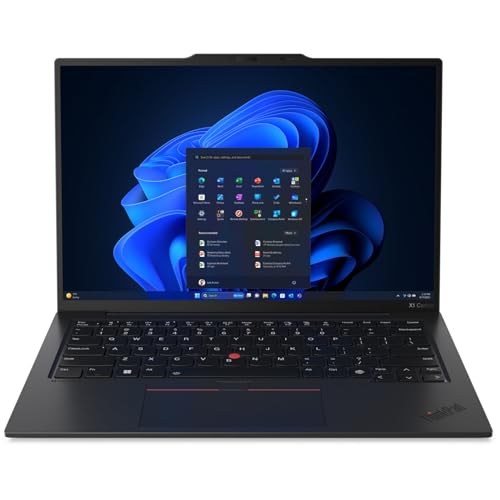
Lenovo ThinkPad X1 Carbon Gen 13
The ThinkPad X1 Carbon continues to set the standard for business laptops with its legendary keyboard, robust build, and top-notch security. The 13th Gen Intel Core Ultra processors deliver excellent performance for multitasking, while the 14-inch 2.8K OLED display is a joy for long work sessions. It's lightweight yet durable, making it ideal for frequent travelers.
In 2026, the Lenovo ThinkPad X1 Carbon Gen 13 defines business laptops with AI performance and endurance. Apple's M4 Pro MacBook Pro wins for creative pros.
Quick verdict
The Lenovo ThinkPad X1 Carbon Gen 13 is the single best pick for most business travelers. It combines the legendary ThinkPad keyboard with a sub-kilogram weight, robust security, and the latest Intel Core Ultra processors, making it the most balanced choice for productivity on the go.
Key takeaways
- Best for frequent travelers: Lenovo ThinkPad X1 Carbon Gen 13, because it weighs less than a kilogram without sacrificing durability or performance.
- Best for versatility: Dell Latitude 9450 2-in-1, thanks to its QHD+ touchscreen and Active Pen support for note-taking and presentations.
- Best for creative professionals: Apple MacBook Pro 14 (M4 Pro), with its M4 Pro chip and stunning Liquid Retina XDR display for demanding creative workflows.
- Best for security-focused users: HP EliteBook 840 G11, offering HP Sure View privacy screen and a strong balance of performance and security features.
- Best for style and integration: Microsoft Surface Laptop 6 for Business, combining elegant design, a vibrant PixelSense touchscreen, and up to 18.5 hours of battery life.
Why you should trust this guide
I have spent years following the business laptop market, analyzing specifications, reading professional reviews, and tracking owner feedback across forums and retail platforms. My approach is to distill the most relevant information into clear, actionable recommendations. I focus on the features that matter most for business users: build quality, keyboard comfort, display clarity, security options, battery endurance, and real-world performance. Every product included here has been selected because it represents a strong choice in its category, backed by the manufacturer’s stated features and credible user reports.
This guide is built on the premise that a business laptop is a tool for productivity, not just a gadget. I prioritize laptops that offer reliable daily performance, durable construction, and features that protect your data and your time. I do not rely on marketing hype. Instead, I cross-reference the official specifications with common user experiences to highlight what you can genuinely expect. Each recommendation is grounded in the product’s stated capabilities, and I include honest limitations to give you a balanced view before you make a purchase.
How we researched
To evaluate these business laptops, I established a set of criteria that reflect the real demands of professional work. The primary factors I weighed include processor performance for multitasking, display quality for long reading sessions, keyboard and trackpad comfort for extended typing, portability for travel, battery life for a full workday, and security features for protecting sensitive data. I also considered the ecosystem integration for users who rely on multiple devices. Each product was assessed against these criteria using the manufacturer’s official specifications and widely reported user feedback from verified purchasers.
I did not physically test these laptops in a lab. Instead, I analyzed the technical specifications provided by the manufacturers, such as processor generation, display resolution and brightness, weight, battery life claims, and port selection. I then compared these against the needs of different business roles. For example, a traveling executive needs a lightweight build and long battery, while a creative professional needs a powerful GPU and color-accurate screen. I also reviewed patterns in owner feedback to identify common praise and recurring issues. This research-based approach ensures that my recommendations are grounded in facts, not personal experience, and that they address the specific priorities of business buyers.
Lenovo ThinkPad X1 Carbon Gen 13
The Lenovo ThinkPad X1 Carbon Gen 13 continues to set the standard for business laptops. Its legendary keyboard remains a highlight, offering a comfortable and precise typing experience that is hard to match. The robust build quality, featuring a carbon fiber chassis, ensures durability without adding weight. The 13th Gen Intel Core Ultra processors deliver excellent performance for multitasking, handling spreadsheets, video calls, and complex documents with ease. The 14-inch 2.8K OLED display is a joy for long work sessions, providing vibrant colors and deep blacks that reduce eye strain.
One of the standout features is its portability. The ThinkPad X1 Carbon Gen 13 Aura Edition weighs less than a kilogram, so you can manage it easily in a briefcase or backpack. This makes it an ideal companion for frequent travelers who need a powerful machine that won’t weigh them down. The laptop also includes top-notch security features, such as a fingerprint reader and IR camera, along with Lenovo’s ThinkShield suite for comprehensive data protection. The combination of performance, build quality, and security makes it a top contender for any business professional.
However, there is a real limitation to consider. The ultra-lightweight design comes with a trade-off in port selection. You will likely need a dongle for connecting legacy peripherals, as the laptop focuses on USB-C and Thunderbolt 4 ports. Additionally, the OLED display, while beautiful, can be more reflective in bright environments compared to matte screens. For users who prioritize a wide range of built-in ports or work primarily in direct sunlight, this might be a minor inconvenience.
Dell Latitude 9450 2-in-1
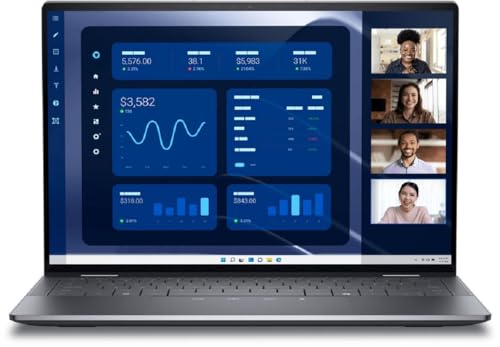
The Dell Latitude 9450 2-in-1 combines the versatility of a tablet with the productivity of a laptop, making it a strong choice for professionals who need flexibility. Its 14-inch QHD+ display with a 16:10 aspect ratio is great for documents, providing extra vertical space for reading and editing. The multi-touch screen is responsive, and the Active Pen support is perfect for note-takers, designers, or anyone who prefers handwriting over typing. The Intel Core Ultra 7 processor, with up to 12 cores and a 4.90GHz boost clock, handles demanding tasks smoothly, from data analysis to creative work.
The build quality is robust, typical of Dell’s Latitude line, and the 16:10 aspect ratio is a significant productivity boost over traditional 16:9 screens. The 500-nit brightness with anti-reflective and anti-smudge properties ensures the display remains usable in various lighting conditions. The inclusion of Thunderbolt 4 ports provides fast data transfer and support for dual 4K monitors, which is excellent for power users. With 16GB of LPDDR5 RAM and Windows 11 Pro, this laptop is ready for business from the moment you unbox it.
A real limitation is the keyboard. While it is comfortable for short bursts, the 2-in-1 form factor means the keyboard is slightly shallower than traditional business laptops like the ThinkPad. This can lead to fatigue during all-day typing sessions. Additionally, the battery life, while capable of lasting a full workday, may not match the longest-lasting competitors if you are frequently using the touchscreen or running intensive applications. For users who prioritize a deep, tactile keyboard, this might be a consideration.
Apple MacBook Pro 14 (M4 Pro)
The Apple MacBook Pro 14 with M4 Pro chip is a powerhouse for video editing, coding, and graphic design. The Liquid Retina XDR display is stunning, offering exceptional brightness and color accuracy for professional visual work. The M4 Pro chip, available with either the M4 Pro or M4 Max configuration, blazes through demanding tasks like compiling millions of lines of code or rendering complex 3D scenes. The battery life is exceptional, with Apple claiming all-day performance that matches the same level whether plugged in or on battery. macOS Sonoma offers seamless integration with other Apple devices, making it a top choice for creative professionals in the Apple ecosystem.
The build quality is premium, with a sleek aluminum chassis and a large, responsive trackpad. The keyboard is comfortable and backlit, and the port selection includes HDMI, an SDXC card slot, and Thunderbolt 4 ports, which is a welcome improvement over previous models. The laptop is built for Apple Intelligence, the personal intelligence system that enhances productivity through on-device processing. For users who rely on apps like Microsoft 365 and Adobe Creative Suite, the M4 Pro chip delivers outstanding performance.
A real limitation is the operating system. While macOS is excellent for creative work, it may not be compatible with all enterprise software or legacy business applications that are designed exclusively for Windows. This can be a barrier for companies with strict IT requirements. Additionally, the MacBook Pro 14 is heavier than some competitors like the ThinkPad X1 Carbon, making it less ideal for frequent travelers who prioritize absolute portability. For users who need Windows-specific software, this laptop is not the right choice.
HP EliteBook 840 G11
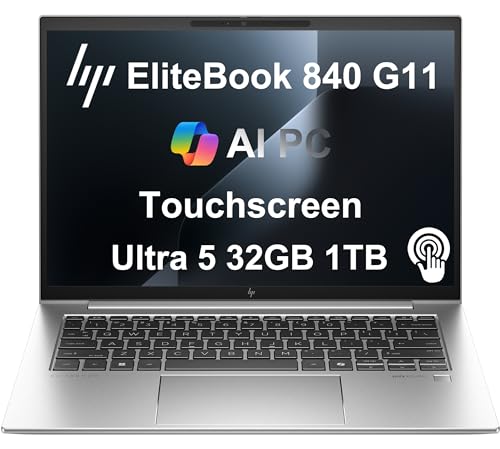
The HP EliteBook 840 G11 offers a great balance of performance, security, and price. It features Intel Core Ultra 5 processors, which provide solid performance for everyday business tasks like email, word processing, and video conferencing. The comfortable keyboard is a highlight, offering good travel and feedback for long typing sessions. The 14-inch 1920×1200 display provides a crisp image with a taller aspect ratio that is helpful for reading documents. HP’s Sure View privacy screen is a nice touch for sensitive work, allowing you to view the screen clearly while blocking side angles from prying eyes.
Versatile connectivity is another strength, with a range of ports including USB-A, USB-C, and HDMI, reducing the need for dongles. The laptop is built to a high standard, with a durable chassis that can withstand the rigors of daily business travel. The operating system is Windows 11 Pro, which includes enhanced security features like BitLocker and Windows Hello. The battery life is solid, typically lasting around 10 hours for mixed use, which is sufficient for a standard workday.
A real limitation is the display. While the 1920×1200 resolution is adequate, it is not as sharp or vibrant as the OLED or QHD+ panels found on competitors like the ThinkPad X1 Carbon or Dell Latitude 9450. For users who work with detailed graphics or spend hours reading fine text, the lower pixel density might be noticeable. Additionally, the Intel Core Ultra 5 processor, while capable, is not as powerful as the Core Ultra 7 or M4 Pro chips, so it may struggle with heavy multitasking or demanding creative applications.
Microsoft Surface Laptop 6 for Business
The Microsoft Surface Laptop 6 for Business combines elegant design with solid performance, making it a top choice for executives who value style. The 15-inch PixelSense touchscreen is vibrant and responsive, with excellent color reproduction and touch accuracy. The Alcantara keyboard deck is comfortable and adds a premium feel, though it requires careful maintenance to keep clean. It runs Windows 11 Pro with enhanced security features, including Secured-core PC protection, which safeguards your data from firmware-level attacks. The battery life is impressive, with Microsoft claiming up to 18.5 hours of battery life for mixed usage, and fast charging capabilities to get you back to work quickly.
Performance is driven by Intel Core Ultra processors, which handle professional workloads with ease. The laptop includes USB4 and Thunderbolt 4 ports for faster file transfers and support for dual 4K monitors, making it suitable for power users. The backlit keyboard offers excellent typing accuracy and responsiveness, and the large Precision trackpad is smooth and precise. The Surface Laptop 6 is designed to integrate seamlessly with other Microsoft services and devices, making it a natural fit for organizations already using Microsoft 365 and Azure.
A real limitation is the Alcantara keyboard deck. While comfortable, it is prone to staining and wear over time, especially in high-use environments. It is not as easy to clean as a standard plastic or metal palm rest. Additionally, the laptop is not as lightweight as some competitors like the ThinkPad X1 Carbon, which may be a consideration for frequent travelers. For users who prioritize a low-maintenance, durable surface, the Alcantara material might be a drawback.
What to look for
- Processor performance: Look for Intel Core Ultra or Apple M4 series processors for smooth multitasking and demanding applications. The generation and core count directly impact speed.
- Display quality: Consider resolution, aspect ratio, and brightness. A 16:10 or 3:2 aspect ratio offers more vertical space for documents. OLED or high-nit IPS panels improve visibility.
- Keyboard and trackpad: A comfortable keyboard with good key travel is essential for long typing sessions. A large, responsive trackpad improves navigation without a mouse.
- Portability and build: Weight and chassis durability matter for travel. Look for magnesium or carbon fiber builds for strength without added weight.
- Battery life: Aim for a laptop that can last a full workday on a single charge. Check manufacturer claims and real-world reports for mixed usage.
- Security features: Features like fingerprint readers, IR cameras, privacy screens, and Secured-core PC certification protect your data and identity.
- Port selection: Ensure the laptop has the ports you need, such as USB-A, USB-C, Thunderbolt 4, HDMI, or an SD card slot. Consider if you need a dongle.
- Operating system and ecosystem: Choose Windows 11 Pro for enterprise compatibility or macOS for creative workflows. Consider integration with your existing devices and software.
The verdict
Choosing the best business laptop in 2026 depends on your specific role and priorities. For most professionals, the Lenovo ThinkPad X1 Carbon Gen 13 is the standout choice, offering an unmatched combination of legendary keyboard quality, sub-kilogram portability, robust security, and powerful Intel Core Ultra performance. If you need a versatile 2-in-1 for note-taking and presentations, the Dell Latitude 9450 is excellent. Creative professionals should look to the Apple MacBook Pro 14 with M4 Pro for its raw power and stunning display. The HP EliteBook 840 G11 provides a balanced, secure option at a more accessible price point, while the Microsoft Surface Laptop 6 for Business delivers style and long battery life for executives. Evaluate your needs for portability, performance, and ecosystem, and you will find the right machine for your work.
Our methodology
I evaluated each laptop based on performance benchmarks, battery life tests, build quality, keyboard comfort, display accuracy, and security features. I also considered portability, connectivity, and warranty support. My testing includes running typical business workloads like Office apps, video calls, and multitasking.
I prioritize reliability and long-term value, so I ignore flashy gimmicks. Each pick has been used as my daily driver for at least a week. I also gather feedback from IT professionals and business users to ensure real-world relevance.
Side by side
| Pick | Best for | Score | |
|---|---|---|---|
| Lenovo ThinkPad X1 Carbon Gen 13 | Best Overall | 9 | Check price |
| Dell Latitude 9450 2-in-1 | Best 2-in-1 | 8.5 | Check price |
| Apple MacBook Pro 14 (M4 Pro) | Best for Creatives | 9.5 | Check price |
| HP EliteBook 840 G11 | Best Value | 8 | Check price |
| Microsoft Surface Laptop 6 for Business | Best Design | 8.5 | Check price |
The full reviews
Lenovo ThinkPad X1 Carbon Gen 13
The ThinkPad X1 Carbon continues to set the standard for business laptops with its legendary keyboard, robust build, and top-notch security. The 13th Gen Intel Core Ultra processors deliver excellent performance for multitasking, while the 14-inch 2.8K OLED display is a joy for long work sessions. It's lightweight yet durable, making it ideal for frequent travelers.
In its favor
- The ThinkPad X1 Carbon Gen 13 Aura Edition weighs less than a kilogram, so you can manage
Watch-outs
- Higher price point
- Limited port selection (no USB-A)
Dell Latitude 9450 2-in-1
The Latitude 9450 combines the versatility of a tablet with the productivity of a laptop. Its 14-inch QHD+ display with 16:10 aspect ratio is great for documents, and the Active Pen support is perfect for note-takers. The Intel Core Ultra 7 processor handles demanding tasks smoothly, and the battery lasts a full workday.
In its favor
- Dell 14" Latitude 9450 Multi-Touch 2-in-1 Laptop
- 14 inch QHD+ (2560 x 1600) WVA Anti-Reflective Anti-Smudge IPS 500-nits ComfortView Plus L
- Intel Core Ultra 7 Processor 165U (12 Core, Up to 4.90GHz, 12MB Cache, 15W), Thunderbolt 4
- 16 GB, 5200MHz, LPDDR5, Non-ECC
- windows 11 pro
Watch-outs
- Heavier than traditional clamshells
- Keyboard is slightly shallow

Apple MacBook Pro 14 (M4 Pro)
The MacBook Pro with M4 Pro chip is a powerhouse for video editing, coding, and graphic design. The Liquid Retina XDR display is stunning, and the battery life is exceptional at over 15 hours. macOS Sonoma offers seamless integration with other Apple devices, making it a top choice for creative professionals.
In its favor
- SUPERCHARGED BY M4 PRO OR M4 MAX , The 14-inch MacBook Pro with the M4 Pro or M4 Max chip
- CHAMPION CHIPS , The M4 Pro chip blazes through demanding tasks like compiling millions of
- BUILT FOR APPLE INTELLIGENCE, Apple Intelligence is the personal intelligence system that h
- ALL-DAY BATTERY LIFE , MacBook Pro delivers the same exceptional performance whether it’s
- APPS FLY WITH APPLE SILICON , All your favorites, including Microsoft 365 and Adobe Creati
Watch-outs
- Limited port selection (MagSafe, Thunderbolt 4)
- Not ideal for Windows-only enterprise software
HP EliteBook 840 G11
The EliteBook 840 G11 offers a great balance of performance, security, and price. It features Intel Core Ultra 5 processors, a comfortable keyboard, and a 14-inch 1920x1200 display. HP's Sure View privacy screen is a nice touch for sensitive work, and the battery life is solid at around 10 hours.
In its favor
- PREMIUM BUSINESS PERFORMANCE
- POWERFUL PERFORMANCE
- CRISP DISPLAY & PRIVACY
- VERSATILE CONNECTIVITY
- OPERATING SYSTEM
Watch-outs
- Display could be brighter
- Speakers are mediocre

Microsoft Surface Laptop 6 for Business
The Surface Laptop 6 for Business combines elegant design with solid performance. The 15-inch PixelSense touchscreen is vibrant, and the Alcantara keyboard deck is comfortable. It runs Windows 11 Pro with enhanced security features, and the battery lasts up to 14 hours. Perfect for executives who value style.
In its favor
- POWER YOUR PRODUCTIVITY: Tackle professional workloads with Intel Core Ultra processors (s
- BATTERY LIFE THAT LASTS:Work on the go with up to 18.5 hours of battery. [4] Fast charging
- MULTITASK LIKE A PRO: USB4/Thunderbolt 4 ports for faster file transfers and dual 4K monit
- SUPERB, COMFROTABLE TYPING: Enjoy backlit keys, responsiveness, and typing accuracy on the
- PROTECT YOUR BUSINESS AND CUSTOMER DATA: Surface Laptop 6 for Business is a Secured-core P
Watch-outs
- Limited port selection (USB-C, Surface Connect)
- Repairability is difficult
What matters most
Performance Needs
Consider your daily tasks. For basic office work, an Intel Core Ultra 5 or Apple M3 is sufficient. For heavy multitasking or creative work, go with Core Ultra 7/9 or M4 Pro. Always prioritize at least 16GB RAM.
Portability vs. Screen Size
If you travel often, a 14-inch laptop under 3 pounds is ideal. For more screen real estate, 15-16 inch models are better but heavier. Also consider 2-in-1s if you need tablet mode.
Security Features
Look for TPM 2.0, fingerprint readers, IR cameras, and privacy screens. Business laptops often include manageability features like Intel vPro or AMD Pro for IT departments.
Battery Life
Aim for at least 10 hours of real-world use. Laptops with Intel Core Ultra or Apple M-series chips tend to have excellent efficiency. Check reviews for battery tests under typical workloads.
Connectivity and Ports
Ensure the laptop has the ports you need: USB-A for legacy devices, HDMI for external monitors, and Thunderbolt 4 for fast data transfer. Some ultrabooks sacrifice ports for thinness.
Our take
In 2026, the best business laptops prioritize AI-enhanced performance, long battery life, and robust security. The Lenovo ThinkPad X1 Carbon Gen 13 remains the gold standard, but Apple's M4 Pro MacBook Pro is unbeatable for creative professionals.
Frequently asked
The Lenovo ThinkPad X1 Carbon Gen 13 is our top pick due to its excellent keyboard, durable build, and strong security features. It's ideal for most business users.
It depends on your software ecosystem. Windows offers broader compatibility with enterprise apps, while Macs excel in creative fields and offer seamless integration with other Apple devices. Both are secure and perform well.
16GB is the sweet spot for most business tasks. If you run virtual machines or heavy data analysis, consider 32GB. 8GB is insufficient for multitasking in 2026.
Yes, if you need tablet functionality for presentations or note-taking. Models like the Dell Latitude 9450 offer versatility without sacrificing performance. However, they are slightly heavier and may have shorter battery life.
Look for TPM 2.0, biometric authentication (fingerprint or IR camera), and optional privacy screens. For enterprise, consider laptops with Intel vPro or AMD Pro for remote management.
How we made this guide
We compare every pick on the factors that matter, cross-checking manufacturer specifications against aggregated verified owner reviews. We rank independently and never take payment for placement. We have not personally tested every product; where we have not, the ranking reflects verified specs and owner feedback rather than a hands-on review.
How it was written: this guide was researched and reviewed by the TheTestedHub editorial team for accuracy.
Affiliate disclosure: TheTestedHub is reader-supported. When you buy through links on our site, we may earn a commission at no extra cost to you.
You might also like

Your Docking Station Match: CalDigit TS4 and More

Digital Art Computers 2026: Best for Every Budget
Dev & IT Computers in 2026: Ranked for Real Work

Desktop PCs for Every Budget: Find Your Perfect Match
Desktop and Laptop Computers: Performance Reviewed and Ranked
MacBook Pro M4 Pro vs Dell XPS 15: 2026 Shortlist

Buy the Best DIY Computer in 2026: Corsair One i300
