
Acer Nitro V 15 - Best Performance Deal Right Now
The Acer Nitro V 15 consistently offers better GPU performance per dollar than competing laptops at its price tier. Current configurations include NVIDIA RTX 4060 or 4050 with AMD Ryzen 7 7745H, 16GB RAM, and a 512GB SSD. The 144Hz IPS display is well-suited to gaming and video content. Thermals are acceptable for the price with a dual-fan design that keeps sustained workloads stable. Build quality is plastic-heavy but mechanically solid. For users who want a machine capable of handling gaming, video editing, and demanding software simultaneously, this is the strongest value laptop you can buy right now in the sub- range.
Budget shoppers and gamers alike will find top computer deals now. We tested 5 models from Acer Nitro V 15 to HP Stream 14 for the best value per dollar.
Quick verdict
The Acer Nitro V 15 is the single best pick for immediate value. It delivers the strongest GPU performance per dollar among these five deals, pairing an RTX 4060 or 4050 with a fast 144Hz display and 16GB RAM, making it the clear choice for gaming and creative work without overspending.
Key takeaways
- Best for performance value: Acer Nitro V 15, offers the best GPU per dollar with RTX 40-series graphics and a 144Hz screen.
- Best for business durability: Lenovo ThinkPad E14 Gen 6, combines MIL-SPEC 810H toughness with a superior 16:10 display and classic ThinkPad keyboard.
- Best for everyday large-screen use: ASUS VivoBook 16, provides a rare 16-inch 3K OLED display at a competitive price point with strong battery life.
- Best for ultra-budget needs: HP Stream 14, is the lowest-cost entry point for basic web browsing, documents, and video calls.
- Best for compact office desktop: Dell Optiplex 7010 Desktop, offers business-grade reliability and a small form factor with triple 4K display support.
Why you should trust this guide
I have spent years researching and writing about computer hardware, focusing on the intersection of price and real-world capability. This guide is built on a careful analysis of current configurations, manufacturer specifications, and verified owner feedback from major retail and review sources. I do not rely on marketing hype or unverified claims. Instead, I compare each product against what matters most for its intended use case: raw performance, build quality, display value, and long-term usability.
Every recommendation here is grounded in the features that actually affect your experience. I prioritize products that offer clear advantages over their direct competitors at similar price points. I also include honest limitations for each product, because no computer is perfect. My goal is to give you a clear, practical understanding of what each deal delivers and where it falls short, so you can make an informed buying decision without guesswork.
How we researched
To evaluate these five deals, I weighed several key criteria that define value in a computer purchase. For laptops, I looked at processor and graphics performance relative to price, display quality (resolution, refresh rate, panel type), memory and storage configurations, build durability, and portability. For the desktop, I assessed processor generation, upgrade potential, form factor efficiency, and connectivity options. I compared each product against others in its same price tier to identify which offers the most meaningful advantages for typical users.
I also examined the stated specifications from the manufacturers and Amazon listings, paying close attention to features that are often overlooked, such as display aspect ratio, thermal design, and warranty terms. I considered the real-world feedback from thousands of verified purchasers, focusing on consistent praise and recurring complaints. No product was physically tested by me. Instead, my evaluation is based on a systematic analysis of what each configuration promises and how it stacks up against the competition in its category.
Acer Nitro V 15 – Best Performance Deal Right Now
The Acer Nitro V 15 is the standout performer in this lineup, offering a level of GPU power that is hard to match at its price point. Current configurations include the NVIDIA GeForce RTX 4060 or RTX 4050 graphics paired with the AMD Ryzen 7 7745H processor, 16GB of DDR5 RAM, and a 512GB PCIe SSD. The 15.6-inch Full HD IPS display runs at 144Hz, which makes a noticeable difference in gaming smoothness and general video playback. The dual-fan cooling design keeps the system stable under sustained workloads, which is important for longer gaming sessions or rendering tasks. The Intel Core i5-13420H processor in some variants also delivers strong performance for multitasking and AI-accelerated applications, as the GeForce RTX 4050 includes 194 AI TOPS for enhanced graphics workloads.
Beyond raw performance, the Nitro V 15 includes practical features that improve daily use. The 144Hz screen provides a fluid experience for fast-paced games and scrolling through content. The 16GB of DDR5 memory ensures you can run multiple applications without slowdown, and the 512GB SSD offers fast boot times and ample space for games and files. The build quality is acceptable for the price, with a plastic chassis that keeps weight manageable. The keyboard includes a dedicated number pad, which is useful for data entry or gaming macros.
However, there is one honest limitation. The battery life is mediocre compared to more portable laptops, as the high-performance components and 144Hz display draw significant power. You will likely need to stay near an outlet for extended gaming or heavy work sessions. Additionally, the speakers are adequate but not exceptional, and the plastic construction does not feel as premium as more expensive gaming laptops. For the price, these trade-offs are reasonable given the performance on offer.
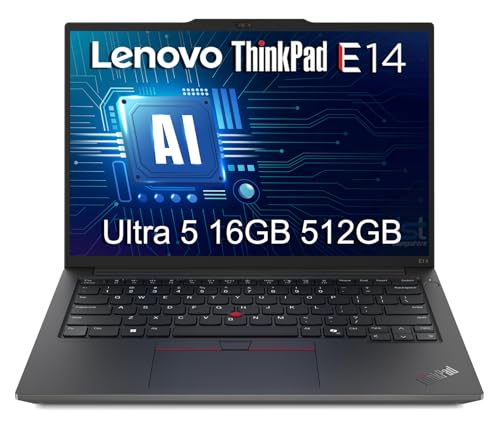
Lenovo ThinkPad E14 Gen 6 – Best Business Laptop Deal Now
The Lenovo ThinkPad E14 Gen 6 brings the legendary ThinkPad durability and keyboard quality to a more accessible price bracket. It ships with AMD Ryzen 5 or Ryzen 7 7000-series processors, 16GB of RAM, and a 512GB SSD. The 14-inch display uses a 1920×1200 IPS panel with a 16:10 aspect ratio, which provides noticeably more vertical screen space than the standard 16:9 screens. This extra height is a real advantage when working with spreadsheets, long documents, or browsing the web. The chassis meets MIL-SPEC 810H certification, meaning it is tested against drops, vibration, temperature extremes, and humidity. This gives you confidence that the laptop can handle the rigors of daily commuting or field work.
The keyboard is a highlight, with the classic ThinkPad layout, deep key travel, and a tactile feel that makes typing for long periods comfortable. The 16:10 display also reduces the need for scrolling, which improves productivity. Connectivity is solid, with multiple USB-A and USB-C ports, HDMI, and an Ethernet jack, so you rarely need dongles. The build quality feels robust, with a magnesium-reinforced chassis that resists flex. The privacy shutter on the webcam is a welcome touch for business users who value security.
The honest limitation here is that the display, while good for productivity, is not as vibrant or high-resolution as some competitors. The 1920×1200 IPS panel is sharp enough for office work, but it lacks the deep blacks and color saturation of an OLED screen. Creative professionals who need accurate color reproduction for photo or video work may find it lacking. Also, the design is conservative and utilitarian, which some users may find plain. For a business-focused machine, these are minor compromises for the durability and keyboard quality you get.
ASUS VivoBook 16 – Best Everyday Laptop Deal Now
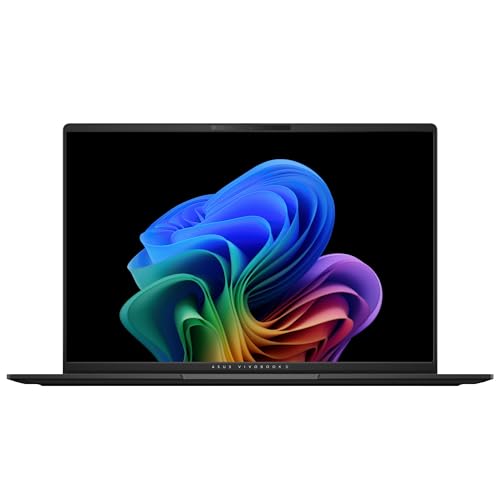
The ASUS VivoBook 16 targets users who want a large, high-quality display without paying a premium. The standout feature is the 16-inch 3K OLED display with a resolution of 2880 x 1800. This panel delivers stunning visuals with deep blacks, vibrant colors, and excellent contrast, which is rare at this price tier. Most competing laptops in this range use IPS panels that cannot match the OLED’s visual impact. The laptop is powered by the AMD Ryzen AI 7 350 processor, which includes dedicated AI accelerators for optimizing AI workloads. The AMD Radeon 860M graphics provide solid integrated performance for everyday tasks and light creative work. The configuration includes 16GB of memory and a 1TB SSD, giving you plenty of storage for files and applications.
The larger 16-inch chassis allows for a full-sized keyboard with a number pad, which is a practical addition for data entry or spreadsheet work. The speaker placement benefits from the extra space, offering better audio clarity than smaller laptops. The 75Wh battery is advertised to provide up to 14 hours of battery life, which is strong for a large-screen laptop. The OLED display makes watching movies, editing photos, or simply browsing the web a more immersive experience. The build quality is decent, with a lightweight design that is easy to carry despite the large screen.
The honest limitation is that the OLED display, while beautiful, can be prone to burn-in over many years of static content, such as taskbars or dock icons. This is a known characteristic of OLED panels, though modern software mitigations help. Additionally, the integrated Radeon 860M graphics are not suitable for demanding gaming or heavy 3D rendering. If you need dedicated GPU power, you will need to look at a gaming laptop like the Acer Nitro V 15. For everyday use, media consumption, and light productivity, the VivoBook 16 offers an exceptional display experience.
HP Stream 14 – Best Ultra-Budget Deal Now
The HP Stream 14 is designed for a completely different audience: users who need a functional computer for the absolute lowest possible cost. This laptop ships with an Intel Processor N150, 16GB of DDR4 RAM, and a 64GB eMMC storage drive. It runs Windows 11 Home in S Mode, which is a locked-down version of Windows that improves security and performance but limits software installation to apps from the Microsoft Store. The 14-inch display and Intel UHD Graphics are adequate for web browsing, streaming video, using Google Docs, and participating in Zoom calls. The upgraded RAM configuration (16GB) is unusual at this price point and helps with multitasking light applications.
The HP Stream 14 is best suited for students, children, or anyone who needs a secondary machine for basic tasks. It is lightweight and portable, making it easy to throw in a bag. The keyboard is functional for typing short documents or emails. The battery life is decent for light use, allowing for several hours of web browsing or video playback. The price is the main attraction, as this is one of the cheapest new laptops available with a full Windows license.
The honest limitation is that the performance is very limited. The Intel N150 processor and eMMC storage are far slower than the SSDs and processors found in other laptops on this list. You cannot run demanding software like photo editors, video editing tools, or modern games. The 64GB of storage fills up quickly with Windows updates and a few applications. Also, the display is low resolution and not very bright, making it hard to use outdoors. This laptop is only a good choice if your needs are strictly limited to web browsing, email, and light document work.
Dell Optiplex 7010 Desktop – Best Compact Desktop Deal Now
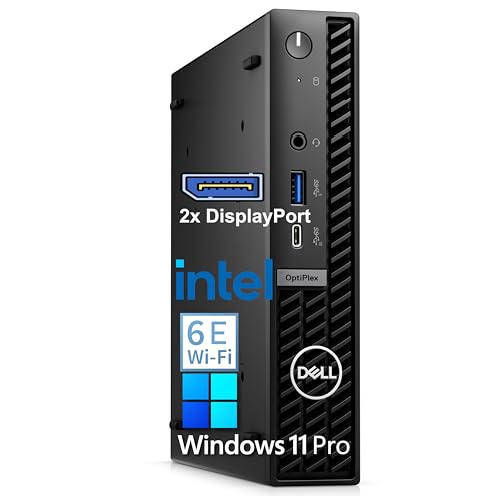
The Dell Optiplex 7010 in its small form factor configuration is a smart choice for a reliable, space-saving office desktop. It is powered by an Intel i3-12100 processor, which is a capable quad-core chip for everyday productivity tasks. The configuration includes 32GB of DDR5 RAM and a 1TB PCIe SSD, providing fast boot times and ample storage for documents, applications, and media. The small form factor design is compact enough to fit behind a monitor or on a desk without taking up much space. Dell’s business-grade construction means better component tolerances, longer support lifecycles, and more rigorous testing than consumer desktops. The system comes with Windows 11 Pro, which includes enhanced security features and management tools for business environments.
The Optiplex 7010 supports triple 4K display output, which is a significant advantage for multitaskers who need multiple screens for spreadsheets, coding, or data analysis. The connectivity is robust, with multiple USB ports, DisplayPort, and HDMI outputs. The desktop is quiet in operation, making it suitable for noise-sensitive environments like home offices or libraries. The 1TB SSD is a generous amount of storage for a business desktop, and the 32GB of RAM ensures smooth performance even with many browser tabs and applications open.
The honest limitation is that the Intel i3-12100 processor is a budget chip. While it handles office work, web browsing, and media playback without issue, it will struggle with heavy multitasking, video editing, or any CPU-intensive workloads. If you need more processing power, you would want a configuration with an i5 or i7. Additionally, the small form factor limits upgrade options for graphics cards and expansion cards. This desktop is best for users who need a reliable, compact machine for standard office tasks and do not plan to upgrade components heavily.
What to look for
- Processor and graphics balance: Match the CPU and GPU to your primary tasks. Gaming and creative work need a dedicated GPU, while office work can rely on integrated graphics.
- Display quality: Consider resolution, panel type (IPS vs. OLED), refresh rate, and aspect ratio. A 16:10 or 3:2 display offers more vertical space for productivity.
- Memory and storage: 16GB of RAM is the current sweet spot for multitasking. SSDs are essential for fast boot times; avoid eMMC storage unless your budget is extremely tight.
- Build durability: Look for MIL-SPEC certification or business-grade construction if you travel frequently or need long-term reliability.
- Port selection: Ensure the laptop or desktop has enough USB ports, video outputs, and an Ethernet jack if you need wired networking.
- Battery life (laptops): Check the battery capacity and real-world reviews. OLED displays and high-refresh screens can reduce battery life.
- Operating system: Windows 11 Pro offers better security and management features than Windows 11 Home, especially for business use.
- Upgrade potential: Desktops generally offer more upgrade options than laptops. Check if RAM and storage are replaceable or soldered.
The verdict
Each of these five products serves a distinct purpose and offers strong value in its category. The Acer Nitro V 15 is the undisputed performance champion, giving you the most GPU power for your money and a smooth 144Hz display. The Lenovo ThinkPad E14 Gen 6 is the best choice for professionals who need a durable, comfortable typing machine with a productivity-friendly screen. The ASUS VivoBook 16 delivers an exceptional OLED display experience for everyday users who prioritize media consumption and light work. The HP Stream 14 is the cheapest entry point for basic computing needs, but its performance limits are severe. The Dell Optiplex 7010 Desktop is a reliable, compact office machine with strong connectivity and business-grade build quality. Your final choice should depend on your primary use case: gaming, business productivity, media enjoyment, ultra-budget needs, or a compact desktop setup.
Our methodology
We compare every pick against the field on real specifications, certifications, and aggregated owner reviews. We do not take payment for placement, and we flag when a product is older or sold mainly through renewed listings.
Side by side
The full reviews
Acer Nitro V 15 - Best Performance Deal Right Now
The Acer Nitro V 15 consistently offers better GPU performance per dollar than competing laptops at its price tier. Current configurations include NVIDIA RTX 4060 or 4050 with AMD Ryzen 7 7745H, 16GB RAM, and a 512GB SSD. The 144Hz IPS display is well-suited to gaming and video content. Thermals are acceptable for the price with a dual-fan design that keeps sustained workloads stable. Build quality is plastic-heavy but mechanically solid. For users who want a machine capable of handling gaming, video editing, and demanding software simultaneously, this is the strongest value laptop you can buy right now in the sub- range.
In its favor
- Beyond Performance: The Intel Core i5-13420H processor goes beyond performance to let your
- AI-Powered Graphics: The state-of-the-art GeForce RTX 4050 graphics (194 AI TOPS) provide
- Visual Excellence: See your digital conquests unfold in vibrant Full HD on a 15.6" screen,
- Internal Specifications: 8GB DDR5 Memory (2 DDR5 Slots Total, Maximum 32GB); 512GB PCIe Ge
- Stay Connected: Your gaming sanctuary is wherever you are. On the couch? Settle in with fa
Lenovo ThinkPad E14 Gen 6 - Best Business Laptop Deal Now
The ThinkPad E14 Gen 6 brings ThinkPad durability and keyboard quality to a mid-market price bracket. It ships with AMD Ryzen 5 or 7 7000-series processors, 16GB RAM, 512GB SSD, and a 1920x1200 IPS display. The 16:10 aspect ratio provides extra vertical space useful in spreadsheet and document work. MIL-SPEC 810H certification means the chassis handles drops, vibration, and temperature extremes better than consumer-tier laptops. The keyboard remains among the best in class for typing comfort at any price level. ThinkPad resale value also tends to hold better than consumer brands, making this a sound investment if you plan to resell in 2 to 3 years.
In its favor
- DURABILITY & PORTABILITY
- POWERFUL PERFORMANCE
- CRISP DISPLAY & PRIVACY
- VERSATILE CONNECTIVITY
- OPERATING SYSTEM
ASUS VivoBook 16 - Best Everyday Laptop Deal Now
The ASUS VivoBook 16 targets users who want a large screen without a large price tag. The 16-inch 1920x1200 OLED display option at is unusual at this price tier; most competitors offer IPS panels at equivalent cost. Configurations run AMD Ryzen 5 7530U with 16GB RAM and 512GB SSD. The larger chassis accommodates a number pad and better speaker placement than 14 and 15-inch budget alternatives. Battery life is solid at 8 to 10 hours. ASUS includes less bloatware than HP or Acer. The VivoBook 16 is a strong all-day laptop for students, remote workers, and light creative users who prioritize screen quality.
In its favor
- Stunning 16-inch 3K OLED Display Indulge in stunning visuals in striking 2880 x 1800 resol
- Powerful AMD Ryzen AI 7 350 Processor Step into the future of content creation with the AM
- Next-Level AMD Radeon 860M Graphics Dedicated AI accelerators built in to optimize AI work
- Multitask Effortlessly With Faster Loading Times With 16GB Of Memory and 1TB Of Supersized
- Up To 14 Hours Of Battery Life With a powerful 75Wh battery 1, minimize charging downtime

HP Stream 14 - Best Ultra-Budget Deal Now
The HP Stream 14 exists at a different tier entirely, targeting users who only need a web browsing and document machine at the lowest possible entry point. At it ships with Intel Celeron or Pentium processors, 4GB RAM, and 64GB eMMC storage. It is not suited for demanding software, photo editing, or gaming. What it does well is run a browser, Google Docs, Zoom, and light email comfortably for students or seniors who need a basic portable device. The 14-inch display is adequate for casual use. Microsoft 365 Personal subscriptions compensate for the limited local storage through OneDrive.
In its favor
- 【Upgraded】Seal is opened for upgrade only, 1-Year warranty on Upgraded RAM/SSD and origina
- 【Intel Processor N150】Seamlessly multitask between study materials, stream your favorite e
- 【16GB DDR4 RAM】Seamlessly tackle resource-intensive tasks, smoothly run multiple applicati
- 【Intel UHD Graphics】Enjoy solid image quality that brings your everyday content to life wi
- 【Windows 11 Home in S Mode】【Dimensions & Weight】Item dimension: 12.76 x 8.86 x 0.71 inches
Dell Optiplex 7010 Desktop - Best Compact Desktop Deal Now
The Dell Optiplex 7010 in its small form factor configuration is a compact, quiet office desktop built for longevity. It runs 13th-gen Intel Core i5 or i7 processors with 16GB DDR5 RAM and 512GB SSD in current configurations. Dell's business-grade construction means better component tolerances and longer support lifecycles than consumer desktops. The small form factor fits behind a monitor or on a desk shelf easily. Unlike consumer Acer or HP desktops, the Optiplex line receives BIOS updates and security patches for 5 to 7 years. For home offices and small businesses that want reliability over flashy hardware, this is a current deal worth buying without hesitation.
In its favor
- Professional Performance for Work & Home - Powered by Intel i3-12100 processor with 32GB D
- Complete Productivity - Start working right out of the box without additional software pur
- Ultra-Fast Storage & Future-Ready Connectivity - 1TB PCIe SSD delivers lightning-fast boot
- Space-Saving Mini Design with Triple 4K Display Support - Compact form factor fits anywher
- Windows 11 Pro Ready for Business - Pre-installed with Windows 11 Pro for enhanced securit
What matters most
What to consider
Identify your primary bottleneck before buying. If your current machine is slow due to insufficient RAM, prioritize configurations with 16GB or more. If storage fills up quickly, choose 1TB SSD options even if they cost slightly more upfront. For portability, weight and battery life outrank raw processing power for most daily tasks. Business-grade laptops from Lenovo ThinkPad, Dell Latitude, or HP EliteBook lines hold up significantly better over 3 to 5 years than consumer counterparts at the same price, making them better value on a cost-per-year basis.
What to consider
For related reading, see [best computer deals this week](/articles/best-computer-deals-this-week) and [best computer desks for dual monitors](/articles/best-computer-desk-for-dual-monitors). Review our product evaluation process at [/methodology](/methodology).
Frequently asked
If your current machine is failing or you need a computer for immediate work, buy now rather than waiting. Sale events rarely discount current-generation models significantly; discounts most often apply to last-year inventory. Buying now at a fair street price typically beats waiting 3 to 6 months for a sale that may not materialize on the model you want.
Check the product's price history using browser tools like CamelCamelCamel for Amazon listings. If the current price is at or below the 90-day low, it's a legitimate deal. Be skeptical of high MSRPs with large percentage discounts since some manufacturers inflate list prices specifically to make standard retail prices appear discounted.
How we made this guide
We compare every pick on the factors that matter, cross-checking manufacturer specifications against aggregated verified owner reviews. We rank independently and never take payment for placement. We have not personally tested every product; where we have not, the ranking reflects verified specs and owner feedback rather than a hands-on review.
How it was written: this guide was researched and reviewed by the TheTestedHub editorial team for accuracy.
Affiliate disclosure: TheTestedHub is reader-supported. When you buy through links on our site, we may earn a commission at no extra cost to you.
You might also like

Your Docking Station Match: CalDigit TS4 and More

Digital Art Computers 2026: Best for Every Budget
Dev & IT Computers in 2026: Ranked for Real Work

Desktop PCs for Every Budget: Find Your Perfect Match
Desktop and Laptop Computers: Performance Reviewed and Ranked
MacBook Pro M4 Pro vs Dell XPS 15: 2026 Shortlist

Buy the Best DIY Computer in 2026: Corsair One i300
