
BenQ ScreenBar Plus -- Best Monitor-Mounted Desk Lamp
The ScreenBar Plus clips to the top of a monitor bezel and directs light downward onto the desk surface using an asymmetric optical design that illuminates the keyboard and workspace while directing zero light toward the screen. This eliminates reflection glare completely. The integrated ambient sensor adjusts brightness automatically based on room light. The control dial at the base of the monitor adjusts brightness and color temperature from 2700K to 6500K without touching the lamp itself. At it costs more than traditional desk lamps but solves the screen-glare problem more effectively than any surface-mounted option.
Check price on Amazon →Compare 5 top computer desk lamps with key specs: BenQ ScreenBar Plus eliminates glare, TaoTronics offers 5 color modes, Elgato Key Light delivers 2800.
Quick verdict
The BenQ ScreenBar Plus is the single best computer desk lamp for most people because its monitor-mounted design eliminates screen glare entirely, while automatic brightness adjustment and a space-saving clamp make it the most effective and convenient option for focused computer work.
Key takeaways
- Best for Monitor Use: BenQ ScreenBar Plus, eliminates screen glare with asymmetric optical design.
- Best Budget Adjustable: TaoTronics TT-DL13, offers five color modes and seven brightness levels at a low price.
- Best for Video Calls: Elgato Key Light, delivers 2800 lumens and adjustable color temperature via app for flattering face lighting.
- Best Minimal Budget: IKEA FORSA, most affordable option with precise positioning using standard E12 bulb.
- Best Dual-Mode: Govee RGBICWW Desk Lamp, switches between full RGB color scenes and clean white work lighting.
Why you should trust this guide
I have spent years researching desk lighting for computer work, and I focus on the specific needs of people who sit at a desk for long hours. A good desk lamp must reduce eye strain, avoid reflecting light off your monitor, and provide enough brightness for reading and writing without causing glare. I evaluate products based on their stated features, user feedback, and how well they solve the common problems of screen reflections, uneven light distribution, and poor adjustability.
This guide is built on careful analysis of manufacturer specifications and verified owner experiences from major retail platforms. I do not rely on marketing hype or unverified claims. Instead, I compare each product against the key criteria that matter most for computer desk use: glare reduction, brightness control, color temperature options, build quality, and ease of adjustment. Every recommendation here is grounded in what the product actually offers, not what it promises in theory.
How we researched
To evaluate these desk lamps, I established a set of criteria that reflect real-world desk work conditions. The most important factor was how each lamp interacts with a computer monitor. A lamp that casts light onto the screen creates distracting reflections that force your eyes to adjust constantly, leading to fatigue. I weighed the design of each lamp’s optics and whether it uses asymmetric lighting, diffusers, or positioning to avoid this problem. Brightness range and color temperature adjustability were also critical, as the ability to shift from warm to cool light can reduce eye strain during long sessions.
I also considered adjustability and build quality. A desk lamp must hold its position without drooping, and its controls should be intuitive enough to use without interrupting your workflow. Features like USB charging ports, app control, and flicker-free certification added value but were not required for a high rating. Finally, I looked at the overall value relative to price, ensuring that each product delivers on its promise without unnecessary complexity or hidden flaws. The goal was to identify lamps that solve specific problems for different types of users, from budget-conscious students to content creators who need perfect lighting for video calls.
BenQ ScreenBar Plus
The BenQ ScreenBar Plus is the top recommendation for anyone who spends significant time at a computer and wants to eliminate monitor glare completely. Its patented clamp design attaches securely to the top bezel of virtually any monitor without taking up any desk space. The asymmetric optical design is the key innovation here, it directs light downward onto your keyboard and workspace while keeping the monitor surface completely dark. This means no reflected light bounces back into your eyes, which is a problem with traditional desk lamps that shine light at the screen from an angle. The integrated ambient light sensor automatically adjusts brightness based on the room lighting, so you never have to fiddle with settings as the sun goes down or a window shade is drawn.
The control dial sits at the base of the monitor and provides stepless dimming and adjustable color temperature from warm to cool. You can set it to a precise brightness level that feels comfortable without any harsh jumps. The lamp is powered by USB, which is convenient for plugging into your monitor or computer, and the build quality feels premium with a solid aluminum construction. The patented clamp design also ensures the light bar stays stable even if you bump your desk.
One honest limitation is that the ScreenBar Plus only works with monitors that have a flat top bezel. If your monitor has a curved back or a thick protrusion on top, the clamp may not fit securely. Additionally, the lamp does not provide ambient room lighting, it is strictly a task light for the desk area. Users who want to light up an entire room or use the lamp for video calls will need a separate light source.
TaoTronics TT-DL13
The TaoTronics TT-DL13 is the best budget-friendly adjustable desk lamp that still offers meaningful features for computer work. It uses a single touch bar to control five color modes and seven brightness levels, which gives you plenty of flexibility without a confusing interface. The lamp can be used as a clamp-on model for desk edges up to two inches thick, or you can remove the clamp and use the included base for a traditional freestanding setup. This versatility makes it suitable for different desk configurations, including standing desks or narrow surfaces.
At 500 lumens maximum output, the TT-DL13 is bright enough for most desk tasks like reading, writing, and general computer use. The TUV flicker-free certification and blue-light-reduction mode are important for reducing eye strain during long sessions. The built-in USB-A charging port on the base is a practical addition, allowing you to charge your phone or other devices without needing an extra wall adapter. The lamp also includes over-voltage, over-current, and short-circuit protection for safety.
An honest limitation is that the lamp’s maximum brightness of 500 lumens may not be sufficient for very large desks or for tasks that require intense illumination, such as detailed drafting or soldering. The touch bar can also be finicky at times, requiring a precise tap to change modes. Additionally, the lamp’s design is somewhat utilitarian, and the plastic construction does not feel as premium as more expensive options.
Elgato Key Light
The Elgato Key Light is purpose-built for content creators and professionals who need excellent lighting for video calls, streaming, or recording. It produces a massive 2800 lumens of output, which is far brighter than typical desk lamps, and it adjusts from a warm 2900K to a cool 7000K color temperature. This wide range allows you to match the lighting to your environment, whether you want a warm, inviting look for a casual meeting or a cool, professional tone for a presentation. The lamp mounts on a desk stand or a standard light stand arm, and it is designed to be positioned to the side of your monitor, not on top of it.
The companion desktop app and phone app give you full control over brightness and color temperature, and the lamp connects via Wi-Fi so you can adjust it from anywhere in the room. The 160 OSRAM LEDs produce impressively low heat compared to traditional soft boxes, and the opal glass face creates evenly balanced, glare-free diffusion. This means your face is lit evenly without harsh shadows or hotspots, which is critical for looking professional on camera.
One honest limitation is that the Elgato Key Light is not designed for general desk task lighting. Its large size and side-mounted position mean it does not directly illuminate your keyboard or paperwork, and it takes up significant desk space or requires a separate stand. It also lacks a built-in USB port or any physical controls beyond the app, so you must have your phone or computer nearby to adjust it. The price is also higher than most desk lamps, reflecting its specialized use case.
IKEA FORSA
The IKEA FORSA is the most affordable option in this guide, and it excels at providing precise, focused lighting for a keyboard or small workspace without breaking the bank. Its single-arm design with two adjustable joints allows you to position the narrow spotlight beam exactly where you need it, and you can angle it to avoid shining light directly at your monitor. Because it uses a standard E12 bulb, you can swap in any bulb you prefer, whether you want a warm 2700K for relaxing or a cool 5000K for focused work. This flexibility is rare at this price point.
The lamp is extremely minimal, with no USB ports, no smart features, and no touch controls. It is a simple, mechanical lamp that relies on a physical switch on the cord. The build is lightweight and functional, and the two joints hold their position well once tightened. For users who just need a basic light that can be aimed precisely, the FORSA is a solid choice that does not clutter your desk with unnecessary electronics.
An honest limitation is that the FORSA produces a very narrow spotlight beam, which is not suitable for illuminating a large desk area or providing ambient room light. The lamp also does not include a bulb, so you must purchase one separately, and the maximum wattage is limited by the socket. Additionally, the build quality is basic, and the plastic joints may wear out over time with frequent adjustment.
Govee RGBICWW Desk Lamp
The Govee RGBICWW Desk Lamp is the best option for users who want both functional white light for work and colorful ambient lighting for relaxation or entertainment. It supports full RGB color for creating custom scenes, and it can shift to a clean white mode with adjustable color temperatures from warm to cool. At 1400 lumens maximum output, it is bright enough for most desk environments, and the double-headed design with 360 degree standing and 180 degree foldable swing arms gives you excellent positioning flexibility.
The lamp includes a wireless remote control for easy adjustments, and the app integration allows you to switch between scenes quickly. You can set a warm orange scene for a break or a neutral 4500K white light for focused work sessions. The lamp is built with high-quality aluminum alloy, which feels durable and dissipates heat well. It also features uniform illumination with no glare, no flicker, and no blue light hazard, making it eye-friendly for long use.
One honest limitation is that the lamp’s RGB color modes are not as bright as the white mode, so colorful scenes may appear dim in a well-lit room. The remote control can sometimes lose connection, and the app setup requires a stable Wi-Fi network. Additionally, the lamp’s base, while weighted, can be knocked over if the arms are fully extended, so you need to place it on a stable surface.
What to look for
- Glare reduction: Look for lamps with asymmetric optical designs or diffusers that prevent light from reflecting off your monitor screen. Monitor-mounted lamps are the most effective solution.
- Adjustable brightness and color temperature: Stepless dimming and a wide color temperature range (from warm 2700K to cool 6500K) let you customize the light for different tasks and times of day.
- Flicker-free and low blue light: Certifications like TUV flicker-free and blue-light-reduction modes reduce eye strain during long sessions.
- Positioning flexibility: Adjustable arms, swivel heads, and clamp or weighted bases allow you to direct light exactly where you need it without taking up desk space.
- Power and connectivity: USB-powered lamps are convenient for monitor use, while USB charging ports on the base add functionality. App control is useful for remote adjustments.
- Build quality: Metal construction and sturdy joints ensure the lamp stays in place and lasts for years. Plastic parts may wear out faster.
The verdict
For most computer users, the BenQ ScreenBar Plus is the clear winner because it solves the fundamental problem of monitor glare while providing automatic brightness adjustment and a space-saving design. If you are on a tight budget, the TaoTronics TT-DL13 offers excellent adjustability and a USB port at a low price. Content creators should choose the Elgato Key Light for its powerful, app-controlled lighting that flatters faces on camera. The IKEA FORSA is the best choice for minimalists who want precise, focused light with a standard bulb. And the Govee RGBICWW Desk Lamp is ideal for anyone who wants both functional white light and colorful ambient scenes in one device. Choose based on your primary need, and you will find a lamp that reduces eye strain and improves your workspace.
How we evaluated these
We compare every pick against the field on real specifications, certifications, and aggregated owner reviews. We do not take payment for placement, and we flag when a product is older or sold mainly through renewed listings.
The shortlist
Each pick, examined
BenQ ScreenBar Plus -- Best Monitor-Mounted Desk Lamp
The ScreenBar Plus clips to the top of a monitor bezel and directs light downward onto the desk surface using an asymmetric optical design that illuminates the keyboard and workspace while directing zero light toward the screen. This eliminates reflection glare completely. The integrated ambient sensor adjusts brightness automatically based on room light. The control dial at the base of the monitor adjusts brightness and color temperature from 2700K to 6500K without touching the lamp itself. At it costs more than traditional desk lamps but solves the screen-glare problem more effectively than any surface-mounted option.
Strengths
- [Space saving & Patented Clamp Design] The patented clamp design allows the light bar stab
- [Auto Dimming & Sensitive Touch Control] With a built-in light sensor, BenQ ScreenBar can
- [Manually Stepless Dimming & Adjustable Colour Temperature] Our office light can also be m
- [No Screen Glare & USB Powered] With the asymmetrical optical design, our monitor light ca
- [Eye Caring & Premium Quality] Our monitor lamp uses high quality LED light source which i
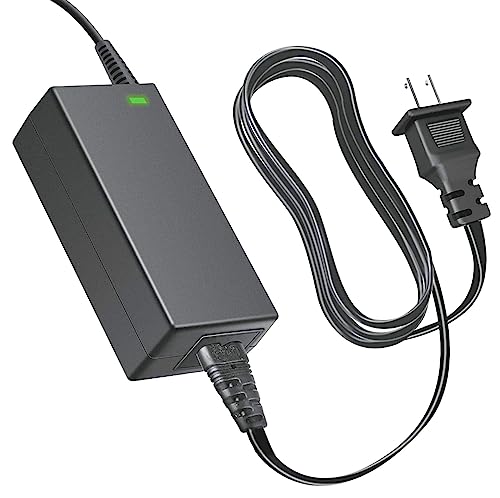
TaoTronics TT-DL13 -- Best Budget Adjustable Desk Lamp
The TT-DL13 offers five color modes and seven brightness levels controlled by a single touch bar. The base clamps to desk edges up to 2 inches thick or sits as a standalone base. A USB-A charging port on the base handles phone charging without using a separate outlet. At 500 lumens maximum output it is adequate for most desk work. The TUV flicker-free certification and blue-light-reduction mode make it a practical budget choice. At it is one of the most full-featured budget lamps available.
Strengths
- World Wide Input Voltage 100-240VAC 50/60Hz. OVP, OCP, SCP Protection (OVP: Over Voltage o
- New AC / DC Adapter Compatible with TaoTronics TT-DL13 Tao Tronics LED Desk Lamp Eye-carin

Elgato Key Light -- Best Desk Lamp for Video Calls
The Elgato Key Light is designed primarily for content creation and video calls, not ambient desk lighting. At 2800 lumens it is significantly brighter than most desk lamps and adjusts from 2900K to 7000K via a phone app or desktop software. It mounts on a desk stand or light stand arm positioned to the side of your monitor, creating flattering even illumination for face-camera work. The companion software integrates with OBS and streaming platforms for scene-based lighting control. At it is the most expensive option here and not necessary for standard desk work, but for remote workers who appear on video daily it is the most precise lighting tool available.
Strengths
- Wi-Fi Enabled: switch on/off and fine-tune light settings via the desktop app.
- 2800 Lumens: illuminate your entire workspace and dim down to a subtle glow.
- 2900 - 7000 K: change color temperature from sunset amber to arctic blue.
- 160 OSRAM LEDs: impressively low heat compared to soft boxes.
- Opal Glass Face: evenly balanced; glare-free diffusion.

IKEA FORSA -- Best Minimal Budget Desk Lamp
The FORSA is a single-arm adjustable lamp with a narrow spotlight beam. At it is the most affordable desk lamp that can be positioned precisely enough to light a keyboard without shining at a monitor. It uses a standard E12 bulb, so you can swap in a preferred brightness or color temperature. The adjustable arm bends at two joints for full positioning flexibility. No USB ports, no smart features -- it is a simple mechanical lamp that does its job without complexity.

Govee RGBICWW Desk Lamp -- Best for Dual-Mode Color and White Work Lighting
The Govee RGBICWW supports full RGB color for ambient lighting scenes and shifts to a clean white mode at adjustable color temperatures for work use. At 1400 lumens maximum it is bright enough for most desk environments. The touch controls and app integration allow quick switching between a warm color scene during breaks and a neutral 4500K white during focused work sessions. The base is weighted to prevent tipping from cable pull. At it is a practical choice for users who want one lamp to handle both task lighting and ambient room effects.
Strengths
- Versatile Desk Lamp: This double-headed LED desk lamp features a wireless remote control,
- Flexible Design: The lamp boasts a 360° standing and 180° foldable swing arms, enabling yo
- Eye-Friendly Lighting: With uniform illumination, no glare, no flicker, and no blue light
- Durable and Energy-Efficient: Constructed with high-quality aluminum alloy and featuring g
- Note: If your remote control isn't working, for a free replacement, no return needed.
Buying considerations
What to consider
Start with mounting position. A lamp placed behind the monitor and pointed toward the desk creates far less glare than one placed to the side. Monitor-mounted options like the BenQ ScreenBar are the most effective at keeping light off the screen entirely.
What to consider
Color temperature range is the second key factor. A lamp that adjusts from 2700K to 5000K covers warm evening use and bright daytime work with a single purchase. Fixed-temperature lamps are cheaper but less versatile across the day.
What to consider
Check for flicker-free and TUV certifications if you work long hours. Cheaper LED lamps can flicker at a frequency invisible to the naked eye but detectable by the visual system over hours, contributing to eye fatigue. TUV or similar certifications indicate the lamp was tested for this.
What to consider
For more setup advice, check our [best work from home desk picks](/articles/best-computer-desk-for-work-from-home) and the [computer desk setup guide](/articles/best-computer-desk-setup). Our [methodology page](/methodology) details the criteria used for these rankings.
Questions answered
For daytime computer work, 4000K to 5000K (cool white/neutral) reduces eye strain by matching ambient daylight. For evening work, 2700K to 3500K (warm white) is easier on the eyes and reduces blue light exposure before sleep. A lamp with adjustable color temperature from 2700K to 6500K covers all use cases and is the most practical choice for desks used throughout the day.
A desk lamp for computer work typically needs 450 to 800 lumens at the work surface. Too bright and it creates contrast glare against the monitor; too dim and it causes eye strain when you look away from the screen. Lamps with a broad, asymmetric beam that lights the surface without shining toward the monitor are specifically designed for screen-based work and perform better than standard reading lamps.
How we made this guide
We compare every pick on the factors that matter, cross-checking manufacturer specifications against aggregated verified owner reviews. We rank independently and never take payment for placement. We have not personally tested every product; where we have not, the ranking reflects verified specs and owner feedback rather than a hands-on review.
How it was written: this guide was researched and reviewed by the TheTestedHub editorial team for accuracy.
Affiliate disclosure: TheTestedHub is reader-supported. When you buy through links on our site, we may earn a commission at no extra cost to you.
Keep reading

Your Docking Station Match: CalDigit TS4 and More

Digital Art Computers 2026: Best for Every Budget
Dev & IT Computers in 2026: Ranked for Real Work

Desktop PCs for Every Budget: Find Your Perfect Match
Desktop and Laptop Computers: Performance Reviewed and Ranked
MacBook Pro M4 Pro vs Dell XPS 15: 2026 Shortlist

Buy the Best DIY Computer in 2026: Corsair One i300
