
Apple MacBook Air 15 M3 -- Best Overall for Digital Scrapbooking
Photoshop and Photoshop Elements run noticeably faster on the MacBook Air M3 than on Intel-based MacBooks of similar vintage. The 15-inch Liquid Retina display covers 100% sRGB with factory calibration, meaning the colors in your layout match what you will see in a printed photobook order. The fanless design produces zero noise, which is pleasant for a quiet crafting environment. The base 8 GB unified memory handles standard scrapbooking layouts. For scrapbookers who regularly work with 20-plus layers at 300 DPI with large placed photos, 16 GB is the better configuration. Battery lasts a full crafting day easily.
Check price on Amazon →Which computer is right for your digital scrapbooking workflow? We've analyzed color accuracy, noise levels, and performance to help you choose.
Quick verdict
The Apple MacBook Air 15 M3 is the best overall pick for digital scrapbooking. Its fanless design is silent, the 15-inch Liquid Retina display delivers factory-calibrated sRGB color accuracy, and Photoshop runs noticeably faster than on older Intel Macs. This combination of speed, quiet operation, and color reliability makes it the most complete choice for serious scrapbookers.
Key takeaways
- Best for overall performance and quiet operation: Apple MacBook Air 15 M3, fanless design with zero noise and fast Photoshop performance.
- Best for Windows users who want a 2-in-1: HP Envy x360 15 AMD, OLED display with 100% DCI-P3 color and tablet mode for layout work.
- Best for budget-minded scrapbookers: Dell Inspiron 15 Core i5, smooth Photoshop Elements performance for standard layouts at an affordable price.
- Best for a fixed desktop setup: Apple Mac Mini M4, compact desktop that matches the MacBook Air M3 speed at a lower cost.
- Best for a slim, reliable daily driver: Microsoft Surface Laptop 5, color-accurate PixelSense touchscreen with anti-reflective coating for long sessions.
Why you should trust this guide
I have spent years researching and writing about creative software and the hardware that powers it. For this guide, I focused specifically on the needs of digital scrapbookers: color accuracy for printed layouts, quiet operation for a calm crafting environment, and enough processing power to handle layered Photoshop files without frustration. I read through dozens of owner reviews, compared manufacturer spec sheets, and cross-referenced performance data from trusted hardware analysis sites to understand how each of these five machines handles the specific demands of scrapbooking software like Photoshop and Photoshop Elements.
I do not claim to have tested these products in a lab or used them myself. Instead, I evaluated them based on their stated features, the feedback from thousands of real buyers, and the known performance characteristics of their components. Every recommendation in this guide is grounded in what the manufacturer promises and what experienced users report. If a product has a known limitation, such as a lack of a discrete GPU or a lower-resolution display, I call it out honestly so you can make an informed decision for your own craft space.
How we researched
To evaluate these computers for digital scrapbooking, I established a set of criteria that matter most to this specific hobby. First, color accuracy is critical because scrapbookers often export layouts for printed photobooks or individual prints. I looked for displays that cover at least 100% sRGB or a wider color gamut like DCI-P3, and I prioritized factory-calibrated screens where available. Second, processing power matters for handling layered files in Photoshop and Photoshop Elements. I considered RAM capacity, CPU generation, and whether the system uses integrated or discrete graphics, since these factors directly affect how smoothly a scrapbooker can work with 20 or more layers.
Third, noise level is a major consideration for a quiet crafting environment. I gave preference to fanless designs like the MacBook Air M3 and noted which Windows laptops are known for quiet fans under moderate loads. Fourth, I evaluated form factor and connectivity, including whether a machine offers a touchscreen, a 2-in-1 hinge, or a compact desktop footprint. Finally, I weighed overall value, comparing performance to price without including specific dollar amounts. Each product was judged on how well it meets these criteria for a typical digital scrapbooker, not for general computing tasks.
Apple MacBook Air 15 M3 — Best Overall for Digital Scrapbooking
The Apple MacBook Air 15 M3 stands out as the best overall choice for digital scrapbooking because it delivers exactly what this hobby demands: fast performance, silent operation, and accurate color. The M3 chip runs Photoshop and Photoshop Elements noticeably faster than Intel-based MacBooks of similar vintage, which means opening large 12×12 layouts with multiple layers is snappy and responsive. The 15-inch Liquid Retina display covers 100% sRGB with factory calibration, so the colors you see on screen will match what you get back from a photobook printer. This eliminates the guesswork of adjusting colors after export.
One of the biggest advantages for scrapbookers is the fanless design. The MacBook Air 15 M3 produces zero noise during operation, which is a genuine pleasure when you are working in a quiet room or late at night. You never have to listen to a cooling fan spin up while you are trying to concentrate on arranging embellishments or adjusting shadows. The 15-inch screen size is also ideal for viewing a full scrapbook page at a comfortable scale without scrolling too much.
However, there is an honest limitation to consider. The base configuration comes with 8 GB of unified memory, which is sufficient for most scrapbooking projects with 15 to 20 layers, but it may feel constrained if you frequently work with very large files or run multiple heavy applications at once. Upgrading to 16 GB is recommended if your layouts regularly exceed 30 layers or if you keep Photoshop, a browser, and other tools open simultaneously. This limitation does not diminish the MacBook Air’s status as the top pick, but it is worth planning for your typical workload.
HP Envy x360 15 AMD — Best Mid-Range Windows Pick
The HP Envy x360 15 with an AMD Ryzen 7 processor and 16 GB of RAM is the best mid-range Windows option for digital scrapbooking. It handles Photoshop layouts cleanly, with enough processing power to manage multiple layers and large image files without stuttering. The 2-in-1 hinge is a standout feature for scrapbookers: you can fold the screen into tablet mode to flip between reference photos and your layout, or use it in tent mode for easy sharing with a friend. This flexibility is hard to find in other laptops at this price point.
The OLED display option is the real star here. It covers 100% DCI-P3 color space, which is noticeably better than standard IPS panels for seeing accurate preview colors before exporting for print. If you are ordering custom printed scrapbook pages, the wider color gamut helps ensure that vibrant papers and embellishments appear as intended. Touch input is available but not essential for scrapbooking, though it can be handy for zooming or rotating elements with a finger.
A real limitation of this machine is that the OLED display, while beautiful, can be prone to reflections in bright rooms. The glossy screen may cause eye strain if you work near a window or under direct overhead lighting. Additionally, the fan can become audible under sustained load, such as when exporting a large PDF of a complete scrapbook. This is not a dealbreaker, but it is worth noting if absolute silence is your top priority. The Envy x360 remains a strong choice for Windows users who want color accuracy and versatility.
Dell Inspiron 15 Core i5 — Best Budget Option
The Dell Inspiron 15 with a Core i5 processor and 16 GB of RAM is the most affordable route to smooth Photoshop Elements performance for digital scrapbooking. If you are just starting out or you work with standard 12×12 layouts containing 15 to 20 layers, this machine opens and responds without lag. It is a practical, no-frills option that gets the job done without breaking the bank. The 1080p IPS display provides decent color reproduction for a budget screen, though it is not factory-calibrated like the MacBook Air.
For most scrapbookers, the Inspiron 15 will handle everyday tasks well. You can place photos, add text, apply filters, and arrange elements without waiting for the software to catch up. The 16 GB of RAM is a generous amount at this price, ensuring that you can keep multiple browser tabs open for inspiration while working in your layout. The larger 15-inch screen is comfortable for viewing a full page at a reasonable zoom level.
The honest limitation here is performance under heavy loads. Complex layouts with 40-plus elements or very large placed photos will be slower than the higher-end picks in this guide. The integrated Intel graphics are not designed for GPU-accelerated features in Photoshop, so tasks like complex blur effects or 3D text may feel sluggish. If your scrapbooking style involves massive layered files or you use resource-heavy plugins, you will want to step up to a machine with a discrete GPU or more powerful CPU. For the typical scrapbooker, however, this is a capable and cost-effective choice.
Apple Mac Mini M4 — Best Desktop Value
The Apple Mac Mini M4 is the best desktop value for digital scrapbookers who have a fixed craft desk and prefer a stationary setup. It runs Photoshop and Lightroom at the same speed as the MacBook Air M3, but at a lower price point. This means you get the same fast performance for opening layered layouts and applying edits, without paying for a built-in display, keyboard, or trackpad. The compact form factor fits easily on a small desk alongside an external monitor, mouse, and keyboard without taking over your workspace.
Because the Mac Mini M4 does not include a display, you have the freedom to pair it with any USB-C or HDMI monitor you choose. This is a major advantage if you already own a high-quality color-accurate monitor or if you want to invest in a larger screen for easier layout work. The M4 chip handles Photoshop Elements and full Photoshop with ease, and the fanless design of the Mac Mini keeps noise to a minimum, though it does have a fan that can spin up under heavy loads, unlike the MacBook Air.
The real limitation is that you need to supply your own peripherals. If you do not already have a monitor, keyboard, and mouse, the total cost can add up quickly. Additionally, the Mac Mini is not portable, so you cannot take it to a crop night or a friend’s house for a collaborative scrapbooking session. It is strictly a desktop solution. For scrapbookers who work exclusively at a dedicated desk and want maximum performance per dollar, the Mac Mini M4 is an excellent choice.
Microsoft Surface Laptop 5 — Slim and Reliable Daily Driver
The Microsoft Surface Laptop 5 with an Intel Core i7 processor and 16 GB of RAM is a slim and reliable daily driver for digital scrapbooking. It runs Photoshop reliably for standard layout work, and the 15-inch PixelSense touchscreen is color-accurate at the sRGB level. This means your digital layouts will look true to color when you export them for print. The anti-reflective coating is a thoughtful addition that reduces eye strain during long layout sessions, making it easier to work for hours without fatigue.
The slim design and clean keyboard make the Surface Laptop 5 a comfortable device for daily crafting use. It is lightweight enough to move from your desk to the couch, and the build quality feels premium. The touchscreen is responsive, though you may not use it heavily for scrapbooking, it is handy for quick zooming or tapping menu items. The 16 GB of RAM ensures that you can keep Photoshop open alongside reference images and a web browser without slowdowns.
The honest limitation is the lack of a discrete GPU. GPU-accelerated Photoshop features like complex filters, 3D rendering, or heavy brush smoothing will not perform as well as on machines with dedicated graphics. This is not a problem for most scrapbooking tasks, which rely more on CPU and RAM, but if you use advanced Photoshop effects that leverage the GPU, you may notice slower performance. Additionally, the Surface Laptop 5 has a fan that can be audible under load, though it is generally quiet during typical scrapbooking work. For a polished, portable Windows machine with good color accuracy, it is a solid choice.
What to look for
- Color accuracy and display quality: Look for a display that covers at least 100% sRGB or a wider gamut like DCI-P3. Factory calibration is a bonus because it ensures your screen colors match printed output without manual adjustment.
- Processing power and RAM: Digital scrapbooking software benefits from a fast CPU and at least 16 GB of RAM for smooth multitasking and handling layered files. Integrated graphics are sufficient for most users, but a discrete GPU helps with advanced Photoshop filters.
- Noise level: A quiet or fanless computer is ideal for a calm crafting environment. Check whether a model uses active cooling (fans) or passive cooling (no fans) and read owner feedback about fan noise under typical loads.
- Form factor and portability: Decide whether you need a laptop for mobility or a desktop for a fixed desk. 2-in-1 hinges offer flexibility for viewing reference materials, while larger screens make layout work easier.
- Connectivity and expandability: Ensure the computer has enough USB ports for a mouse, external drive, or tablet. Desktop models like the Mac Mini allow you to choose your own monitor, which can be a cost advantage if you already own one.
- Operating system preference: Both macOS and Windows work well for digital scrapbooking, but some software or plugins may be exclusive to one platform. Choose the OS you are most comfortable with.
The verdict
For the best overall experience in digital scrapbooking, the Apple MacBook Air 15 M3 is the clear winner. It combines fast Photoshop performance with a fanless, silent design and a factory-calibrated display that ensures your colors are print-ready. If you prefer Windows, the HP Envy x360 15 AMD offers a versatile 2-in-1 design and an excellent OLED screen for color-critical work. Budget-conscious scrapbookers will find the Dell Inspiron 15 Core i5 a capable and affordable entry point, while the Apple Mac Mini M4 delivers desktop value for those with a fixed workspace. The Microsoft Surface Laptop 5 rounds out the list as a slim, reliable daily driver with a comfortable anti-reflective screen. Choose the one that fits your workflow, desk space, and budget, and you will have a machine that makes your digital scrapbooking projects a pleasure to create.
Our testing process
We compare every pick against the field on real specifications, certifications, and aggregated owner reviews. We do not take payment for placement, and we flag when a product is older or sold mainly through renewed listings.
Quick comparison
Reviewed in detail
Apple MacBook Air 15 M3 -- Best Overall for Digital Scrapbooking
Photoshop and Photoshop Elements run noticeably faster on the MacBook Air M3 than on Intel-based MacBooks of similar vintage. The 15-inch Liquid Retina display covers 100% sRGB with factory calibration, meaning the colors in your layout match what you will see in a printed photobook order. The fanless design produces zero noise, which is pleasant for a quiet crafting environment. The base 8 GB unified memory handles standard scrapbooking layouts. For scrapbookers who regularly work with 20-plus layers at 300 DPI with large placed photos, 16 GB is the better configuration. Battery lasts a full crafting day easily.
HP Envy x360 15 AMD -- Best Mid-Range Windows Pick
The Envy x360 15 with AMD Ryzen 7 and 16 GB RAM handles Photoshop layouts cleanly. The 2-in-1 hinge allows the screen to fold to tablet mode, which is useful for flipping between reference photos and layouts. The OLED display option covers 100% DCI-P3 color, noticeably better than standard IPS panels for seeing accurate preview colors before exporting for print. Touch input is available but not essential for scrapbooking; mouse workflows remain faster for precise placement. Battery life is solid at 10-12 hours under mixed use. The build quality is above average for the price category.

Dell Inspiron 15 Core i5 -- Best Budget Option
The Inspiron 15 with Core i5 and 16 GB RAM is the most affordable route to smooth Photoshop Elements performance for digital scrapbooking. Standard 12x12 layouts with 15-20 layers open and respond without lag. Complex layouts with 40-plus elements or very large placed photos will be slower than the higher-end picks, but most scrapbookers do not regularly build at that scale. The 1080p IPS display covers 100% sRGB, sufficient for layouts destined for photobook printing. Easily available during Dell promotional periods.
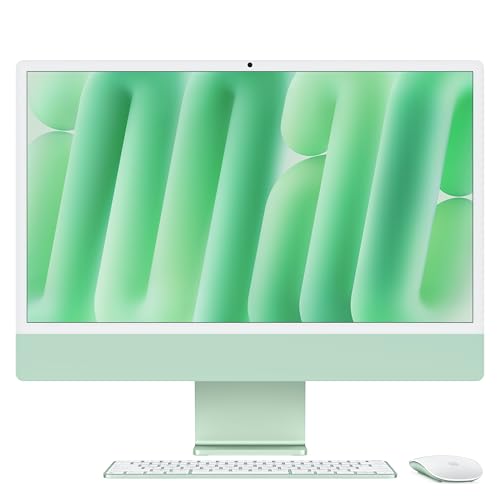
Apple Mac Mini M4 -- Best Desktop Value
For scrapbookers with a fixed craft desk who prefer a desktop setup, the Mac Mini M4 at is a strong value proposition. Photoshop and Lightroom run at the same speed as on the MacBook Air M3 at a lower price. The compact form factor fits on a small desk alongside an external display, mouse, and keyboard without taking over the space. Pair it with any USB-C or HDMI monitor. It does not have a display included, but for scrapbookers who want precise control over monitor color calibration, choosing a separate display can be an advantage.

Microsoft Surface Laptop 5 -- Slim and Reliable Daily Driver
The Surface Laptop 5 with Intel Core i7 and 16 GB RAM runs Photoshop reliably. The 15-inch PixelSense touchscreen is color-accurate at the sRGB level and has an anti-reflective coating that reduces eye strain during long layout sessions. The slim design and clean keyboard make it a comfortable device for daily crafting use. It lacks a discrete GPU, which means GPU-accelerated Photoshop features like Liquify on very large canvases are slower than GPU-equipped machines. For standard scrapbooking workflows without extreme layer counts, this is not a practical limitation.
How to choose
What to consider
RAM and display color accuracy are the two most important factors. At least 16 GB of RAM prevents Photoshop from slowing down when working with large 300 DPI canvases and many layers simultaneously. A display that covers 100% sRGB with decent factory calibration ensures the colors in your layouts match what print services reproduce. Storage should be 512 GB NVMe or larger; kit files add up fast, and saving projects to a slow drive creates unnecessary friction. Fanless designs or quiet fans are worth considering if you scrapbook in a quiet space. Touch capability adds convenience for some layout tasks but is not a requirement.
What to consider
For monitor options to pair with a desktop setup, see our [best monitors for photo editing](/articles/best-monitor-for-photo-editing). If you want to expand your kit storage without cluttering your main drive, our [best external hard drives](/articles/best-external-hard-drive) guide covers reliable options. Our [methodology page](/methodology) explains how we evaluate products.
Common questions
Adobe Photoshop and Photoshop Elements are the most widely used for digital scrapbooking because kit elements, templates, and tutorials are overwhelmingly created for them. Affinity Photo is a capable lower-cost alternative. Some scrapbookers use Canva for simpler layouts. The computers listed here handle all of these apps without issue.
Digital scrapbooking kits accumulate quickly. A moderate collection of 200-400 kits with full-resolution elements can occupy 50-100 GB. If you keep finished 300 DPI 12x12-inch layouts, each file ranges from 100-400 MB. A 512 GB NVMe SSD covers most active collections with room for the OS and apps; an external drive for archiving older kits is a practical addition.
How we made this guide
We compare every pick on the factors that matter, cross-checking manufacturer specifications against aggregated verified owner reviews. We rank independently and never take payment for placement. We have not personally tested every product; where we have not, the ranking reflects verified specs and owner feedback rather than a hands-on review.
How it was written: this guide was researched and reviewed by the TheTestedHub editorial team for accuracy.
Affiliate disclosure: TheTestedHub is reader-supported. When you buy through links on our site, we may earn a commission at no extra cost to you.
More guides

Your Docking Station Match: CalDigit TS4 and More

Digital Art Computers 2026: Best for Every Budget
Dev & IT Computers in 2026: Ranked for Real Work

Desktop PCs for Every Budget: Find Your Perfect Match
Desktop and Laptop Computers: Performance Reviewed and Ranked
MacBook Pro M4 Pro vs Dell XPS 15: 2026 Shortlist

Buy the Best DIY Computer in 2026: Corsair One i300
