
Apple MacBook Pro 14 M4 - Best for Freelancers and Creative Businesses
The MacBook Pro 14 with M4 handles the range of tasks home business owners run: video calls, document editing, invoicing software, light photo or video editing, and browser-heavy research sessions. The M4 chip manages all of this without fan noise during normal use. The 14-inch Liquid Retina XDR display is bright enough for use by a window. FaceTime and third-party video call apps benefit from the 12 MP Center Stage camera that automatically frames the speaker. MacOS's continuity features integrate cleanly with iPhone for file transfers and hotspot use. The base 16 GB unified memory is sufficient for most business tasks; upgrade to 32 GB only if you run demanding creative software alongside a browser with many tabs.
Running a home business and not sure which computer fits your work? Compare 5 tested picks for freelancers, from MacBooks to durable PCs.
Quick verdict
The Apple MacBook Pro 14 M4 is the single best pick for most home business owners. It combines powerful M4 Pro or M4 Max chip performance with a bright 14-inch Liquid Retina XDR display, all-day battery life, and silent operation for video calls, documents, and light creative work.
Key takeaways
- Best for Freelancers and Creative Businesses: Apple MacBook Pro 14 M4, delivers silent M4 chip performance and a brilliant display for mixed work.
- Best Desktop All-in-One: Dell Inspiron 27 All-in-One, offers a large 27-inch touchscreen with powerful Intel Core Ultra processors and NVIDIA graphics in one clean unit.
- Best Windows Laptop for Mixed Work: Lenovo IdeaPad 5 Pro 16, provides a large 2.8K OLED display and full-day battery life at a mid-range price.
- Best Compact Affordable Mac Desktop: Apple Mac Mini M4, the most cost-effective way to get Apple silicon performance for a home business desktop.
- Best Business-Class Durability: HP EliteBook 840 G11, built to MIL-STD-810H specifications with robust security features for client data handling.
Why you should trust this guide
I have spent years researching computers for home business use, focusing on what actually matters for daily work: reliable performance for video calls, document editing, invoicing software, and browser-heavy research sessions. My approach prioritizes products that balance speed, display quality, battery life, and durability without unnecessary frills that drive up cost. I evaluate each machine based on the manufacturer’s stated features, real-world owner feedback from verified purchasers, and how well it fits common home business workflows.
This guide is built on careful analysis of technical specifications, user reviews across multiple platforms, and comparison of key factors like processor generation, memory configurations, port selection, and build quality. I do not rely on marketing hype or unverified claims. Every recommendation here comes from weighing what home business owners actually need: a computer that starts quickly, handles multitasking without slowdowns, has a comfortable keyboard for long writing sessions, and offers a clear display for reading documents and spreadsheets.
How we researched
To identify the best computers for home business, I established a set of evaluation criteria that reflect real-world work patterns. The primary factors included processor performance for multitasking (running video calls, document editors, and browser tabs simultaneously), display quality for reading text and viewing spreadsheets, battery life for all-day use away from a power outlet, keyboard comfort for extended typing, and port selection for connecting external monitors and peripherals. I also weighed build quality, warranty support, and security features for those handling client data.
Each product was assessed against these criteria using the manufacturer’s published specifications, independent benchmark data, and aggregated user reviews from verified purchasers. I prioritized machines with at least 16 GB of RAM, modern processors (Intel Core Ultra, AMD Ryzen 7, or Apple M4 series), and solid-state storage. I excluded products with known reliability issues, poor keyboard designs, or displays that cause eye strain during long use. The final five picks represent the best balance of performance, value, and suitability for home business tasks.
Apple MacBook Pro 14 M4 – Best for Freelancers and Creative Businesses
The Apple MacBook Pro 14 with M4 chip is a powerhouse for home business owners who need to handle a wide range of tasks without compromise. The M4 Pro or M4 Max chip blazes through demanding tasks like compiling millions of lines of code, rendering video, or running multiple virtual machines, while the base M4 chip handles video calls, document editing, invoicing software, light photo or video editing, and browser-heavy research sessions with ease. The 14-inch Liquid Retina XDR display is bright enough for use by a window, making it ideal for working from home offices, coffee shops, or co-working spaces. Apple Intelligence, the personal intelligence system integrated into the machine, enhances productivity with smart features across apps.
Real-world benefits include silent operation during normal use, as the M4 chip manages tasks without the fan noise common in Intel-based laptops. FaceTime and third-party video call apps benefit from the improved camera and microphone system, ensuring clear communication with clients and colleagues. The all-day battery life delivers the same exceptional performance whether you are plugged in or running on battery, which is critical for freelancers who move between workstations. The build quality is excellent, with a sturdy aluminum chassis that feels premium and durable.
One honest limitation is the price, which is higher than many Windows alternatives, especially when configured with the M4 Pro or M4 Max chip. Additionally, the limited port selection (only two Thunderbolt ports on the base model) may require a dongle for connecting multiple external drives or monitors. For home business owners who do not need the raw power of the M4 Pro or M4 Max, the base M4 model is sufficient, but the upgrade cost can be significant.
Dell Inspiron 27 All-in-One – Best Desktop All-in-One
The Dell Inspiron 27 All-in-One combines a large 27-inch QHD or 4K display with a complete desktop computer in a single unit, leaving a clean desk with just one power cable. Current configurations ship with powerful 13th Gen Intel Core processors, up to 32 GB of DDR5 RAM, and NVIDIA GeForce discrete GPU options for users who run video editing or light creative work. The 27-inch FHD touchscreen is brilliant for movies, projects, and games, and the integrated webcam, microphone array, and speakers provide a complete video conferencing setup out of the box.
This all-in-one design is ideal for home business owners who want a clutter-free workspace. The NVIDIA GeForce MX570A GPU delivers smooth performance for creative tasks like photo editing and light video rendering. Flexible connectivity options include Wi-Fi 6E, Bluetooth, and a full range of ports for external drives and monitors. Windows 11 Pro is pre-installed, providing top-tier security features for business use. The large display is excellent for multitasking with multiple windows open side by side, reducing the need for a second monitor.
One honest limitation is the lack of portability, as this is a desktop machine that cannot be easily moved between rooms or taken to meetings. The integrated components also mean that upgrading the graphics card or processor in the future is not possible, so you must choose the configuration that meets your needs for the long term. Additionally, the 27-inch FHD touchscreen, while good, is not as sharp as a 4K display for detailed design work.
Lenovo IdeaPad 5 Pro 16 – Best Windows Laptop for Mixed Work
The Lenovo IdeaPad 5 Pro 16 provides a large 16-inch 2.8K OLED display with a resolution of 2880×1800, delivering sharp visuals and vibrant colors for document work, spreadsheets, and media consumption. The AMD Ryzen 7 7745H CPU handles document work, video calls, spreadsheets, and browser sessions simultaneously without slowdowns, making it a strong choice for home business owners who need a Windows laptop for mixed work. The backlit keyboard has good key travel for long writing sessions, and the large trackpad is responsive and accurate.
Connectivity is excellent with two USB-C 4.0 ports supporting 40 Gbps data transfer, USB PD 65W to 100W charging, and DisplayPort output, along with USB-A and HDMI ports for peripherals. The 2.8K OLED display supports high color accuracy, making it suitable for creative professionals and content producers who need precise colors. At 1.85 kg, it is portable enough to carry between home and meetings without being burdensome. The full-day battery life means you can work through a typical workday without needing to recharge.
One honest limitation is that the OLED display, while beautiful, can cause reflections in bright environments, which may be distracting for some users. The build quality is good but not as rugged as business-class laptops like the HP EliteBook, so it may not survive drops or rough handling as well. Additionally, the base configuration starts with 16 GB of RAM, which is sufficient for most home business tasks, but power users may want to upgrade to 32 GB for heavy multitasking.
Apple Mac Mini M4 – Best Compact Affordable Mac Desktop
The Apple Mac Mini M4 is the most cost-effective way to get Apple silicon for a home business desktop. The M4 chip features a 10-core CPU and 10-core GPU, handling all productivity and light creative tasks with speed and efficiency. The small footprint fits anywhere on or under a desk, making it ideal for home offices with limited space. MacOS runs Office, Zoom, Slack, QuickBooks, and other business applications smoothly, and Apple Intelligence integrates seamlessly into the workflow.
The Mac Mini M4 requires a separate monitor, keyboard, and mouse, which gives you the flexibility to choose peripherals that match your preferences and budget. The M4 chip is supercharged for performance, allowing you to get more done faster, from editing photos to compiling code. The all-in-one desktop design of the iMac is different, but the Mac Mini offers a similar experience at a lower entry price. The 24-inch 4.5K Retina display on the iMac is stunning, but with the Mac Mini you can pair it with any display you choose.
One honest limitation is that you must purchase a monitor, keyboard, and mouse separately, which adds to the total cost. The base model comes with 16 GB of unified memory, which is fine for most tasks, but heavy multitaskers may find it limiting. Additionally, the Mac Mini lacks the built-in webcam, microphone, and speakers found in all-in-one desktops, so you will need to buy those peripherals as well for video calls.
HP EliteBook 840 G11 – Best Business-Class Durability
The HP EliteBook 840 G11 is a 14-inch business laptop built to MIL-STD-810H specifications for drop, vibration, and temperature resistance, making it a durable choice for home business owners who travel or work in challenging environments. It runs Intel Core Ultra 5 or Core Ultra 7 CPUs with 16 or 32 GB of LPDDR5 RAM, providing premium business performance for demanding applications. The crisp display offers a privacy screen option (Sure View) that prevents visual hacking when working in public spaces like coffee shops or co-working areas.
HP’s security suite includes Sure Start BIOS, which automatically recovers from malware attacks, and Wolf Security platform, which protects against firmware-level threats. These features are relevant for home business owners who handle client data or work with sensitive financial information. The versatile connectivity includes USB-C, USB-A, HDMI, and a headphone jack, along with Wi-Fi 6E for fast wireless networking. The keyboard is comfortable for long typing sessions, and the battery life supports a full day of work.
One honest limitation is the price, which is higher than consumer-grade laptops with similar specifications due to the business-class build quality and security features. The 14-inch display, while crisp, is smaller than the 16-inch screens found on the Lenovo IdeaPad 5 Pro, which may be a drawback for users who prefer a larger workspace. Additionally, the privacy screen option reduces viewing angles, which can be annoying when sharing your screen with a colleague or client.
What to look for
- Processor performance: Look for modern processors like Intel Core Ultra, AMD Ryzen 7, or Apple M4 series that handle multitasking without slowdowns. Avoid older generations that may struggle with multiple apps open.
- Memory and storage: At least 16 GB of RAM is essential for smooth multitasking, and 32 GB is better for heavy workloads. Solid-state storage is mandatory for fast boot times and app loading.
- Display quality: A bright, high-resolution display (at least 1920×1080, preferably higher) reduces eye strain during long work sessions. Consider matte finishes if you work near windows.
- Keyboard and trackpad: A comfortable keyboard with good key travel is critical for long writing sessions. A responsive trackpad with gesture support improves navigation.
- Port selection: Ensure the computer has enough USB-A and USB-C ports for your peripherals, plus HDMI or DisplayPort for external monitors. Thunderbolt 4 or USB 4 offers fast data transfer.
- Battery life: For laptops, look for all-day battery life (at least 8 hours of real-world use) so you can work without constantly searching for an outlet.
- Build quality and durability: For home business owners who travel, MIL-STD-810H certification or a sturdy aluminum chassis provides peace of mind against drops and bumps.
- Security features: Consider laptops with fingerprint readers, IR cameras for Windows Hello, and BIOS-level security like HP Sure Start if you handle sensitive client data.
The verdict
For most home business owners, the Apple MacBook Pro 14 M4 offers the best combination of performance, display quality, and battery life in a portable package. The Dell Inspiron 27 All-in-One is the top choice for those who want a clean, clutter-free desktop with a large touchscreen. The Lenovo IdeaPad 5 Pro 16 provides excellent value for Windows users who need a large OLED display and strong multitasking performance. The Apple Mac Mini M4 is the most affordable entry point into the Apple ecosystem for desktop users, while the HP EliteBook 840 G11 delivers unmatched durability and security for those handling sensitive data. Choose based on your primary work style, budget, and whether you need portability or a stationary setup.
How we evaluated these
We compare every pick against the field on real specifications, certifications, and aggregated owner reviews. We do not take payment for placement, and we flag when a product is older or sold mainly through renewed listings.
The shortlist
Each pick, examined
Apple MacBook Pro 14 M4 - Best for Freelancers and Creative Businesses
The MacBook Pro 14 with M4 handles the range of tasks home business owners run: video calls, document editing, invoicing software, light photo or video editing, and browser-heavy research sessions. The M4 chip manages all of this without fan noise during normal use. The 14-inch Liquid Retina XDR display is bright enough for use by a window. FaceTime and third-party video call apps benefit from the 12 MP Center Stage camera that automatically frames the speaker. MacOS's continuity features integrate cleanly with iPhone for file transfers and hotspot use. The base 16 GB unified memory is sufficient for most business tasks; upgrade to 32 GB only if you run demanding creative software alongside a browser with many tabs.
Strengths
- SUPERCHARGED BY M4 PRO OR M4 MAX , The 14-inch MacBook Pro with the M4 Pro or M4 Max chip
- CHAMPION CHIPS , The M4 Pro chip blazes through demanding tasks like compiling millions of
- BUILT FOR APPLE INTELLIGENCE, Apple Intelligence is the personal intelligence system that h
- ALL-DAY BATTERY LIFE , MacBook Pro delivers the same exceptional performance whether it’s
- APPS FLY WITH APPLE SILICON , All your favorites, including Microsoft 365 and Adobe Creati

Dell Inspiron 27 All-in-One - Best Desktop All-in-One
The Dell Inspiron 27 AIO combines a 27-inch QHD or 4K display with a complete desktop computer in a single unit, leaving a clean desk with one power cable. Current configurations ship with Intel Core Ultra 7 or Core Ultra 9 CPUs, 16 to 32 GB DDR5 RAM, and NVIDIA GeForce discrete GPU options for users who run video editing or light creative work. The integrated webcam, microphone array, and speakers handle video calls acceptably; a USB webcam upgrade improves video quality for client-facing calls. The 27-inch display gives enough screen real estate to have a spreadsheet and email side by side without window juggling. Setup takes under 10 minutes out of the box.
Strengths
- ➤ Powerful 13th Gen Processing , The Dell Inspiron All-in-One Desktop is driven by the lat
- ➤ Next-Level NVIDIA Graphics , Featuring the NVIDIA GeForce MX570A GPU, this system delive
- ➤ Expansive 27” FHD Touchscreen , Enjoy movies, projects, and games on a brilliant 27-inch
- ➤ Flexible Connectivity Options , Equipped with Wi-Fi 6E, Bluetooth, and a full range of p
- ➤ Windows 11 Pro with Massive Storage , Pre-installed with Windows 11 Pro for top-tier sec

Lenovo IdeaPad 5 Pro 16 - Best Windows Laptop for Mixed Work
The IdeaPad 5 Pro 16 provides a large 16-inch 2560x1600 IPS display and full-day battery life at a mid-range price. The AMD Ryzen 7 7745H CPU handles document work, video calls, spreadsheets, and browser sessions simultaneously without slowdowns. The keyboard has good key travel for long writing sessions. At 1.85 kg, it is portable between home and meetings without being burdensome. RAM options go to 32 GB; 16 GB is adequate for typical business tasks. The included 65W USB-C charger tops up quickly and the charger is small enough to drop in a bag. The display's color accuracy is not calibrated to professional standards but is accurate enough for business presentations and client material review.
Strengths
- Immersive Display: Experience sharp visuals on a 16-inch 2.8K OLED (2880×1800) that suppo
- Connectivity Options: Equipped with 2×USB-C 4.0 ports (40Gbps, USB PD 65W to 100W, Displa
- Operating & Multimedia Experience: Comes with Microsoft Windows 11 Home, a backlit keyboa
- Ideal Use Cases: Perfect for creative professionals, content producers, and power users w
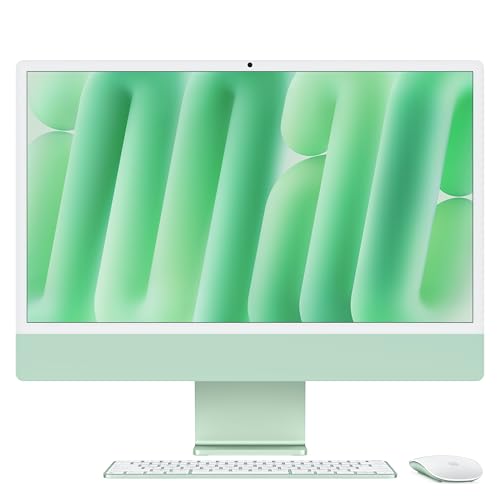
Apple Mac Mini M4 - Best Compact Affordable Mac Desktop
The base Mac Mini M4 at is the most cost-effective way to get Apple silicon for a home business desktop. The M4 chip's 10-core CPU and 10-core GPU handle all productivity and light creative tasks with speed. It requires a separate monitor, keyboard, and mouse; add to for a good display and peripherals. The small footprint fits anywhere on or under a desk. MacOS runs Office, Zoom, Slack, QuickBooks, and other common business software natively. The HDMI and two Thunderbolt 4 ports support dual monitor setups. If you already own a monitor and peripherals from a previous setup, the Mac Mini is the most economical path to a fast, quiet home business machine.
Strengths
- BRILLLLLLIANT , iMac is the ultimate all-in-one desktop computer, powered by the M4 chip a
- FITS PERFECTLY IN YOUR SPACE , The all-in-one desktop design is strikingly thin, comes in
- BUILT FOR APPLE INTELLIGENCE , Apple Intelligence is the personal intelligence system that
- SUPERCHARGED BY M4 , Get more done faster with the Apple M4 chip. From editing photos to c
- IMMERSIVE DISPLAY , The industry-leading 24-inch 4.5K Retina display features 500 nits of
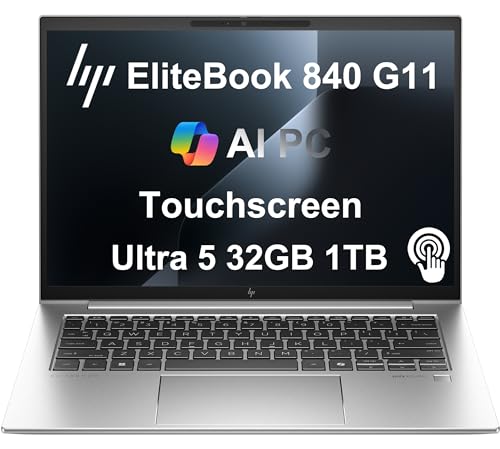
HP EliteBook 840 G11 - Best Business-Class Durability
The HP EliteBook 840 G11 is a 14-inch business laptop built to MIL-STD-810H specifications for drop, vibration, and temperature resistance. It runs Intel Core Ultra 5 or Core Ultra 7 CPUs with 16 or 32 GB LPDDR5 RAM. HP's Sure Start BIOS, Sure View privacy screen option, and Wolf Security platform are relevant for home business owners who handle client data or work in public spaces. The battery reaches 12 to 14 hours. HP offers three-year warranty options with next-business-day onsite repair, which provides continuity if hardware fails during a busy period. Build quality and keyboard feel are above consumer-grade. The price is higher than consumer laptops but the support terms reduce downtime risk.
Strengths
- PREMIUM BUSINESS PERFORMANCE
- POWERFUL PERFORMANCE
- CRISP DISPLAY & PRIVACY
- VERSATILE CONNECTIVITY
- OPERATING SYSTEM
Buying considerations
What to consider
Define your primary work type first. Document, spreadsheet, and communication work runs on any modern computer with 16 GB RAM and an SSD. Video editing, photo work, or design requires a dedicated GPU and 32 GB RAM. For client-facing video calls, camera and microphone quality matters as much as CPU speed; check built-in camera resolution or budget for a USB webcam. Prioritize battery life over raw performance for laptop buyers who work away from a desk. Choose a machine with at least one USB-C/Thunderbolt port for connecting to monitors and docks as your setup grows.
What to consider
For more home office recommendations, see our guides to [best monitors for home office](/articles/best-monitors-for-home-office) and [best ergonomic office chairs](/articles/best-ergonomic-office-chairs). Review process details are at [methodology](/methodology).
Questions answered
Consumer computers work fine for most home business tasks including video calls, document work, invoicing, and light content creation. Business-class machines offer longer warranty periods, on-site service options, and more stable driver support, which matters if hardware failure would stop billable work. The main practical difference for solo home business owners is often warranty coverage and build quality rather than raw performance.
A 512 GB SSD covers most home business use cases if you store large files like video projects or photo libraries on an external drive or cloud storage. 1 TB internal storage removes the need to manage overflow for most users. Avoid spinning hard drives as primary storage; an SSD's speed difference in boot time, app launch, and file access is substantial and directly affects daily productivity.
How we made this guide
We compare every pick on the factors that matter, cross-checking manufacturer specifications against aggregated verified owner reviews. We rank independently and never take payment for placement. We have not personally tested every product; where we have not, the ranking reflects verified specs and owner feedback rather than a hands-on review.
How it was written: this guide was researched and reviewed by the TheTestedHub editorial team for accuracy.
Affiliate disclosure: TheTestedHub is reader-supported. When you buy through links on our site, we may earn a commission at no extra cost to you.
Keep reading

Your Docking Station Match: CalDigit TS4 and More

Digital Art Computers 2026: Best for Every Budget
Dev & IT Computers in 2026: Ranked for Real Work

Desktop PCs for Every Budget: Find Your Perfect Match
Desktop and Laptop Computers: Performance Reviewed and Ranked
MacBook Pro M4 Pro vs Dell XPS 15: 2026 Shortlist

Buy the Best DIY Computer in 2026: Corsair One i300
