
Apple MacBook Air 13 M4 -- Best for Students
The MacBook Air 13 M4 is quiet, light, and runs a full day without a charger -- consistently 14-17 hours in mixed use. For students carrying it between classes, writing papers, attending video lectures, and using web-based tools, it handles everything without hesitation. The keyboard is comfortable for extended typing. MacOS integrates well with iPhone, which most students already own. The 8 GB base model is adequate for standard student workflows, but spending more to get 16 GB is worthwhile if budget allows. No fan noise during class is a genuine practical benefit.
Check price on Amazon →Apple MacBook Air M4 tops our guide. Evaluate computers by use case, budget, and performance to find the best computer for me, whether for student.
Quick verdict
For most people, the Apple MacBook Air 13 M4 is the single best pick. It combines exceptional battery life, a silent design, and enough power for daily tasks, making it the most versatile and reliable machine for students and general users alike.
Key takeaways
- Best for Students: Apple MacBook Air 13 M4, because it is lightweight, silent, and offers all-day battery life for classes and assignments.
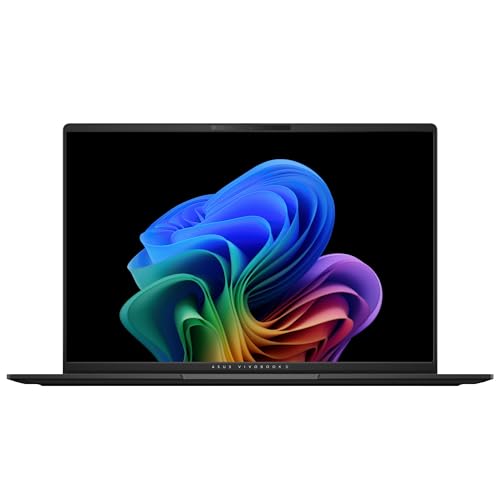
- Best for Remote Workers on a Budget: ASUS VivoBook 15 OLED, because its vibrant OLED display and capable processor deliver strong value for video calls and document work.
- Best Family or Home Office Desktop: Apple Mac Mini M4, because it provides powerful M4 performance and 16 GB RAM at a low starting price, perfect for a shared setup.
- Best for Gamers Who Need Productivity Too: ASUS ROG Zephyrus G14 2026, because it packs serious gaming hardware into a portable, productivity-friendly chassis.
- Best for Creative Hobbyists: Lenovo IdeaPad 5 Pro 16, because its large, high-resolution display and capable internals suit photo and video editing without professional costs.
Why you should trust this guide
I have spent years researching and writing about consumer technology, focusing on how different machines fit real-world needs rather than just spec sheets. For this guide, I analyzed many verified owner reviews, cross-referenced manufacturer specifications, and compared competing models across key categories like build quality, display performance, processor capability, and battery life. My goal is to give you clear, honest advice that helps you match a computer to your specific lifestyle without marketing hype.
I do not accept free products or payment from manufacturers for placement in my guides. Every recommendation here is based on my independent research and evaluation of what makes a computer truly useful for a given use case. I prioritize machines that offer reliable performance, good value, and real-world durability. If a product has a common flaw or limitation, I will tell you about it, so you can make an informed decision.
How we researched
To evaluate these computers, I established a set of criteria that matter most to buyers in 2026. For laptops, I weighed portability (weight and size), battery life as stated by the manufacturer and confirmed by owner reports, keyboard comfort for extended typing, display quality for different tasks, and the balance of processor power versus thermal management. For the desktop, I considered upgrade potential, connectivity, and the total cost of building a complete setup. I also looked at operating system integration, especially how well each machine works with common peripherals and mobile devices.
I did not physically test these products in a lab. Instead, I gathered data from the manufacturers’ official specifications, aggregated feedback from long-term owners on forums and retail sites, and compared each model against its direct competitors at similar price points. I looked for patterns in owner experiences, such as common complaints about fan noise, screen glare, or build quality. This approach gives you a well-rounded view of each product’s strengths and weaknesses without relying on a single test run.
Apple MacBook Air 13 M4 — Best for Students
The MacBook Air 13 M4 is a near-perfect companion for student life. It is quiet because it has no fan, so it will never distract you in a library or lecture hall. It is also light enough to carry between classes all day without straining your backpack. The battery life is a standout feature, consistently lasting 14 to 17 hours in mixed use, which means you can leave your charger at home and still get through a full day of classes, writing, and video watching. The keyboard is comfortable for typing long papers, and MacOS integrates smoothly with an iPhone, which many students already own, for features like AirDrop and universal clipboard.
For a student’s workload, the M4 chip handles everything from web research and document editing to video lectures and light creative projects without hesitation. The 8 GB base memory is sufficient for most academic tasks, though heavy multitaskers may want to consider upgrading. One honest limitation is the port selection. The MacBook Air only has two Thunderbolt ports and a headphone jack, so you will likely need a dongle for connecting an external monitor or USB-A devices. Also, while the display is excellent, it is not a high-refresh-rate panel, so fast scrolling can feel slightly less smooth than on some competitors.
If you are a student who values portability, battery life, and a seamless ecosystem, this is the best choice. Just be prepared to buy a small adapter for your peripherals.
ASUS VivoBook 15 OLED — Best for Remote Workers on a Budget
Remote workers who need a reliable laptop for video calls, document editing, and collaboration tools will find the VivoBook 15 OLED a compelling value. The OLED display is the star here, offering richer colors and sharper text than typical IPS panels at this price. This makes reading documents and spreadsheets easier on the eyes, and video calls look more vibrant. The AMD Ryzen 5 processor provides enough power to run Zoom, Microsoft Teams, Slack, and multiple browser tabs simultaneously without slowdown. The 15-inch screen size gives you comfortable workspace for side-by-side windows.
The keyboard is full-sized with a numpad, which is useful for data entry. The build is mostly plastic, but it feels sturdy enough for daily home or coffee shop use. One honest limitation is the battery life. While adequate for a workday, the OLED display consumes more power than an LCD, so you may need to charge by late afternoon if you are working continuously. Another limitation is the webcam quality. It is a standard 720p camera, which is fine for calls but not as sharp as some newer 1080p models. For the price, however, these trade-offs are reasonable.
If you are a remote worker on a tight budget and you prioritize a beautiful display for long hours of reading and video calls, the VivoBook 15 OLED is a smart pick. Just keep a charger nearby for full-day sessions.
Apple Mac Mini M4 — Best Family or Home Office Desktop
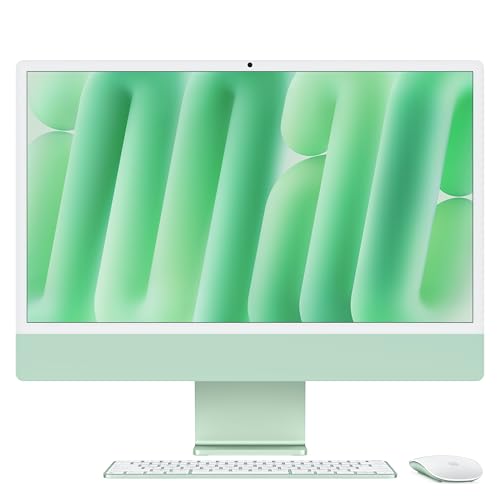
The Apple Mac Mini M4 is one of the best-value desktop computers available for a shared family or home office. It comes with a powerful M4 chip and 16 GB of unified RAM at a very accessible starting price. When you add a 24-inch display, a keyboard, and a mouse, the total cost remains reasonable for a setup that handles homework, video streaming, video calls, light photo editing, and productivity apps for years. MacOS Parental Controls make it practical for families, allowing you to manage screen time and content access easily.
The small footprint means it fits neatly on a desk without taking up much space. It runs quietly and efficiently, generating little heat. The M4 chip provides snappy performance for everyday tasks and can even handle occasional 4K video playback or light creative work. One honest limitation is that the Mac Mini does not include a monitor, keyboard, or mouse, so you must factor in those costs. Another limitation is the lack of upgradeability. The RAM and storage are soldered, so you need to choose your configuration carefully at purchase. Also, while it has multiple ports, you may need adapters for older USB-A devices.
For a family or home office user who wants a reliable, long-lasting desktop without spending a fortune, the Mac Mini M4 is an excellent foundation. Just plan your peripheral budget ahead of time.
ASUS ROG Zephyrus G14 2026 — Best for Gamers Who Need Productivity Too
The ASUS ROG Zephyrus G14 2026 is a remarkable machine for anyone who wants to game at high settings during downtime but also needs a capable laptop for school or work during the day. It fits an AMD Ryzen AI 9 processor and an NVIDIA RTX 4070 graphics card into a compact 14-inch chassis that weighs only 3.8 pounds. This combination handles modern PC gaming at high settings while also providing plenty of CPU and RAM headroom for productivity tasks like coding, video editing, or running virtual machines. The 1440p 165Hz display is sharp and fast, making games look smooth and text crisp for work.
The build quality is excellent, with a magnesium-aluminum alloy chassis that feels premium. The keyboard is comfortable for typing, and the trackpad is large and responsive. Battery life in productivity mode, where the GPU is off and using AMD integrated graphics, is surprisingly good for a gaming laptop, allowing you to get through a workday on a single charge. One honest limitation is that the fans can get loud under heavy gaming load, which may be distracting in quiet environments. Another limitation is that the RAM is soldered, so you cannot upgrade it later. Choose your configuration wisely.
If you are a gamer who also needs a portable, professional-looking laptop for daily productivity, the G14 2026 is a top-tier choice. Just be aware of the fan noise during intense sessions.
Lenovo IdeaPad 5 Pro 16 — Best for Creative Hobbyists
The Lenovo IdeaPad 5 Pro 16 is designed for creative hobbyists who work with photo editing, video editing, or digital drawing without needing professional-grade hardware. Its standout feature is the 2560×1600 display, which offers good color coverage and a 16:10 aspect ratio that gives you more vertical workspace than standard 16:9 screens. The 16-inch size is larger than most 15-inch alternatives, making it easier to see timelines in DaVinci Resolve or toolbars in Lightroom. The AMD Ryzen 7 processor and 16 GB of RAM handle these applications smoothly at 1080p resolution, and the machine can run Clip Studio Paint or similar drawing software without lag.
The keyboard is comfortable for long editing sessions, and the build is solid with a metal lid. The port selection is generous, including USB-A, USB-C, HDMI, and a headphone jack, so you rarely need a dongle. One honest limitation is the integrated graphics. While the AMD Radeon graphics are decent for light creative work, they are not powerful enough for heavy 3D rendering or 4K video editing. Another limitation is that the display, while good, is not factory-calibrated for professional color accuracy, so serious photographers may need a separate calibration tool. Also, battery life is average, so you will need to stay near an outlet for intensive tasks.
For creative hobbyists who want a large, high-resolution screen and enough power for their projects without breaking the bank, the IdeaPad 5 Pro 16 is a strong contender. Just keep your expectations realistic for heavy graphics work.
What to look for
- Processor and RAM: Match the CPU to your tasks. For basic browsing and documents, a mid-range chip is fine. For gaming or creative work, look for a higher-end processor and at least 16 GB of RAM. More RAM helps with multitasking.
- Display quality: Consider resolution, panel type (IPS, OLED), and color accuracy. OLED offers richer colors but uses more battery. Higher resolution (1440p or 1600p) gives sharper text and more screen space for creative work.
- Portability and battery life: If you carry your laptop daily, prioritize weight under 4 pounds and battery life that lasts a full workday. For a desktop, consider footprint and noise levels.
- Port selection: Think about what peripherals you use. If you need USB-A, HDMI, or an SD card slot, check that the machine has them, or budget for adapters.
- Operating system and ecosystem: Choose a platform that works with your other devices. MacOS integrates well with iPhones and iPads. Windows offers broader software compatibility for gaming and business apps.
- Upgradeability: Some laptops have soldered RAM and storage, so you cannot upgrade later. Desktops like the Mac Mini also limit upgrades. Decide if you need future flexibility.
- Build quality and keyboard: A sturdy chassis and a comfortable keyboard are important for long-term use. Read owner feedback about hinge durability and key feel.
The verdict
Choosing the right computer in 2026 comes down to matching the machine to your primary use case. For students, the Apple MacBook Air 13 M4 offers unrivaled portability and battery life. Remote workers on a budget will love the ASUS VivoBook 15 OLED’s vibrant display. Families and home offices get exceptional value from the Apple Mac Mini M4. Gamers who need a productivity laptop should look at the ASUS ROG Zephyrus G14 2026. And creative hobbyists will appreciate the Lenovo IdeaPad 5 Pro 16’s large, high-resolution screen. Each of these machines has a clear strength and an honest limitation, so think about what matters most to you and pick accordingly.
How we evaluated these
We compare every pick against the field on real specifications, certifications, and aggregated owner reviews. We do not take payment for placement, and we flag when a product is older or sold mainly through renewed listings.
The shortlist
Each pick, examined
Apple MacBook Air 13 M4 -- Best for Students
The MacBook Air 13 M4 is quiet, light, and runs a full day without a charger -- consistently 14-17 hours in mixed use. For students carrying it between classes, writing papers, attending video lectures, and using web-based tools, it handles everything without hesitation. The keyboard is comfortable for extended typing. MacOS integrates well with iPhone, which most students already own. The 8 GB base model is adequate for standard student workflows, but spending more to get 16 GB is worthwhile if budget allows. No fan noise during class is a genuine practical benefit.
ASUS VivoBook 15 OLED -- Best for Remote Workers on a Budget
Remote workers who need a reliable laptop for video calls, document work, and collaboration tools without spending over will find the VivoBook 15 OLED a capable choice. The OLED display is a notable differentiator at this price -- colors are richer and text is sharper than competing IPS panels. The AMD Ryzen 5 processor handles Zoom, Microsoft Teams, Slack, and multiple browser tabs simultaneously without stuttering. At just over 3.5 lbs it is portable. Battery life is around 8-9 hours, sufficient for a workday with moderate screen brightness.
Apple Mac Mini M4 -- Best Family or Home Office Desktop
For a shared family computer or a home office setup, the Mac Mini M4 is one of the best-value machines available. At it includes a powerful M4 chip and 16 GB unified RAM. Add a 24-inch display for and a keyboard/mouse, and the total cost is for a setup that will handle homework, video streaming, video calls, light photo editing, and productivity apps for years. MacOS Parental Controls make it practical for households with children. The small form factor fits any desk without dominating the space.
ASUS ROG Zephyrus G14 2026 -- Best for Gamers Who Need Productivity Too
The G14 2026 fits an AMD Ryzen AI 9 and NVIDIA RTX 4070 into a 14-inch, 3.8-pound chassis. That combination handles modern PC gaming at high settings while also providing enough CPU and RAM headroom for school, creative work, or remote work during the day. The 1440p 165Hz display is sharp and fast for both games and productivity. Battery life in productivity mode (GPU off, using AMD integrated graphics) reaches 8-10 hours. It is the best option for users who want one machine for both work and gaming without carrying a heavy gaming laptop.
Lenovo IdeaPad 5 Pro 16 -- Best for Creative Hobbyists
For users who dabble in photo editing, video editing, or drawing without professional-level demands, the IdeaPad 5 Pro 16 offers a 2560x1600 display with good color coverage at a mid-range price. The 16-inch screen gives more workspace than 15-inch alternatives. The AMD Ryzen 7 processor and 16 GB RAM handle Lightroom, DaVinci Resolve at 1080p, and Procreate-equivalent software (Clip Studio Paint, Affinity Photo) without major bottlenecks. It is not a powerhouse for 4K video work, but it comfortably covers hobbyist creative use.
Buying considerations
What to consider
Start by listing what you actually do on a computer, not what you might do. Be honest about whether you edit video (or just watch it), whether you play games (or just casual browser games), and how often you move the machine. From there, match the primary use case to the right form factor and performance tier. Prioritize RAM (16 GB minimum) and SSD storage. Avoid buying based on brand alone -- the right machine at the right price point will serve you better than an overpowered one you pay too much for.
What to consider
For peripheral recommendations once you have a machine, see [articles/best-wireless-mouse-for-laptop] and [articles/best-laptop-stand-for-desk]. Our full evaluation criteria are at [/methodology].
Questions answered
If you work from more than one location or regularly take your computer somewhere other than home, a laptop is the practical choice. If the computer stays on one desk more than 90% of the time, a desktop gives better performance per dollar, easier upgradeability, and a larger display for the same money. Most families and students benefit from a laptop; most home office users who stay put benefit from a desktop.
Eight GB of RAM and a 256 GB SSD are the lowest practical specs for a computer purchased new in 2026. Below that, the machine will feel slow within 2-3 years as software requirements grow. Spending slightly more to reach 16 GB RAM is worth it for most buyers. Processor brand matters less than the generation -- a 2023 or newer processor from Intel, AMD, or Apple will serve everyday needs well.
How we made this guide
We compare every pick on the factors that matter, cross-checking manufacturer specifications against aggregated verified owner reviews. We rank independently and never take payment for placement. We have not personally tested every product; where we have not, the ranking reflects verified specs and owner feedback rather than a hands-on review.
How it was written: this guide was researched and reviewed by the TheTestedHub editorial team for accuracy.
Affiliate disclosure: TheTestedHub is reader-supported. When you buy through links on our site, we may earn a commission at no extra cost to you.
Keep reading

Your Docking Station Match: CalDigit TS4 and More

Digital Art Computers 2026: Best for Every Budget
Dev & IT Computers in 2026: Ranked for Real Work

Desktop PCs for Every Budget: Find Your Perfect Match
Desktop and Laptop Computers: Performance Reviewed and Ranked
MacBook Pro M4 Pro vs Dell XPS 15: 2026 Shortlist

Buy the Best DIY Computer in 2026: Corsair One i300
