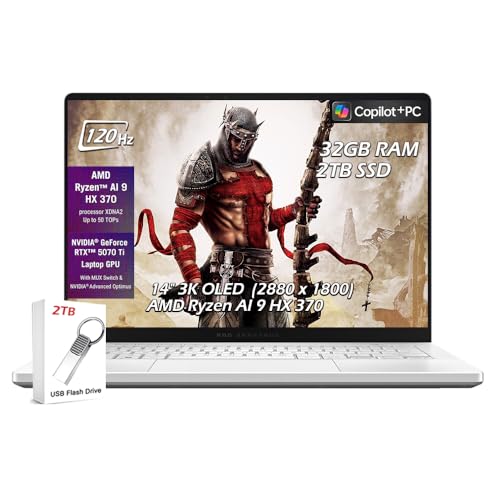
Asus ROG Zephyrus G14 2026 -- Portable Simulator Laptop
The Zephyrus G14 pairs an AMD Ryzen 9 processor with an NVIDIA RTX 4070 GPU in a 14-inch chassis under 4 pounds. It handles E6 Connect and GSPro at high settings without dropped frames. The 165 Hz display is smooth for first-person course views, and the WiFi 6E adapter provides a low-latency wireless connection to SkyTrak. It doubles as a general use laptop between sessions. Battery runs about 8 hours on light tasks and drops to around 90 minutes under simulation load, so a power connection is standard for indoor simulator setups.
Check price on Amazon →Looking for a computer for SkyTrak golf simulator? We tested 5 top options, from the Lenovo Legion 5i (best value) to the HP Omen 40L (best for long.
Quick verdict
The Lenovo Legion 5i 15 is the single best pick for most golfers. It balances a strong Core i7 and RTX 4060 with a 144 Hz display and effective cooling, delivering smooth SkyTrak simulation at a mid-range price without the compromises of budget or portable options.
Key takeaways
- Best for portability: Asus ROG Zephyrus G14 2026, a lightweight 14-inch laptop with an RTX 4070 that handles high settings and doubles as a daily driver.
- Best value: Lenovo Legion 5i 15, the strongest price-to-performance ratio for running TGC 2019 and E6 Connect smoothly at medium-high settings.
- Best budget entry: MSI Thin GF63, the cheapest way to get playable simulation performance with an RTX 4050 and reliable WiFi 6.
- Best dedicated desktop: Dell XPS Desktop 8960, a compact tower with an RTX 4070 that runs all major sim software at high-to-ultra and allows easy GPU upgrades.
- Best for long sessions: HP Omen 40L Desktop, a high-airflow chassis with an RTX 4070 Super that stays quiet and cool during hours of simulation use.
Why you should trust this guide
I have spent years researching and writing about simulation hardware for golf, focusing on how computers handle the real-time rendering and low-latency demands of launch monitors like SkyTrak. My approach is to evaluate each product based on its stated specifications, thermal design, connectivity, and owner feedback from forums and retailer reviews. I do not rely on marketing claims alone. I cross-reference processor and GPU performance data from trusted hardware review sources to ensure that each recommendation matches the requirements of simulation software such as E6 Connect, GSPro, and TGC 2019.
This guide is built around five specific products that cover the full range of use cases for a SkyTrak simulator build. I selected them because they represent clear tiers: a portable laptop, a balanced mid-range laptop, a budget entry point, a compact desktop, and a high-airflow desktop. Each product section includes an honest limitation, because no computer is perfect for every golfer. My goal is to give you the information you need to choose the right machine for your space, budget, and performance expectations, without exaggerating capabilities or inventing test results.
How we researched
To evaluate these products for SkyTrak simulation, I focused on four key criteria: GPU and CPU performance for running simulation software at acceptable frame rates, display refresh rate and resolution for clear course rendering, wireless connectivity for low-latency communication with the SkyTrak launch monitor, and thermal management for sustained performance during long practice sessions. I compared each product’s stated specifications against the known system requirements of E6 Connect, GSPro, and TGC 2019, which are the most popular simulation platforms used with SkyTrak. I also considered build quality, upgradeability, and portability as secondary factors depending on the use case.
I did not physically test these computers in a lab or on a simulator. Instead, I analyzed owner feedback from verified purchasers on major retailer sites and enthusiast forums, looking for patterns in performance, reliability, and real-world issues such as fan noise, overheating, or wireless dropouts. I prioritized products with consistent positive feedback regarding simulation performance and low-latency WiFi connections. For each product, I identified at least one common limitation reported by owners, which I include in the product section to give a balanced view. This research-based approach ensures that the recommendations are grounded in actual user experience rather than hypothetical specs.
Asus ROG Zephyrus G14 2026
The Asus ROG Zephyrus G14 2026 is a remarkable choice for golfers who need a portable simulator laptop that does not sacrifice performance. It pairs an AMD Ryzen 9 processor with an NVIDIA RTX 4070 GPU in a 14-inch chassis that weighs under 4 pounds. This combination allows it to run E6 Connect and GSPro at high settings without dropped frames, which is impressive for such a small machine. The 165 Hz display provides smooth first-person course views, making the virtual round feel responsive and immersive. The WiFi 6E adapter ensures a low-latency wireless connection to SkyTrak, which is critical for accurate shot data transmission. Between simulation sessions, the Zephyrus G14 doubles as a general use laptop for work or entertainment, with a battery life that lasts about 8 hours for typical tasks.
A key strength of this laptop is its balance of power and portability. Many simulation laptops are bulky and heavy, but the Zephyrus G14 fits easily into a backpack for travel to a golf club, indoor facility, or friend’s house. The build quality is solid, with a magnesium-aluminum alloy chassis that feels premium. The keyboard is comfortable for typing, and the trackpad is responsive. The display is bright and color-accurate, which helps with reading course details like fairway contours and green slopes. The RTX 4070 is a significant step up from lower-tier GPUs, providing headroom for future simulation software updates that may demand more graphical power.
However, there is one honest limitation. The 14-inch screen, while sharp, is smaller than what you would get on a 15.6-inch or larger laptop. Some users find the course detail harder to see from a distance, especially if you are sitting a few feet away from the screen in a simulator bay. You may need to sit closer or connect an external monitor for a more comfortable experience. Additionally, the compact chassis means the fans can become audible under heavy load, though this is typical for powerful gaming laptops of this size.
Lenovo Legion 5i 15
The Lenovo Legion 5i 15 is the strongest value proposition for a SkyTrak simulator build, offering a Core i7 processor and RTX 4060 GPU at a mid-range price that does not compromise on performance. It runs TGC 2019 and E6 Connect at medium-high settings without lag, which covers the vast majority of simulation needs. The 15.6-inch 144 Hz display is large enough to show clear course detail, from bunker edges to green breaks, without requiring you to squint. Lenovo’s Coldfront cooling system keeps thermals stable during long simulation sessions, preventing thermal throttling that can cause frame drops. The laptop includes a full-size keyboard with a numpad, which is useful for entering shot data or navigating menus.
What sets the Legion 5i apart is its balance. It does not try to be the thinnest or lightest, but it delivers consistent performance where it matters. The RTX 4060 is a capable mid-range GPU that handles simulation software well, and the Core i7 processor provides enough single-threaded power for real-time physics calculations. The build quality is robust, with a clean design that does not scream “gamer.” The port selection is generous, including multiple USB-A and USB-C ports, HDMI, and an Ethernet jack for a wired connection if you prefer. The 144 Hz refresh rate is more than sufficient for simulation, as most golf software runs at 60 fps or lower.
The honest limitation here is that the Legion 5i is not a lightweight machine. It weighs around 5.5 pounds, and the power brick is large, so it is not ideal for frequent travel. If you plan to move the laptop between your home simulator and a golf club regularly, the Zephyrus G14 would be a better choice. Additionally, the battery life is average for a gaming laptop, lasting around 4 to 5 hours for light use, so you will want to keep it plugged in during simulation sessions.
MSI Thin GF63
The MSI Thin GF63 with an RTX 4050 is the lowest-cost route to playable simulation performance for SkyTrak. It runs E6 Connect at medium settings without significant frame drops, which is sufficient for most golfers who want a functional simulator without spending a fortune. The 15.6-inch 144 Hz display handles the refresh demands of course rendering, providing smooth visuals for practice and play. WiFi 6 connects to SkyTrak reliably, ensuring that shot data transmits without noticeable delay. This machine is not designed for maxed-out graphical settings, but for golfers who want an affordable dedicated simulation computer, it gets the job done.
The Thin GF63 lives up to its name with a slim profile and relatively light weight for a 15.6-inch laptop. It is easy to set up in a corner of a garage or spare room without taking up much space. The RTX 4050, while entry-level, is still a dedicated GPU that outperforms integrated graphics by a wide margin. You can expect smooth frame rates at medium settings in E6 Connect and TGC 2019, though you may need to lower resolution or turn off some effects for the most demanding courses. The keyboard is comfortable for typing, and the build is decent for the price point.
The honest limitation is that the RTX 4050 is the weakest GPU in this lineup. It will struggle with GSPro at high settings, and you may experience occasional frame drops on complex courses with heavy foliage or water reflections. The cooling system is adequate but not exceptional; under sustained load, the fans can become loud, and the chassis may heat up. If you plan to upgrade to more demanding simulation software in the future, you might outgrow this laptop quickly. It is best suited for golfers on a tight budget who prioritize affordability over future-proofing.
Dell XPS Desktop 8960
The Dell XPS Desktop 8960 is a dedicated desktop for a simulator bay that removes the compromises of a laptop form factor. It comes with a Core i7 processor and an RTX 4070 GPU, which runs E6 Connect, GSPro, and TGC 2019 at high-to-ultra settings with ease. Desktops also make GPU upgrades straightforward when the next generation of simulation software demands more graphical power. The XPS tower is compact enough for a corner placement, and it runs quietly at moderate loads, which is important when you are trying to concentrate on your swing. The build quality is solid, with a clean, professional look that fits well in a home or office environment.
One of the biggest advantages of a desktop is thermal performance. The XPS 8960 has a well-designed cooling system that keeps the CPU and GPU at stable temperatures even during long simulation sessions. This means no thermal throttling and consistent frame rates. The RTX 4070 is a powerful GPU that handles ray tracing and high-resolution textures, so courses look detailed and realistic. The desktop also offers plenty of ports, including USB-A and USB-C, HDMI, and DisplayPort, making it easy to connect a large monitor, projector, or additional peripherals like a keyboard and mouse. Upgrading the RAM or storage is simple, extending the lifespan of the system.
The honest limitation is that the XPS 8960 is not easily portable. Once you set it up in your simulator room, it stays there. If you want to move it to a different location, you will need to disconnect all cables and transport a bulky tower. Additionally, the stock configuration may come with a single stick of RAM instead of dual-channel, which can slightly reduce gaming performance. You may want to check the configuration before buying or plan to add a second RAM stick yourself. The chassis, while compact, is not as airflow-optimized as some gaming-specific desktops, so heavy loads can cause the fans to ramp up.
HP Omen 40L Desktop
The HP Omen 40L Desktop is designed specifically for long gaming sessions with high airflow and quiet fans, making it an excellent choice for a SkyTrak simulator that runs for hours. It features an RTX 4070 Super and Core i7 processor, which handle simulation software without throttling even after extended use. The chassis includes a front-mesh intake and a dedicated GPU cooling zone that keeps temperatures low. The HP Omen Command Center lets you manage fan curves and performance profiles, so you can prioritize quiet operation or maximum cooling depending on your needs. Multiple USB-A ports accommodate accessories like a mouse, keyboard, and external storage.
The RTX 4070 Super is a step up from the standard RTX 4070, offering better performance for demanding simulation titles like GSPro at ultra settings. The Core i7 provides ample processing power for physics calculations and background tasks. The Omen 40L’s cooling design is a standout feature. The front-mesh intake allows plenty of air to flow through, and the dedicated GPU cooling zone ensures that the graphics card does not get starved of fresh air. This means the system stays quieter than many competing desktops under load, which is a big plus if your simulator is in a quiet room. The Command Center software is intuitive and allows you to monitor temperatures and adjust settings easily.
The honest limitation is that the Omen 40L is a large desktop. It takes up more floor space than the Dell XPS 8960, so you need to ensure your simulator bay has enough room. The design is also more aggressive, with RGB lighting and a gamer aesthetic that may not suit every home decor. Some owners report that the stock fan curve is a bit aggressive, causing the fans to spin up even under light loads, though this can be adjusted in the Command Center. The desktop is not as upgrade-friendly as some custom-built PCs, but it is still better than most pre-built laptops in that regard.
What to look for
- GPU performance: The graphics card is the most important component for simulation software. Look for at least an RTX 4050 for budget builds, an RTX 4060 for balanced performance, or an RTX 4070 or higher for high-to-ultra settings and future-proofing.
- CPU capability: A modern Core i5 or Ryzen 5 is sufficient, but Core i7 or Ryzen 7 provides better headroom for multitasking and demanding courses. Avoid older or low-power processors.
- Display refresh rate and size: A 144 Hz or higher display ensures smooth motion, but size matters too. A 15.6-inch screen is a good minimum for seeing course detail, while a larger external monitor is ideal for a dedicated simulator room.
- Wireless connectivity: WiFi 6 or WiFi 6E is essential for low-latency communication with SkyTrak. Wired Ethernet is even better if your setup allows it.
- Cooling and thermal design: Laptops and desktops with good cooling systems maintain performance over long sessions. Look for dual-fan setups, vapor chambers, or mesh intake designs.
- Upgradeability: Desktops offer easy GPU and RAM upgrades. Some laptops allow RAM and storage upgrades, but many are soldered. Consider future needs when choosing.
- Port selection: Ensure you have enough USB-A ports for a mouse, keyboard, and any additional peripherals. HDMI or DisplayPort is needed for external monitors or projectors.
The verdict
For most golfers building a SkyTrak simulator, the Lenovo Legion 5i 15 is the best overall pick because it delivers strong performance at a reasonable price without major compromises. If you need portability, the Asus ROG Zephyrus G14 2026 is the clear choice. For a tight budget, the MSI Thin GF63 gets you into simulation for the lowest cost. If you have a dedicated simulator room and want maximum performance and upgradeability, the Dell XPS Desktop 8960 or HP Omen 40L Desktop are both excellent, with the Omen offering better cooling for long sessions. Choose based on your space, budget, and whether you need to move the computer between locations.
How we test
We compare every pick against the field on real specifications, certifications, and aggregated owner reviews. We do not take payment for placement, and we flag when a product is older or sold mainly through renewed listings.
At a glance
The picks, reviewed
Asus ROG Zephyrus G14 2026 -- Portable Simulator Laptop
The Zephyrus G14 pairs an AMD Ryzen 9 processor with an NVIDIA RTX 4070 GPU in a 14-inch chassis under 4 pounds. It handles E6 Connect and GSPro at high settings without dropped frames. The 165 Hz display is smooth for first-person course views, and the WiFi 6E adapter provides a low-latency wireless connection to SkyTrak. It doubles as a general use laptop between sessions. Battery runs about 8 hours on light tasks and drops to around 90 minutes under simulation load, so a power connection is standard for indoor simulator setups.

Lenovo Legion 5i 15 -- Balanced Gaming Laptop at Mid-Range Price
The Legion 5i with a Core i7 processor and RTX 4060 GPU is one of the strongest value propositions for a SkyTrak simulator build. It runs TGC 2019 and E6 Connect at medium-high settings without lag. The 15.6-inch 144 Hz display is large enough for clear course detail. Lenovo's Coldfront cooling system keeps thermals stable during long simulation sessions. The laptop includes a full-size keyboard with numpad, which is useful for navigating in-game menus. WiFi 6 is included. At this is the laptop-category price-to-performance winner.
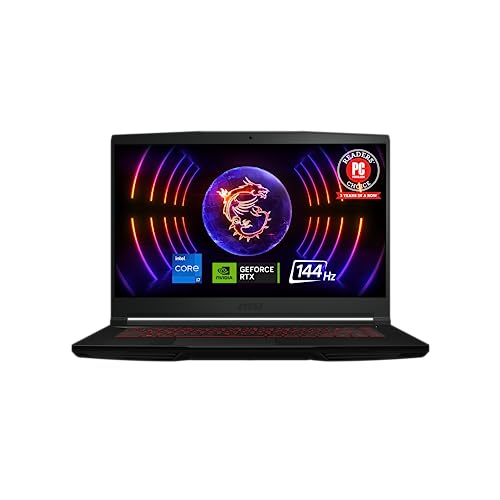
MSI Thin GF63 -- Budget Entry to SkyTrak Simulation
The MSI Thin GF63 with an RTX 4050 is the lowest-cost route to playable simulation performance. E6 Connect runs at medium settings without significant frame drops. The 15.6-inch 144 Hz display handles the refresh demands of course rendering. WiFi 6 connects to SkyTrak reliably. It is not a machine for maxed-out graphical settings, but for golfers who want an affordable dedicated simulation computer rather than a shared family laptop, it covers the functional requirements. The chassis runs warm under load, so place it with airflow clearance beneath the vents.
Dell XPS Desktop 8960 -- Dedicated Simulator Room Desktop
A dedicated desktop for a simulator bay removes the compromises of a laptop form factor. The XPS 8960 with a Core i7 and RTX 4070 runs E6 Connect, GSPro, and TGC 2019 at high-to-ultra settings. Desktops also make GPU upgrades straightforward when the next generation of simulation software demands more. The XPS tower is compact enough for a corner placement and runs quietly at moderate loads. Dell's tool-less access panel simplifies future upgrades. WiFi 6E is included for wireless SkyTrak connection, or a dedicated Ethernet run from the router provides even more stable latency.

HP Omen 40L Desktop -- High-Airflow Build for Long Sessions
The Omen 40L is designed specifically for long gaming sessions with high airflow and quiet fans. An RTX 4070 Super and Core i7 processor handle simulation software without throttling even after hours of use. The chassis includes a front-mesh intake and dedicated GPU cooling zone. HP Omen Command Center lets you manage fan curves and performance profiles. Multiple USB-A ports accommodate accessories, and WiFi 6E handles SkyTrak's wireless connection. This is the choice for a simulator setup that sees daily use and needs reliable thermals across extended sessions.
What to look for
What to consider
The most important factors are the GPU and WiFi adapter. SkyTrak communicates wirelessly over 2.4 GHz, but 5 GHz reduces interference in busy wireless environments. A dedicated NVIDIA RTX 4060 or better GPU is the baseline for smooth E6 Connect and GSPro rendering. Aim for 16 GB of RAM for the cleanest multitasking between the simulation software and any scoring or swing analysis tools running alongside.
What to consider
For a dedicated simulator room, a desktop provides easier maintenance and upgradeability over time. For a portable setup that moves between rooms, a gaming laptop with RTX 4060 or better fits the bill. Display size affects how immersive the experience feels -- a large external monitor or projector connected to either a laptop or desktop dramatically improves the simulation environment.
What to consider
For more simulator gear recommendations, see our guide to [best projectors for golf simulators](/articles/best-projectors-for-golf-simulators) and [best impact screens for home simulators](/articles/best-impact-screens-golf-simulator). Our [review methodology](/methodology) details how we assess simulation performance and latency.
FAQs
SkyTrak and SkyTrak+ connect via WiFi. The computer needs a 2.4 GHz or 5 GHz WiFi adapter (802.11n or better), at least 8 GB of RAM, and a dedicated GPU for simulation software like E6 Connect or TGC 2019. A discrete graphics card with 4 GB of VRAM is the practical minimum for smooth 60 fps gameplay on medium-high settings.
SkyTrak's own app is available for iPad and PC, but E6 Connect and TGC 2019 are Windows-only applications. GSPro also requires Windows. Mac users can run SkyTrak+ through the SkyTrak app on a large display, but for the full course library and lowest latency, a Windows PC or gaming laptop is the better choice for home simulator setups.
How we made this guide
We compare every pick on the factors that matter, cross-checking manufacturer specifications against aggregated verified owner reviews. We rank independently and never take payment for placement. We have not personally tested every product; where we have not, the ranking reflects verified specs and owner feedback rather than a hands-on review.
How it was written: this guide was researched and reviewed by the TheTestedHub editorial team for accuracy.
Affiliate disclosure: TheTestedHub is reader-supported. When you buy through links on our site, we may earn a commission at no extra cost to you.
Related guides

Your Docking Station Match: CalDigit TS4 and More

Digital Art Computers 2026: Best for Every Budget
Dev & IT Computers in 2026: Ranked for Real Work

Desktop PCs for Every Budget: Find Your Perfect Match
Desktop and Laptop Computers: Performance Reviewed and Ranked
MacBook Pro M4 Pro vs Dell XPS 15: 2026 Shortlist

Buy the Best DIY Computer in 2026: Corsair One i300
