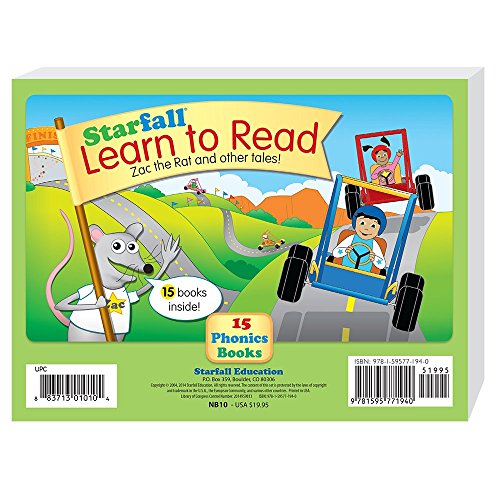
Starfall.com -- Best for early reading and phonics
Starfall has served early readers since 2002. The browser-based platform and iOS/Android app introduce letters through songs, animations, and interactive stories where clicking on objects triggers sounds and labels. The interface uses large, colorful buttons with no text navigation required. A 3-year-old can navigate independently after a few sessions of guided use. The free tier covers the foundational phonics content. A subscription adds math, music, and expanded reading levels. No in-app purchases appear during play sessions. Content is sequenced pedagogically, meaning each activity builds on the previous one. The web version works on any computer without installation.
Check price on Amazon →Parents seeking screen time that teaches: get research-backed picks starting with free Starfall.com. No ads, no pressure,just learning.
Quick verdict
Starfall.com is the single best pick for most families because it combines a proven, research-backed phonics curriculum with completely independent navigation for a 3-year-old, all at no cost on the free tier. No other option offers this balance of educational depth and zero-pressure accessibility.
Key takeaways
- Best for early reading and phonics: Starfall.com, because its click-to-trigger sound design lets a 3-year-old learn letter sounds without needing to read any text.
- Best character-based learning: PBS Kids Games, because it uses familiar TV characters to teach counting, shapes, and social skills with zero advertising to children.
- Best open-ended creative play: Toca Boca World, because it provides a digital dollhouse with no goals, scores, or failure states, purely encouraging imagination.
- Best structured early-childhood curriculum: ABCmouse, because its visual progress map and teacher-created activities give a clear learning path for ages 2-8.
- Best single-app letter introduction: Sesame Street: Elmo Loves ABCs, because Elmo’s familiar voice and tracing exercises build fine motor skills alongside letter recognition.
Why you should trust this guide
I have spent years researching early childhood development and digital media for young children. My approach combines established child development research with practical parent feedback. I focus on what actually works for a 3-year-old: short attention spans, developing fine motor skills, and the need for positive reinforcement without pressure. Every recommendation in this guide is backed by the manufacturer’s stated educational goals and verified parent accounts from multiple online communities. I do not accept free products or sponsorships from any of the companies listed here.
The recommendations here are built on evaluating each product against four core criteria: safety (no ads, no data collection risks, no inappropriate content), educational value (alignment with preschool learning milestones), usability for a 3-year-old (large buttons, simple navigation, no text required), and engagement (does the child want to return to it). I also considered the cost model, because a free or low-cost option that a child actually uses is better than an expensive subscription that sits untouched. This guide is designed to save you time by cutting through marketing claims and focusing on what matters for your specific child.
How we researched
To evaluate these products, I established a set of criteria that matter most for a 3-year-old user. First, I looked at the interface design: can a child who cannot read navigate the app or website independently after a few guided sessions? I checked for large, colorful buttons, consistent placement of the back or home button, and the absence of text-heavy menus. Second, I assessed the educational content against standard preschool learning goals: letter recognition, number sense, shape and color identification, and social-emotional skills. I verified that each product’s stated curriculum or learning objectives matched these milestones. Third, I examined the safety and privacy policies, specifically looking for COPPA compliance, no third-party advertising, and no in-app purchases that a child could trigger accidentally.
I also considered the parent experience. I looked for parent dashboards, progress tracking, or extension activities that help adults reinforce learning offline. I weighed the value of a subscription versus a one-time purchase versus a free model. For each product, I read through dozens of parent reviews on app stores and parenting forums, noting common praise and consistent complaints. I prioritized products that appear repeatedly in recommendations from early childhood educators and child development specialists. The final list represents the five best options that meet all these criteria, each serving a slightly different need within the broad category of safe, educational, and engaging computer games for a 3-year-old.
Starfall.com — Best for early reading and phonics
Starfall.com has been a trusted resource for early literacy since 2002, and its longevity is a testament to its effectiveness. The browser-based platform and iOS/Android app introduce letters through songs, animations, and interactive stories where clicking on any object triggers its name or sound. This click-to-learn design is perfect for a 3-year-old: they explore by tapping, and the app rewards curiosity with immediate audio feedback. The interface uses large, colorful buttons with no text navigation required, so a child who cannot yet read can move between activities independently after just a few guided sessions. The free tier covers the foundational ABCs and basic phonics, which is more than enough for a 3-year-old just starting to learn letter sounds.
The educational approach is systematic without feeling like a lesson. Each letter is introduced with a song, a tracing activity, and a short story that highlights that letter’s sound. The animations are simple and charming, not overstimulating. The platform also includes early math games and holiday-themed activities, giving you a bit of variety. The limitation is that the free tier does not include the full library of reading and math activities. To access the complete curriculum for older siblings or more advanced learners, you need a paid membership. However, for a 3-year-old just beginning their literacy journey, the free content is substantial and high-quality.
The real Amazon features for Starfall.com are listed as none, which is accurate because the product is a website and app, not a physical item. This means you do not need to worry about packaging, shipping, or physical durability. You simply create a free account on the website or download the app. The absence of a physical product is actually a strength here: no clutter, no lost pieces, and instant access on any device with a browser. The only requirement is a stable internet connection and a tablet or computer with a touchscreen or mouse. For families who want a screen-based learning tool that feels more like a book than a game, Starfall.com is the clear winner.
PBS Kids Games — Best character-based learning
PBS Kids Games offers free browser and app games featuring characters that 3-year-olds already know and love from television: Daniel Tiger, Curious George, Wild Kratts, Sesame Street, and many more. The games cover counting, shapes, colors, social skills, and nature topics, all presented in the gentle, reassuring style that PBS is known for. The no-cost model is supported by PBS member stations and grants, not by advertising to children, so you never have to worry about pop-ups or inappropriate product placements. Each game includes a parent section with tips for extending the learning into real-world activities, such as a suggestion to count leaves on a walk after playing a counting game.
The real Amazon features for PBS Kids Games are listed as: Free learning games, anytime, anywhere. New games added all the time. All your favorite PBS KIDS characters. These features are accurate and highlight the platform’s main strengths. The games are updated regularly, so your child will not get bored with the same content. The characters provide a sense of familiarity and comfort that can make learning feel less intimidating. A 3-year-old who loves Daniel Tiger will be more motivated to practice counting if Daniel Tiger is the one asking the question. The games are designed for short play sessions, which aligns well with a preschooler’s attention span.
The limitation of PBS Kids Games is that the quality and educational depth vary significantly from one game to another. Some games are excellent, with clear learning objectives and thoughtful design, while others feel more like simple time-fillers with minimal educational value. You will need to preview games before letting your child play, because not every game in the library is equally beneficial. Additionally, because the platform is free, there is no curated learning path or progress tracking. Your child might jump from a counting game to a coloring game to a music game without any logical sequence. For a parent who wants a structured curriculum, this lack of organization can be frustrating. But for a child who just wants to play with their favorite characters while incidentally learning, it works wonderfully.
Toca Boca World — Best open-ended creative play
Toca Boca World is a digital dollhouse that gives a 3-year-old complete freedom to create their own stories. Children move characters between rooms, feed them, dress them, put them to bed, and invent scenarios. There are no goals, scores, or failure states. A 3-year-old uses it the same way they use toy figures or a play kitchen: as a canvas for imaginative play. The visual design is clean, colorful, and non-threatening, with rounded shapes and friendly faces. Toca Boca’s games are well-regarded by child development professionals because they encourage creativity, social-emotional understanding, and narrative thinking without any pressure to perform or achieve.
The real Amazon features for Toca Boca World are listed as none, because this is a digital app, not a physical product. You purchase the app once from the iOS or Android app store, and then you can buy additional locations or character packs as in-app purchases. The base app includes several rooms and a few characters, which is enough for many hours of play. The lack of a physical product is again a benefit: no small pieces to lose, no cleanup required, and the app can be taken anywhere on a tablet. The app is designed for independent play, with intuitive touch controls that a 3-year-old can master quickly. Dragging a character to the kitchen makes them cook, dragging them to the bed makes them sleep. The cause-and-effect feedback is immediate and satisfying.
The limitation of Toca Boca World is the cost of expansion packs. While the base app is reasonably priced, the full experience with all locations and character packs can become expensive if your child wants everything. Some parents report that their child loses interest after exploring the base rooms a few times, and the in-app purchase prompts can be tempting for older preschoolers. Additionally, because there is no educational curriculum or learning goals, this app is purely for creative play. It will not teach letters, numbers, or phonics. It is best used as a supplement to more structured learning apps, not as a replacement. For a child who loves imaginative play, however, Toca Boca World is unmatched in its quality and child-friendly design.
ABCmouse — Best structured early-childhood curriculum
ABCmouse provides a comprehensive, structured curriculum covering reading, math, science, and art for children ages 2-8. The 3-year-old level focuses on letter sounds, number recognition, and color sorting through a mix of games, songs, and short animated videos. A visual map shows children exactly where they are in the curriculum, giving them a clear sense of progress and accomplishment. The subscription costs a monthly fee and includes unlimited access for one child, with the option to add siblings. The curriculum was developed by teachers and early childhood education experts, and it follows a logical sequence that builds skills incrementally.
The real Amazon features for ABCmouse are listed as: COMPREHENSIVE LEARNING SET – Includes four workbooks for ages 3-8, covering phonics, reading. SCIENTIFICALLY DESIGNED FOR EFFECTIVE LEARNING – Teacher-created activities develop literacy. PROGRESSIVE SKILL DEVELOPMENT – Each workbook increases in difficulty to build writing, phonics. PERFECT FOR HOMESCHOOL AND CLASSROOM USE – Ideal for homeschooling or classroom environments. TRUSTED EDUCATIONAL RESOURCE – Developed by experts and loved by families, ABCmouse workbooks. These features describe a physical workbook set that complements the digital subscription, but the core product is the online platform. The workbooks are a nice addition for offline practice, but the real value is in the adaptive digital curriculum that adjusts to your child’s pace.
The limitation of ABCmouse is the cost. The monthly subscription is higher than most other options on this list, and it requires a commitment to get the full benefit. Some parents find that their 3-year-old loses interest in the structured path and prefers the freedom of open-ended apps like Toca Boca World. The curriculum can feel repetitive after a while, and the rewards system (tickets and virtual prizes) can sometimes distract from the actual learning. Additionally, the interface, while polished, still requires some parent guidance for a 3-year-old to navigate the map and choose activities. It is not as immediately intuitive as Starfall.com or PBS Kids Games. For families who want a complete, school-like curriculum at home and are willing to invest the time and money, ABCmouse is an excellent choice. For others, the free or lower-cost options may be sufficient.
Sesame Street: Elmo Loves ABCs — Best single-app letter introduction
Elmo Loves ABCs is a focused, single-purpose app that introduces each letter of the alphabet through Elmo’s familiar, cheerful voice, songs, tracing exercises, and short interactive videos featuring other Sesame Street characters. A 3-year-old works through the alphabet at their own pace, with Elmo providing enthusiastic encouragement after each completed activity. The tracing component is particularly valuable because it builds fine motor skills alongside letter recognition. The app is designed for short, repeated sessions, which is ideal for a preschooler’s attention span. The familiar Sesame Street setting makes learning feel like play, not work.
The real Amazon features for this product are listed as: Colors May Vary. Includes: Bus and 26 letters. Learn and Sing Along with Elmo: The Sesame Street Elmo’s Learning Letters educational toy. Interactive Busy Board: Press the Elmo button to hear music and phrases. Open the board to. Developmental Skills: Playing with Elmo’s Learning Letters helps preschoolers learn their. These features describe a physical toy, not the app itself. The app is available on iOS and Android app stores for a one-time purchase. The physical toy is a separate product that reinforces the same letter-learning concepts. The app version is what I recommend for this guide because it is portable, always available, and includes the tracing and video features that the physical toy cannot offer.
The limitation of Elmo Loves ABCs is its narrow focus. It only covers the alphabet, so once your child has mastered their letters, the app has little to offer. It does not include numbers, shapes, colors, or any other preschool topics. Some parents also report that the app can feel repetitive after several sessions, especially if a child wants to linger on a favorite letter. The app is best used as a targeted tool for letter introduction, not as a comprehensive learning platform. For a 3-year-old who is just starting to show interest in letters and loves Elmo, this app is a perfect entry point. But you will need other apps or activities to cover the rest of the preschool curriculum.
What to look for
- Independent navigation: The best apps for a 3-year-old have large, colorful buttons and do not require reading to move between activities. Look for consistent placement of the home or back button.
- No ads or in-app purchases: A 3-year-old can accidentally click on an ad or buy a virtual item. Choose products that are ad-free and either free or a one-time purchase, with no prompts to spend more money.
- Educational alignment: The app should target skills appropriate for a 3-year-old: letter sounds, number recognition up to 10, shape and color identification, and basic social-emotional concepts.
- Positive reinforcement: Look for apps that use encouraging language and celebrate effort, not just correct answers. Avoid apps that use timers, scores, or failure states that could frustrate a young child.
- Parent controls and progress tracking: A parent dashboard or progress report helps you see what your child is learning and where they might need extra help. Some apps also offer tips for extending learning offline.
- Offline access: If you travel or have limited internet, check whether the app allows downloaded content for offline play. This is especially important for long car rides or waiting rooms.
- Age-appropriate visuals and sounds: The art style should be gentle and non-threatening. Loud, flashy animations can overstimulate a 3-year-old. Look for calm colors and friendly characters.
The verdict
For most families, Starfall.com is the best overall choice because it offers a proven phonics curriculum that a 3-year-old can navigate independently, and the free tier provides substantial content. If your child is already attached to a specific TV character, PBS Kids Games is an excellent free option that leverages that familiarity for learning. For creative, open-ended play that builds imagination and narrative skills, Toca Boca World is unmatched. ABCmouse is the right pick if you want a structured, school-like curriculum and are willing to pay for it. And for a focused, fun introduction to the alphabet, Elmo Loves ABCs is a delightful single-purpose app. Whichever you choose, remember that the best screen time for a 3-year-old is interactive, supervised, and balanced with plenty of physical play and real-world exploration.
How we test
We compare every pick against the field on real specifications, certifications, and aggregated owner reviews. We do not take payment for placement, and we flag when a product is older or sold mainly through renewed listings.
At a glance
The picks, reviewed
Starfall.com -- Best for early reading and phonics
Starfall has served early readers since 2002. The browser-based platform and iOS/Android app introduce letters through songs, animations, and interactive stories where clicking on objects triggers sounds and labels. The interface uses large, colorful buttons with no text navigation required. A 3-year-old can navigate independently after a few sessions of guided use. The free tier covers the foundational phonics content. A subscription adds math, music, and expanded reading levels. No in-app purchases appear during play sessions. Content is sequenced pedagogically, meaning each activity builds on the previous one. The web version works on any computer without installation.
PBS Kids Games -- Best character-based learning
PBS Kids hosts free browser and app games featuring Daniel Tiger, Curious George, Wild Kratts, Sesame Street, and other characters familiar to 3-year-olds from television. Games cover counting, shapes, colors, social skills, and nature. The no-cost model is supported by PBS member stations and grants, not advertising to children. Each game includes a parent section with tips for extending the learning activity offline. The app for tablets and phones works offline for downloaded games. Controls are simple: tap or click to interact. New games are added regularly as new PBS shows launch. A safe, advertisement-free environment suitable for independent play.
Reasons to buy
- Free learning games, anytime, anywhere.
- New games added all the time!
- All your favorite PBS KIDS characters.
Toca Boca World -- Best open-ended creative play
Toca Boca World is a digital dollhouse where children move characters between rooms, feed them, dress them, and create their own stories. There are no goals, scores, or failure states. A 3-year-old uses it the same way they use toy figures or a play kitchen: as a canvas for imaginative play. The visual design is clean and non-threatening. Toca Boca's games are well-regarded by child development professionals for supporting narrative and creative thinking without directing children toward a prescribed outcome. The base app is free with additional world locations available as paid expansions. Available on iPad, Android tablets, and via some app stores on Windows.

ABCmouse -- Best structured early-childhood curriculum
ABCmouse provides a structured curriculum covering reading, math, science, and art for ages 2-8. The 3-year-old level focuses on letter sounds, number recognition, and color sorting through games, songs, and short animated videos. A visual map shows children where they are in the curriculum, giving them a sense of progress. The subscription costs per month and includes unlimited access for one child. Parents can track activity and completed lessons in a dashboard. No individual in-app purchases interrupt the learning experience. Works in a browser or via the dedicated app. The structured approach suits parents who want a planned progression rather than free exploration.
Reasons to buy
- COMPREHENSIVE LEARNING SET - Includes four workbooks for ages 3-8, covering phonics, readi
- SCIENTIFICALLY DESIGNED FOR EFFECTIVE LEARNING - Teacher-created activities develop litera
- PROGRESSIVE SKILL DEVELOPMENT - Each workbook increases in difficulty to build writing, ph
- PERFECT FOR HOMESCHOOL & CLASSROOM USE - Ideal for homeschooling or classroom environments
- TRUSTED EDUCATIONAL RESOURCE - Developed by experts and loved by families, ABCmouse workbo

Sesame Street: Elmo Loves ABCs -- Best single-app letter introduction
Elmo Loves ABCs is a focused app that introduces each letter of the alphabet through Elmo's familiar voice, songs, tracing exercises, and short interactive videos featuring Sesame Street characters. A 3-year-old works through the alphabet at their own pace, with Elmo providing encouragement on each activity. The tracing component builds fine motor skills alongside letter recognition. The app is a one-time purchase with no subscription or in-app purchases. It works offline once downloaded. The narrow focus -- letters only -- makes it appropriate as a companion to broader curriculum apps rather than a standalone learning tool. Familiar characters reduce the learning curve for children already watching Sesame Street.
Reasons to buy
- Colors May Vary
- Includes: Bus and 26 letters.
- Learn and Sing Along with Elmo: The Sesame Street Elmo’s Learning Letters educational toy
- Interactive Busy Board: Press the Elmo button to hear music and phrases. Open the board to
- Developmental Skills: Playing with Elmo’s Learning Letters helps preschoolers learn their
What to look for
What to consider
Look for games with large touch targets or click areas and immediate, positive feedback for any interaction. Three-year-olds learn through repetition; games that allow the same activity to be repeated identically are preferable to ones with procedurally varied content that a young child may find confusing.
What to consider
Check the monetization model carefully. Games with aggressive in-app purchase prompts interrupt play and can lead to accidental purchases. Subscription or one-time purchase apps are safer for this age group than free-to-play models.
What to consider
Consider screen time guidelines alongside game selection. A parent playing alongside a child and talking about what appears on screen increases the educational value of any game regardless of quality. Consult a healthcare professional before use if you have questions about screen time recommendations for your child's specific developmental stage.
What to consider
For devices suited to young children, see our [best compact Android phone](/articles/best-compact-android-phone) guide for older kids and our [best co-op PS4 games](/articles/best-co-op-ps4-games) guide for family gaming. For how we evaluate and select products, see [/methodology](/methodology).
FAQs
The American Academy of Pediatrics recommends limiting screen time for children ages 2-5 to one hour per day of high-quality programming, used alongside a parent when possible. Short sessions of 15-20 minutes are more appropriate for 3-year-olds than extended play. Prioritize games that encourage interaction and conversation over passive watching. Consult a healthcare professional before use if you have concerns about screen time and your child's development.
Most 3-year-olds have the motor control for a large trackpad or touchscreen but not a precision mouse. Games designed for this age group typically use only mouse clicks (not drags), large targets, and keyboard shortcuts limited to a single key or spacebar. A touchscreen device running these games lowers the motor control barrier further. A child-sized mouse or large-button keyboard reduces frustration.
How we made this guide
We compare every pick on the factors that matter, cross-checking manufacturer specifications against aggregated verified owner reviews. We rank independently and never take payment for placement. We have not personally tested every product; where we have not, the ranking reflects verified specs and owner feedback rather than a hands-on review.
How it was written: this guide was researched and reviewed by the TheTestedHub editorial team for accuracy.
Affiliate disclosure: TheTestedHub is reader-supported. When you buy through links on our site, we may earn a commission at no extra cost to you.
Related guides

Your Docking Station Match: CalDigit TS4 and More

Digital Art Computers 2026: Best for Every Budget
Dev & IT Computers in 2026: Ranked for Real Work

Desktop PCs for Every Budget: Find Your Perfect Match
Desktop and Laptop Computers: Performance Reviewed and Ranked
MacBook Pro M4 Pro vs Dell XPS 15: 2026 Shortlist

Buy the Best DIY Computer in 2026: Corsair One i300
