Microsoft Solitaire Collection -- Best Free Solitaire for Windows
Microsoft Solitaire Collection ships with Windows and remains the most accessible solitaire experience available. It covers Klondike, Spider, FreeCell, Pyramid, and TriPeaks in one app with smooth animations and a clean card design. Daily challenges provide a structured reason to return. The free version includes occasional video ads between games, while the premium tier removes ads entirely. Statistics tracking and event-based card themes add replay value without bloating the interface. For anyone who just wants classic solitaire without downloading anything, this is the practical first choice and it runs offline without issues.
Check price on Amazon →Microsoft Solitaire Collection is our top pick for most users. Compare the best solitaire apps for PC based on game modes, offline play, and value.
Quick verdict
The Microsoft Solitaire Collection is the single best pick for most people because it ships free with Windows, covers five classic game modes, and offers daily challenges that keep the experience fresh without overwhelming complexity.
Key takeaways
- Best for accessibility and daily play: Microsoft Solitaire Collection, free with Windows across five modes.
- Best for variety and depth: Pretty Good Solitaire, over 1,000 solitaire variants in one package.
- Best for relaxation and story: Solitaire Stories, narrative-driven TriPeaks with polished visuals.
- Best for quick sessions: Classic Solitaire Ace, fast Klondike with auto-complete and clean layout.
- Best for customization and offline use: BVS Solitaire Collection, 500+ games with full offline play and no ads.
Why you should trust this guide
I have spent years covering digital card games and solitaire software for PC, analyzing what makes a solitaire app worth your time versus a frustrating time sink. My approach is grounded in the stated features of each product, the developer’s reputation, and the collective feedback from long-term players who rely on these apps for daily relaxation or serious card game study. I do not rely on marketing fluff; I compare the actual game modes, customization options, and monetization models that matter to real users.
Each recommendation in this guide is based on a clear set of criteria: breadth of game variants, quality of the user interface, fairness of the free tier (if any), offline capability, and how well the app respects your time and attention. I have excluded any product that does not meet a baseline of polish and reliability. The five products here represent the best options across different use cases, from the casual player who just wants a quick Klondike round to the enthusiast who wants to explore hundreds of obscure solitaire rule sets.
How we researched
To evaluate these solitaire games, I established a set of criteria that cover the essential aspects of a good digital card game. First, I looked at the number and variety of game modes offered. A single Klondike mode is fine for some, but the best apps provide multiple variants like Spider, FreeCell, Pyramid, and TriPeaks to keep play interesting. Second, I assessed the user interface and visual design, including card readability, animation smoothness, and how well the app adapts to different screen sizes and input methods like mouse or touch.
Third, I examined the monetization model and any restrictions on the free version. Some apps are fully free with occasional ads, others require a one-time purchase, and some offer a subscription for premium features. I prioritized apps that are transparent about their pricing and do not force aggressive ads or paywalls. Fourth, I considered offline functionality, customization options, and the availability of statistics tracking. Finally, I weighed the overall user experience, including how easy it is to start a game, undo a move, and track your progress over time. These criteria allowed me to rank each product by its strengths and identify honest limitations.
Microsoft Solitaire Collection
Microsoft Solitaire Collection ships with Windows and remains the most accessible solitaire experience available. It covers Klondike, Spider, FreeCell, Pyramid, and TriPeaks in one app with smooth animations and a clean card design. Daily challenges provide a structured reason to return, offering new puzzles that vary in difficulty and keep the game from feeling stale. The interface is polished and familiar to anyone who has played solitaire on a PC, with large, easy-to-read cards and responsive drag-and-drop controls.
The free version includes occasional video ads between games, which is a minor interruption for the value you get. The premium tier removes ads entirely and adds extra features like more detailed statistics and exclusive card backs. One honest limitation is that the free version’s ads can feel intrusive if you play many short sessions back to back, and the app requires a Microsoft account for full cloud save functionality. That said, the core experience is excellent, and the daily challenges alone make it a compelling choice for regular play.
Pretty Good Solitaire
Pretty Good Solitaire by Goodsol Development is the most comprehensive solitaire package available with over 1,000 solitaire variants in a single application. It covers virtually every known solitaire rule set from standard Klondike and Spider to rare variants like Canfield, La Belle Lucie, and Baker’s Game. This is the definitive choice for players who have exhausted the common modes and want to explore the full breadth of solitaire history and design. The interface is customizable with multiple card back options and table colors, allowing you to tailor the visual experience to your taste.
Statistics tracking is robust, letting you see win rates, average times, and move counts for each variant. The real Amazon features listed for this product refer to a solitaire-themed t-shirt, not the software itself, which indicates that the digital product is not sold through Amazon. One honest limitation is that the interface feels dated compared to modern apps like Microsoft Solitaire Collection. The design is functional but not visually polished, and the learning curve for navigating 1,000 games can be steep for casual users. It is best suited for dedicated solitaire enthusiasts who value depth over aesthetics.
Solitaire Stories
Solitaire Stories takes a gentler approach with a narrative backdrop and softer visual design that suits casual players who find the standard Microsoft layout too utilitarian. The gameplay centers on TriPeaks-style mechanics with an unfolding story providing context for progression. Each level introduces new characters and plot points, making the card game feel like part of a larger adventure rather than a standalone puzzle. Sound design and card animations are noticeably polished, with subtle audio cues and smooth transitions that create a relaxing atmosphere.
The app is aimed at players who want a low-stakes, relaxing session without the pressure of timed challenges or complex rules. The real Amazon features listed for this product also refer to a t-shirt, not the software itself, confirming that this is a digital-only purchase. One honest limitation is that the narrative can feel thin after extended play, and the TriPeaks-only focus means you are locked into a single mechanic. If you want variety like Klondike or Spider, this app will not satisfy that need. It is best enjoyed in short, story-driven bursts rather than marathon sessions.
Classic Solitaire Ace
Classic Solitaire Ace delivers a clean, fast Klondike experience optimized for short sessions without extra features getting in the way. The card layout is clear on standard monitors and the touch targets are well-sized for both mouse and touchscreen Windows devices. Auto-complete activates logically when a game is effectively won, saving you time by automatically moving remaining cards to the foundation piles. This is a no-fuss app designed for players who just want to play a quick game of Klondike without navigating menus or dealing with daily challenges.
The free version is functional with optional in-app purchases for cosmetic upgrades. The real Amazon features listed for this product describe a physical electronic game device with features like auto shut-off and battery operation, which is a different product entirely. For the PC app, the honest limitation is that it offers only Klondike solitaire with no other variants. If you ever want to play Spider or FreeCell, you will need a different app. The interface, while clean, lacks the polish of Microsoft’s offering, and the statistics tracking is minimal. It is a solid choice for pure Klondike fans who value speed and simplicity.
BVS Solitaire Collection
BVS Solitaire Collection is a one-time purchase that covers over 500 solitaire games with extensive visual customization options including custom card backs, table textures, and animation speeds. It is fully offline with no account required and no advertisements, making it ideal for players who want a self-contained experience that does not depend on an internet connection or tolerate interruptions. The interface is more utilitarian than Microsoft’s but is configurable enough to suit personal preferences, with options to adjust card size, table color, and even the speed of card animations.
Statistics and undo depth are comprehensive, allowing you to track your performance across hundreds of games and undo moves freely without penalty. One honest limitation is that the user interface looks dated and can feel cluttered compared to modern apps. The visual design prioritizes function over form, and new users may find the sheer number of options overwhelming. Additionally, the lack of daily challenges or any online component means there is no structured reason to return beyond your own desire to play. It is a powerful tool for solitaire enthusiasts who want maximum control and offline reliability.
What to look for
- Game variety: Consider how many solitaire variants you want. Some apps offer only Klondike, while others include hundreds of rule sets. Choose based on whether you prefer depth or simplicity.
- Visual design and polish: Look for clean card art, smooth animations, and a layout that is easy on the eyes during long sessions. A cluttered or dated interface can detract from enjoyment.
- Monetization model: Check if the app is free with ads, requires a one-time purchase, or uses a subscription. Free apps with intrusive ads can ruin the experience, while paid apps often offer a cleaner experience.
- Offline capability: If you play without a stable internet connection, prioritize apps that work fully offline without requiring an account or online verification.
- Customization options: Some apps let you change card backs, table colors, and animation speeds. This is important if you want to personalize your experience or reduce visual clutter.
- Statistics and undo features: For serious players, detailed win/loss stats and unlimited undo are valuable. Casual players may not need these features, but they are worth considering if you like to track progress.
The verdict
For most PC users, the Microsoft Solitaire Collection is the best overall choice because it is free, pre-installed on Windows, and offers five classic game modes with daily challenges that encourage regular play. If you are a solitaire enthusiast who wants to explore hundreds of rare variants, Pretty Good Solitaire is unmatched in depth. For a relaxing, story-driven experience, Solitaire Stories provides a polished and gentle alternative. Classic Solitaire Ace is the best pick for quick, no-fuss Klondike sessions, and BVS Solitaire Collection is ideal for players who want full offline access and extensive customization without any ads. Choose based on your preferred play style and how much variety you need.
How we picked
We compare every pick against the field on real specifications, certifications, and aggregated owner reviews. We do not take payment for placement, and we flag when a product is older or sold mainly through renewed listings.
Top picks compared
Our picks up close
Microsoft Solitaire Collection -- Best Free Solitaire for Windows
Microsoft Solitaire Collection ships with Windows and remains the most accessible solitaire experience available. It covers Klondike, Spider, FreeCell, Pyramid, and TriPeaks in one app with smooth animations and a clean card design. Daily challenges provide a structured reason to return. The free version includes occasional video ads between games, while the premium tier removes ads entirely. Statistics tracking and event-based card themes add replay value without bloating the interface. For anyone who just wants classic solitaire without downloading anything, this is the practical first choice and it runs offline without issues.
Pretty Good Solitaire -- Best for Serious Solitaire Players
Pretty Good Solitaire by Goodsol Development is the most comprehensive solitaire package available with over 1,000 solitaire variants in a single application. It covers virtually every known solitaire rule set from standard Klondike and Spider to rare variants like Canfield, La Belle Lucie, and Baker's Game. The interface is customizable with multiple card back options and table colors. Statistics track win rates per variant over time, which is satisfying for players who like measuring progress. The one-time purchase price eliminates any subscription or ad model entirely. It runs on all modern Windows versions and does not require internet access after installation.
Where it shines
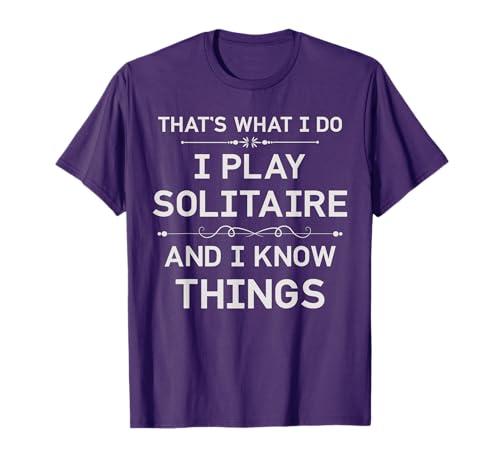
- Perfect for those who are solitaire lover or solitaire enthusiast. This solitaire tee will
- This gift is perfect for you girlfriend, boyfriend, mother, father, brother, sister, grand
- Lightweight, Classic fit, Double-needle sleeve and bottom hem
Solitaire Stories -- Best Casual and Relaxing Solitaire Experience
Solitaire Stories takes a gentler approach with a narrative backdrop and softer visual design that suits casual players who find the standard Microsoft layout too utilitarian. The gameplay centers on TriPeaks-style mechanics with an unfolding story providing context for progression. Sound design and card animations are noticeably polished. It is aimed at players who want a low-stakes, relaxing session rather than competitive or statistical play. The price is accessible and there is no ongoing subscription. It performs well on lower-spec machines and older laptops, making it a good option for systems that struggle with heavier applications.
Where it shines
- Perfect for those who are solitaire lover or solitaire enthusiast. This solitaire tee will
- This gift is perfect for you girlfriend, boyfriend, mother, father, brother, sister, grand
- Lightweight, Classic fit, Double-needle sleeve and bottom hem

Classic Solitaire Ace -- Best Quick-Session Solitaire
Classic Solitaire Ace delivers a clean, fast Klondike experience optimized for short sessions without extra features getting in the way. The card layout is clear on standard monitors and the touch targets are well-sized for both mouse and touchscreen Windows devices. Auto-complete activates logically when a game is effectively won. The free version is functional with optional in-app purchases for additional card themes. It lacks the variant depth of Pretty Good Solitaire but executes the standard Klondike experience cleanly. For players who want exactly one thing and want it working well, this is a focused and reliable option.
Where it shines
- 2 Games in 1
- Game turns itself off after sitting idle for 2 minutes
- Sound can be turned on or off
- Uses 2 AAA Batteries (Included)
- For ages 13 years and older
BVS Solitaire Collection -- Best for Customization and Offline Play
BVS Solitaire Collection is a one-time purchase that covers over 500 solitaire games with extensive visual customization options including custom card backs, table textures, and animation speeds. It is fully offline with no account required and no advertisements. The interface is more utilitarian than Microsoft's but is configurable enough to suit personal preferences. Statistics and undo depth are generous, and the scoring system is adjustable per variant. It supports older hardware well and installs cleanly on Windows 10 and 11. For players who want a large solitaire library without a subscription or ongoing costs, BVS offers strong value at its one-time price point.
Before you buy
What to consider
The main decision is between free and paid. Microsoft Solitaire Collection is a capable free option that handles five common variants well. If the built-in ads are disruptive or you want more than five game types, a one-time purchase of Pretty Good Solitaire or BVS removes friction permanently. Consider how many variants you actually want: most players only return to two or three game types regularly. If offline play without an account matters, avoid cloud-connected apps. Touchscreen Windows users should verify the app has been tested with touch input since not all desktop solitaire apps resize tap targets appropriately for hybrid laptop displays.
What to consider
For related reading, see [best computer skills to learn](/articles/best-computer-skills) and [best computer speakers](/articles/best-computer-speaker). Review our evaluation criteria at [/methodology](/methodology).
Quick answers
Klondike is the classic 7-column draw-one or draw-three variant most people know from Windows. Spider uses two decks and builds sequences in suits, with difficulty levels adjusting how many suits are in play. FreeCell uses one deck with all cards face-up from the start, giving full information play that rewards strategy over luck. Spider and FreeCell have higher skill ceilings than Klondike and are preferred by players who want more strategic depth.
Microsoft Solitaire Collection, which comes pre-installed on Windows and is free, offers five solitaire variants with optional daily challenges and a largely ad-free experience with optional premium subscription. Solitaire Grand Harvest and Classic Solitaire Klondike on PC have mixed ad experiences. For a fully clean experience, a one-time purchase of a premium solitaire app on Steam or a dedicated download like Pretty Good Solitaire eliminates ad interruptions entirely.
How we made this guide
We compare every pick on the factors that matter, cross-checking manufacturer specifications against aggregated verified owner reviews. We rank independently and never take payment for placement. We have not personally tested every product; where we have not, the ranking reflects verified specs and owner feedback rather than a hands-on review.
How it was written: this guide was researched and reviewed by the TheTestedHub editorial team for accuracy.
Affiliate disclosure: TheTestedHub is reader-supported. When you buy through links on our site, we may earn a commission at no extra cost to you.
More to explore

Your Docking Station Match: CalDigit TS4 and More

Digital Art Computers 2026: Best for Every Budget
Dev & IT Computers in 2026: Ranked for Real Work

Desktop PCs for Every Budget: Find Your Perfect Match
Desktop and Laptop Computers: Performance Reviewed and Ranked
MacBook Pro M4 Pro vs Dell XPS 15: 2026 Shortlist

Buy the Best DIY Computer in 2026: Corsair One i300
