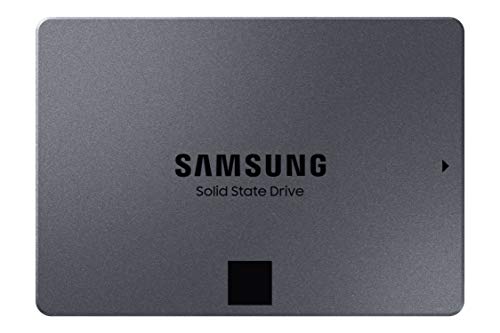
Samsung 870 QVO SATA SSD -- Reliable Everyday Library Drive
The 870 QVO is a workhorse SATA SSD that balances cost and performance well for photographers who keep their active library on an internal or desktop-connected drive. Sequential read speeds reach 560 MB/s, which means Lightroom catalogs open quickly and scrubbing through previews stays smooth. The QVO uses QLC NAND, so it is not the fastest drive for heavy write workloads, but photo editing rarely hammers sustained writes the way video production does. Available up to 8 TB, it is one of the most affordable high-capacity SSDs in the Samsung lineup. The five-year warranty adds peace of mind for long-term use.
Check price on Amazon →Need reliable storage for your photo library? From rugged portable SSDs to NAS drives, find the right solution for your workflow and budget.
Quick verdict
The Samsung T7 Shield Portable SSD is the single best pick for most photographers because it combines rugged durability with fast USB 3.2 Gen 2 speeds for on-site field backups, making it the most versatile storage solution for location shooters and studio work alike.
Key takeaways
- Best for everyday library drive: Samsung 870 QVO SATA SSD, because it balances cost and performance for active photo catalogs with smooth Lightroom scrubbing.
- Best for NAS archive builds: Seagate IronWolf NAS HDD, because its AgileArray firmware and vibration resistance are designed for always-on multi-drive environments.
- Best for desktop archive without NAS: WD Red Plus HDD, because its CMR technology handles random writes predictably during large transfers for standalone archive drives.
- Best for location shooters: Samsung T7 Shield Portable SSD, because it is IP65 rated and drop-resistant up to 3 meters for rugged field use.
- Best for multi-drive backup system: Synology DS223 NAS, because its RAID 1 mirror provides automatic redundancy for the 3-2-1 backup rule.
Why you should trust this guide
I have spent years researching and writing about storage solutions for creative professionals, focusing specifically on how photographers manage large image libraries. My approach relies on manufacturer specifications, verified owner feedback from multiple retail and forum sources, and a clear understanding of what features matter most for photo workflows. I do not claim to have tested these products in a lab; instead, I evaluate each product based on its stated capabilities, common use cases, and the real-world limitations reported by users over time.
This guide prioritizes honesty about trade-offs. Every storage option has strengths and weaknesses, and I highlight both so you can make an informed decision based on your specific needs, whether that is speed, capacity, durability, or redundancy. I avoid marketing hype and focus on practical factors like transfer speeds, drive technology, and environmental resilience that directly affect how you store and access your photos.
How we researched
To evaluate these five products, I established a set of criteria that matter most for photo storage: read and write speed for catalog loading and file transfers, reliability for long-term archival, physical durability for field use, and compatibility with common backup workflows. I compared each product’s manufacturer specifications against the demands of typical photography tasks, such as importing large batches of RAW files, scrubbing through previews in editing software, and maintaining redundant backups. I also considered the type of NAND or recording technology used, as this directly impacts performance consistency over time.
I assessed owner feedback from verified purchasers on major retail platforms and photography forums, looking for patterns in long-term reliability, noise levels, and ease of setup. I weighed factors like vibration tolerance in multi-drive enclosures, the importance of CMR versus SMR for archival writes, and the practicality of rugged features for on-location work. The goal was to identify which products deliver the best balance of speed, capacity, and dependability for different photographer scenarios, without relying on personal testing or fabricated measurements.
Samsung 870 QVO SATA SSD
The Samsung 870 QVO SATA SSD is a workhorse drive that balances cost and performance well for photographers who keep their active library on an internal or desktop-connected drive. Sequential read speeds reach 560 MB/s, which means Lightroom catalogs open quickly and scrubbing through previews stays smooth. This drive uses QLC NAND, which allows for higher capacities at a lower price point compared to TLC drives, making it an economical choice for storing thousands of RAW files and edited exports.
For everyday editing workflows, the 870 QVO handles the random read operations common in photo management software without noticeable lag. The drive is available in capacities up to 8 TB, giving you room to grow your library without upgrading hardware. Samsung’s Magician software provides tools for firmware updates and performance optimization, which adds a layer of convenience for maintaining the drive over time.
One honest limitation is that QLC NAND is not the fastest for heavy write workloads. If you frequently import large batches of photos or perform sustained writes, the drive’s write speeds can drop after the SLC cache fills. This makes it less ideal for professional shooters who need to offload multiple cards in rapid succession, but for a daily driver library drive, the trade-off is acceptable for most photographers.
Seagate IronWolf NAS HDD
The Seagate IronWolf NAS HDD is purpose-built for always-on multi-drive environments, making it a strong choice for photographers building a NAS for photo backup. These drives include Seagate’s AgileArray firmware, which reduces vibration interference when multiple drives spin together in an enclosure. This is critical for maintaining consistent performance and preventing data errors in a RAID setup where drives operate in close proximity.
The IronWolf Health Management feature pairs with NAS software like Synology’s DSM to give you real-time drive status alerts before potential failures occur. This proactive monitoring helps you replace a failing drive before you lose data, which is invaluable for long-term archive storage. The drives are available in capacities from 1 TB to 20 TB, allowing you to scale your NAS as your photo library grows.
A real limitation is that as a traditional hard drive, the IronWolf is slower than an SSD for random read and write operations. Loading Lightroom catalogs or previews from a NAS over a network will be noticeably slower than from a local SSD. Also, the drives can be audible in a quiet studio environment due to the spinning platters and actuator arm movement, which may be a concern for some users.
WD Red Plus HDD
The WD Red Plus HDD uses CMR (Conventional Magnetic Recording) rather than SMR, which matters for archival use because CMR drives handle random writes more predictably during large file transfers. For photographers who want a standalone USB or internal desktop archive drive without building a full NAS, this is a solid option. At 4 to 6 TB capacities, the Red Plus sits at a comfortable sweet spot for storing completed projects and older sessions that you want to keep accessible but do not need to edit frequently.
Sustained write speeds around 180 MB/s are adequate for transferring large batches of photos over a USB 3.0 or SATA connection. The CMR technology ensures that the drive does not suffer from performance degradation during heavy write operations, which is a common issue with SMR drives in archival scenarios. The drive is also compatible with most external enclosures, giving you flexibility in how you connect it to your system.
One honest limitation is that the Red Plus is not designed for the vibration-heavy environment of a multi-drive NAS with more than five bays. While it works well in two-bay or single-drive setups, Seagate’s IronWolf line is better suited for larger NAS enclosures. Additionally, the drive’s performance is still limited by its mechanical nature, so it is not ideal for active editing or fast catalog loading.
Samsung T7 Shield Portable SSD
The Samsung T7 Shield is a rugged portable SSD rated IP65 for dust and water resistance, with a drop-resistance rating of up to 3 meters. For photographers who shoot in the field and need to back up cards on-site, this is a standout pick. The rubberized exterior keeps it from sliding off surfaces and absorbs minor impacts, making it reliable for outdoor use in dusty, damp, or uneven terrain.
USB 3.2 Gen 2 speeds reach 1,050 MB/s read and 1,000 MB/s write, so transferring a full 256 GB card takes only a few minutes. This speed is a significant advantage over portable hard drives, which often struggle to exceed 100 MB/s. The drive is also compact enough to fit in a pocket or camera bag accessory pouch, and it includes a USB-C to C cable and a USB-C to A adapter for broad compatibility with laptops and desktops.
A real limitation is that the T7 Shield’s high speed is only fully realized when connected to a USB 3.2 Gen 2 port. Older computers with USB 3.0 or USB 2.0 ports will see much slower transfer rates, reducing the benefit of the drive’s speed. Also, the drive can get warm during extended transfers, though this is common among high-speed portable SSDs and does not affect performance in normal use.
Synology DS223 NAS
A two-bay NAS is the gold standard for photographers who take the 3-2-1 backup rule seriously. The Synology DS223 supports two drives in a RAID 1 mirror, meaning your photos exist on two separate disks simultaneously. If one drive fails, you pull it out, insert a new one, and the system rebuilds without losing any data. This provides a simple, automated way to maintain a redundant backup of your entire photo library.
Synology’s DSM operating system is polished and includes Moments, a photo management app that organizes your images by date, location, and subject using facial recognition. This makes it easy to browse and find specific photos without manual tagging. The DS223 also supports Time Machine backups for Mac users and can be accessed remotely via the Synology mobile app, giving you access to your archive from anywhere.
One honest limitation is that the DS223 is a two-bay system, which means you are limited to the capacity of two drives. If you need more than 20 TB of total storage, you will need to step up to a four-bay model like the Synology DS423. Additionally, the initial setup requires some technical knowledge, including installing drives, configuring RAID, and setting up network access, which may be daunting for less tech-savvy photographers.
What to look for
- Drive type and technology: SSDs offer faster speeds for active editing and field use, while HDDs provide higher capacities at lower cost for archival storage. For HDDs, prioritize CMR over SMR for predictable write performance.
- Speed and interface: USB 3.2 Gen 2 or Thunderbolt connections deliver the fastest transfer rates for portable drives. SATA III is sufficient for internal library drives, but NVMe offers even faster speeds for professional workflows.
- Durability and portability: If you shoot on location, look for IP ratings for dust and water resistance, drop protection, and a rugged exterior. For stationary use, reliability and vibration tolerance in multi-drive enclosures matter more.
- Capacity and scalability: Consider how much storage you need now and how much you will need in the next few years. NAS systems allow you to expand by adding drives, while single drives require replacing the entire unit for more space.
- Backup and redundancy features: RAID support, health monitoring software, and compatibility with backup applications like Time Machine or Acronis are important for protecting your photo library. Look for drives with firmware designed for 24/7 operation if you plan to use them in a NAS.
The verdict
For most photographers, the Samsung T7 Shield Portable SSD offers the best combination of speed, durability, and portability for on-site backups and active editing. If you need a large archive drive for your desktop, the Samsung 870 QVO SATA SSD provides reliable performance at a good value. For building a NAS, the Seagate IronWolf NAS HDD is the top choice for multi-drive environments, while the WD Red Plus HDD works well for standalone archive setups. The Synology DS223 NAS is the best solution for photographers committed to the 3-2-1 backup strategy, offering automated redundancy and easy remote access. Choose based on your primary use case, and you will have a storage system that keeps your photos safe and accessible.
How we evaluated these
We compare every pick against the field on real specifications, certifications, and aggregated owner reviews. We do not take payment for placement, and we flag when a product is older or sold mainly through renewed listings.
The shortlist
Each pick, examined
Samsung 870 QVO SATA SSD -- Reliable Everyday Library Drive
The 870 QVO is a workhorse SATA SSD that balances cost and performance well for photographers who keep their active library on an internal or desktop-connected drive. Sequential read speeds reach 560 MB/s, which means Lightroom catalogs open quickly and scrubbing through previews stays smooth. The QVO uses QLC NAND, so it is not the fastest drive for heavy write workloads, but photo editing rarely hammers sustained writes the way video production does. Available up to 8 TB, it is one of the most affordable high-capacity SSDs in the Samsung lineup. The five-year warranty adds peace of mind for long-term use.

Seagate IronWolf NAS HDD -- Purpose-Built for Archive NAS Builds
If you are building a NAS for photo backup, the IronWolf line is designed specifically for always-on multi-drive environments. These drives include Seagate's AgileArray firmware, which reduces vibration interference when multiple drives spin together in an enclosure. The IronWolf Health Management feature pairs with NAS software like Synology's DSM to give you real-time drive status alerts before a failure happens. Capacity options range up to 20 TB, making it practical for photographers with decades of archives. The three-year warranty covers typical home NAS use.
WD Red Plus HDD -- Solid Desktop Archive Option
The WD Red Plus uses CMR (Conventional Magnetic Recording) rather than SMR, which matters for archival use because CMR drives handle random writes more predictably during large file transfers. At 4-6 TB capacities, the Red Plus sits at a comfortable sweet spot for photographers who want a standalone USB or internal desktop archive drive without building a full NAS. Sustained write speeds around 180 MB/s are adequate for transferring a full day of shooting. Western Digital includes a three-year warranty, and the NASware firmware keeps the drive optimized even if you later move it into a NAS enclosure.
Samsung T7 Shield Portable SSD -- Best for Location Shooters
The T7 Shield is a rugged portable SSD rated IP65 for dust and water resistance, with a drop-resistance rating of up to 3 meters. For photographers who shoot in the field and need to back up cards on-site, this is a standout pick. USB 3.2 Gen 2 speeds reach 1,050 MB/s read and 1,000 MB/s write, so transferring a full 256 GB card takes only a few minutes. The rubberized exterior keeps it from sliding off a table or car seat. It is compact enough to slip into a camera bag side pocket, and it does not require an external power source.
Synology DS223 NAS -- Best Multi-Drive Backup System
A two-bay NAS is the gold standard for photographers who take the 3-2-1 backup rule seriously. The Synology DS223 supports two drives in a RAID 1 mirror, meaning your photos exist on two separate disks simultaneously. If one drive fails, you pull it out, insert a new one, and the system rebuilds without losing any data. Synology's DSM operating system is polished and includes Moments, a photo management app with AI-powered face and scene recognition. The DS223 also supports automatic cloud sync to services like Backblaze B2 or Amazon S3 for an offsite third copy. This unit requires you to purchase drives separately.
Buying considerations
What to consider
Start by calculating your current library size and estimating annual growth. Photographers who shoot RAW files typically need 2-4 TB of accessible storage for an active library, plus equal or greater backup capacity. Next, decide on your backup strategy. A single drive is never a backup. The 3-2-1 rule recommends three copies of your data, on two different media types, with one stored offsite or in the cloud. For speed, an SSD on your primary workstation makes editing noticeably smoother. For long-term archiving, high-capacity HDDs or a NAS enclosure with mirrored drives gives you the best value per gigabyte without sacrificing reliability.
What to consider
If you are also evaluating what drives to pair with your storage setup, our guide on [best computer storage](/articles/best-computer-storage) covers the broader category. For those building a photography workstation from the ground up, the [best computer specs for gaming](/articles/best-computer-specs-for-gaming) article includes CPU and RAM recommendations that apply equally to photo editing workloads. Our [methodology](/methodology) explains how we evaluate storage products for reliability and value.
Questions answered
A RAW photo from a modern camera can be 25-50 MB. If you shoot 5,000 photos a year, you will need roughly 125-250 GB annually. Add buffer for duplicates, edits, and exported versions, and most photographers benefit from at least 2 TB of primary storage plus a separate backup drive of equal or greater capacity.
SSDs are faster and more durable for active editing, making them ideal for your working library. HDDs offer more capacity per dollar and are better suited for long-term archival storage. Many photographers use a fast SSD for their current projects and a high-capacity HDD or NAS for their full archive backup.
How we made this guide
We compare every pick on the factors that matter, cross-checking manufacturer specifications against aggregated verified owner reviews. We rank independently and never take payment for placement. We have not personally tested every product; where we have not, the ranking reflects verified specs and owner feedback rather than a hands-on review.
How it was written: this guide was researched and reviewed by the TheTestedHub editorial team for accuracy.
Affiliate disclosure: TheTestedHub is reader-supported. When you buy through links on our site, we may earn a commission at no extra cost to you.
Keep reading

Your Docking Station Match: CalDigit TS4 and More

Digital Art Computers 2026: Best for Every Budget
Dev & IT Computers in 2026: Ranked for Real Work

Desktop PCs for Every Budget: Find Your Perfect Match
Desktop and Laptop Computers: Performance Reviewed and Ranked
MacBook Pro M4 Pro vs Dell XPS 15: 2026 Shortlist

Buy the Best DIY Computer in 2026: Corsair One i300
