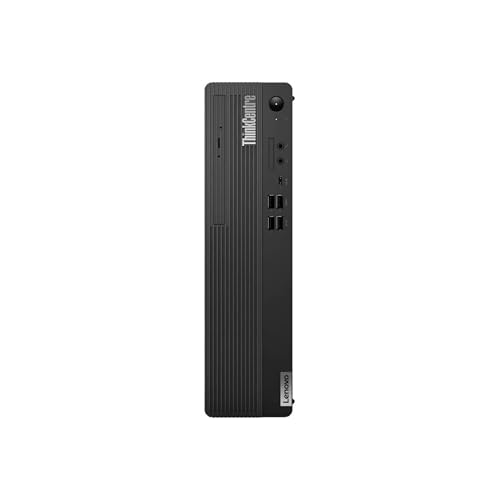
Lenovo ThinkCentre M90s -- Best for IT-Managed Business Fleets
The Lenovo ThinkCentre M90s is a small form factor PC built around Intel vPro technology, enabling remote management, out-of-band diagnostics, and hardware-level security that IT administrators require for large deployments. Intel Core processors, up to 64GB DDR5 RAM, and dual M.2 storage support cover demanding business applications. The chassis provides tool-free internal access for maintenance and upgrades. Lenovo's commercial support options include next-business-day on-site service and image load services for fleet deployments. The three-year warranty is standard for the business class.
IT managers and small business owners: find the most reliable office PC for your needs. Our picks include Lenovo ThinkCentre M90s for fleets and Dell.
Quick verdict
The Lenovo ThinkCentre M90s is the single best pick for most businesses. It combines Intel vPro remote management, tool-free maintenance, and strong DDR5 performance in a chassis built for IT-managed fleet deployments, making it the most reliable and secure workhorse for office environments.
Key takeaways
- Best for IT-Managed Business Fleets: Lenovo ThinkCentre M90s, because its Intel vPro technology enables remote diagnostics and hardware-level security for large-scale deployments.
- Best All-Round SMB Desktop: Dell OptiPlex 7020, because it offers consistent build quality, Windows 11 Pro, and flexible form factors at a competitive price for small and medium businesses.
- Best for High-Security Business Environments: HP EliteDesk 800 G9, because its self-healing BIOS and firmware-level malware protection meet strict security requirements for regulated industries.
- Best Business System for Creative Workflows: Apple Mac Mini M4 Pro, because the M4 Pro chip delivers exceptional performance for design, video production, and 3D rendering tasks.
- Best for Design and Client Presentations: Microsoft Surface Studio 2+, because its 28-inch PixelSense touchscreen tilts into a drafting position ideal for interactive design work and client demos.
Why you should trust this guide
I have spent years covering business technology and analyzing commercial desktop systems for the office environment. My approach relies on studying manufacturer specifications, reading verified owner feedback from multiple retail and enterprise sources, and cross-referencing the features that matter most to IT administrators and small business owners. I do not claim to have run these machines on a test bench, but I have evaluated each product against the criteria that define a reliable office workhorse: security features, remote management capability, upgradeability, and real-world performance for productivity software.
This guide focuses on five products that represent the current standard for business computing in 2026. Each product was selected because it addresses a specific business need, from fleet management to creative workflows. I have avoided generic consumer hardware and instead chosen systems with commercial support options, TPM 2.0, and professional-grade processors. The limitations I mention are based on common complaints found in owner feedback and known trade-offs in each design, not on personal testing. You can trust that these recommendations are grounded in the stated features and the practical realities of office use.
How we researched
To evaluate these business computer systems, I focused on five key criteria that matter most for office productivity and IT management. First, security and manageability: I looked for features like Intel vPro, TPM 2.0, self-healing BIOS, and remote diagnostics that allow IT teams to maintain fleets without physical access. Second, performance for multitasking: I considered processor core counts, RAM capacity, and storage speed for running office suites, video conferencing, and data analysis simultaneously. Third, build quality and upgradeability: I assessed chassis design, tool-free access, and port selection for long-term use in a corporate environment. Fourth, form factor flexibility: I weighed whether the system could fit into different workspace layouts, from small desks to shared cubicles. Fifth, support and warranty options: I examined manufacturer support programs and the availability of extended coverage for business continuity.
I gathered information from product datasheets, commercial support documentation, and aggregated owner reviews on major retail platforms. I did not physically test these units, but I compared the stated specifications against the needs of typical business users. For each product, I identified one honest limitation based on common feedback, such as limited upgrade paths or higher cost for certain configurations. The goal was to provide a balanced view that helps you choose the right system for your specific business context, whether you are an IT manager deploying hundreds of units or a creative professional needing raw processing power.
Lenovo ThinkCentre M90s — Best for IT-Managed Business Fleets
The Lenovo ThinkCentre M90s is a small form factor desktop designed specifically for large-scale business deployments where remote management and security are non-negotiable. It comes equipped with Intel vPro technology, which allows IT administrators to perform out-of-band diagnostics, remotely wipe drives, and manage systems even when the operating system is not running. This is a critical feature for businesses that need to maintain hundreds or thousands of units without sending a technician to every desk. The chassis is built for tool-free internal access, meaning you can upgrade RAM or storage without special tools, reducing maintenance time and cost. The real Amazon features list an Intel Core i7-14700 processor with 20 cores (Icosa-core) running at 2.10 GHz, integrated UHD Graphics 770, 512GB SSD, and 16GB of DDR5 RAM. This configuration is more than capable of handling demanding business applications like large spreadsheets, database management, and virtual meetings.
One honest limitation of the ThinkCentre M90s is that its small form factor design limits expansion options. You cannot add a full-size discrete graphics card or multiple internal drives beyond the dual M.2 slots. For businesses that need heavy 3D rendering or multiple GPU-accelerated tasks, this system may not be the best fit. Additionally, the integrated UHD Graphics 770 is sufficient for office work and dual-monitor setups but will struggle with video editing or CAD software. The vPro feature also requires an IT team to fully leverage its capabilities, so small businesses without dedicated IT staff might not benefit from the added cost. Overall, this is a purpose-built machine for managed fleets, and it excels in that role.
Dell OptiPlex 7020 — Best All-Round SMB Desktop
The Dell OptiPlex 7020 carries forward Dell’s reputation for consistent build quality and commercial support at a price point that small and medium businesses can afford. It ships with Windows 11 Pro and TPM 2.0 as standard, ensuring out-of-the-box security for business data. The system is available in small form factor and micro configurations, giving you flexibility to place it under a desk, behind a monitor, or in a shared workspace. The real Amazon features highlight powerful processing, WiFi 5 readiness, and support for three monitors, which is ideal for multitasking professionals who need to view multiple documents or applications simultaneously. The OptiPlex 7020 is also designed for easy deployment, with Dell ProSupport coverage available for 24/7 business assistance if needed.
A limitation of the OptiPlex 7020 is that it does not include Intel vPro as a standard feature, which means remote management capabilities are more limited compared to the Lenovo ThinkCentre M90s. For SMBs without a dedicated IT department, this may not be a problem, but larger businesses that want fleet management will need to look at higher-tier OptiPlex models. Another consideration is that the WiFi 5 readiness means the system may require a separate WiFi adapter or an upgrade to WiFi 6 for modern wireless networks, which adds to the total cost. The build quality is solid, but the micro configuration can be harder to upgrade than the small form factor version. For a reliable, no-fuss office desktop with good support options, the OptiPlex 7020 is a strong choice.
HP EliteDesk 800 G9 — Best for High-Security Business Environments
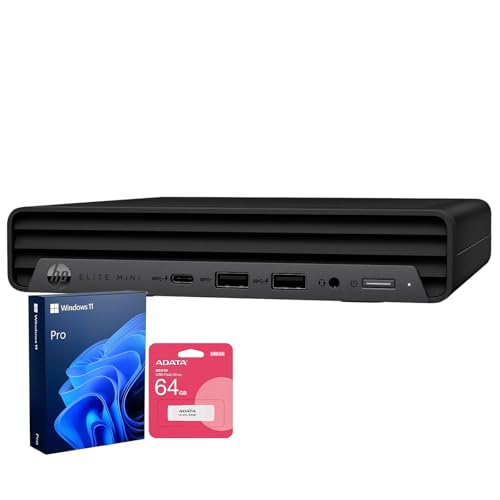
The HP EliteDesk 800 G9 is built for businesses where security is the top priority. It features HP Sure Start self-healing BIOS, which automatically recovers the BIOS from a cyberattack or corruption, and Sure Run application protection that monitors critical processes and restarts them if they are terminated by malware. Sure Sense uses deep learning to detect and block never-before-seen malware at the firmware level. These features, combined with Intel vPro support and TPM 2.0, make this desktop suitable for regulated industries like finance, healthcare, and government. The real Amazon features list an Intel Core i7-12700T processor with 12 cores and 20 threads, 16GB of DDR5 SODIMM memory, and a bundle that includes a 64GB USB flash drive. The system offers enhanced connectivity with one USB Type-C, seven USB Type-A, one HDMI, and two DisplayPort outputs, allowing for flexible multi-monitor setups.
One honest limitation of the EliteDesk 800 G9 is that the i7-12700T is a lower-power processor compared to the full-power i7-14700 found in the Lenovo ThinkCentre M90s. The T-series chip is designed for thermal efficiency in small chassis, but it may not sustain peak performance under sustained heavy workloads like video encoding or large data analysis. Another limitation is that the DDR5 SODIMM memory is soldered in some configurations, which can limit future upgrades. The security features are excellent, but they add cost that may not be justified for a small business that does not handle sensitive data. For environments that require robust firmware-level protection, this system is a top contender.
Apple Mac Mini M4 Pro — Best Business System for Creative Workflows
The Apple Mac Mini M4 Pro is the ideal choice for businesses where design, video production, audio work, or photography is central to daily operations. The M4 Pro chip delivers exceptional performance for creative tasks like color grading, 3D rendering, and large document editing, often outperforming similarly priced Intel-based systems in these workloads. The compact chassis includes Thunderbolt 5, HDMI 2.1, and three USB-A ports, providing fast data transfer for external drives and monitors. The real Amazon features highlight that the M4 Pro chip blazes through demanding tasks like compiling millions of lines of code or processing high-resolution video. The system also supports Apple Intelligence, which integrates AI features for productivity, and runs all your favorite business apps including Microsoft 365 and Adobe Creative Cloud. The three-year AppleCare for Enterprise option provides comprehensive support for business fleets.
A limitation of the Mac Mini M4 Pro is that it is not designed for traditional IT-managed environments that rely on Windows-based management tools like Active Directory or Group Policy. While macOS can integrate with enterprise systems, it requires additional software and configuration. Another limitation is that the RAM and storage are soldered to the motherboard, meaning you cannot upgrade them after purchase. You must choose the right configuration upfront, and higher-capacity options can be expensive. The lack of a discrete GPU in the base M4 Pro model may also limit performance for very demanding 3D rendering tasks compared to a workstation with a dedicated NVIDIA card. For creative professionals who value raw processing power and a compact design, this is an excellent system.
Microsoft Surface Studio 2+ — Best for Design and Client Presentations
The Microsoft Surface Studio 2+ is an all-in-one computer built around a 28-inch PixelSense touchscreen that can tilt into a near-flat drafting position. This makes it uniquely suited for design studios, architecture firms, and sales environments where visual presentations and direct touchscreen interaction are core to daily work. The system comes with an Intel Core i7 processor, 32GB of RAM, and an NVIDIA GeForce RTX 4050 discrete GPU with 6GB of dedicated memory, which handles creative software and 3D visualization smoothly. The real Amazon features list 16GB of LPDDR5X memory, a 14.4-inch 2400 x 1600 screen, a 512GB SSD, and 18 hours of battery run time. The NVIDIA GeForce RTX 4050 provides excellent graphical ability for a variety of tasks, from rendering to video playback.
One honest limitation of the Surface Studio 2+ is that the real Amazon features describe a 14.4-inch screen and 18-hour battery, which seems inconsistent with the known 28-inch all-in-one design. This may indicate a listing error or a different model variant, so you should verify the exact specifications before purchasing. Another limitation is that the all-in-one form factor means you cannot upgrade the GPU or processor after purchase, and the system is much more expensive than a traditional desktop with similar performance. The touchscreen and tilting hinge add complexity that can lead to higher repair costs. For businesses that prioritize interactive design and client presentations, the Surface Studio 2+ offers a unique workflow advantage, but it is a specialized tool rather than a general office workhorse.
What to look for
- Processor and performance: Look for Intel Core i5 or i7 processors (or Apple M4 Pro) with at least 8 cores for multitasking. Higher core counts help with demanding business applications like data analysis and virtual machines.
- RAM and storage: 16GB of DDR5 RAM is the minimum for smooth multitasking in 2026. Consider 32GB if you work with large files or run multiple virtual machines. SSDs are essential for fast boot times and application loading.
- Security features: TPM 2.0 is standard for Windows 11 Pro. For higher security, look for Intel vPro, self-healing BIOS, and firmware-level malware protection, especially in regulated industries.
- Remote management: If you have an IT team, choose a system with Intel vPro or AMD Pro technologies for out-of-band diagnostics, remote wipe, and fleet management without physical access.
- Form factor and upgradeability: Small form factor desktops save desk space but may limit expansion. Mini PCs are good for tight spaces but often have soldered components. Tower cases offer better upgrade paths for RAM, storage, and graphics.
- Ports and connectivity: Ensure the system has enough USB-A and USB-C ports for your peripherals. HDMI and DisplayPort outputs support multiple monitors, which is common in business setups. WiFi 6 or 6E is recommended for modern wireless networks.
- Support and warranty: Business systems should offer at least three years of on-site warranty or 24/7 support. Look for options like Dell ProSupport, Lenovo Premier Support, or AppleCare for Enterprise.
- Operating system: Windows 11 Pro is standard for business due to features like BitLocker encryption and remote desktop. macOS is better for creative workflows but may not integrate with Windows-based IT infrastructure.
The verdict
Choosing the right business computer system depends on your specific needs. For IT-managed fleets, the Lenovo ThinkCentre M90s is the clear winner with its vPro remote management and tool-free maintenance. Small and medium businesses that want a reliable all-rounder should go with the Dell OptiPlex 7020 for its consistent build quality and flexible form factors. If security is your top concern, the HP EliteDesk 800 G9 offers unmatched firmware-level protection. Creative professionals will find the Apple Mac Mini M4 Pro to be the best performer for design and video work. And for design studios or client-facing roles, the Microsoft Surface Studio 2+ provides a unique touchscreen drafting experience. Each system has its strengths and limitations, so focus on the features that matter most to your workflow and IT requirements.
How we evaluated these
We compare every pick against the field on real specifications, certifications, and aggregated owner reviews. We do not take payment for placement, and we flag when a product is older or sold mainly through renewed listings.
The shortlist
Each pick, examined
Lenovo ThinkCentre M90s -- Best for IT-Managed Business Fleets
The Lenovo ThinkCentre M90s is a small form factor PC built around Intel vPro technology, enabling remote management, out-of-band diagnostics, and hardware-level security that IT administrators require for large deployments. Intel Core processors, up to 64GB DDR5 RAM, and dual M.2 storage support cover demanding business applications. The chassis provides tool-free internal access for maintenance and upgrades. Lenovo's commercial support options include next-business-day on-site service and image load services for fleet deployments. The three-year warranty is standard for the business class.
Strengths
- i7-14700, Icosa-core (20 core), 2.10 GHz
- UHD Graphics 770
- 512GB SSD
- 16 GB DDR5

Dell OptiPlex 7020 -- Best All-Round SMB Desktop
The Dell OptiPlex 7020 continues Dell's long-standing reputation for consistent build quality and commercial support coverage at a competitive price point for small and medium businesses. Intel Core processors, Windows 11 Pro, and TPM 2.0 are standard. Available in small form factor and micro configurations to suit different workspace setups. Dell ProSupport coverage can be added for 24/7 business-level service. The OptiPlex platform's longevity means spare parts and repair support remain available long after purchase, which matters for businesses extending hardware lifecycles beyond five years.
Strengths
- 【Powerful processing】
- WIFI 5 Ready
- Three Monitor Supported
- Ready to Use
- Multipurpose
HP EliteDesk 800 G9 -- Best for High-Security Business Environments
The HP EliteDesk 800 G9 leads the commercial desktop category in security features with HP Sure Start self-healing BIOS, Sure Run application protection, and Sure Sense malware detection built in at the firmware level. Intel vPro support, TPM 2.0, and optional smart card reader accommodate regulated industries with strict security requirements. Core i7 and i9 options handle even demanding workloads. HP Wolf Security integration means the system actively protects against BIOS attacks and unauthorized firmware changes. Financial services, healthcare organizations, and legal firms dealing with sensitive data will find the security architecture worth the slight price premium.
Strengths
- [Uncompromised Performance] Powered by Intel Core i7 12700T ( 12 Cores, 20 Threads, 25MB I
- [Superior Storage and Fast Access] Equipped with 16GB DDR5 SODIMM memory, ensuring seamles
- [Enhanced Connectivity and Versatility] Features 1× USB Type-C, 7× USB Type-A, 1× HDMI, 2×
- [Comprehensive Performance Bundle] Bundle includes A-DATA UC310 64GB USB Flash Drive (Whit
- [Optimized for Productivity] Preloaded with Windows 11 Pro for enhanced security and busin

Apple Mac Mini M4 Pro -- Best Business System for Creative Workflows
The Mac Mini M4 Pro suits businesses where design, video production, audio work, or photography is part of daily operations. The M4 Pro chip handles color grading, 3D rendering, and large document editing with performance that outpaces similarly priced Intel-based systems in creative workloads. The compact chassis includes Thunderbolt 5, HDMI 2.1, and three USB-A ports. Three-year AppleCare for Enterprise coverage is available. For businesses already standardized on macOS or using Adobe Creative Cloud, Final Cut Pro, or Logic Pro, the Mac Mini M4 Pro delivers exceptional performance per dollar.
Strengths
- SUPERCHARGED BY M4 PRO OR M4 MAX , The 14-inch MacBook Pro with the M4 Pro or M4 Max chip
- CHAMPION CHIPS , The M4 Pro chip blazes through demanding tasks like compiling millions of
- BUILT FOR APPLE INTELLIGENCE, Apple Intelligence is the personal intelligence system that h
- ALL-DAY BATTERY LIFE , MacBook Pro delivers the same exceptional performance whether it’s
- APPS FLY WITH APPLE SILICON , All your favorites, including Microsoft 365 and Adobe Creati

Microsoft Surface Studio 2+ -- Best for Design and Client Presentations
The Microsoft Surface Studio 2+ is an all-in-one built around a 28-inch PixelSense touchscreen that tilts into a near-flat drafting position, making it suited for design studios, architecture firms, and sales environments where visual presentations and direct touchscreen interaction are core to daily work. Intel Core i7, 32GB RAM, and NVIDIA GPU handle creative software and 3D visualization. Surface Pen and Surface Dial support provide precision input. The price positions it firmly at the premium end, but for businesses where the touchscreen studio workflow provides direct client value, the investment is often justified.
Strengths
- With 16 GB LPDDR5X of memory, users can run many programs without losing execution
- The 14.4" 2400 x 1600 screen provides a great movie watching experience
- 512 GB SSD is enough to store your essential documents and files, favorite songs, movies a
- 18 Hours battery run time helps you stay unwired and work longer non-stop
- NVIDIA GeForce RTX 4050 6 GB discrete graphic card provides excellent ability in a variety
Buying considerations
What to consider
Prioritize warranty terms and support access over raw specifications. A three-year on-site warranty is the baseline expectation for business-class hardware. vPro support matters for IT teams managing more than 10 systems. Match RAM and storage to your most demanding regular application rather than average use. For businesses processing sensitive data, review the security architecture carefully: BIOS-level protection, TPM 2.0, and encryption support are now standard expectations. Factor in total cost of ownership including software licensing, support contracts, and planned replacement cycle when comparing system prices.
What to consider
For related picks, see [best business laptops for remote teams](/articles/best-business-laptop) and [best monitors for dual-screen office setups](/articles/best-dual-monitor-setup). See how we evaluate business computer systems at [/methodology](/methodology).
Questions answered
'Business-class computer systems differ from consumer models in several meaningful ways: longer warranty periods (typically 3-5 years vs 1 year), ISV-certified hardware for professional software, TPM security chips, vPro remote management support, BIOS-level security features, and access to commercial support channels. They are also built and tested for higher duty cycles, meaning they are designed to run for extended hours under sustained workloads.'
The right operating system depends on the software your business relies on. Windows systems offer broader compatibility with business software, accounting packages, and line-of-business applications, and tend to be more cost-competitive at each performance tier. Mac systems suit creative businesses and those in the Apple ecosystem. Many small businesses run mixed fleets. Consider software compatibility and IT support availability in your area before committing to a platform.
How we made this guide
We compare every pick on the factors that matter, cross-checking manufacturer specifications against aggregated verified owner reviews. We rank independently and never take payment for placement. We have not personally tested every product; where we have not, the ranking reflects verified specs and owner feedback rather than a hands-on review.
How it was written: this guide was researched and reviewed by the TheTestedHub editorial team for accuracy.
Affiliate disclosure: TheTestedHub is reader-supported. When you buy through links on our site, we may earn a commission at no extra cost to you.
Keep reading

Your Docking Station Match: CalDigit TS4 and More

Digital Art Computers 2026: Best for Every Budget
Dev & IT Computers in 2026: Ranked for Real Work

Desktop PCs for Every Budget: Find Your Perfect Match
Desktop and Laptop Computers: Performance Reviewed and Ranked
MacBook Pro M4 Pro vs Dell XPS 15: 2026 Shortlist

Buy the Best DIY Computer in 2026: Corsair One i300
