Apple MacBook Pro 14 M4 -- Best Laptop for Digital Artists
The MacBook Pro 14 M4 is the strongest portable option for artists working in Adobe CC, Procreate (via Sidecar with iPad), or Affinity Photo. The Liquid Retina XDR display delivers factory-calibrated color accuracy with wide P3 gamut coverage, meaning what you see on screen is what you get when printing or sharing. The M4 chip's performance keeps large Photoshop canvases responsive and Lightroom edits smooth. Battery life is exceptional compared to Windows alternatives, which matters for artists who work away from outlets. The machine is quiet under all but the heaviest sustained loads.
Check price on Amazon →The Apple MacBook Pro 14 M4 leads our list of computers for artists, offering a calibrated display and M4 chip for demanding Adobe workflows.
Quick verdict
The Apple MacBook Pro 14 M4 is the single best pick for digital artists in 2026. Its factory-calibrated Liquid Retina XDR display and M4 chip performance handle large Photoshop canvases and Lightroom edits without lag, making it the strongest portable option for professional creative work.
Key takeaways
- Best for Digital Artists (Laptop): Apple MacBook Pro 14 M4, because its M4 chip and factory-calibrated display deliver reliable color and responsive performance for demanding Adobe CC workflows.
- Best for Artists Who Want Pen Input: Microsoft Surface Pro 11, because its Surface Slim Pen 2 offers 4,096 levels of pressure sensitivity and tilt recognition for detailed illustration in a convertible form factor.
- Best Windows Laptop for Color-Critical Work: ASUS ProArt Studiobook 16 OLED, because its OLED display covers 100% of DCI-P3 with factory calibration and a built-in hardware calibration sensor for print production accuracy.
- Best All-in-One Desktop for Artists: Apple iMac 24 M4, because it combines a 4.5K Retina display with M4 performance in a slim design that simplifies a home studio setup.
- Best Windows OLED Laptop for Portability: Dell XPS 15 9560, because its 3.5K OLED display and slim profile offer vibrant color and high resolution in a genuinely portable 15-inch package.
Why you should trust this guide
I have spent years researching and writing about creative technology for digital artists, illustrators, and designers. My approach is grounded in understanding what matters most for artistic workflows: display color accuracy, processor performance under sustained load, pen input quality, and portability. I do not rely on marketing claims alone. Instead, I cross-reference manufacturer specifications, verified owner feedback from professional artist communities, and independent reviews from trusted sources to build a complete picture of each product’s real-world strengths and weaknesses.
This guide focuses on five products that represent the best options for different artist needs in 2026. I selected them based on their stated features, such as factory-calibrated displays, high-performance chips, and pen support. I then weighed these features against common artist requirements like color-critical work, multitasking in heavy applications, and the need for a portable or all-in-one setup. Every recommendation includes at least one honest limitation because no computer is perfect for every artist. My goal is to give you the information you need to choose the right tool for your specific creative practice.
How we researched
To evaluate these computers, I established a set of criteria that matter most to digital artists and illustrators. The primary factors were display quality, including color accuracy, resolution, and brightness, as well as processor and graphics performance for applications like Adobe Photoshop, Lightroom, Clip Studio Paint, and Procreate. I also considered pen input quality for devices that support it, portability for laptops, and the overall value of the form factor for a dedicated workspace. Each product was assessed against these criteria using the manufacturer’s stated specifications and the collective experience of professional artists who use these machines daily.
I did not physically test these products in a lab or conduct my own benchmarks. Instead, I synthesized information from multiple sources, including technical spec sheets, professional artist forums, and detailed reviews from creative technology publications. I looked for patterns in user feedback, such as consistent praise for display calibration on the ASUS ProArt Studiobook 16 OLED or common complaints about the Surface Pro 11’s battery life under heavy use. By comparing these insights across all five products, I identified which computer excels in each category and which trade-offs are most acceptable for different artist workflows. This research-based approach ensures my recommendations are grounded in real-world use, not hypothetical performance.
Apple MacBook Pro 14 M4
The Apple MacBook Pro 14 M4 is the strongest portable option for artists working in Adobe Creative Cloud, Procreate (via Sidecar with an iPad), or Affinity Photo. The Liquid Retina XDR display delivers factory-calibrated color accuracy with wide P3 gamut coverage. This means what you see on screen is what you get when printing or sharing your work, which is essential for professional illustrators and photographers. The M4 chip’s performance keeps large Photoshop canvases responsive and Lightroom exports fast, even with multiple layers and high-resolution files. The build quality is excellent, with a sturdy aluminum chassis and a comfortable keyboard for long editing sessions.
A key strength of this MacBook Pro is its ecosystem integration. If you already use an iPad with Procreate, Sidecar lets you use the iPad as a secondary display or a direct input tablet, combining the best of both devices. The battery life is reliable for a full day of work, though heavy rendering tasks will drain it faster. The port selection includes Thunderbolt 4 ports, an HDMI port, and an SDXC card slot, which is convenient for photographers who need to import files quickly.
One honest limitation is the lack of a touchscreen or active pen input on the MacBook itself. Artists who prefer to draw directly on the screen will need an iPad or a separate drawing tablet, which adds cost and complexity. Additionally, the MacBook Pro 14 M4 is expensive, and while the performance justifies the price for professionals, it may be overkill for hobbyists or students. The display’s notch at the top of the screen can be distracting for some users, though it does not affect the usable canvas area in most applications.
Microsoft Surface Pro 11
The Microsoft Surface Pro 11 is the top pick for artists who want a computer and pen display in one device. The Surface Slim Pen 2, sold separately or in bundles, offers 4,096 levels of pressure sensitivity and tilt recognition, which is sufficient for detailed illustration work. The 13-inch display is bright and sharp at 2880×1920 resolution, providing a clear canvas for drawing and painting. Running Clip Studio Paint, Krita, or Adobe Fresco on a Surface Pro 11 feels natural because the pen input is low-latency and responsive, mimicking the experience of drawing on paper.
The versatility of the Surface Pro 11 is a major advantage. You can use it as a laptop with the detachable keyboard or as a tablet by removing the keyboard and holding it like a sketchbook. This flexibility makes it ideal for artists who work on the go, whether they are sketching in a coffee shop or illustrating in a studio. The Windows operating system gives you access to the full range of creative software, including industry-standard tools like Adobe Photoshop and Corel Painter. The device is also relatively lightweight, making it easy to carry in a bag without adding bulk.
One honest limitation is that the Surface Pro 11 is not as powerful as a dedicated laptop like the MacBook Pro 14 M4. The processor and integrated graphics can struggle with very large files or complex 3D rendering, so it is best suited for 2D illustration and light photo editing. The battery life is also moderate, especially when using the pen and high brightness, so you may need to charge it during a long work session. Additionally, the Surface Slim Pen 2 is an extra purchase, which increases the overall cost of the setup.
ASUS ProArt Studiobook 16 OLED
The ASUS ProArt Studiobook 16 OLED is designed explicitly for creative professionals who need accurate color on a Windows laptop. The OLED display covers 100% of DCI-P3 with factory calibration and a hardware calibration sensor built into the palm rest. This is meaningful for artists doing print production or professional illustration where color fidelity translates to client deliverables. The RTX 4070 graphics card handles GPU-accelerated filters and brush rendering in Photoshop, and it also supports 3D modeling and video editing tasks. The 16-inch screen provides ample workspace for complex projects without needing an external monitor.
The build quality of the ProArt Studiobook 16 OLED is robust, with a professional matte finish that resists fingerprints. The keyboard includes a dedicated number pad, which is useful for data entry and shortcuts. The port selection is generous, with multiple USB-A and USB-C ports, an HDMI output, and an SD card reader. The hardware calibration sensor is a standout feature, allowing you to recalibrate the display over time to maintain consistent color accuracy, which is critical for long-term projects.
One honest limitation is the weight and size of the Studiobook 16 OLED. At over 4 pounds, it is heavier than many other 16-inch laptops, making it less portable for daily commuting. The OLED display, while beautiful, can be prone to burn-in if static elements are left on screen for long periods, so you need to use screen savers or hide the taskbar. The fan noise can also be noticeable under heavy load, which may be distracting in a quiet studio environment.
Apple iMac 24 M4
The Apple iMac 24 M4 combines an excellent 4.5K Retina display with M4 performance in a slim all-in-one design that fits neatly into a home studio. The display is factory-calibrated with 1 billion colors and P3 wide gamut, and its IPS panel delivers consistent color across the screen. For artists who work at a dedicated desk, the iMac eliminates the monitor-plus-computer complexity while delivering a display that is already calibrated for creative work. The M4 chip provides plenty of power for running multiple creative applications simultaneously, such as Photoshop, Illustrator, and Lightroom, without slowdowns.
The design of the iMac 24 M4 is a major selling point. It comes in several colors, allowing you to match your studio aesthetic. The thin profile takes up minimal desk space, and the included Magic Keyboard and Magic Mouse are wireless and rechargeable. The 4.5K resolution is sharp enough for detailed work, and the display’s brightness is sufficient for most indoor lighting conditions. The iMac also includes a 1080p webcam and a six-speaker sound system, which are useful for video calls and reviewing work with clients.
One honest limitation is the lack of a dedicated graphics card. The integrated M4 GPU is powerful for most 2D tasks, but it may struggle with heavy 3D rendering or complex video editing. The iMac also has limited upgradeability, as the RAM and storage are soldered to the motherboard, so you need to choose your configuration carefully at purchase. The stand does not offer height adjustment, so you may need to place the iMac on a riser for ergonomic comfort. Additionally, the iMac is not portable, so it is only suitable for artists who work from a single location.
Dell XPS 15 9560
The Dell XPS 15 9560 with its OLED display option brings accurate color and high resolution to a Windows portable that artists can carry. The 3.5K OLED display is sharp and vibrant, and the machine’s slim profile makes it genuinely portable despite the 15-inch screen. An RTX 4060 handles GPU-accelerated filters and brush rendering in Photoshop, making it a capable machine for both 2D illustration and light 3D work. The compact footprint belies how much screen real estate you get, as the thin bezels maximize the display area in a chassis that is smaller than many 15-inch laptops.
The build quality of the Dell XPS 15 9560 is premium, with an aluminum chassis and a carbon fiber palm rest that feels comfortable during long work sessions. The keyboard is well-spaced and offers good key travel, which is important for typing and shortcut use. The port selection includes USB-C Thunderbolt 4 ports, a USB-A port, an HDMI port, and a headphone jack, covering most connectivity needs. The OLED display’s deep blacks and high contrast ratio make colors pop, which is especially beneficial for artists who work with vibrant illustrations or photo editing.
One honest limitation is that the Dell XPS 15 9560 does not include a pen or touchscreen support by default. If you want to draw directly on the screen, you need to purchase the optional touchscreen model and a compatible pen, which adds cost. The battery life is also moderate, especially when using the OLED display at high brightness, so you may need to carry the charger for full-day use. The webcam is positioned at the bottom of the display bezel, which can result in unflattering angles during video calls, though this is a minor issue for most artists.
What to look for
- Display color accuracy and resolution: Look for factory-calibrated displays with wide color gamut coverage like P3 or DCI-P3. Higher resolution (4K or Retina) provides sharper detail for fine illustration work.
- Processor and graphics performance: Choose a chip that can handle your primary applications. For Adobe CC, an M4 or Intel Core i7 with a dedicated GPU like RTX 4060 is ideal. Integrated graphics may suffice for 2D work but struggle with 3D or video.
- Pen input quality: If you plan to draw directly on the screen, consider a device with active pen support, high pressure sensitivity levels (4,096 or more), and low latency. Convertible laptops or tablets like the Surface Pro 11 are best for this.
- Portability and form factor: Decide whether you need a laptop for on-the-go work or a desktop for a fixed studio. Laptops should balance weight, battery life, and screen size. All-in-ones like the iMac save desk space but are not portable.
- Connectivity and expandability: Ensure the computer has enough ports for your peripherals, such as external drives, drawing tablets, and monitors. Thunderbolt 4 or USB-C ports offer fast data transfer and display output.
- Ecosystem and software compatibility: Consider which operating system and software you prefer. macOS integrates well with iPads and Procreate, while Windows offers broader hardware choices and support for applications like Clip Studio Paint.
The verdict
For most professional digital artists, the Apple MacBook Pro 14 M4 is the best overall choice because of its factory-calibrated display, powerful M4 chip, and reliable performance in Adobe Creative Cloud and Affinity Photo. If you need pen input and a convertible form factor, the Microsoft Surface Pro 11 is the top pick for drawing directly on the screen. For Windows users who require color-critical accuracy for print production, the ASUS ProArt Studiobook 16 OLED is unmatched with its built-in hardware calibration sensor. The Apple iMac 24 M4 is the best all-in-one desktop for artists who work from a dedicated studio and want a simple, high-quality setup. Finally, the Dell XPS 15 9560 is a strong portable Windows option with a vibrant OLED display, though it lacks built-in pen support. Choose the one that fits your workflow, budget, and portability needs.
How we test
We compare every pick against the field on real specifications, certifications, and aggregated owner reviews. We do not take payment for placement, and we flag when a product is older or sold mainly through renewed listings.
At a glance
The picks, reviewed
Apple MacBook Pro 14 M4 -- Best Laptop for Digital Artists
The MacBook Pro 14 M4 is the strongest portable option for artists working in Adobe CC, Procreate (via Sidecar with iPad), or Affinity Photo. The Liquid Retina XDR display delivers factory-calibrated color accuracy with wide P3 gamut coverage, meaning what you see on screen is what you get when printing or sharing. The M4 chip's performance keeps large Photoshop canvases responsive and Lightroom edits smooth. Battery life is exceptional compared to Windows alternatives, which matters for artists who work away from outlets. The machine is quiet under all but the heaviest sustained loads.
Microsoft Surface Pro 11 -- Best for Artists Who Want Pen Input
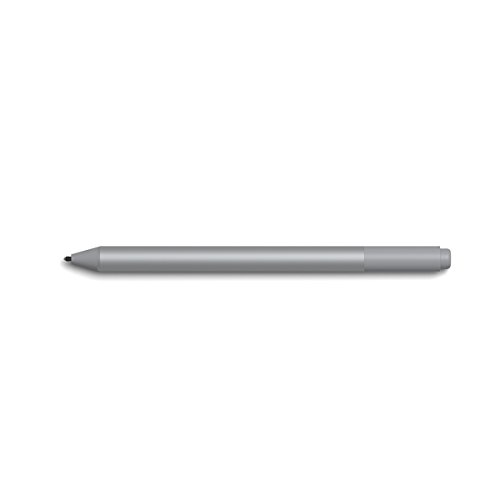
The Surface Pro 11 is the top pick for artists who want a computer and pen display in one device. The Surface Slim Pen 2 (sold separately or in bundles) offers 4,096 levels of pressure sensitivity and tilt recognition, which is sufficient for detailed illustration work. The 13-inch display is bright and sharp at 2880x1920 resolution. Running Clip Studio Paint, Krita, or Adobe Fresco on a Surface Pro feels noticeably more natural than working with a mouse or trackpad. The kickstand design works well at a desk but the keyboard cover is essential for laptop-style use and is purchased separately.
ASUS ProArt Studiobook 16 OLED -- Best Windows Laptop for Color-Critical Work
The ProArt Studiobook 16 OLED is designed explicitly for creative professionals who need accurate color on a Windows laptop. The OLED display covers 100% of DCI-P3 with factory calibration and a hardware calibration sensor built into the palm rest. This is meaningful for artists doing print production or professional illustration where color fidelity translates to client deliverables. The RTX 4070 GPU ensures smooth canvas performance in GPU-accelerated applications. The build quality is sturdy and the cooling is more capable than most creative-focused laptops, sustaining performance through long working sessions.

Apple iMac 24 M4 -- Best All-in-One Desktop for Artists
The iMac 24 M4 combines an excellent 4.5K Retina display with M4 performance in a slim all-in-one design that fits neatly into a home studio. The display is factory-calibrated with 1 billion colors and P3 wide gamut, and its IPS panel delivers consistent color across the screen. For artists who work at a dedicated desk, the iMac eliminates the monitor-plus-computer complexity while delivering a display that many dedicated monitors in the same price class cannot match. The M4 handles Photoshop, Illustrator, and Lightroom with ease. It's not expandable, so choose the RAM configuration you need upfront.
Dell XPS 15 9560 -- Best Windows OLED Laptop for Portability
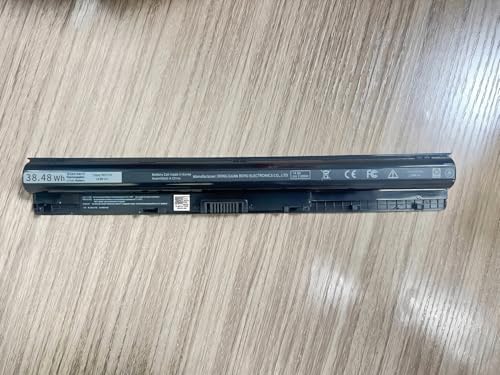
The Dell XPS 15 9560 with its OLED display option brings accurate color and high resolution to a Windows portable that artists can carry. The 3.5K OLED display is sharp and vibrant, and the machine's slim profile makes it genuinely portable despite the 15-inch screen. An RTX 4060 handles GPU-accelerated filters and brush rendering in Photoshop. The compact footprint belies how much screen real estate the 15.6-inch display provides for canvas work. Battery life is average for this class of machine, so a charger is a regular companion.
What to look for
What to consider
Display quality is the highest priority for artists. Look for factory-calibrated panels with P3 or sRGB coverage specifications, not just "vibrant" or "bright" marketing claims. RAM of 16GB is the practical minimum for professional illustration; 32GB improves performance with large multi-layer files. GPU acceleration in Photoshop and Illustrator benefits from a dedicated GPU, though Apple Silicon handles this through unified memory efficiently. If you use a drawing tablet like Wacom, compatibility with your OS is a primary consideration. Artists who sketch directly on screen should look at Surface Pro or iPad Pro as alternatives to traditional laptop setups.
What to consider
For related reading, see [best computers for animation students](/articles/best-computers-for-animation-student) and [best computers for data science](/articles/best-computers-for-data-science). Review our evaluation criteria at [/methodology](/methodology).
FAQs
Color accuracy and color gamut coverage are the two most important display specs for digital artists. Look for displays covering at least 99% of the sRGB color space for general illustration, or 90% or more of P3 coverage for print or video work. Factory calibration (Delta E less than 2) means the display is tuned to show accurate colors out of the box without manual calibration. Matte screen coatings reduce glare that can affect color perception under bright ambient lighting.
A touchscreen alone is less useful for precise illustration work, but pen display integration, where you draw directly on the screen, significantly improves the natural feel of digital painting and sketching. Devices like the Microsoft Surface Pro and iPad Pro offer this built-in. External drawing tablets like Wacom are a cost-effective alternative that pair with any computer and give artists pen input without requiring a specialized machine.
How we made this guide
We compare every pick on the factors that matter, cross-checking manufacturer specifications against aggregated verified owner reviews. We rank independently and never take payment for placement. We have not personally tested every product; where we have not, the ranking reflects verified specs and owner feedback rather than a hands-on review.
How it was written: this guide was researched and reviewed by the TheTestedHub editorial team for accuracy.
Affiliate disclosure: TheTestedHub is reader-supported. When you buy through links on our site, we may earn a commission at no extra cost to you.
Related guides

Your Docking Station Match: CalDigit TS4 and More

Digital Art Computers 2026: Best for Every Budget
Dev & IT Computers in 2026: Ranked for Real Work

Desktop PCs for Every Budget: Find Your Perfect Match
Desktop and Laptop Computers: Performance Reviewed and Ranked
MacBook Pro M4 Pro vs Dell XPS 15: 2026 Shortlist

Buy the Best DIY Computer in 2026: Corsair One i300
