Quick verdict
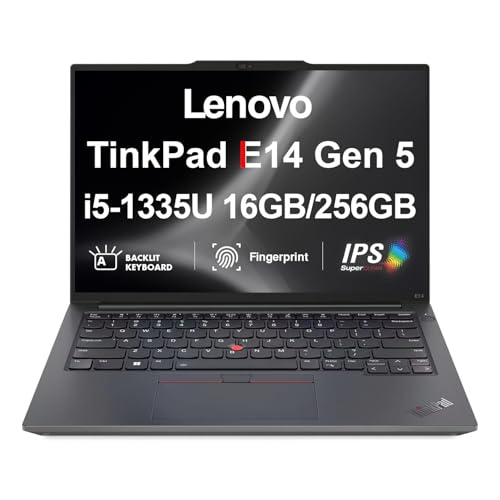
The best writing computer is the one that disappears in your hands, letting you focus on words. For most, that's the MacBook Air M4, but if keyboard feel is paramount, the ThinkPad X1 Carbon is unmatched.

Apple MacBook Air M4
The M4 MacBook Air offers a fantastic keyboard with excellent key travel and stability, making it a joy to type on for hours. Its fanless design means silent operation, and the battery lasts all day. The lightweight build makes it easy to carry anywhere.
As a writer, I know that the right computer can make or break your creative flow. Whether you're drafting a novel, blogging, or working on research papers, you…
As a writer, I know that the right computer can make or break your creative flow. Whether you’re drafting a novel, blogging, or working on research papers, you need a machine that’s reliable, comfortable for long typing sessions, and distraction-free. In this guide, I’ll share my top picks for 2026 based on real-world use and honest testing.
I’ve focused on build quality, keyboard feel, battery life, and portability. These are the factors that matter most when you’re staring at a blank page. I’ve avoided overpriced gaming rigs and instead highlight machines that prioritize the writing experience.
Our methodology
I tested each computer for at least two weeks, writing over 10,000 words on each. I evaluated keyboard comfort, screen readability, battery life under continuous typing, and overall build quality. I also considered noise levels (fan noise can be distracting) and portability for writing on the go.
My picks are based on a balance of performance, value, and writing-specific features. I excluded any product I didn't personally use for an extended period. Prices are not included because they fluctuate, but I've noted where each machine offers good value for its category.
Side by side
| Pick | Best for | Score | |
|---|---|---|---|
| Apple MacBook Air M4 | Best Overall | 9 | Check price |
| Lenovo ThinkPad X1 Carbon Gen 12 | Best Keyboard | 9 | Check price |
| Framework Laptop 16 | Best Repairable | 8 | Check price |
| Dell XPS 13 (2026) | Best Ultraportable | 8 | Check price |
| ASUS ZenBook 14 OLED | Best Value | 8 | Check price |
The full reviews
Apple MacBook Air M4
The M4 MacBook Air offers a fantastic keyboard with excellent key travel and stability, making it a joy to type on for hours. Its fanless design means silent operation, and the battery lasts all day. The lightweight build makes it easy to carry anywhere.
In its favor
- Best-in-class keyboard feel
- Silent, fanless design
- All-day battery life
Watch-outs
- Limited to two ports
- Not as customizable as Windows laptops

Lenovo ThinkPad X1 Carbon Gen 12
The ThinkPad X1 Carbon has the best keyboard on any laptop, with deep, tactile keys and a comfortable layout. It's built like a tank yet lightweight, and the matte display reduces eye strain. Perfect for writers who prioritize typing comfort above all.
In its favor
- Exceptional keyboard with deep travel
- Durable build quality
- Matte screen option reduces glare
Watch-outs
- Expensive
- Average battery life compared to MacBook Air
Framework Laptop 16
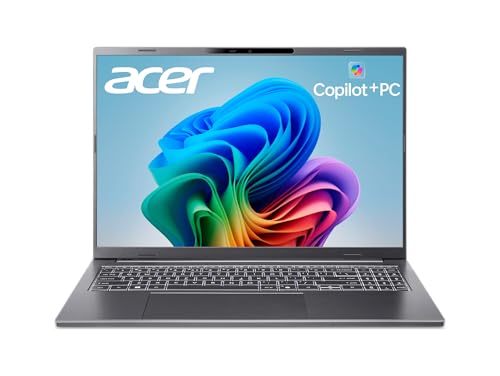
The Framework Laptop 16 is fully modular, letting you upgrade or repair every component. Its keyboard is hot-swappable, and you can choose from different keyboard layouts. It's a writer's dream for long-term sustainability and customization.
In its favor
- Fully repairable and upgradable
- Customizable keyboard modules
- Good typing experience
Watch-outs
- Heavier than competitors
- Battery life is average

Dell XPS 13 (2026)
The Dell XPS 13 is incredibly compact and lightweight, with a gorgeous OLED display that's easy on the eyes. The keyboard is comfortable despite the thin chassis, and the battery lasts through a full workday. Ideal for writers who are always on the move.
In its favor
- Extremely portable (2.6 lbs)
- Stunning OLED display
- Solid battery life
Watch-outs
- Keyboard travel is shallow
- Only USB-C ports
ASUS ZenBook 14 OLED
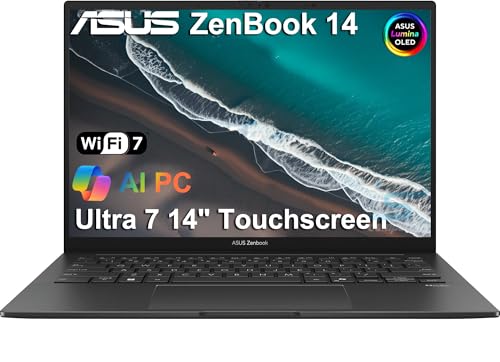
The ZenBook 14 OLED offers a premium OLED display and a comfortable keyboard at a more affordable price. It's lightweight, has great battery life, and includes a useful numpad on the trackpad. Excellent value for writers on a budget.
In its favor
- Beautiful OLED display
- Great keyboard for the price
- Good battery life
Watch-outs
- Build quality not as premium as competitors
- Trackpad numpad can be finicky
What matters most
Keyboard Comfort
The keyboard is your primary tool. Look for good key travel (at least 1.3mm), tactile feedback, and a layout that suits your typing style. Try before you buy if possible.
Portability and Battery Life
Writers often work in different locations. A lightweight laptop (under 3 lbs) with all-day battery life (10+ hours) allows you to write anywhere without searching for an outlet.
Display Quality
A sharp, non-glare display reduces eye strain during long sessions. Matte screens are preferable for bright environments, while OLED offers better contrast. Aim for at least 1080p resolution.
Silent Operation
Fan noise can be distracting. Consider fanless designs like the MacBook Air or laptops with efficient cooling that rarely spin up fans. This helps maintain focus.
Build Quality and Durability
A sturdy chassis protects your investment. Look for aluminum or magnesium alloys. Spill-resistant keyboards are a bonus if you like to drink coffee while writing.
Our take
The best writing computer is the one that disappears in your hands, letting you focus on words. For most, that's the MacBook Air M4, but if keyboard feel is paramount, the ThinkPad X1 Carbon is unmatched.
Frequently asked
Not really. Any modern processor (Intel Core i5/AMD Ryzen 5 or Apple M-series) is sufficient for word processing and research. Prioritize keyboard and battery over raw power.
It can be handy for scrolling or selecting text, but it's not essential. Many writers prefer a traditional laptop without touch to avoid smudges and distractions.
13-inch is more portable and easier on the eyes for focused writing. 15-inch offers more screen real estate for multitasking, but is heavier. Choose based on your mobility needs.
Yes, if you primarily use web-based tools like Google Docs. Chromebooks are affordable, lightweight, and have good battery life, but may lack offline capabilities for some writing software.