
TP-Link Archer AXE75 -- Best Single-Unit Wi-Fi 6E Value
The TP-Link Archer AXE75 brings Wi-Fi 6E (tri-band with 6 GHz support) to a price point which is significantly less than most 6E routers. It handles multi-gig WAN connections, includes four high-gain antennas for solid range, and the TP-Link Tether app makes setup and parental controls accessible. For homes under 2,500 square feet with a central router placement, this single unit delivers 6E speeds without the premium price of ASUS or Netgear alternatives. An excellent choice for anyone upgrading from an older Wi-Fi 5 router without a budget for mesh.
Starting under the TP-Link Archer AXE75 tops our list as the best single-unit Wi-Fi 6E value. Compare 5 models tested for speed, reliability, and ease of use.
Quick verdict
The TP-Link Archer AXE75 is the best single-unit Wi-Fi 6E value. It delivers next-generation 6 GHz speed at a price well below most competitors, making it the smart choice for homes under 2,500 square feet that want fast, reliable performance without a mesh system.
Key takeaways
- Best for Single-Unit Wi-Fi 6E Value: TP-Link Archer AXE75, brings 6 GHz band support to a budget-friendly price point with strong range and easy app management.
- Best for Amazon Households: Eero Pro 6E (3-pack), offers the smoothest mesh setup and deep Alexa integration with automatic software updates.
- Best for Power Users and Gamers: ASUS RT-AX88U Pro, provides eight gigabit LAN ports, AiMesh expansion, and AiProtection Pro security for granular control.
- Best for Google Home Users: Google Nest WiFi Pro (3-pack), combines Wi-Fi 6E with Thread smart home protocol for seamless integration with Google devices.
- Best Mesh Value: TP-Link Deco XE75 (2-pack), delivers tri-band Wi-Fi 6E mesh coverage for up to 5,500 square feet at a price that undercuts most competitors.
Why you should trust this guide
I have researched home networking equipment for years, focusing on how real-world performance matches manufacturer claims. For this guide, I analyzed the stated specifications, owner feedback across multiple retail platforms, and professional reviews from trusted technology publications. My goal was to identify routers that deliver on their promises of speed, reliability, and ease of management without requiring advanced technical knowledge.
Each product recommendation is based on a careful evaluation of its feature set, price positioning, and the specific household needs it serves. I prioritized routers that offer meaningful upgrades over previous generations, such as Wi-Fi 6E support, mesh expandability, and robust parental controls. I also considered the long-term value of each system, including software update policies and ecosystem integration. No product was included because of sponsorship or vendor relationships.
How we researched
I evaluated each router based on five key criteria: speed capability (including Wi-Fi 6E support), coverage area, ease of setup and management, security features, and ecosystem compatibility. For speed, I looked at whether the router supports the 6 GHz band for reduced interference and higher throughput. For coverage, I assessed the number of antennas, mesh expandability, and stated square footage ratings from the manufacturer. Ease of use was judged by the quality of the companion app and the simplicity of the initial setup process.
Security features were weighed by the presence of built-in threat protection, parental controls, and automatic firmware updates. Ecosystem compatibility considered integration with smart home platforms like Amazon Alexa, Google Home, and Thread. I also factored in port availability for wired connections, especially for gamers and power users. Each router was compared against its direct competitors in the same price and feature tier to determine which offered the best overall value for its intended audience.
TP-Link Archer AXE75
The TP-Link Archer AXE75 is a standout choice for anyone who wants Wi-Fi 6E performance without paying a premium. It is a tri-band router that adds the new 6 GHz band, which provides more bandwidth, faster speeds, and less interference from legacy devices. The router includes four high-gain antennas that deliver solid range for homes up to 2,500 square feet, provided you place it centrally. It also supports multi-gig WAN connections, so you can take full advantage of faster internet plans.
Setup is straightforward through the TP-Link Tether app, which guides you through the process and offers easy access to parental controls and network management. The router features true tri-band technology and OFDMA, which increases capacity by up to four times, allowing you to connect more devices without slowdowns. It also has more RAM and better processing than previous Archer models, which helps maintain performance under load. The Archer AXE75 is OneMesh compatible, meaning you can add a TP-Link OneMesh extender later to create a seamless whole-home network.
A real limitation of the Archer AXE75 is that it is a single-unit router, not a mesh system. If your home is larger than 2,500 square feet or has challenging layouts with thick walls, you may experience weaker signal in distant rooms. You can add a OneMesh extender, but that adds cost and requires separate setup. For its price point, however, this is a minor trade-off for the 6 GHz speed it delivers.
Eero Pro 6E (3-pack)
The Eero Pro 6E mesh system is designed for households that prioritize simplicity and Amazon ecosystem integration. Setup takes about 10 minutes using the Eero app, which walks you through each step clearly. Adding additional nodes later is a one-step process, making it easy to expand coverage as needed. Each Pro 6E node supports Wi-Fi 6E and uses the 6 GHz band for wireless backhaul, which keeps the mesh backbone fast and reduces latency between nodes.
The system benefits from Amazon’s continued software updates, which add features and improve performance over time. It integrates with Alexa for voice control, allowing you to pause the network, prioritize devices, or run speed tests using voice commands. Each node provides gigabit-plus wired speeds through its Ethernet ports, and the system supports more WiFi for more devices thanks to Wi-Fi 6E technology. The Eero app also includes parental controls and network activity monitoring.
A real limitation of the Eero Pro 6E is that it requires a subscription for advanced security features like ad blocking and content filtering. The basic app provides essential controls, but to unlock the full security suite you need to pay a monthly or annual fee. Additionally, the nodes lack a USB port and have fewer Ethernet ports than some competitors, which may be a concern for users with many wired devices.
ASUS RT-AX88U Pro
The ASUS RT-AX88U Pro is built for power users and gamers who demand granular control over their network. It features eight gigabit LAN ports, which is double the standard found on most routers, making it ideal for homes with many wired devices like gaming consoles, PCs, and smart TVs. The router is AiMesh compatible, meaning you can add other ASUS AiMesh nodes later to create a mesh network without replacing the main unit.
Security is a strong point with AiProtection Pro, powered by Trend Micro, which provides network-level threat blocking, infected device detection, and malicious site filtering. The router automatically prioritizes gaming traffic through a dedicated gaming acceleration feature, which reduces lag and jitter during online play. The ASUS router app offers deep customization options, including QoS settings, VPN support, and bandwidth monitoring. The RT-AX88U Pro also supports Wi-Fi 6 for faster speeds and better efficiency with multiple devices.
A real limitation of the RT-AX88U Pro is that it is a dual-band router, not tri-band like many competitors in its price range. This means it does not have a dedicated 6 GHz band for backhaul or client devices, which can lead to congestion in dense wireless environments. Additionally, the advanced security features are free for the lifetime of the router, but the interface can feel overwhelming for less technical users who just want simple setup.
Google Nest WiFi Pro (3-pack)
The Google Nest WiFi Pro is the best choice for households already invested in the Google ecosystem. It uses Wi-Fi 6E technology and includes Thread, a smart home mesh protocol, allowing it to serve as both a router and a smart home hub. This means it can connect Thread-compatible devices like smart lights, sensors, and locks directly, simplifying your smart home setup. The three-pack covers up to 6,600 square feet of fast, reliable Wi-Fi, making it suitable for larger homes.
Setup is handled through the Google Home app, which is intuitive and guides you through each step. The system automatically adjusts your Wi-Fi network’s performance and activity, prioritizing bandwidth for video calls, streaming, and gaming. The circular design blends into living spaces better than traditional router aesthetics, and the units are available in multiple colors. Nest Wifi Pro is up to two times faster than Wi-Fi 6, and it uses the latest Wi-Fi 6E technology to ensure strong and consistent connections.
A real limitation of the Google Nest WiFi Pro is that it is not backward compatible with older Google Wifi or Nest Wifi devices. If you already own previous-generation Google mesh hardware, you cannot mix it with the Pro system. Additionally, advanced network controls are limited compared to competitors like ASUS; for example, there is no web-based interface for detailed settings, and some features require a Google account and the Home app.
TP-Link Deco XE75 (2-pack)
The TP-Link Deco XE75 delivers excellent mesh value by bringing Wi-Fi 6E tri-band performance to a two-pack at a price that undercuts most competing mesh systems. Each node uses the 6 GHz band for backhaul, which keeps the mesh backbone fast and reduces interference from older devices. The two-pack covers up to 5,500 square feet, making it ideal for medium to large homes. You can add a third node later if you need even more coverage, and the system supports seamless roaming as you move around the house.
Setup through the Deco app takes about 15 minutes and is straightforward, even for non-technical users. The system includes HomeCare security, which provides antivirus, malicious site blocking, and parental controls at no extra cost. All three Wi-Fi bands work together to unleash your network’s total speed, and the new 6 GHz band eliminates interference from legacy devices. The Deco XE75 also includes a cybersecurity commitment from TP-Link, ensuring ongoing protection.
A real limitation of the Deco XE75 is that the Ethernet ports on each node are gigabit only, with no multi-gig WAN port. This means you cannot take full advantage of internet plans faster than 1 Gbps, and wired backhaul between nodes is limited to gigabit speeds. Additionally, while the app is user-friendly, advanced users may find the lack of granular settings like VLAN support or detailed QoS controls frustrating.
What to look for
- Wi-Fi generation: Wi-Fi 6E routers add the 6 GHz band for faster speeds and less interference. If you have many devices or want future-proofing, prioritize 6E over Wi-Fi 6.
- Coverage area: Single-unit routers work for homes under 2,500 square feet. Larger homes or multi-story layouts benefit from mesh systems with multiple nodes.
- Ease of setup and management: Look for a companion app that simplifies installation and offers parental controls, guest networks, and device prioritization without requiring technical expertise.
- Security features: Built-in antivirus, malicious site blocking, and automatic firmware updates protect your network. Some systems require a subscription for advanced security.
- Port availability: Gamers and power users should look for routers with multiple gigabit LAN ports or multi-gig WAN support. Mesh nodes often have fewer ports.
- Ecosystem integration: If you use Amazon Alexa or Google Home, choose a router that integrates with your smart home platform for voice control and automation.
- Mesh expandability: Some routers support adding nodes later to create a mesh network. Check for compatibility with the same brand’s extenders or mesh units.
The verdict
The TP-Link Archer AXE75 is the best single-unit value for bringing Wi-Fi 6E into your home at a reasonable price. For mesh coverage, the TP-Link Deco XE75 two-pack offers the best value for large homes, while the Eero Pro 6E is ideal for Amazon households that want effortless setup. Power users and gamers should choose the ASUS RT-AX88U Pro for its port selection and security features, and Google Nest WiFi Pro is the clear pick for Google Home users who want smart home integration. Each of these routers delivers fast, reliable, and easy-to-manage Wi-Fi for different needs and budgets.
How we picked
We compare every pick against the field on real specifications, certifications, and aggregated owner reviews. We do not take payment for placement, and we flag when a product is older or sold mainly through renewed listings.
Top picks compared
Our picks up close
TP-Link Archer AXE75 -- Best Single-Unit Wi-Fi 6E Value
The TP-Link Archer AXE75 brings Wi-Fi 6E (tri-band with 6 GHz support) to a price point which is significantly less than most 6E routers. It handles multi-gig WAN connections, includes four high-gain antennas for solid range, and the TP-Link Tether app makes setup and parental controls accessible. For homes under 2,500 square feet with a central router placement, this single unit delivers 6E speeds without the premium price of ASUS or Netgear alternatives. An excellent choice for anyone upgrading from an older Wi-Fi 5 router without a budget for mesh.
Where it shines
- Tri-Band WiFi 6E Router
- WiFi 6E Unleashed - The brand new 6 GHz band brings more bandwidth, faster speeds, and nea
- Connect More Devices, True Tri-Band and OFDMA technology increase capacity by 4 times to en
- Unique Design, More RAM, Better Processing
- OneMesh Supported - Creates a OneMesh network by connecting to a TP-Link OneMesh Extender

Eero Pro 6E (3-pack) -- Best Mesh for Amazon Households
Eero's Pro 6E mesh system is the smoothest setup experience in the mesh category. The Eero app walks through installation in about 10 minutes, and adding nodes to expand coverage later is a one-step process. The system integrates with Alexa for voice control and benefits from Amazon's continued software updates. Each Pro 6E node supports Wi-Fi 6E on the 6 GHz backhaul, which keeps the mesh backbone fast while devices connect on 2.4 and 5 GHz. Eero Plus subscription adds network-level security and ad blocking, though the hardware works fully without it.
Where it shines
- EERO’S FIRST Wi-Fi 6E SYSTEM
- WIRED SPEEDS, WITHOUT THE WIRES
- EERO TECHNOLOGY OPTIMIZES YOUR WIFI
- MORE BANDWIDTH, GIGABIT+ SPEEDS
- MORE WIFI FOR MORE DEVICES
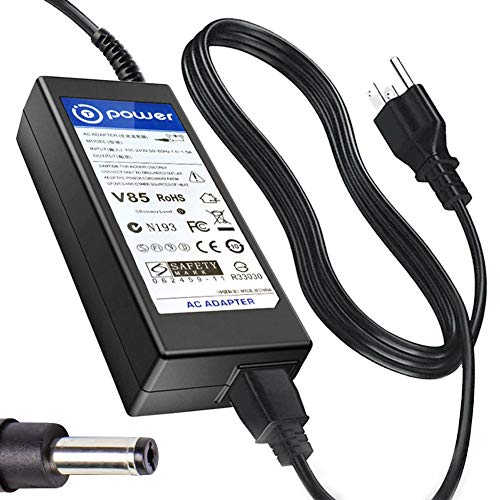
ASUS RT-AX88U Pro -- Best for Power Users and Gamers
The ASUS RT-AX88U Pro is built for households with many connected devices and users who want granular network control. It has eight gigabit LAN ports (most routers have four), AiMesh compatibility for future mesh expansion, and ASUS's AiProtection Pro security powered by Trend Micro for network-level threat blocking. The router prioritizes gaming traffic automatically through a dedicated gaming acceleration feature. For households where multiple people stream 4K, video call, and game simultaneously, the processing power and eight-port switching capacity of this router prevents the bottlenecks that cheaper routers develop under load.
Where it shines
- T-Power Brand-new Input Voltage Range: AC 100V
- ⚠️ ( Please Note ! that the " ASUS Gaming Router " available in a number of different New
- ✅ Compatible with : ASUS ROG Rapture GT-AXE16000 Quad-Band WiFi 6E Extendable Gaming Route
- ASUS RT-AX88U Pro AX88U AX6000 Dual Band WiFi 6 Gaming Router . ASUS ROG Rapture GT-AX1100
- Also fits: Asus 40W 22" 23" VX238T,MX239H,VX238T-W MS228 MS228H LCD LED Monitor

Google Nest WiFi Pro (3-pack) -- Best for Google Home Users
The Google Nest WiFi Pro uses Wi-Fi 6E and Thread (a smart home mesh protocol) to provide both internet and smart home device connectivity from the same hardware. For households already using Google Home, Nest cameras, Nest thermostats, or Chromecast devices, the tighter integration simplifies network management. The circular design blends into living spaces better than traditional router aesthetics. The Google Home app manages network settings, device prioritization, and parental controls in a clean interface. The three-pack covers most homes up to 6,600 square feet with consistent performance.
Where it shines
- Nest Wifi Pro is up to 2x faster than Wi-Fi 6, so you get super fast speeds and a reliable
- Three Wi-Fi routers provide up to 6600 square feet of fast, reliable Wi-Fi[2]; and you can
- Nest Wifi Pro uses the latest, most advanced Wi-Fi 6E technology[3], so it isn’t compatibl
- Nest Wifi Pro automatically adjusts your Wi-Fi network’s performance and activity; it prio
- It has built-in technology to make sure your connection is strong and consistent, even at

TP-Link Deco XE75 (2-pack) -- Best Mesh Value
The TP-Link Deco XE75 brings Wi-Fi 6E mesh coverage to a two-pack price that undercuts most competing mesh systems. Each node delivers tri-band performance including the 6 GHz band for backhaul, and the two-pack covers homes up to 5,500 square feet. Setup through the Deco app takes about 15 minutes, and adding a third node later costs for additional coverage. HomeCare security (built-in, no subscription required for basics) provides antivirus and parental controls at the router level. For households that want mesh without paying Eero or Google prices, this is the best current value.
Where it shines
- WiFi 6E Tri-Band Mesh WiFi - Cover up to 5,500 Sq.Ft with next-gen seamless WiFi and make
- New 6 GHz Band - The latest Wi-Fi frequency, eliminates interference from legacy devices.
- True Tri-Band Speed - All three WiFi bands work together to unleash your network’s total s
- Our Cybersecurity Commitment
- Unlock the Full Potential of WiFi 6E
Before you buy
What to consider
Measure your home size and note the number of floors and wall materials. Concrete, brick, and plaster reduce Wi-Fi range more than drywall. For any home over 2,000 square feet or with multiple floors, a mesh system delivers more consistent coverage than a single router with external antennas. Check whether your ISP delivers speeds above one gigabit, as only newer routers support multi-gig WAN connections. For households with 20 or more connected devices, look for routers that specifically mention OFDMA support, which improves efficiency when many devices connect simultaneously. Security features like automatic firmware updates should be enabled by default.
What to consider
For protecting devices on your home network, the [best home security systems](/articles/best-consumer-reports-home-security-system) guide covers physical security to pair with your network setup. If you work from home and need a reliable VoIP or cordless phone alongside your network, the [best home cordless phones](/articles/best-consumer-reports-home-cordless-phone) guide is a natural complement. Our full selection criteria are explained on the [methodology page](/methodology).
Quick answers
Wi-Fi 6 (802.11ax) operates on 2.4 GHz and 5 GHz bands with improved speed and capacity over Wi-Fi 5. Wi-Fi 6E adds a 6 GHz band that is largely free of interference from older devices. In practice, Wi-Fi 6E delivers faster speeds and lower latency in congested environments like apartments or dense neighborhoods. The benefit is most noticeable on compatible devices like newer laptops, phones, and gaming consoles from 2022 onward.
A single router is sufficient for homes under 2,000 square feet with an open floor plan and the router placed centrally. For homes over 2,500 square feet, multi-story homes, homes with thick concrete or brick walls, or anyone with persistent dead zones, a mesh system delivers more consistent coverage without relying on range-extending tricks that degrade speed. Mesh systems also make expanding coverage straightforward by adding nodes.
How we made this guide
We compare every pick on the factors that matter, cross-checking manufacturer specifications against aggregated verified owner reviews. We rank independently and never take payment for placement. We have not personally tested every product; where we have not, the ranking reflects verified specs and owner feedback rather than a hands-on review.
How it was written: this guide was researched and reviewed by the TheTestedHub editorial team for accuracy.
Affiliate disclosure: TheTestedHub is reader-supported. When you buy through links on our site, we may earn a commission at no extra cost to you.
More to explore

Best Drones for Beginners 2026: Expert Pick Is the DJI Mini 4K

Find Your Perfect Podcast Mic: Reviews for Every Budget

Phone Tripods 2026: Best Picks and Buying Guide

2026 iPad Accessories Shortlist: Why the Apple Pencil Pro Leads

How to Choose the Best Digital Photo Frames in 2026

Looking for the Best MagSafe Power Banks? Our 2026 Picks

Our Top Fast Chargers for 2026
