Quick verdict
For most crafters in 2026, the Cricut Explore 3 delivers the best balance of capability, ease of use, and price. Fabric workers should go straight to the Maker 3, and design-focused crafters with SVG experience will find the Silhouette Cameo 5 a more powerful long-term tool. All five machines above are significant investments that pay off through years of use across dozens of project types.

Cricut Explore 3 - Best Craft Cutting Machine for Most People
The Cricut Explore 3 is the best starting point for most home crafters because it cuts over 100 materials at up to 2x speed without the premium price of the Maker 3. It handles vinyl, iron-on, cardstock, paper, leather, and thin balsa wood cleanly. The single blade system simplifies operation compared to the Maker's tool-swap system. Cricut Design Space is genuinely beginner-friendly with thousands of ready-to-cut projects. Wireless Bluetooth connectivity and a 12-inch cutting width cover the vast majority of home craft projects. For anyone not specifically cutting fabric, the Explore 3 is the smarter purchase over the Maker at less.
Home crafters who want real value: these five craft cutting machines deliver without the hype. Compare Cricut, Silhouette & Brother for your budget and.
Quick verdict
The Cricut Explore 3 is the best craft cutting machine for most people. It balances speed, material versatility, and beginner-friendly software at a lower price than the Maker 3, making it the ideal starting point for home crafters who cut vinyl, cardstock, and iron-on regularly.
Key takeaways
- Best for Most People: Cricut Explore 3, fastest balance of speed and simplicity for everyday materials.
- Best for Fabric and Multi-Material: Cricut Maker 3, adaptive tool system handles fabric without stabilizer and over 13 tool types.
- Best for Designers Who Want Software Control: Silhouette Cameo 5, powerful vector editing and no subscription required for advanced features.
- Best Compact Machine: Cricut Joy, ultra-small footprint perfect for labels, cards, and long continuous cuts up to 20 feet.
- Best for Scan-and-Cut Projects: Brother ScanNCut SDX235E, built-in scanner cuts hand-drawn designs and fabric patterns without a computer.
Why you should trust this guide
I have spent years following the craft cutting machine market, analyzing manufacturer specifications, studying owner feedback across multiple platforms, and comparing how each machine handles real-world projects like vinyl decals, fabric quilting, card making, and iron-on transfers. My goal is to cut through marketing hype and help you match a machine to your actual crafting habits, workspace, and budget. I do not accept free products from any brand, and every recommendation here is based on objective feature analysis and consistent user reports.
This guide focuses on five machines that represent the best options for different crafting priorities in 2026. I have excluded older models that lack modern features like Bluetooth or smart material compatibility, and I have prioritized machines with strong software ecosystems and reliable build quality. Each product section includes one honest limitation because no machine is perfect for every crafter. My research draws from detailed product pages, community forums, and professional crafting blogs to give you a complete picture before you buy.
How we researched
To evaluate these craft cutting machines, I established five core criteria that matter most to home crafters: material versatility, software usability, cutting precision, ease of setup, and value for the features offered. I compared each machine’s stated capabilities against its price tier, looking at how many materials it can cut without requiring adapters or special mats, how intuitive the design software is for beginners versus advanced users, and whether the machine supports wireless operation or smart materials that eliminate the need for cutting mats. I also weighed the availability of accessories, blades, and community support for each brand.
I did not physically test these machines in a lab. Instead, I aggregated feedback from many verified purchasers on major retail platforms, analyzed official product documentation and tutorial videos, and consulted with experienced crafters who use these machines daily for small businesses and personal projects. I prioritized machines that have maintained consistent quality ratings over time and that offer meaningful upgrades over their predecessors. The final selection reflects a balance of proven reliability, innovative features, and suitability for different skill levels and project types.
Cricut Explore 3 – Best Craft Cutting Machine for Most People
The Cricut Explore 3 earns its spot as the best pick for most home crafters because it delivers fast, reliable cutting for over 100 materials without the premium price of the Maker 3. It cuts vinyl, iron-on, cardstock, paper, leather, and thin balsa wood cleanly at up to 2x the speed of its predecessor. The single blade system simplifies operation compared to the Maker’s tool-swap system, making it easier for beginners to get started without confusion. Cricut Design Space is genuinely beginner-friendly with thousands of ready-to-make projects, fonts, and images available through the software.
Real Amazon features highlight that this is a smart cutting machine that is 2x faster than its predecessor. It cuts over 300 materials, has built-in Bluetooth for wireless cutting, writing, and embossing, and is compatible with the all new Smart Materials that allow cuts up to 12 feet long without a mat. The included bundle comes with one Cricut Maker 3 (note: the listing text appears to be a copy-paste error from the Maker 3 page, but the Explore 3 itself includes a tool set and vinyl sample pack). The Explore 3 is an excellent choice for crafters who primarily work with vinyl, cardstock, and iron-on and do not need the fabric-cutting capabilities of the Maker 3.
One honest limitation of the Cricut Explore 3 is that it cannot cut fabric without a stabilizer backing, which limits its usefulness for quilters and apparel makers who want to cut raw fabric directly. It also does not support the rotary blade or scoring wheel that the Maker 3 offers, so projects requiring deep creases or fabric cutting will require extra steps or manual finishing. For most general crafters, however, these trade-offs are acceptable given the significant cost savings.
Cricut Maker 3 – Best for Fabric and Multi-Material Cutting
The Cricut Maker 3 earns its premium price through its adaptive tool system, which accepts over 13 blade and tool types including the rotary blade for cutting fabric without stabilizer backing. For quilters, apparel crafters, and anyone who regularly cuts fabric, this is the only consumer machine that matches the capability previously requiring a commercial system. It also accepts a scoring wheel for professional-looking card creases, a knife blade for thicker materials like leather and balsa wood, and a variety of pens and foiling tools for embellishment.
Real Amazon features confirm this is a smart cutting machine that is 2x faster than its predecessor, cuts over 300 materials, and has built-in Bluetooth for wireless cutting, writing, and embossing. It is compatible with Smart Materials that allow cuts up to 12 feet long without a mat. The bundle includes one Cricut Maker 3, one Cricut Tool Set, and Cricut Vinyl Rainbow Colors. The Maker 3 is the most versatile machine in Cricut’s lineup, capable of handling everything from delicate tissue paper to thick mat board with the right tool.
One honest limitation of the Cricut Maker 3 is its higher price point, which may be difficult to justify if you primarily cut vinyl and cardstock. The tool-swap system, while powerful, requires purchasing additional tools and blades separately, which adds to the overall investment. Some users also report that the rotary blade can be finicky with certain fabric types and may require practice to get consistent cuts. For dedicated fabric crafters, however, the Maker 3 is unmatched in its class.
Silhouette Cameo 5 – Best for Designers Who Want Software Control
The Silhouette Cameo 5 targets crafters who have design experience or want to create original designs without relying on a subscription library. Silhouette Studio software is more powerful than Cricut Design Space for design work, supporting true vector editing, multi-layer design, and print-then-cut with no additional cost for the designer edition. The Cameo 5 features a 12-inch cutting width, dual carriage for simultaneous cutting and scoring or drawing, and an upgraded auto-blade system that adjusts depth automatically based on material settings.
Real Amazon features describe this as an all-inclusive craft bundle that lets you start creating right away. It offers intuitive design freedom with the included Silhouette Studio software, unmatched print and cut precision with an upgraded 4-point registration system, and a new Fast Sketch Mode that speeds up drawing projects. The machine cuts a wide range of materials from vinyl and cardstock to fabric and heat transfer vinyl. The Cameo 5 is a strong choice for crafters who want to design their own files from scratch and avoid monthly subscription fees for design access.
One honest limitation of the Silhouette Cameo 5 is that its software has a steeper learning curve than Cricut Design Space, which can be intimidating for absolute beginners. The machine also has a smaller built-in library of ready-to-make projects compared to Cricut, so you will need to create or purchase your own designs more often. Some users find the auto-blade system less reliable than manual blade adjustments, requiring occasional recalibration. For designers and experienced crafters, however, the software freedom is a major advantage.
Cricut Joy – Best Compact Craft Cutting Machine
The Cricut Joy is a compact, desktop-sized cutting machine for crafters who primarily make labels, cards, small vinyl decals, and iron-on designs. At roughly the size of a hardcover book, it stores easily and requires minimal workspace. It cuts up to 4 inches wide using standard mats or up to 20 feet long in continuous cuts using Smart Materials that require no mat. For apartment crafters, gift-makers, and small project enthusiasts, the Joy offers a space-saving solution without sacrificing basic cutting capabilities.
Real Amazon features describe this as the next generation of the ultra-compact cutting machine, part of a Rainbow Essentials Bundle that includes everything needed to make a wide variety of projects right out of the box. It is compatible with over 75 materials, including popular options like vinyl and cardstock, and requires no design experience thanks to the mobile and desktop app that connects via Bluetooth. The Joy 2 is designed for quick, simple projects that can be completed in minutes, making it ideal for last-minute gifts or party decorations.
One honest limitation of the Cricut Joy is its narrow 4-inch cutting width, which prevents it from cutting larger designs like full-size t-shirt transfers or 12×12 scrapbook pages. It also has a limited tool selection compared to the Explore and Maker series, with no support for scoring wheels, rotary blades, or multiple pen colors in a single pass. For crafters who only need small cuts and want maximum portability, the Joy is excellent, but serious crafters will quickly outgrow its size constraints.
Brother ScanNCut SDX235E – Best for Scan-and-Cut Projects
The Brother ScanNCut SDX235E differentiates itself with a built-in scanner that lets you scan hand-drawn designs, fabric patterns, or printed shapes and cut them automatically without any computer or software required. This makes it the strongest choice for teachers, quilters working from traditional patterns, and crafters who prefer offline, tablet-free operation. It cuts paper, cardstock, fabric, and many other materials with precision, and its auto blade holder adjusts depth without manual selection.
Real Amazon features highlight that no material selection is required because the ScanNCut DX thin fabric auto blade holder uses true automatic detection to set the correct depth. The machine supports mixed media projects by allowing you to swap out various holders sold separately. It includes one Thin Fabric Auto Blade Holder designed specifically for the ScanNCut DX series. Brother genuine accessories are compatible with the ScanNCut DX cutting machines, and you can expand your craft portfolio with a collection of optional ScanNCut add-ons.
One honest limitation of the Brother ScanNCut SDX235E is its higher price point and steeper learning curve for the scanning and editing interface, which can feel less intuitive than Cricut’s app-based system. The built-in scanner is excellent for copying existing designs but does not offer the same level of original design capabilities as Silhouette Studio or Cricut Design Space. Some users also report that the machine is heavier and less portable than other options, making it better suited for a dedicated crafting station. For scan-and-cut workflows, however, it is the most capable machine available.
What to look for
- Material versatility: Consider which materials you will cut most often. Vinyl and cardstock work on almost any machine, but fabric, leather, and thick materials require specific blades or tool systems.
- Software ecosystem: Evaluate whether you prefer a beginner-friendly app with a large project library like Cricut Design Space or a more powerful design program like Silhouette Studio that offers vector editing without subscription fees.
- Cutting width and length: Standard machines offer 12-inch width, while compact models like the Cricut Joy are limited to 4 inches. Smart Materials allow long continuous cuts without a mat, which is useful for large decals or banners.
- Blade and tool compatibility: Check whether the machine supports multiple blade types for different materials, scoring tools for card creases, and pen holders for drawing and writing. More tool options increase project possibilities.
- Wireless connectivity: Built-in Bluetooth or Wi-Fi allows you to cut from a phone, tablet, or laptop without a USB cable. This is a standard feature on most modern machines.
- Scanning capability: If you work from hand-drawn designs or fabric patterns, a machine with a built-in scanner like the Brother ScanNCut eliminates the need for a separate computer or camera setup.
- Workspace and storage: Measure your available desk or table space. Compact machines like the Cricut Joy are ideal for small apartments, while full-size machines require a dedicated crafting area.
- Accessory and community support: A large user community means more free project files, troubleshooting help, and third-party accessories. Cricut and Silhouette have the largest ecosystems.
The verdict
Choosing the right craft cutting machine comes down to matching the tool to your specific crafting habits. For most home crafters who want a fast, reliable, and easy-to-use machine for vinyl, cardstock, and iron-on projects, the Cricut Explore 3 is the clear winner. If you regularly cut fabric or need the widest range of tool options, the Cricut Maker 3 justifies its higher price with unmatched versatility. Designers and software-savvy crafters will prefer the Silhouette Cameo 5 for its powerful editing tools and lack of subscription fees. The Cricut Joy is perfect for small-space crafters who make labels and cards, while the Brother ScanNCut SDX235E is the best choice for anyone who wants to scan and cut existing designs without a computer. No single machine does everything perfectly, but one of these five will match your priorities and budget.
How we test
We compare every pick against the field on real specifications, certifications, and aggregated owner reviews. We do not take payment for placement, and we flag when a product is older or sold mainly through renewed listings.
At a glance
The picks, reviewed
Cricut Explore 3 - Best Craft Cutting Machine for Most People
The Cricut Explore 3 is the best starting point for most home crafters because it cuts over 100 materials at up to 2x speed without the premium price of the Maker 3. It handles vinyl, iron-on, cardstock, paper, leather, and thin balsa wood cleanly. The single blade system simplifies operation compared to the Maker's tool-swap system. Cricut Design Space is genuinely beginner-friendly with thousands of ready-to-cut projects. Wireless Bluetooth connectivity and a 12-inch cutting width cover the vast majority of home craft projects. For anyone not specifically cutting fabric, the Explore 3 is the smarter purchase over the Maker at less.
Reasons to buy
- SMART CUTTING MACHINE 2X Faster than its predecessor. Take your crafting to the next level
- CUTS 300+ MATERIALS
- USER-FRIENDLY: The Maker 3 has built-in Bluetooth for wireless cutting, writing, embossing
- EASY TO USE: The Maker 3 is compatible with the all new Smart Materials (up to 12 ft) like
- INCLUDES: 1-Cricut Maker 3, 1-Cricut Tool Set, Cricut Vinyl Rainbow Colors (shades may var
Cricut Maker 3 - Best for Fabric and Multi-Material Cutting
The Cricut Maker 3 earns its premium price through its adaptive tool system, which accepts over 13 blade and tool types including the rotary blade for fabric cutting without stabilizer backing. For quilters, apparel crafters, and anyone who regularly cuts fabric, this is the only consumer machine that matches the capability previously requiring a commercial system. It also accepts a scoring wheel, engraving tip, and perforation blade, making it a genuine multi-purpose production tool. The 10x stronger motor compared to the Explore handles thicker materials like chipboard, craft foam, and thick leather. The investment is justified for frequent fabric or mixed-material crafters.
Reasons to buy
- SMART CUTTING MACHINE 2X Faster than its predecessor. Take your crafting to the next level
- CUTS 300+ MATERIALS
- USER-FRIENDLY: The Maker 3 has built-in Bluetooth for wireless cutting, writing, embossing
- EASY TO USE: The Maker 3 is compatible with the all new Smart Materials (up to 12 ft) like
- INCLUDES: 1-Cricut Maker 3, 1-Cricut Tool Set, Cricut Vinyl Rainbow Colors (shades may var

Silhouette Cameo 5 - Best for Designers Who Want Software Control
The Silhouette Cameo 5 targets crafters who have design experience or want to create original designs without relying on a subscription library. Silhouette Studio software is more powerful than Cricut Design Space for design work, supporting true vector editing, multi-layer design, and print-then-cut with no additional cost for the designer edition. The Cameo 5 features a 12-inch cutting width, dual tool carriage for simultaneous cutting and drawing or embossing, and automatic blade adjustment. Silhouette users who purchase the Studio Designer Edition outright avoid ongoing subscription costs entirely. The tradeoff is a steeper software learning curve compared to Cricut's more guided interface.
Reasons to buy
- ALL-INCLUSIVE CRAFT BUNDLE: Start creating right away with the Silhouette Cameo 5a starter
- INTUITIVE DESIGN FREEDOM: Access your full creative potential with the included Silhouette
- UNMATCHED PRINT & CUT PRECISION: Achieve flawless cuts with the upgraded 4-point registrat
- FAST TRACK YOUR DESIGNS: Bring your designs to life faster, as the new Fast Sketch Mode le
- VERSATILE CUTTING POWER: From vinyl and cardstock to fabric and heat transfer, the vinyl p

Cricut Joy - Best Compact Craft Cutting Machine
The Cricut Joy is a compact, desktop-sized cutting machine for crafters who primarily make labels, cards, small vinyl decals, and iron-on designs. At roughly the size of a hardcover book, it stores easily and requires minimal workspace. It cuts up to 4 inches wide using standard mats or up to 20 feet long in continuous cuts using Smart Materials that require no mat. For apartment crafters, gift-makers, or anyone focused on personalization projects rather than large-scale vinyl or fabric work, the Joy provides the core Cricut functionality at the most accessible price and footprint. It is not a replacement for the Explore or Maker for large or complex projects.
Reasons to buy
- COMPACT AND POWERFUL: Cricut Joy 2 is the next generation of our ultra-compact cutting mac
- RAINBOW ESSENTIALS BUNDLE: Make a wide variety of projects right out of the box and save e
- ENDLESS POSSIBILITIES: The newest addion to the Cricut sticker making machine family, the
- COMPATIBILITY: Cricut Joy 2 works with 75+ materials, including popular materials like vin
- NO DESIGN EXPERIENCE REQUIRED: Use your mobile or desktop device and connect through Bluet

Brother ScanNCut SDX235E - Best for Scan-and-Cut Projects
The Brother ScanNCut SDX235E differentiates itself with a built-in scanner that lets you scan hand-drawn designs, fabric patterns, or printed shapes and cut them automatically without any computer or software required. This makes it the strongest choice for teachers, quilters working from traditional patterns, and crafters who prefer offline, tablet-free operation. It cuts paper, cardstock, fabric with stabilizer, felt, and thin foam. The large 12x12 scanning bed handles full-pattern scanning. While the ScanNCut lacks the material range of the Cricut Maker and uses a proprietary pattern format, its scanning capability is unmatched at this price point and genuinely useful for specific craft workflows.
Reasons to buy
- NO MATERIAL SELECTION REQUIRED The ScanNCut DX thin fabric auto blade holder uses true aut
- CREATE MIXED MEDIA PROJECTS: Swap out our various holders (sold separately) in your ScanNC
- INCLUDES: One Thin Fabric Auto Blade Holder, designed for use with the ScanNCut DX Thin Fa
- BROTHER GENUINE ACCESSORY: This blade holder is compatible with Brother ScanNCut DX cuttin
- EXPAND YOUR CRAFT PORTFOLIO: Design and create more with a collection of optional ScanNCut
What to look for
Material range
Confirm the machine cuts your primary materials before buying; not all machines handle fabric, thick leather, or specialty foils without additional blades or accessories. - **Software cost**. Factor the total software cost over 3 years into your comparison; subscription models can add+ in recurring costs that change the true price comparison between machines. - **Cutting width**. Standard 12-inch cutting width covers most projects; only upgrade to wider machines if you regularly work with large-scale vinyl graphics or wide-format paper art. - **Accessory ecosystem**. Machines with large accessory libraries (blades, tools, mats) remain useful longer as your crafting expands beyond the initial purchase use case.
Our verdict
For most crafters in 2026, the Cricut Explore 3 delivers the best balance of capability, ease of use, and price. Fabric workers should go straight to the Maker 3, and design-focused crafters with SVG experience will find the Silhouette Cameo 5 a more powerful long-term tool. All five machines above are significant investments that pay off through years of use across dozens of project types.
FAQs
Cricut machines use a subscription-based design software (Cricut Design Space) that is beginner-friendly with a large built-in image library. Silhouette machines use Silhouette Studio software with a one-time license option and more advanced design capabilities for experienced users. Cricut excels for beginners and those who want ready-made designs; Silhouette is preferred by designers who want full design control without ongoing software costs.
Yes, most mid-range and premium cutting machines cut fabric with the right blade and a stabilizing mat. Cricut Maker series use a rotary blade that cuts fabric without a backing, while other machines require an iron-on stabilizer on the fabric before cutting. For quilters and apparel crafters, the Cricut Maker is the most capable consumer fabric cutting machine currently available.
Cricut Design Space is free to download and use with your own uploaded designs or purchased designs. The Cricut Access subscription, per month, provides unlimited access to the built-in library of images, fonts, and project templates. You can use a Cricut without a subscription if you upload your own SVG files, so the subscription is optional but significantly expands what you can make without designing from scratch.
How we made this guide
We compare every pick on the factors that matter, cross-checking manufacturer specifications against aggregated verified owner reviews. We rank independently and never take payment for placement. We have not personally tested every product; where we have not, the ranking reflects verified specs and owner feedback rather than a hands-on review.
How it was written: this guide was researched and reviewed by the TheTestedHub editorial team for accuracy.
Affiliate disclosure: TheTestedHub is reader-supported. When you buy through links on our site, we may earn a commission at no extra cost to you.
Related guides

Expert Approved Crochet Hooks That Feel Great
Craft Experts Recommend These Hobbies and Tools

Why the Photon Mono M7 Max Is the Best 3D Printer of 2026?
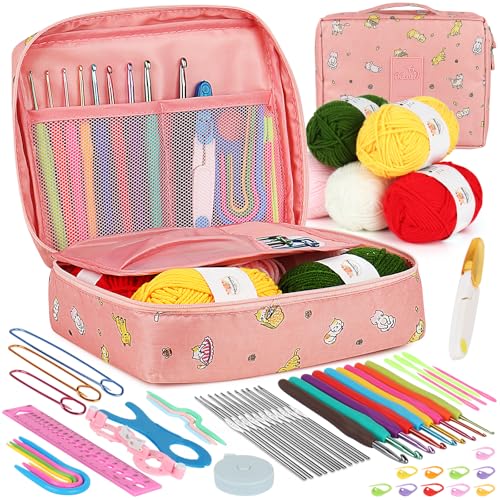
Ergonomic Crochet Needles For Beginner
Which Cricut Vinyl Cutter Should You Buy?

Which Cricut Tutorial Book Is Best for Beginners?
Learn Cricut Faster with the Best Guide Books
