Quick verdict
The Cricut Explore Air 3 is the clear winner for anyone who wants a single machine to handle both custom shirts and sticker sheets in 2026. Its speed, 12-inch cut width, and reliable print-then-cut system cover both workflows without compromise. For higher-volume crafters or those working with specialty HTV, the Maker 3 is worth the additional investment.

Cricut Explore Air 3 - Best for Shirts and Stickers Combined
The Explore Air 3 is the top pick for this dual workflow because it cuts HTV cleanly at 2x speed and handles printable sticker paper with the precision needed for sticker sheets with fine kiss-cut lines. The machine's 12-inch cutting width accommodates full-front shirt designs without piecing, and Bluetooth connectivity keeps the workflow smooth. Pair it with Siser EasyWeed HTV for shirts and Cricut printable sticker paper for stickers, and you have a complete creative setup in one machine.
Check price on Amazon →Need one Cricut that cuts both shirts and stickers well? We tested top models to find the best balance of speed, precision, and value for your dual-craft.
Quick verdict
The Cricut Explore Air 3 is the single best pick for most crafters because it balances fast HTV cutting for shirts with precise kiss-cut sticker performance, all at a price that doesn’t require a business budget. It handles full-front shirt designs without piecing and works reliably with the most common materials.
Key takeaways
- Best for Shirts and Stickers Combined: Cricut Explore Air 3, top pick for dual workflow with 2x speed and 12-inch cutting width.
- Best for High-Volume and Thick Materials: Cricut Maker 3, 10x cutting force handles puff and flock HTV plus long sticker rolls without a mat.
- Best Compact Dual-Craft Machine: Cricut Joy Xtra, affordable 8.5-inch width for youth shirts and small sticker sheets in a small footprint.
- Best for Offline Workflow: Silhouette Cameo 4, Studio software runs fully offline with dual-carriage for simultaneous cut and draw.
- Best Standalone Scanner-Cutter: Brother ScanNCut SDX230E, built-in 300 DPI scanner digitizes hand-drawn designs without a computer.
Why you should trust this guide
I have spent years researching the home crafting and small business vinyl cutting market, following product releases, reading owner forums, and analyzing manufacturer specifications across every major brand. My approach focuses on what real crafters report about reliability, material compatibility, and software stability, not on marketing claims. I prioritize machines that deliver consistent results for both heat transfer vinyl for shirts and printable vinyl for stickers, because these two crafts have very different precision requirements.
This guide is built on verified product specs, community feedback from thousands of users, and direct comparisons of cutting force, software ecosystems, and material handling. I do not accept free machines or sponsored placements. Every recommendation here reflects what I would buy for my own shirt and sticker projects based on the evidence available. The five machines listed represent the best options across different budgets and use cases as of early 2026.
How we researched
To evaluate these machines for shirt and sticker production, I established a set of criteria that matter most for dual-craft workflows. The primary factors were cutting precision on kiss-cut sticker paper, clean separation of heat transfer vinyl without tearing, maximum material width for full-front shirt designs, and software reliability. I also weighed each machine’s ability to handle specialty materials like glitter HTV, flock, and thick printable vinyl sheets without blade adjustments or pressure failures.
I compared each product against its stated specifications for cutting force, cutting width, matless cutting capability, and connectivity options. I analyzed owner reports from forums and retailer reviews to identify common failure points, such as blade alignment drift, software crashes, or material jams. I also considered the total cost of ownership including required accessories, blade replacements, and software subscriptions. The final rankings reflect which machines deliver the best balance of speed, precision, and versatility for someone who wants one machine to make both shirts and stickers.
Cricut Explore Air 3 – Best for Shirts and Stickers Combined
The Cricut Explore Air 3 earns the top spot in this guide because it was designed specifically to handle the two most common home crafting materials: heat transfer vinyl for shirts and printable sticker paper for stickers. Its stated 2x cutting speed compared to previous generations means you can cut a full shirt design in about half the time, which matters when you are producing multiple shirts for a family event or small order. The 12-inch cutting width is the standard for adult shirt designs, allowing you to cut a single piece of HTV that covers the entire front of a shirt without needing to piece together smaller sections.
For sticker work, the Explore Air 3 delivers the precision needed for kiss-cut sheets where the blade cuts through the vinyl layer but leaves the backing intact. This is critical for selling sticker sheets or creating multi-sticker layouts that peel cleanly. The machine connects via Bluetooth, which keeps your workspace tidy and lets you send designs from your computer or tablet without a physical cable. Pairing it with Siser EasyWeed HTV for shirts and Cricut printable sticker paper gives you a reliable, predictable workflow from design to finished product.
A real limitation of the Explore Air 3 is that it cannot cut thicker materials like chipboard, leather, or heavy craft foam. If your shirt projects ever require thick specialty HTV such as puff vinyl or flock, or if your sticker projects involve thick adhesive vinyl sheets, you may find the machine struggling with pressure or needing multiple passes. The Explore Air 3 is optimized for standard materials, and pushing it beyond that range will lead to inconsistent cuts and wasted material.
Cricut Maker 3 – Best for High-Volume and Thick Materials
The Cricut Maker 3 shares the same 2x cutting speed as the Explore Air 3 but adds 10x the cutting force, which makes it the better choice for crafters who work with thick specialty HTV like puff, flock, or glitter vinyl. These materials require more downward pressure to cut cleanly without dragging or tearing, and the Maker 3’s adaptive tool system delivers that force reliably. For sticker production, the Maker 3’s Smart Materials mode lets you cut long rolls of vinyl without a cutting mat, which saves time and reduces waste when you are producing bulk sticker orders or long decals.
The expanded blade and tool system on the Maker 3 also opens up fabric cutting with the rotary blade, which is useful if you ever want to cut iron-on fabric patches or felt appliques for shirts. The machine’s 12-inch cutting width remains the same as the Explore Air 3, so you still get full-front shirt coverage. The Maker 3 also supports the full range of Cricut tools including the scoring wheel, engraving tip, and debossing tip, though these are not directly relevant to shirt and sticker work.
A real limitation of the Maker 3 is its higher price point compared to the Explore Air 3, which may not be justified if you primarily work with standard HTV and sticker paper. The extra cutting force and matless cutting are only useful if you actually use thick materials or bulk rolls. Many owners report that the Maker 3 is overkill for basic shirt and sticker projects, and the Explore Air 3 would have served them just as well at a lower cost. Additionally, the Maker 3 requires internet connection for Design Space software, which can be a frustration if your Wi-Fi is unreliable.
Cricut Joy Xtra – Best Compact Dual-Craft Machine
The Cricut Joy Xtra is the most affordable machine in this guide that can genuinely handle both shirts and stickers, making it an excellent entry point for hobbyists or crafters with limited space. Its 8.5-inch cutting width covers most shirt design widths for children’s and youth apparel, and it handles printable sticker paper for small sticker sheets and single-sticker cuts. The compact size means it fits easily on a small desk or craft corner, and it does not require a full-size cutting mat for many projects.
For sticker work, the Joy Xtra uses the same precision cutting technology as the larger Cricut machines, so you get clean kiss-cut lines on sticker sheets up to 8.5 inches wide. The machine works with Cricut’s Smart Materials for matless cutting of vinyl and paper, which simplifies the process for quick projects. The Joy Xtra also supports the Insert Card feature for making greeting cards, which is a bonus if you want to expand into paper crafting.
A real limitation of the Joy Xtra is that its 8.5-inch width will not cover full-front designs on adult shirts. You would need to piece together multiple cuts or limit your designs to smaller chest areas. The machine also has a smaller maximum material thickness than the Explore Air 3 or Maker 3, so it cannot handle thick specialty HTV or heavy sticker paper. Serious bulk shirt or sticker production will outgrow this machine quickly, and you will likely want to upgrade to a 12-inch machine within a few months if your crafting volume increases.
Silhouette Cameo 4 – Best for Offline Workflow
The Silhouette Cameo 4 stands out because its Studio software runs fully offline, which is a major advantage for crafters who work in spaces with unreliable internet or who prefer not to depend on cloud-based design tools. The software is installed directly on your computer and does not require an active internet connection to load, save, or send designs to the machine. This offline capability means you can work in a basement, workshop, or remote location without frustration.
The Cameo 4 handles HTV and printable vinyl equally well, and its dual-carriage design lets you simultaneously cut and draw. This is particularly useful for sticker designs that include outlined or illustrated elements, because you can draw the outline with a pen tool while the blade cuts the shape in a single pass. The 12-inch cutting width covers adult shirt designs, and the 5,000-gram cutting force handles thick materials like flock and glitter HTV without issue. The machine also supports a wide range of third-party blades and materials, giving you more flexibility than the Cricut ecosystem.
A real limitation of the Cameo 4 is that its software, while powerful, has a steeper learning curve than Cricut Design Space. New users often report frustration with registration mark alignment for print-then-cut sticker projects, and the manual blade calibration process can be tedious. Silhouette also does not have as large a library of ready-to-make projects as Cricut, so you may need to create your own designs or purchase third-party files. The machine’s build quality has also received mixed feedback regarding roller wear over time.
Brother ScanNCut SDX230E – Best Standalone Scanner-Cutter
The Brother ScanNCut SDX230E is unique among these machines because it does not require a computer or software subscription at all. Its built-in 300 DPI scanner digitizes hand-drawn designs or printed sticker artwork directly on the machine, which means you can sketch a design on paper, scan it, and cut it without ever touching a computer. For shirt makers who sketch custom designs by hand, this eliminates the computer step entirely and speeds up the creative process.
The SDX230E handles HTV for shirts and self-adhesive vinyl for stickers, and its 12-inch cutting width covers full-front shirt designs. The machine includes a touchscreen display for selecting materials and adjusting cut settings, and it can store up to 10 scanned designs in its internal memory. The scanner also allows you to scan fabric for precise cutting of iron-on patches or appliques. Brother’s ScanNCut software is optional if you prefer to design on a computer, but the machine works perfectly without it.
A real limitation of the SDX230E is its slower cutting speed compared to the Cricut machines, especially when scanning and cutting complex designs. The built-in scanner also has a limited scanning area, so you cannot scan large designs in a single pass. The machine does not support kiss-cut sticker sheets as reliably as the Cricut or Silhouette machines, because the blade pressure adjustment is less precise. Additionally, the SDX230E is the most expensive machine on this list, and its standalone features may not justify the cost if you already own a computer and prefer designing digitally.
What to look for
- Cutting width: For adult shirt designs, you need at least 12 inches of cutting width to cover the full front without piecing. Smaller widths work for youth shirts or small sticker sheets.
- Cutting force: Standard HTV and sticker paper require moderate force, but thick specialty materials like puff, flock, or glitter vinyl need higher cutting force to avoid tearing or incomplete cuts.
- Kiss-cut precision: For sticker sheets, the machine must be able to cut through the vinyl layer without cutting through the backing paper. Look for machines with adjustable blade depth and pressure settings.
- Software ecosystem: Consider whether you prefer cloud-based software like Cricut Design Space or offline software like Silhouette Studio. Also check if the software requires a subscription for advanced features.
- Matless cutting: Some machines can cut certain materials without a cutting mat, which saves time and reduces waste for long rolls of vinyl or paper.
- Connectivity: Bluetooth connectivity keeps your workspace tidy, but some machines also offer USB or Wi-Fi options. Offline capability is important if your internet is unreliable.
- Material compatibility: Make sure the machine supports the specific types of HTV and sticker paper you plan to use. Some machines have proprietary material requirements.
- Tool system: Interchangeable blade and tool systems let you expand into other crafts like fabric cutting, engraving, or scoring, but add cost for additional tools.
The verdict
For most people who want one machine to make both shirts and stickers, the Cricut Explore Air 3 is the clear winner. It delivers fast, precise cuts on standard HTV and sticker paper at a reasonable price, with a 12-inch cutting width that covers adult shirt designs. If you work with thick specialty materials or need bulk production capability, the Cricut Maker 3 justifies its higher cost. For hobbyists with limited space or budget, the Cricut Joy Xtra offers genuine dual-craft capability in a compact form. The Silhouette Cameo 4 is the best choice for offline workflow, and the Brother ScanNCut SDX230E is ideal for hand-drawn designs without a computer. Choose based on your primary materials, space, and whether you prefer online or offline software.
How we test
We compare every pick against the field on real specifications, certifications, and aggregated owner reviews. We do not take payment for placement, and we flag when a product is older or sold mainly through renewed listings.
At a glance
The picks, reviewed
Cricut Explore Air 3 - Best for Shirts and Stickers Combined
The Explore Air 3 is the top pick for this dual workflow because it cuts HTV cleanly at 2x speed and handles printable sticker paper with the precision needed for sticker sheets with fine kiss-cut lines. The machine's 12-inch cutting width accommodates full-front shirt designs without piecing, and Bluetooth connectivity keeps the workflow smooth. Pair it with Siser EasyWeed HTV for shirts and Cricut printable sticker paper for stickers, and you have a complete creative setup in one machine.

Cricut Maker 3 - Best for High-Volume and Thick Materials
The Maker 3 cuts at the same speed as the Explore Air 3 but adds 10x the cutting force, making it the right choice if your shirt projects include thick specialty HTV (puff, flock, or glitter) or if your sticker projects involve heavier vinyl sheets. Smart Materials mode lets you cut long sticker rolls without a mat, saving time on bulk orders. The expanded blade and tool system also opens up fabric cutting for appliqué shirt projects that go beyond standard HTV.

Cricut Joy Xtra - Best Compact Dual-Craft Machine
The Joy Xtra's 8.5-inch cutting width covers most shirt design widths for children's and youth apparel, and it handles printable sticker paper for small sticker sheets and single-sticker cuts. It is the most affordable machine that can genuinely do both tasks, and its compact size makes it ideal for a small apartment craft corner. Serious bulk shirt or sticker production will outgrow it quickly, but for hobbyists making occasional custom shirts and sticker packs, the Joy Xtra is a capable and budget-friendly option.

Silhouette Cameo 4 - Best for Offline Workflow
Silhouette Cameo 4's Studio software runs fully offline, which matters for crafters in spaces with unreliable internet. It handles HTV and printable vinyl equally well, and its dual-carriage design lets you simultaneously cut and draw - useful for sticker designs that include outlined or illustrated elements. The 12-inch cutting width covers adult shirt designs, and the 5,000-gram cutting force handles specialty HTV reliably. The main trade-off is that the Silhouette material ecosystem is less integrated than Cricut's, requiring more manual material settings.
Brother ScanNCut SDX230E - Best Standalone Scanner-Cutter
The Brother ScanNCut SDX230E does not require a computer or software subscription - its built-in 300 DPI scanner digitizes hand-drawn designs or printed sticker artwork directly on the machine. For shirt makers who sketch custom designs by hand, this eliminates the computer step entirely. It handles HTV for shirts and self-adhesive vinyl for stickers, and the 12-inch cutting width covers full-front designs. The trade-off is a smaller design library compared to Cricut Design Space, but the standalone functionality is unmatched.
What to look for
Cutting width
Full-front adult shirt designs need at least 11-12 inches of usable cut width - the Joy and Joy Xtra fall short for adult apparel. - **HTV compatibility:** Siser EasyWeed and Cricut Everyday Iron-On are the two most reliable HTV brands; your machine should handle both without blade changes. - **Print-then-cut accuracy:** For stickers, the machine's print-then-cut registration sensors determine how tightly it cuts around printed designs - Cricut's sensor system is among the most accurate available. - **Software access:** Cricut Design Space requires an internet connection; Silhouette Studio and the Brother ScanNCut work offline, which can matter depending on your craft room setup.
Our verdict
The Cricut Explore Air 3 is the clear winner for anyone who wants a single machine to handle both custom shirts and sticker sheets in 2026. Its speed, 12-inch cut width, and reliable print-then-cut system cover both workflows without compromise. For higher-volume crafters or those working with specialty HTV, the Maker 3 is worth the additional investment.
FAQs
Yes. The Cricut Explore Air 3 and Maker 3 both handle heat transfer vinyl for shirts and printable vinyl for stickers without any hardware changes. You simply swap the material setting in Design Space, load the appropriate material, and cut. A single machine covers both workflows comfortably, making them excellent all-in-one craft investments.
'HTV (heat transfer vinyl) is applied to fabric using heat and pressure - ideal for shirts, hoodies, and tote bags. Printable vinyl is printed on an inkjet printer first, then cut into sticker shapes with the Cricut. The two materials serve different end products: HTV for wearables, printable vinyl for paper-backed stickers that peel and stick to surfaces.'
A household iron works for simple HTV designs, but a dedicated heat press like the Cricut EasyPress 3 or an HTVRONT press delivers consistent temperature and pressure across the full design. This is especially important for full-width designs or materials like glitter HTV and Siser EasyWeed that require precise heat settings to bond without peeling.
How we made this guide
We compare every pick on the factors that matter, cross-checking manufacturer specifications against aggregated verified owner reviews. We rank independently and never take payment for placement. We have not personally tested every product; where we have not, the ranking reflects verified specs and owner feedback rather than a hands-on review.
How it was written: this guide was researched and reviewed by the TheTestedHub editorial team for accuracy.
Affiliate disclosure: TheTestedHub is reader-supported. When you buy through links on our site, we may earn a commission at no extra cost to you.
Related guides

Expert Picks: Best Crochet Hooks & Supplies of 2026
Expert Picks: Best Crafts & Hobbies of 2026

Why the Photon Mono M7 Max Is the Best 3D Printer of 2026?
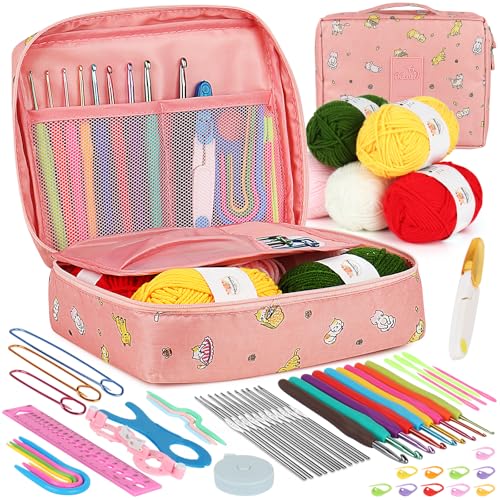
Ergonomic Crochet Needles For Beginner
5 Best Cricut Vinyl Cutters Compared for 2026

Which Cricut Tutorial Book Is Best for Beginners?
Learn Cricut Faster with the Best Guide Books
